Multi Cloud Sync
pendingby Roy
Sync individual vault folders with multiple cloud providers (Dropbox, OneDrive, Google Drive). Per-folder mapping, 3-way snapshot sync, modular operations.
🔄 Obsidian MultiSync
Sync individual vault folders with multiple cloud drives — simultaneously.
⚠️ Disclaimer: This plugin modifies files in your vault and cloud storage. Always maintain offline backups. The author is not responsible for any data loss.
Painful drive management and content migration? With this plugin, you can simply drag and drop content for easy migration.
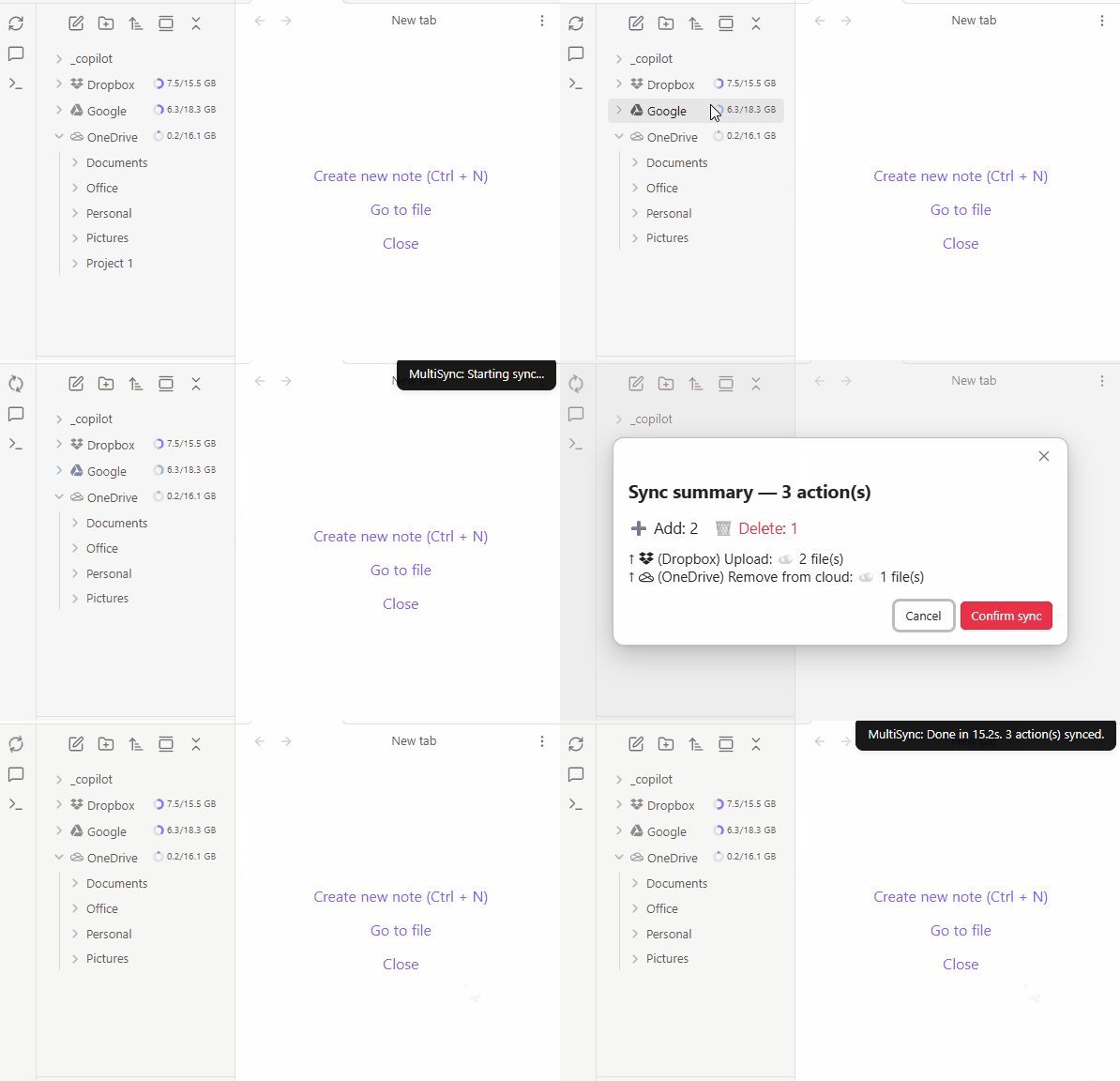
This plugin allows you to map cloud drives to Obsidian, similar to other plugins, but with the added ability to mount multiple cloud and local folders, including subfolders within the cloud. I use it to efficiently manage my cloud drives. You can also manage these drive files with other tools outside of Obsidian, and it will handle the synchronization. This tool has greatly reduced duplication and orphaned content in my cloud drives, making them much easier to manage.
-
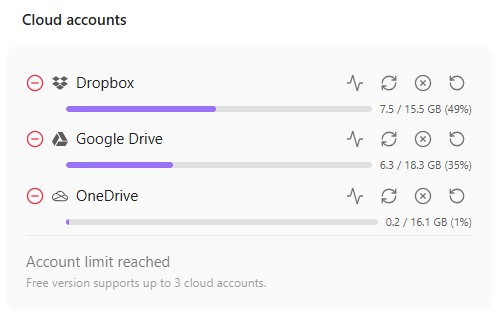
Multi-Cloud Sync — Sync with Dropbox, Google Drive, and OneDrive at the same time
-
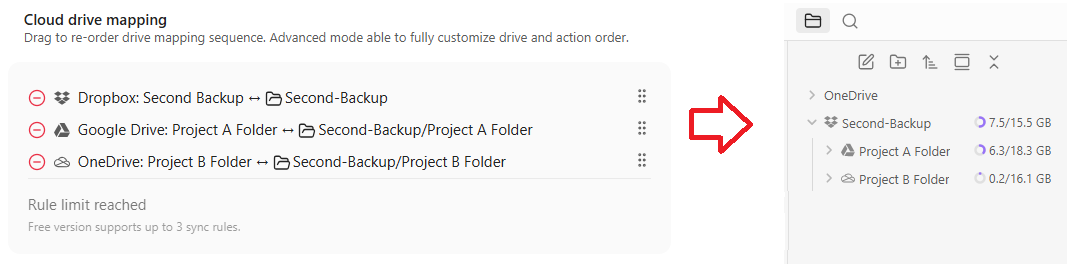
Per-Folder Mapping — Folder to folder mapping, support cross drive mapping for different drive backup
Pro Features
- Unlimited Cloud Drives
- Real-time Sync
- Smart Content Merge
Supported Providers
- Dropbox
- Google Drive
- OneDrive
More providers coming soon.
Content Protection
Synchronization is protected with:
- Sync confirmation
- Trash bin on cloud drive
- Trash bin on local disk (configurable in Obsidian settings)
Installation
- Open Obsidian → Settings → Community Plugins
- Disable Safe Mode if prompted
- Click Browse and search for "Multi Cloud Sync"
- Click Install, then Enable
Quick Start
- Open plugin settings
- Add a cloud account (Dropbox, Google Drive, or OneDrive) — authenticate via OAuth
- Add a sync rule — pick a local folder and a cloud folder on that account
- Click Sync (or Dry Run first to preview changes)
This plugin was developed with AI-assisted programming.
License
GPL-3.0
For plugin developers
Search results and similarity scores are powered by semantic analysis of your plugin's README. If your plugin isn't appearing for searches you'd expect, try updating your README to clearly describe your plugin's purpose, features, and use cases.