Note Archiver (File Property)
pendingby Daniel Haven
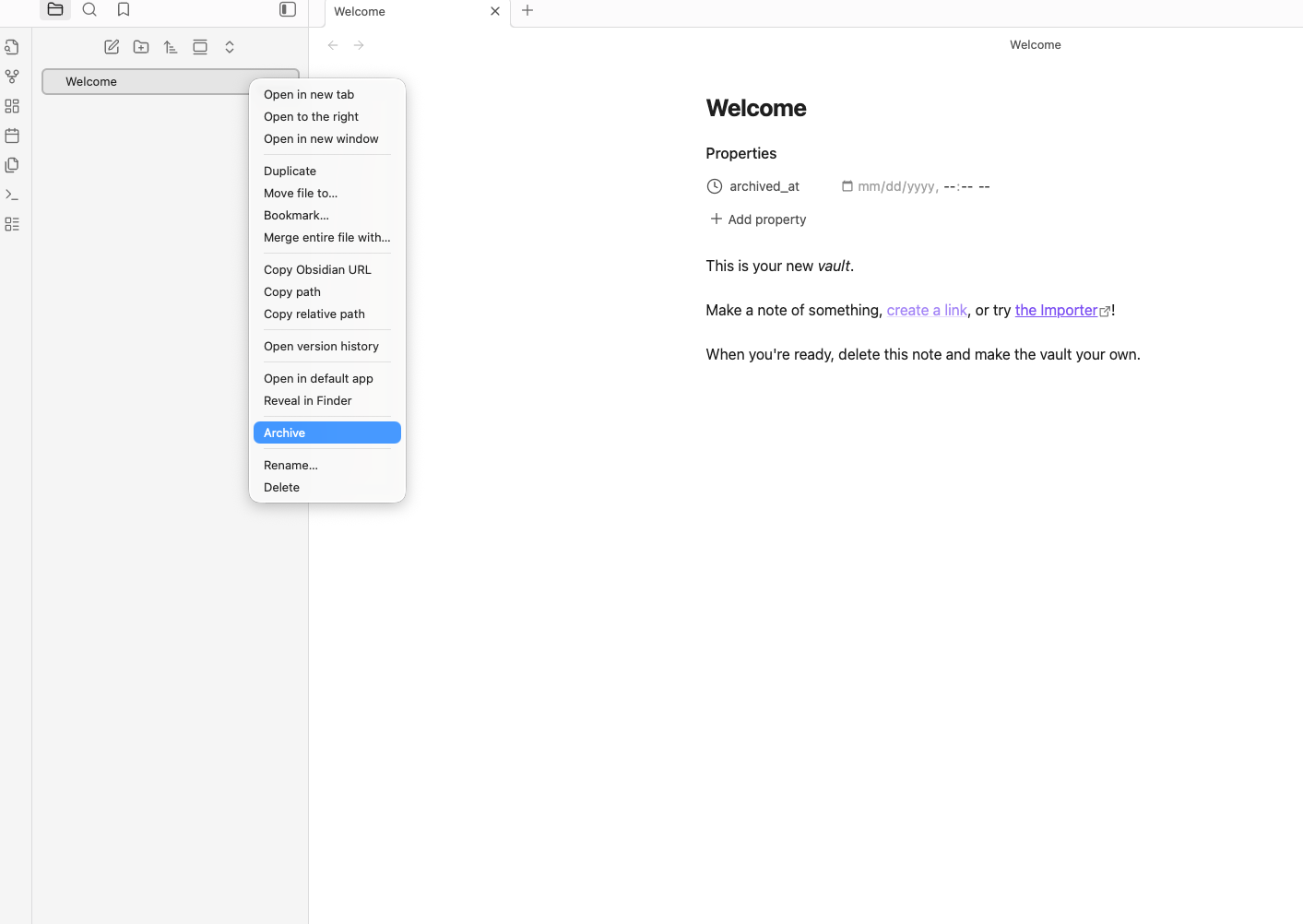
Provides a shortcut for archiving notes via adding a configurable "archived_at" property.
Obsidian Note Archiver (w/ archived_at File Property)
An Obsidian plugin that provides a shortcut to archiving notes via adding a configurable "archived_at" property.
Local Development
Make sure you have latest version of Obsidian.md (see: https://obsidian.md/) installed on your device.
Setup
- Clone the repo into a development vault (
{vault}/.obsidian/plugins/{your_clone}) - Run
yarn devornpm run devat the root - For changes, make sure to "Force Reload" the Obsidian Vault (
Menu > View > Force Reload)
Installation
[!CAUTION] If a plugin is not in the community listing, it has yet to be reviewed by the Obsidian team or has failed review. Make sure to analyze the source code before installing plugins outside of the official process.
You can find the pull request to add the plugin to the community listing here.
If you want to use this plugin now, you would have go to the releases page and download the note-archiver-file-property.zip file from the latest release to the plugins folder of whatever vault you want to use it in ({vault}/.obsidian/plugins/{location}).
Make sure to extract the folder from the zip and then go into your vault's community plugins settings to enable it. Also make sure to disable "Restricted Mode" so that you can use community plugins in your vault.
If the plugin isn't showing, trigger a "Force Reload" (Menu > View > Force Reload).
For plugin developers
Search results and similarity scores are powered by semantic analysis of your plugin's README. If your plugin isn't appearing for searches you'd expect, try updating your README to clearly describe your plugin's purpose, features, and use cases.