Wechat Converter
pendingby DavidLam (林小卫很行)
Convert Markdown into polished WeChat articles with live preview, copy, and draft sync.
Wechat Converter for Obsidian
Convert Obsidian Markdown into polished WeChat articles with live preview, copy-to-editor, and optional draft sync.



This plugin is built for writers who publish from Obsidian to WeChat Official Accounts. It focuses on the last mile of publishing: preserving layout, code blocks, math, images, and article metadata while keeping the workflow fast inside Obsidian.
This project is deeply refactored from ai-writing-plugins. Proper attribution is retained in this repository.
Highlights
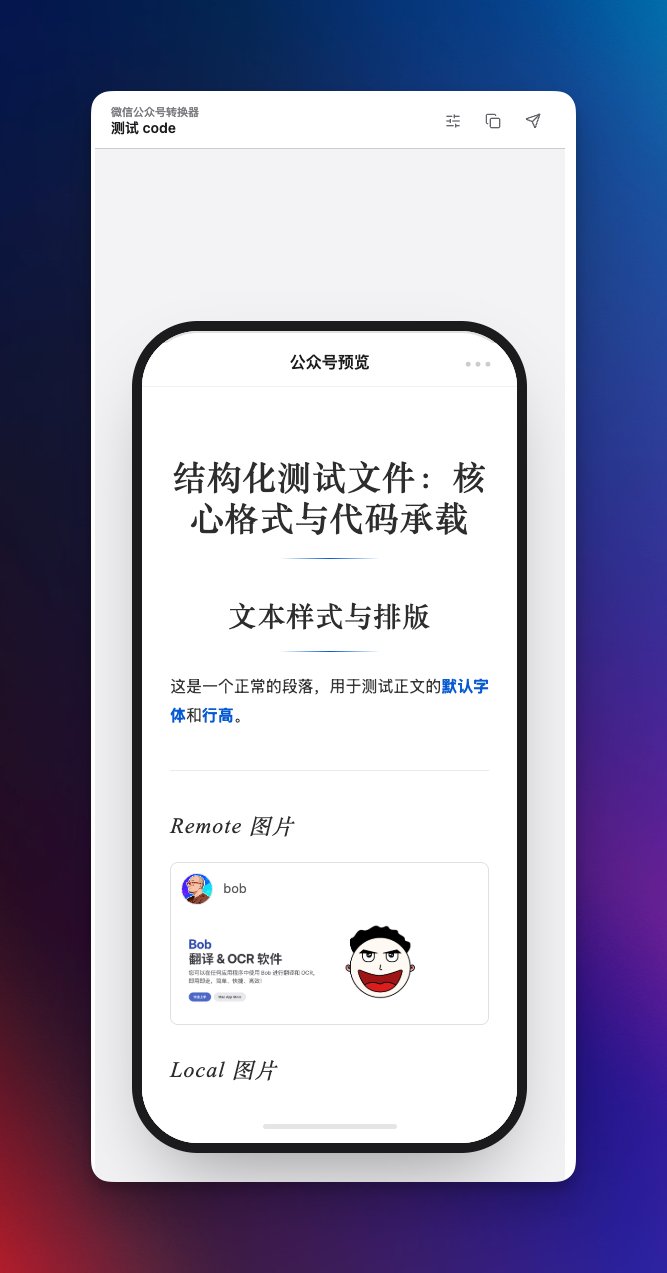
- Live article preview with fast side-by-side rendering.
- Copy rich HTML directly into the WeChat editor.
- Sync articles to the WeChat draft box with multi-account support.
- Math rendering with SVG output for better WeChat compatibility.
- Local image handling for wiki links, relative paths, absolute paths, and GIFs.
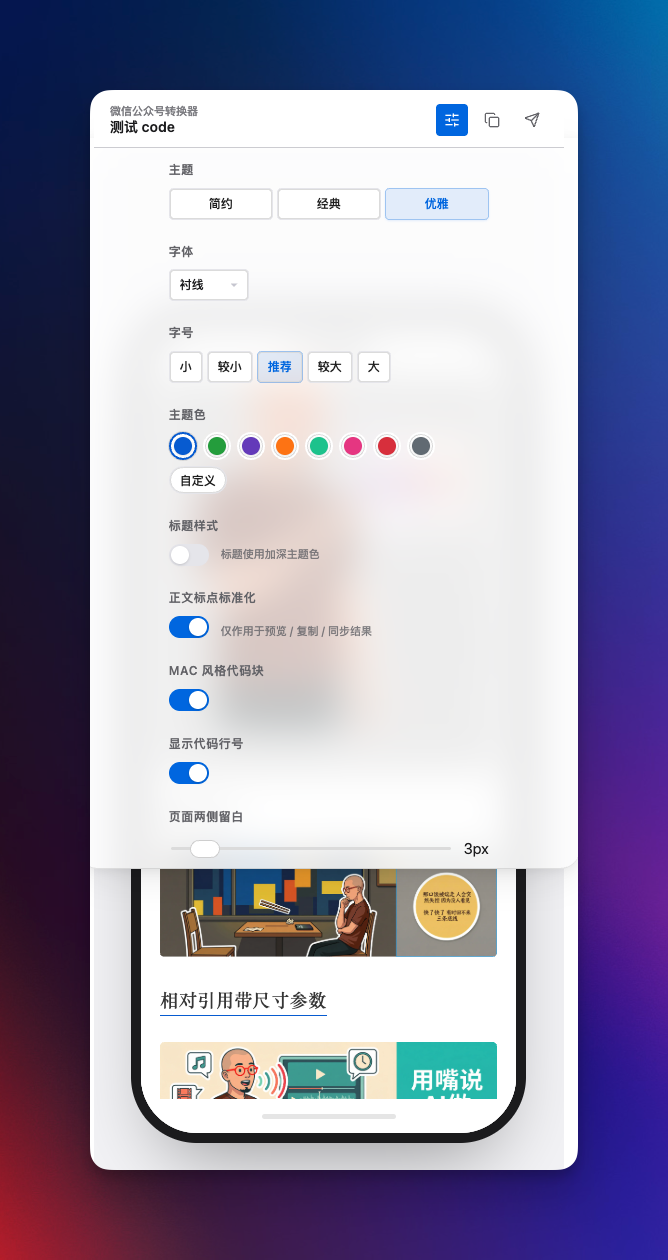
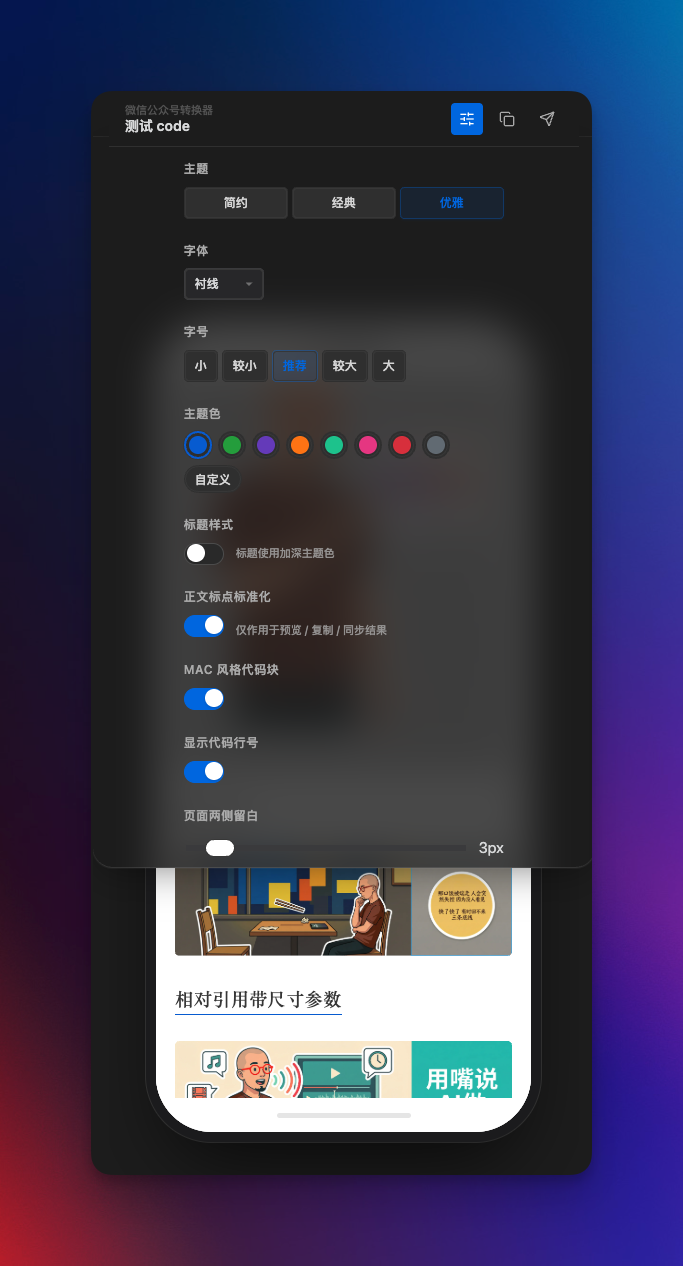
- Visual settings panel with theme, typography, preview, and code block controls.
- Chinese punctuation normalization for rendered output, with protection for code and technical tokens.
Installation
Manual install
- Download the latest release from GitHub Releases.
- Extract the plugin into your vault under
.obsidian/plugins/obsidian-wechat-converter/. - Make sure the folder contains:
main.jsmanifest.jsonstyles.css
- Reload Obsidian and enable the plugin.
BRAT
- Install and enable BRAT.
- Add the repository
DavidLam-oss/obsidian-wechat-converter. - After installation, do a quick smoke test:
- Open the converter panel
- Check preview rendering
- Copy once to WeChat
- Optionally test draft sync
Usage
- Open the plugin from the left ribbon icon or the command palette with
Open Wechat Converter. - Edit your Markdown note as usual. The right panel updates the article preview in real time.
- Click
Copy to WeChatto paste rich HTML into the WeChat editor. - Optionally click
Sync to Draftafter configuring your WeChat AppID and AppSecret in plugin settings.
Draft sync
- Supports up to 5 WeChat Official Account profiles.
- Uses
coverandexcerptfrom frontmatter when available. - Falls back to the first body image and auto-generated excerpt when not provided.
- Can optionally clean up a configured output directory after a successful sync.
Chinese punctuation normalization
The right-side settings panel includes 正文标点标准化.
- Scope: preview, copy result, and draft sync output only.
- Does not modify the original Markdown file.
- Converts common ASCII punctuation into Chinese punctuation in Chinese writing context.
- Protects inline code, fenced code blocks, URLs, emails, file paths, CLI tokens, environment variables, math-like expressions, and other technical tokens.
Cloudflare proxy
If WeChat API IP allowlisting is a problem in your network, you can use a Cloudflare Worker proxy. Detailed deployment steps and worker code are available in the Chinese guide:
Screenshots
Who this is for
- Obsidian users publishing to WeChat Official Accounts
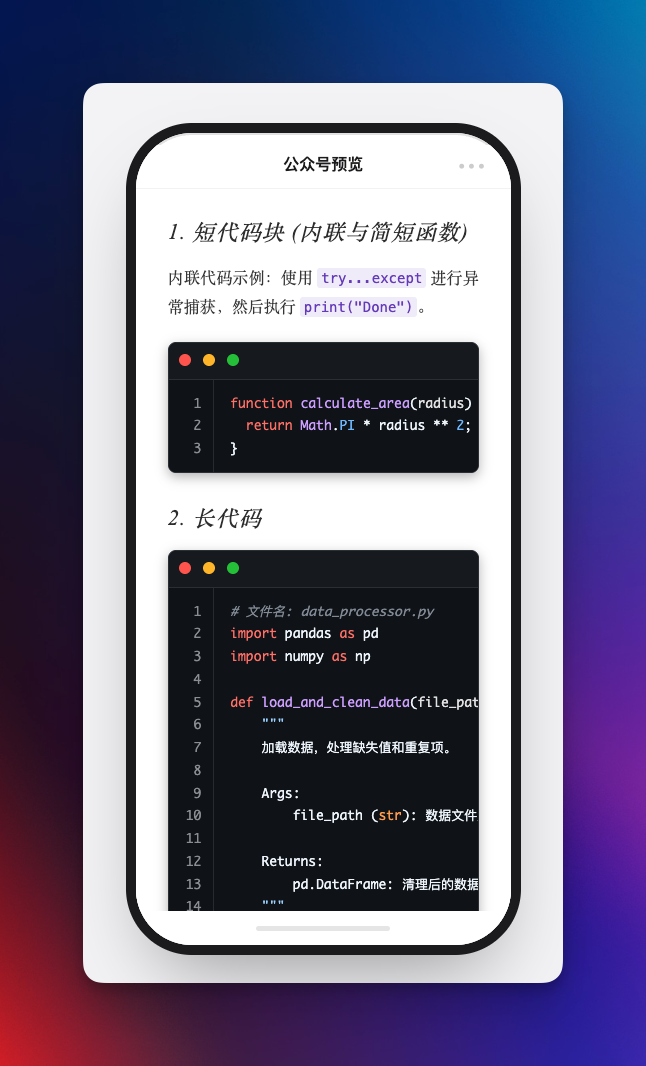
- Technical writers who need code, math, and image fidelity
- Chinese-language creators who want a faster publishing workflow
More docs
- Chinese documentation: README.zh-CN.md
- Release notes: RELEASE_NOTES
License
MIT
For plugin developers
Search results and similarity scores are powered by semantic analysis of your plugin's README. If your plugin isn't appearing for searches you'd expect, try updating your README to clearly describe your plugin's purpose, features, and use cases.