Paste link with title
pendingby Yuki Nagashima
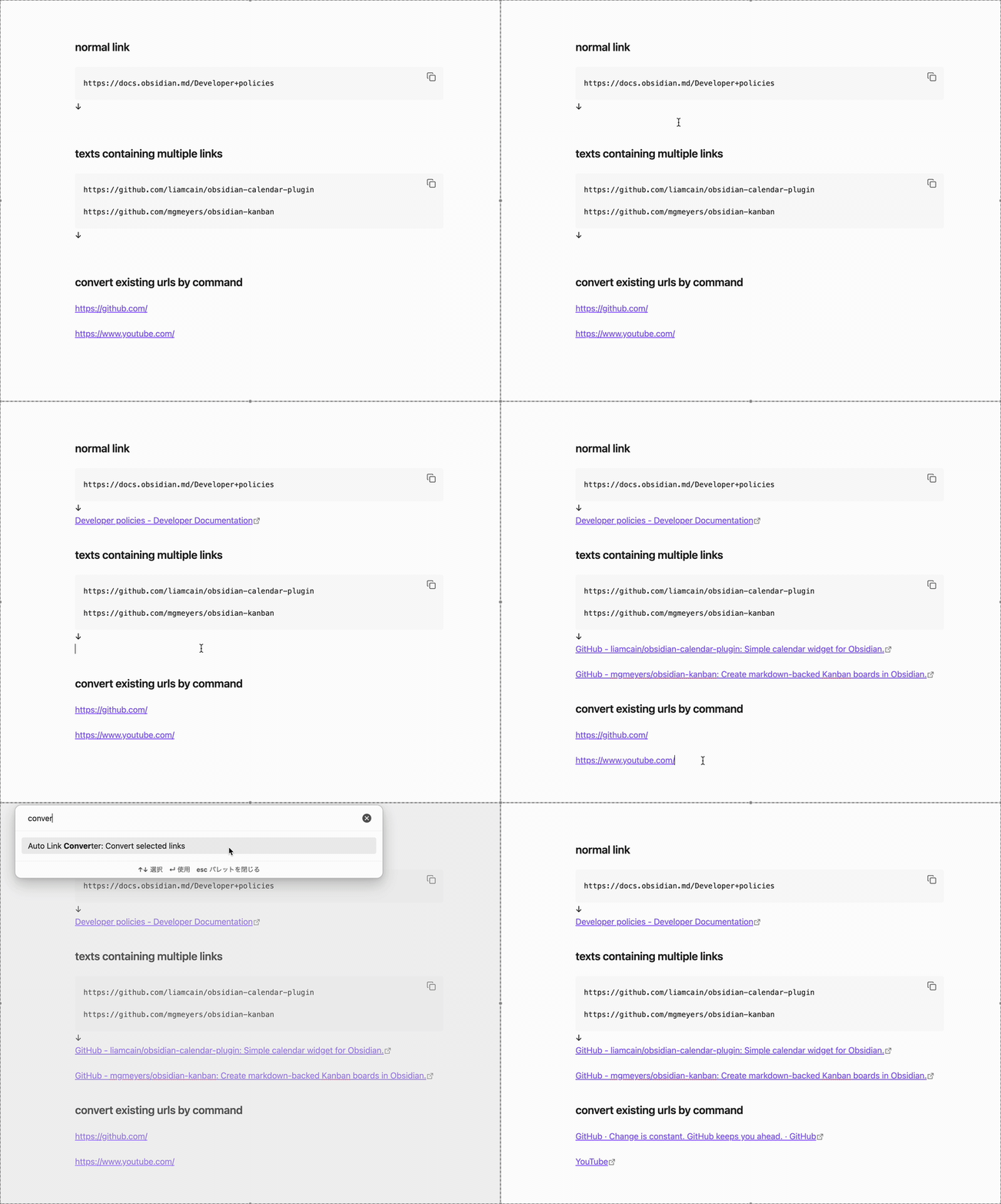
Automatically converts pasted URLs to reference-style markdown links with page titles.
Auto Link Converter
An Obsidian plugin that automatically converts pasted URLs into reference-style markdown links with page titles.
Features
- Automatic URL Conversion: When you paste a URL, it automatically fetches the page title and converts it to a reference-style markdown link
- Manual Conversion Command: Convert selected URLs using the command palette
- Customizable Settings: Configure auto-conversion behavior and placeholder text
Usage
Automatic Conversion (Paste)
- Copy text containing a URL (or URLs) to your clipboard
- Paste it into your note (Ctrl/Cmd + V)
- The plugin will automatically:
- Fetch the page title
- Convert the URL to a reference-style link
Manual Conversion (Command)
- Select one or more URLs in your note
- Open the command palette (Ctrl/Cmd + P)
- Run "Auto Link Converter: Convert selected links"
- Selected URLs will be converted to reference-style links
Settings
- Enable auto-conversion: Whether to automatically convert pasted URLs to reference-style links
- Placeholder text: The text to display when the title cannot be fetched from the URL (default: "Untitled")
For plugin developers
Search results and similarity scores are powered by semantic analysis of your plugin's README. If your plugin isn't appearing for searches you'd expect, try updating your README to clearly describe your plugin's purpose, features, and use cases.