Coursera Tracker
pendingby Matías Leonel Zalazar
Import Coursera courses into your vault: one note per lesson, organized by module and content type, with YAML frontmatter for progress tracking.
coursera tracker




Import Coursera courses into your Obsidian vault — structured, linked, and ready to annotate.
Overview
Course Tracker is an Obsidian plugin that fetches a Coursera course's public syllabus and generates a fully linked folder structure inside your vault — one note per lesson, a master index with wiki-links, and YAML frontmatter ready for progress tracking.
Everything runs locally inside Obsidian. No login, no cookies, no external tools required.
How It Works
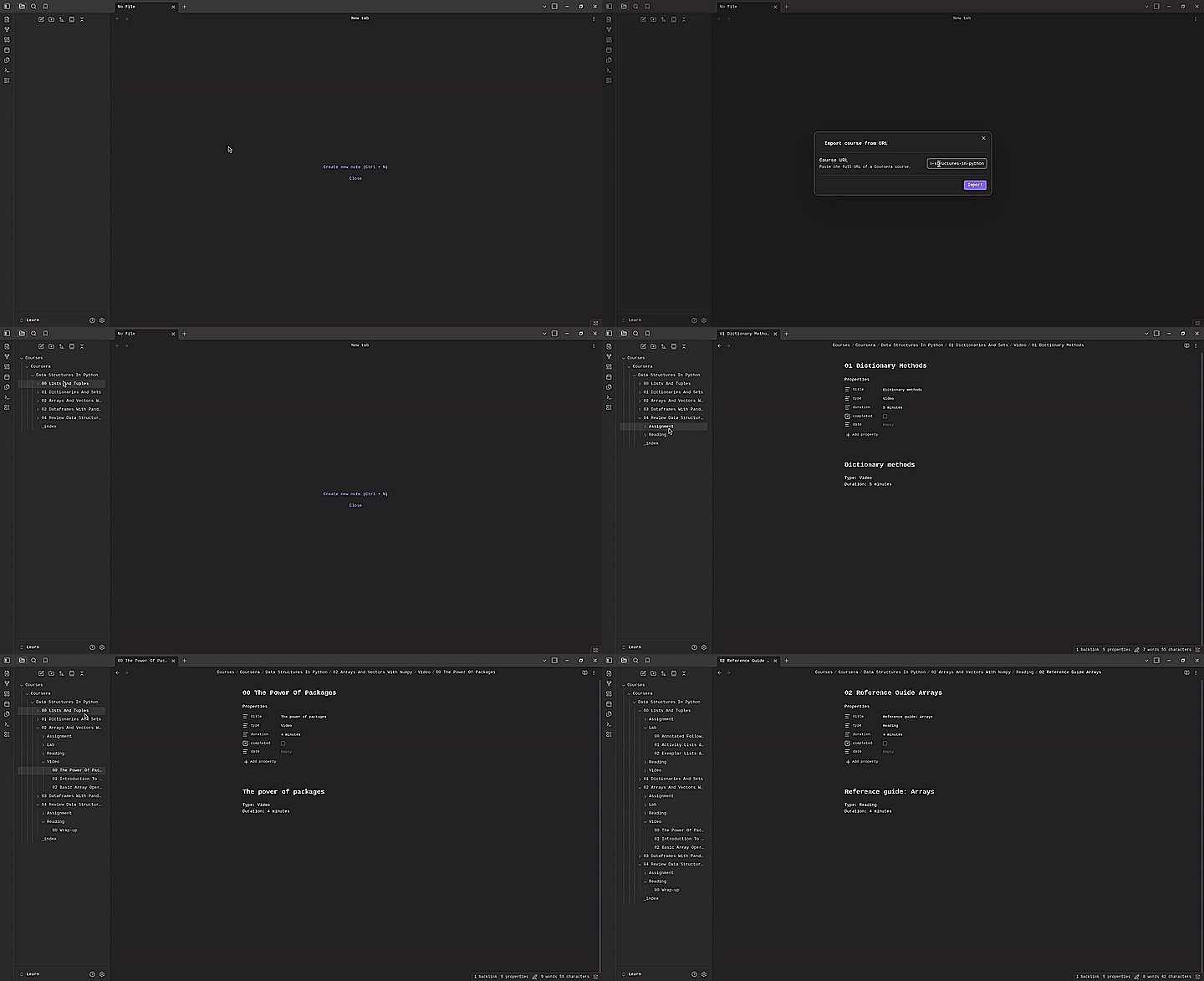
Paste a Coursera course URL — the plugin fetches the public syllabus and builds a fully linked vault structure automatically.
Prerequisites
| Requirement | Notes |
|---|---|
| Obsidian Desktop | Web version is not supported |
| Node.js ≥ 20.0.0 | Only needed to build from source |
Installation
-
Clone the repository and install dependencies:
git clone https://github.com/matzalazar/coursera-tracker cd coursera-tracker npm install -
Build the plugin:
npm run build -
Copy the built artifacts into your vault:
PLUGIN_DIR="/path/to/your/vault/.obsidian/plugins/coursera-tracker" mkdir -p "$PLUGIN_DIR" cp dist/main.js manifest.json "$PLUGIN_DIR/" -
Restart Obsidian and enable Coursera Tracker under Settings → Community Plugins.
Usage
- Open the command palette (
Ctrl/Cmd + P). - Run Coursera Tracker: Create Course from URL.
- Paste the full URL of a Coursera course and click Import.
- The plugin fetches the public syllabus and builds the vault structure automatically.
Output Structure
Given a course titled "Machine Learning Specialization", the plugin generates:
Courses/
└── Coursera/
    └── Machine Learning Specialization/
        ├── _index.md
        ├── 00 Introduction To Machine Learning/
        │   ├── Video/
        │   │   ├── 00 Welcome To The Course.md
        │   │   └── 01 What Is Machine Learning.md
        │   └── Reading/
        │       └── 00 Course Overview.md
        └── 01 Supervised Learning/
            ├── Video/
            │   └── 00 Linear Regression.md
            └── Assignment/
                └── 00 Lab Linear Regression.md
_index.md
# Machine Learning Specialization

**Course link:** [Go to course](https://www.coursera.org/learn/...)

---

## Introduction to Machine Learning

### Video

- [[00 Introduction To Machine Learning/Video/00 Welcome To The Course]] · _4 min_
- [[00 Introduction To Machine Learning/Video/01 What Is Machine Learning]] · _12 min_

### Reading

- [[00 Introduction To Machine Learning/Reading/00 Course Overview]] · _10 min_
Lesson note
---
title: "Welcome to the Course"
type: "Video"
duration: "4 min"
completed: false
date: null
---

# Welcome to the Course

Type: Video
Duration: 4 min
Disclaimer
This plugin fetches publicly available Coursera syllabus pages. No login or credentials are required or stored.
It is intended for personal use only. Use it to organize courses you are enrolled in. Please respect the Coursera Terms of Service.
Note: This plugin relies on Coursera's current HTML structure. If Coursera updates their frontend, parsing may break until the selectors in
src/scrapers/parser.tsare updated.
All processing happens locally on your machine. No data is collected, stored remotely, or transmitted to any third party.
Contributing
See CONTRIBUTING.md.
License
For plugin developers
Search results and similarity scores are powered by semantic analysis of your plugin's README. If your plugin isn't appearing for searches you'd expect, try updating your README to clearly describe your plugin's purpose, features, and use cases.