Snipd Official
pendingby Snipd
Official Snipd integration. Sync your podcast highlights (snips) to your vault with transcript, notes, ai summary and metadata.
Snipd Official 🎙️
The official Snipd plugin maintained by the Snipd team.
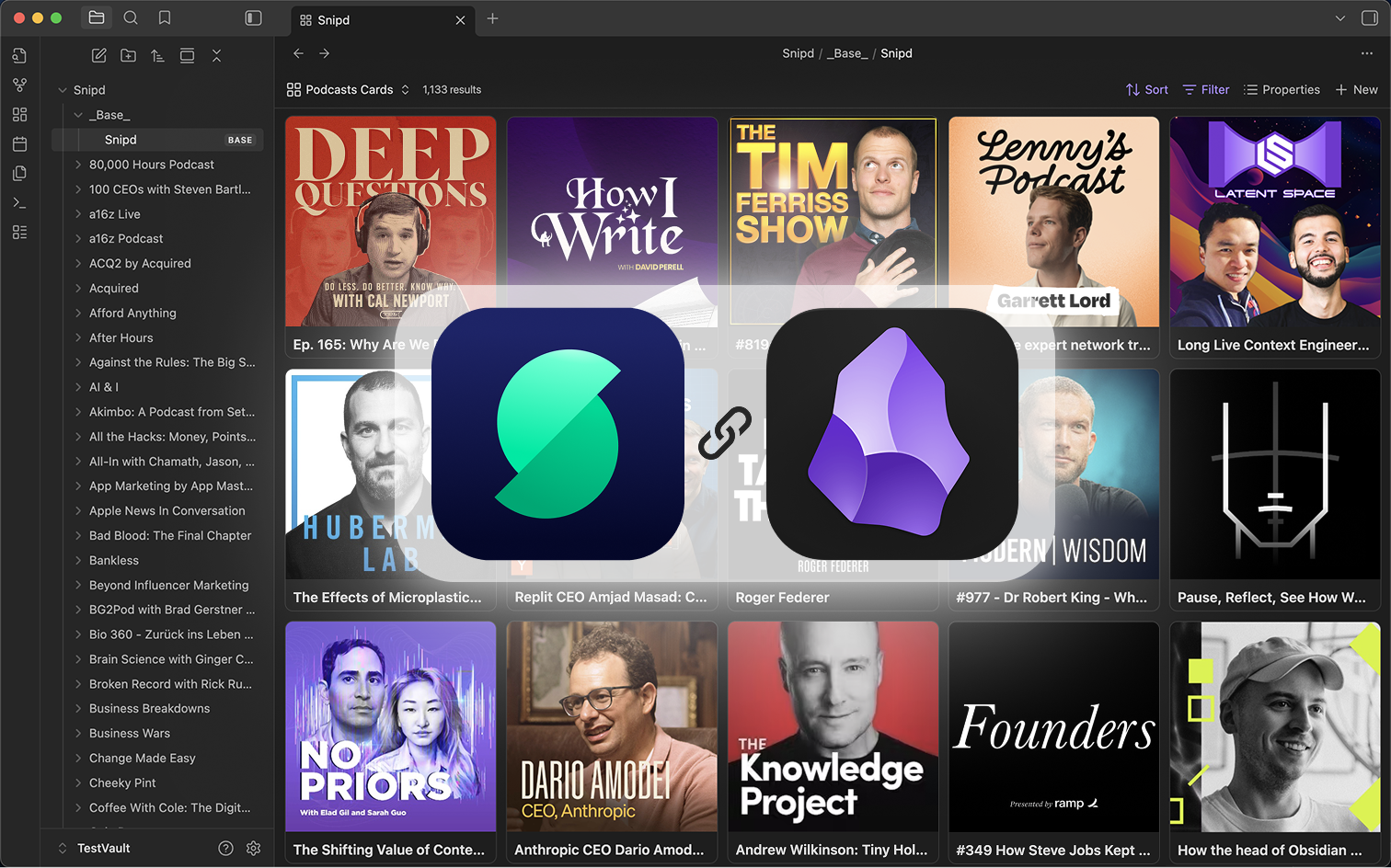
Lets you automatically sync all your podcast highlights (=snips) to your Obsidian Vault, including transcript, notes, ai summary and more.
Plugin Features
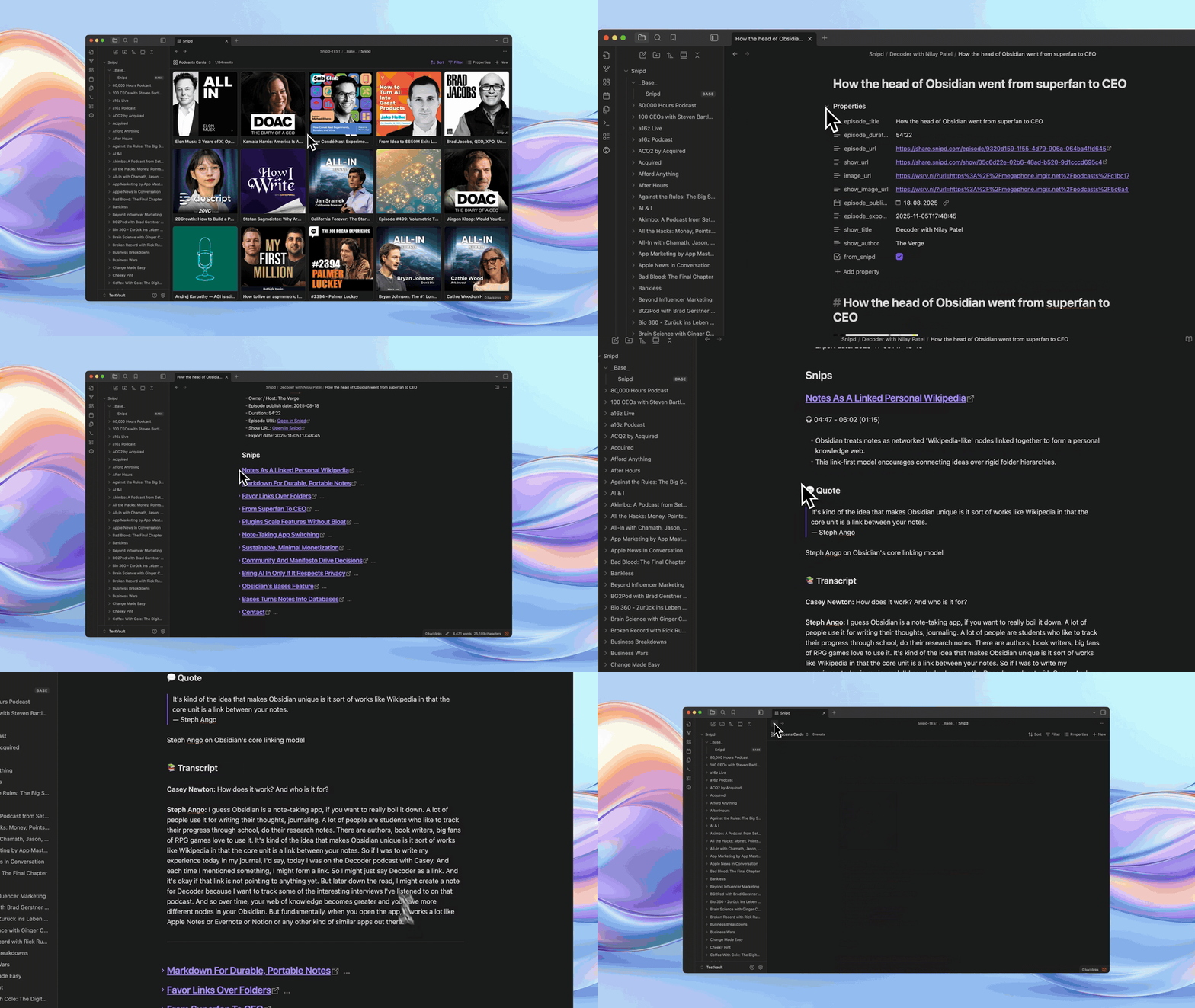
- Automatically sync your snips to your Obsidian vault, including:
- Transcript
- AI-summary
- Your notes
- Link to snip
- Rich podcast metadata incl. image, title, publish date & more
- Customize the formatting
- Choose whether to only sync edited snips
- Compatible with Obsidian Bases:
- Metadata as properties
- Two default Bases views out of the box
About Snipd
Snipd is an AI-powered podcast app that let's you highlight and take notes from podcasts just by tapping your headphones.
You can also chat with episodes, see all mentioned books, or generate summaries.
You can download it here.
Plugin Demo
Plugin Setup
- Install & enable the plugin inside Obsidian's community plugin section
- Open the plugin settings
- Click on "Connect" and sign in with your Snipd account. If you have an issues connecting to your Snipd, please make sure you open the link in your native web browser, not in Obsidian's in-app browser.
- Optionally click "Test sync" to test the connection and output format
- Optionally customize your template
- Click "Start syncing" to start your first sync
Custom Formatting
Inside the plugin's settings, go to "Custom formatting" and click "Configure":
- Episode filename template: Customize how episode files are named
- Episode template: Control how episode files are formatted
- Snip template: Control how individual snips appear
Support & Feedback
If you encounter any issues, have questions or want to pass along feature requests, please contact us via the in-app feedback button inside the Snipd mobile app.
You can find it in "You" -> Settings -> Feedback.
Note: This plugin requires a Snipd account to access the API. You can create a free account inside the mobile app.
Get the Snipd app
We hope you like it! :)
For plugin developers
Search results and similarity scores are powered by semantic analysis of your plugin's README. If your plugin isn't appearing for searches you'd expect, try updating your README to clearly describe your plugin's purpose, features, and use cases.