by Tobias Zimmerman
View and edit PNG metadata, with a dedicated mode for SillyTavern character cards.
Updated todayMIT
PNG Metadata Editor
View and edit the metadata stored inside PNG files, right in Obsidian. It has a dedicated mode for SillyTavern character cards, which keep their character data inside the PNG.
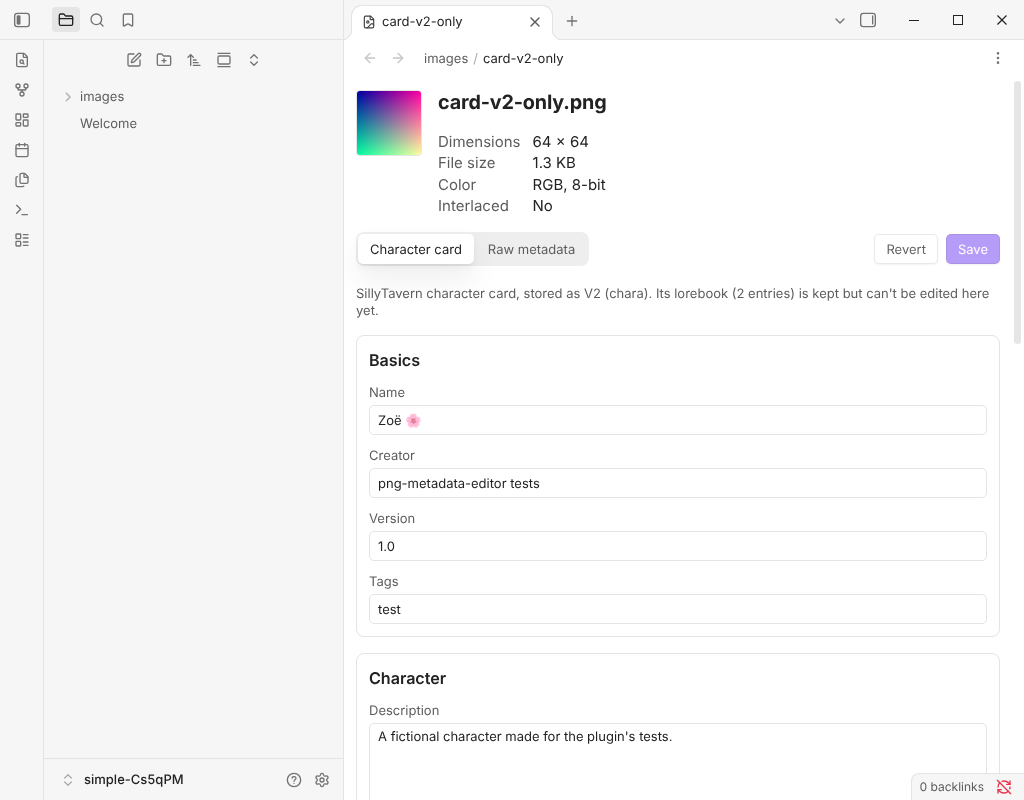
Features
- Open PNGs in a metadata view. Selecting a
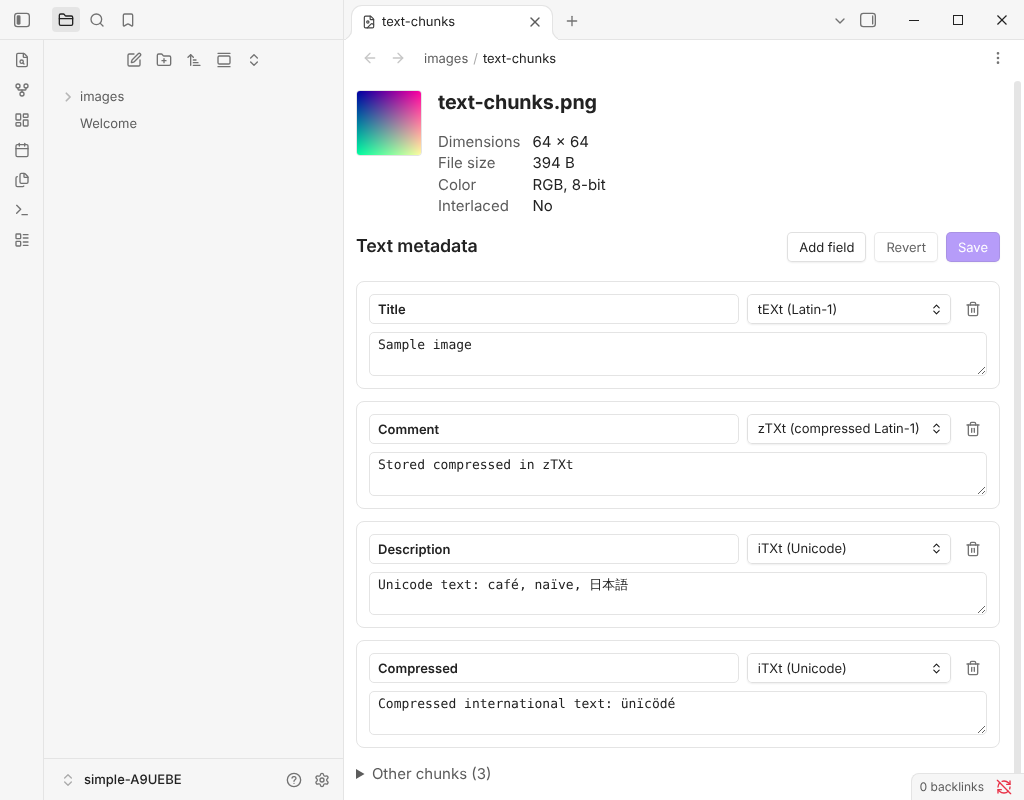
.pngin the file explorer shows a preview, the image's basic properties and all of its metadata. You can turn this off in settings and open PNGs on demand instead. - Edit text metadata. Every text field in the file (
tEXt,zTXtandiTXtchunks) can be edited, added, deleted or switched between types, then saved. The image itself is never re-encoded. - SillyTavern character cards. Cards are shown as a form (name, description, personality, scenario, greetings, prompts, tags and more), with a toggle back to the raw metadata. V1, V2 (
chara) and V3 (ccv3) cards are supported. When a file has both chunks, edits are saved to both. Lorebooks and other data the form doesn't show are kept unchanged. - Standard metadata, read-only. EXIF (from an
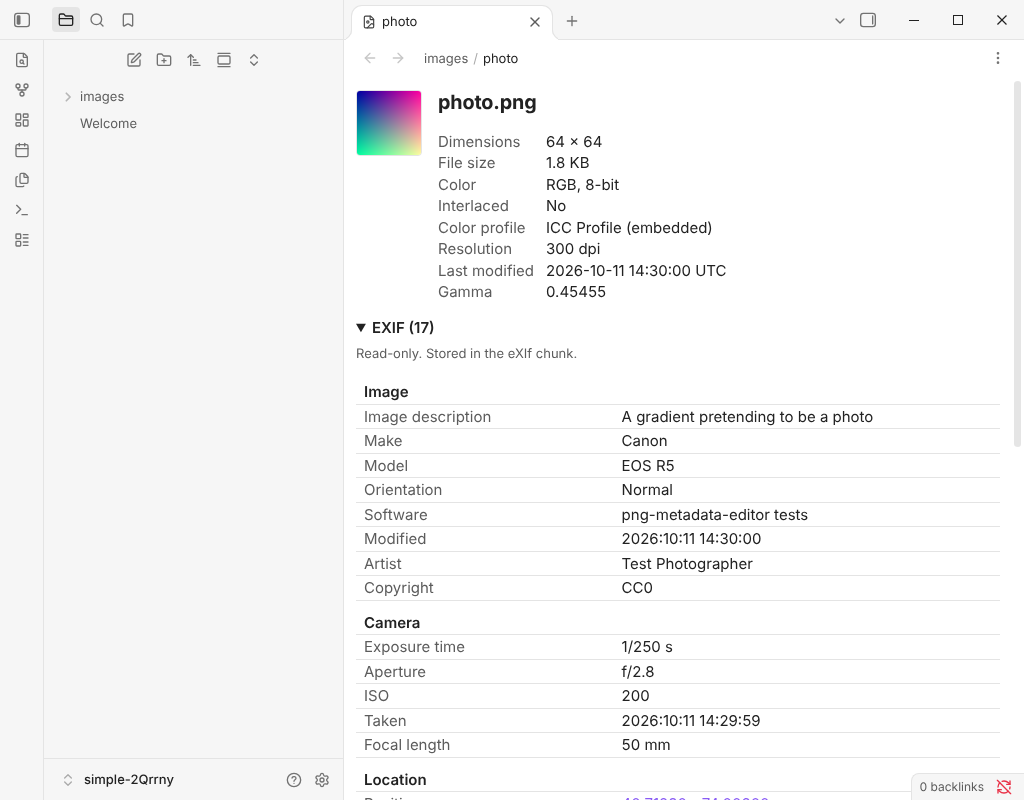
eXIfchunk or an ImageMagick raw profile), XMP, and PNG info chunks such as resolution, modification time, gamma and color profile.
| Text metadata | Photo metadata |
|---|---|
 |  |
Installation
From Community plugins
- Open Settings → Community plugins and turn off Restricted mode if it is on.
- Select Browse, search for PNG Metadata Editor and select Install.
- Select Enable.
Manually
- Download
main.js,manifest.jsonandstyles.cssfrom the latest release. - Copy them into
<your vault>/.obsidian/plugins/png-metadata-editor/. - Reload Obsidian and enable the plugin in Settings → Community plugins.
Usage
- Select any PNG in the file explorer. If you turned off Open PNG files in metadata view, right-click the file and select Open in metadata view, or run Open current PNG in metadata view from the command palette.
- Edit fields, then select Save. Revert discards unsaved changes.
- For a SillyTavern card, use the Character card and Raw metadata tabs to switch between the form and the underlying fields.
Settings
| Setting | Default | What it does |
|---|---|---|
| Open PNG files in metadata view | On | Opens PNGs in this plugin instead of Obsidian's image viewer. |
| Back up before first save | On | Before a PNG is changed for the first time, keeps the original next to it as NAME.png.bak. |
Privacy and safety
- The plugin works entirely offline. It makes no network requests and collects no data.
- It only reads and writes PNG files in your vault, and only writes when you select Save. With backups on, it also creates a
.png.bakcopy beside a file the first time you change it. - Keep your own backups too. The file format code is well tested, but this is a young plugin.
Limitations
- EXIF and XMP are shown but can't be edited.
- SillyTavern lorebooks are kept but can't be edited here.
- To open PNGs by default, the plugin takes over the
.pngextension from Obsidian's built-in image viewer using an internal Obsidian API. It hands it back when the plugin is disabled or the setting is turned off.
Contributing
Bug reports, ideas and pull requests are welcome. See CONTRIBUTING.md for how to set up the project, run the tests and send a change.
License
For plugin developers
Search results and similarity scores are powered by semantic analysis of your plugin's README. If your plugin isn't appearing for searches you'd expect, try updating your README to clearly describe your plugin's purpose, features, and use cases.