by theluckystrike
Quiz yourself on question lines in the current note and mark each one right or wrong, on phone or desktop.
Pocket Note Quiz
Pocket Note Quiz turns question lines in the current Markdown note into a short review. Read the question, recall the answer, then reveal the answer and choose Correct or Wrong. At the end, see the score and choose whether to write result marks to the source.
The current-note quiz, filters, answer view, score, and source marks are free. Pro adds folder quizzes, dated score reports, and named question-marker presets.
Features
Questions from the current note
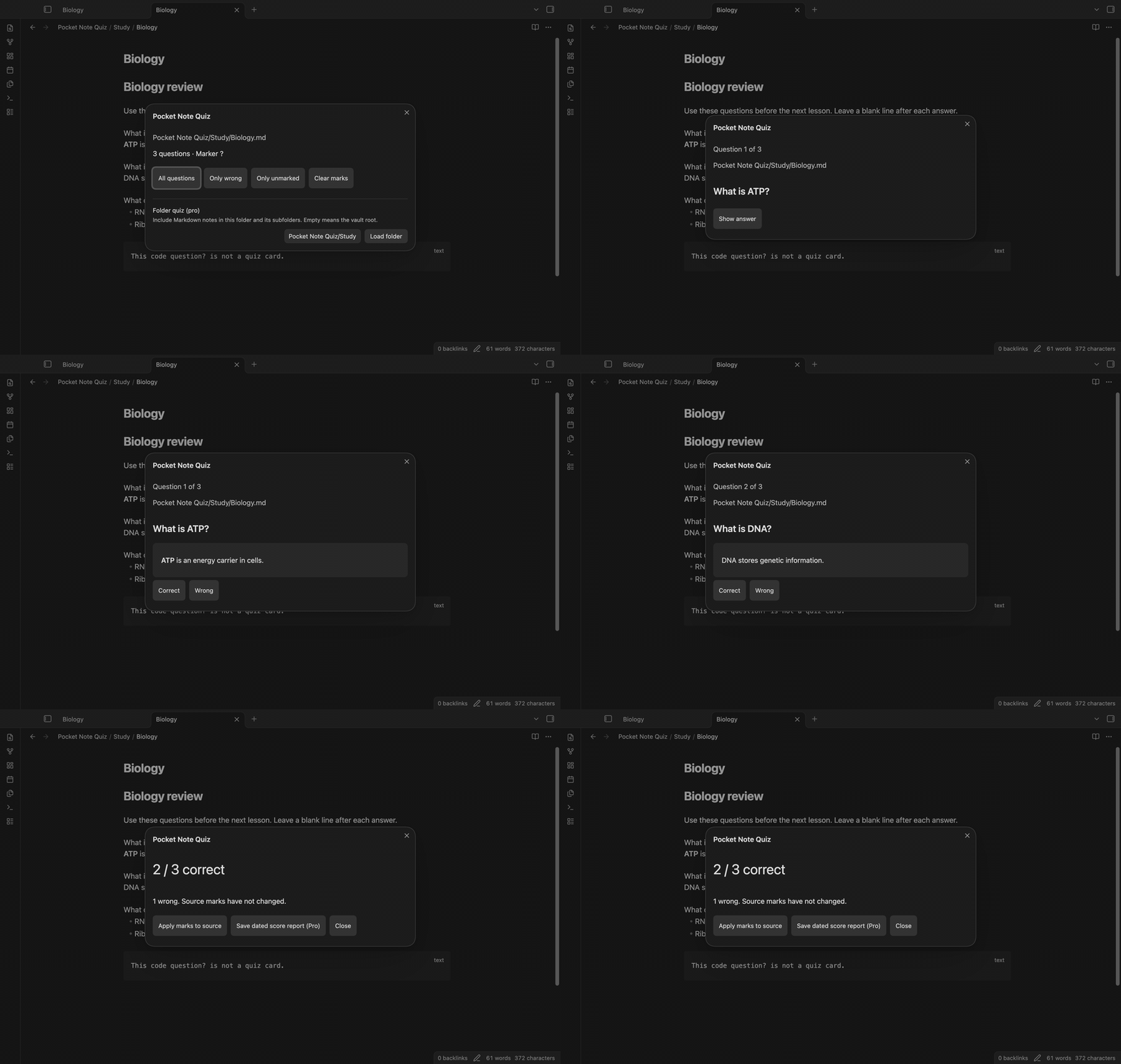
Run "Start quiz on current note" from the command palette. The start screen shows the number of questions and the marker in use. The default marker is ?. A question line contains that marker. Its answer is the text below it, up to the next blank line. A question at the end of a note can have an empty answer.
Question lines inside backtick or tilde code fences are excluded. Frontmatter is excluded too. Put a blank line between question blocks; a marker within an answer remains answer text.
Reveal an answer and choose a result
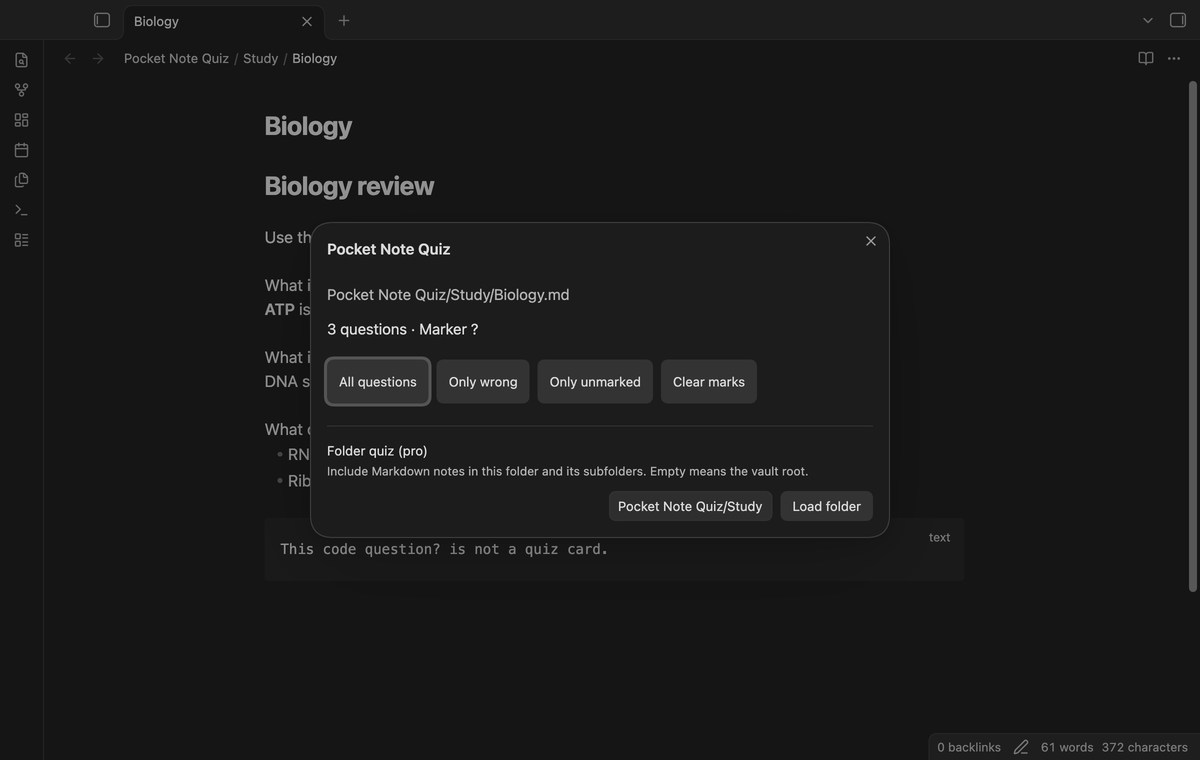
Select "All questions" to begin. The quiz shows one question and its source path. Select "Show answer" to see the answer with Obsidian's Markdown renderer. Bold text, lists, and local links can appear in the answer. An empty answer shows (no answer). Choose "Correct" or "Wrong" to move to the next question.
The result buttons appear after the answer is rendered. The buttons have a minimum height of 44 pixels. Close the modal to leave a quiz before the score screen; that action does not write marks.
Select wrong or unmarked questions
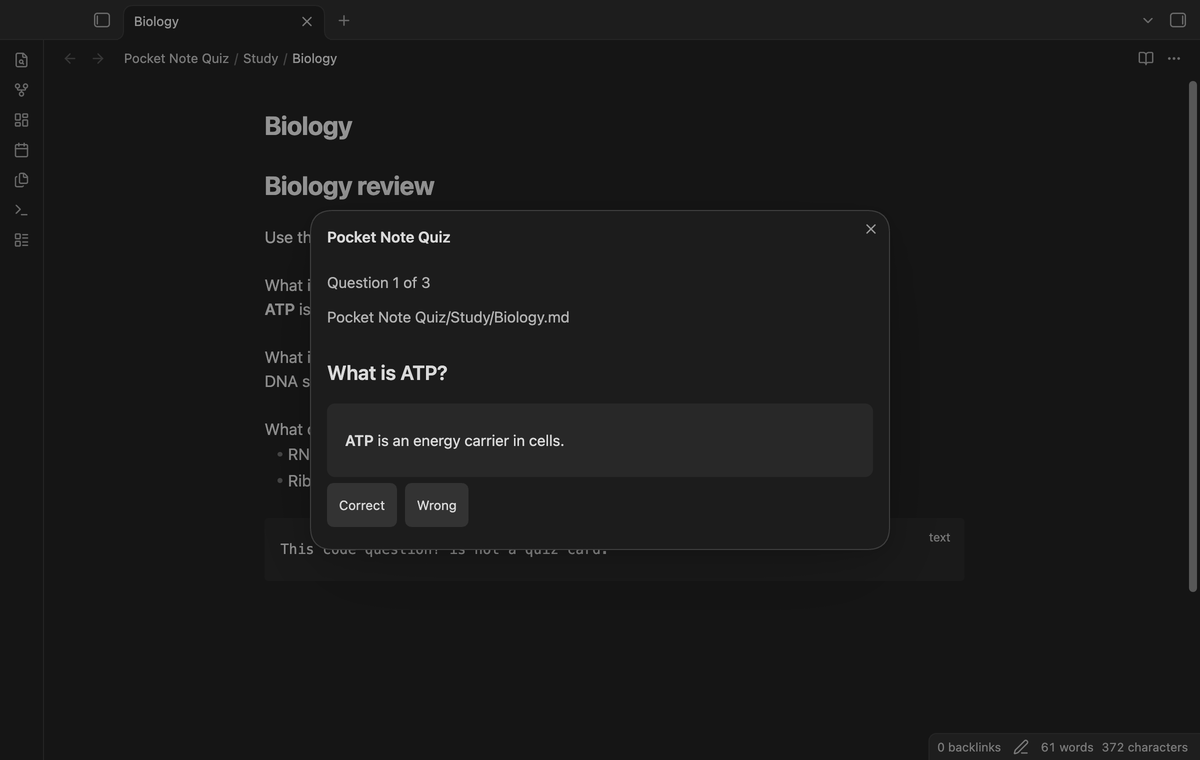
The start screen offers "Only wrong" and "Only unmarked". These choices use marks already written at the end of source question lines. Only wrong selects questions that end in ❌. Only unmarked selects questions without a trailing result mark. A result chosen during a quiz becomes a source mark only when you apply it.
"Clear marks" removes trailing result marks from the question lines in the loaded scope. Answer text keeps its emoji. This button changes source text at once. Use a copy of a study note when you first try it.
Score and source marks
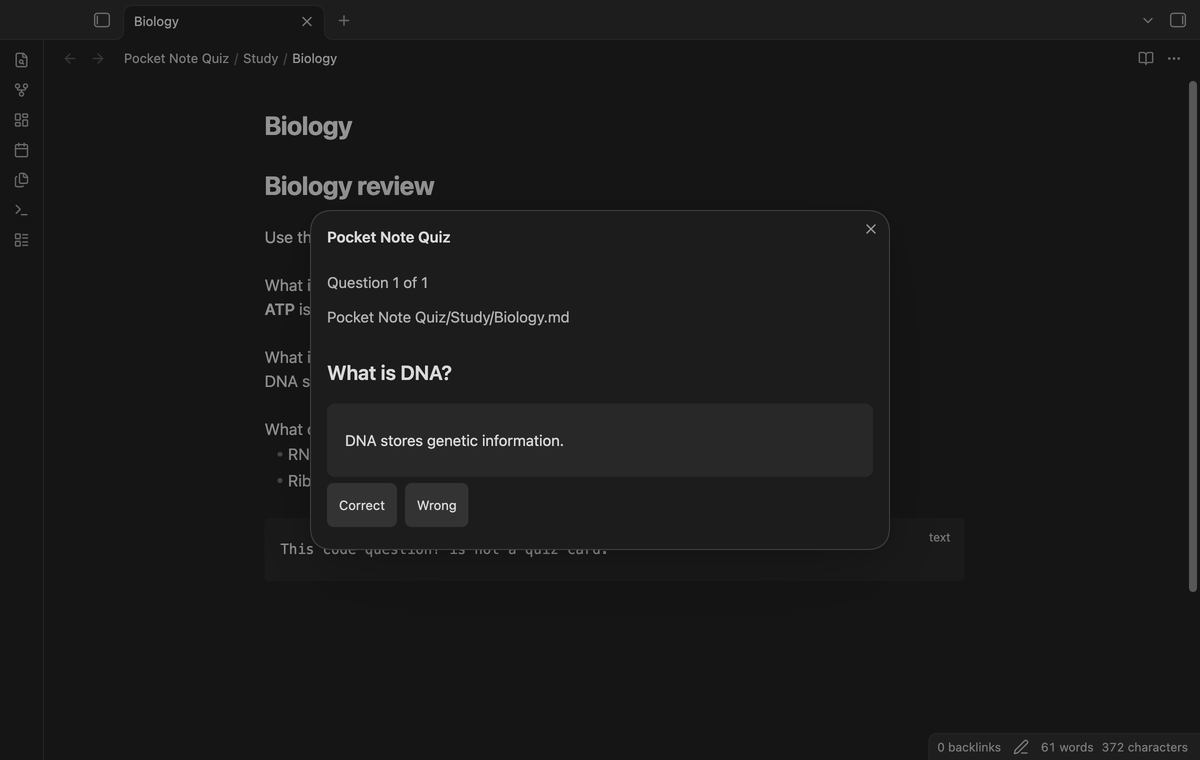
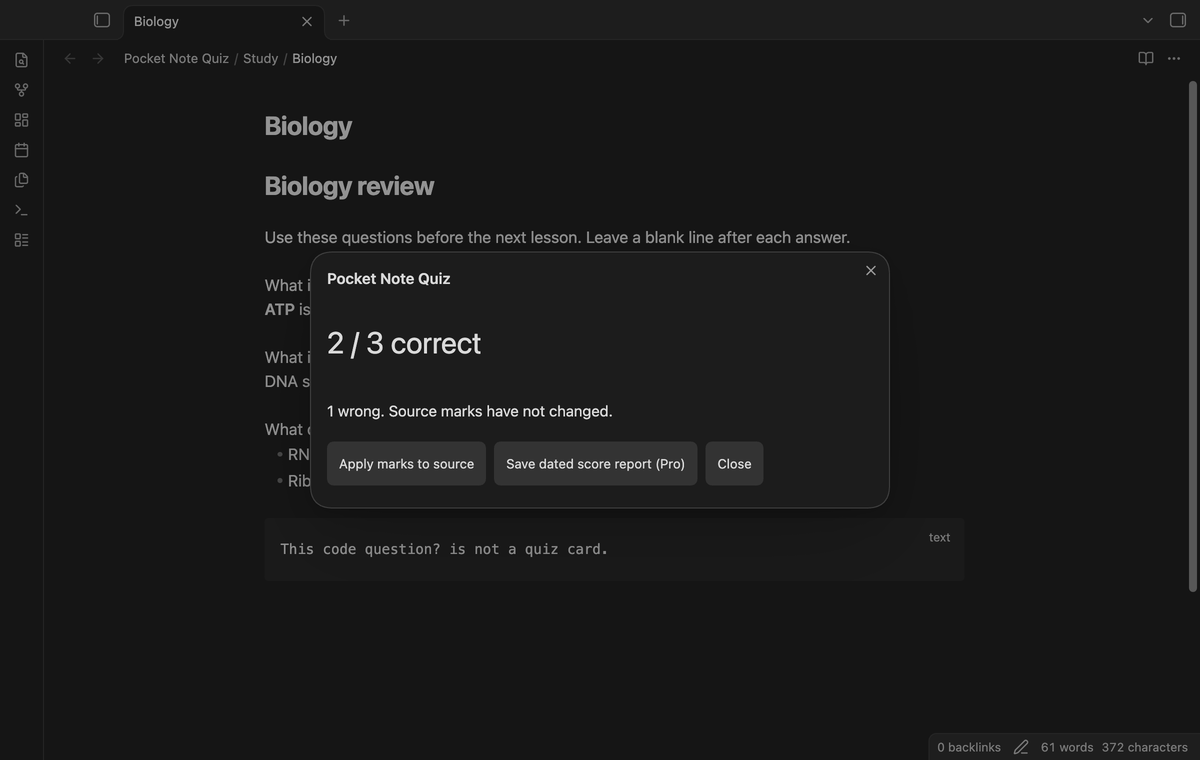
The score screen shows the correct count, total count, and wrong count. "Apply marks to source" appends ✅ for Correct or ❌ for Wrong directly to the question line, without an added space. The mark format matches Simple Note Quiz 1.1.1. An old trailing mark is replaced when a new result is applied. If the question line ends with a block ID such as ^atp, the mark goes before the ID, so links to that block keep working.
The write uses Vault.process. It compares the current question line with the question used by the quiz. A changed, moved, or deleted question can be skipped. The notice shows the applied and skipped counts. Other lines keep their text and line endings. An answer edit does not prevent a mark when its question line still matches.
Folder quizzes (Pro)
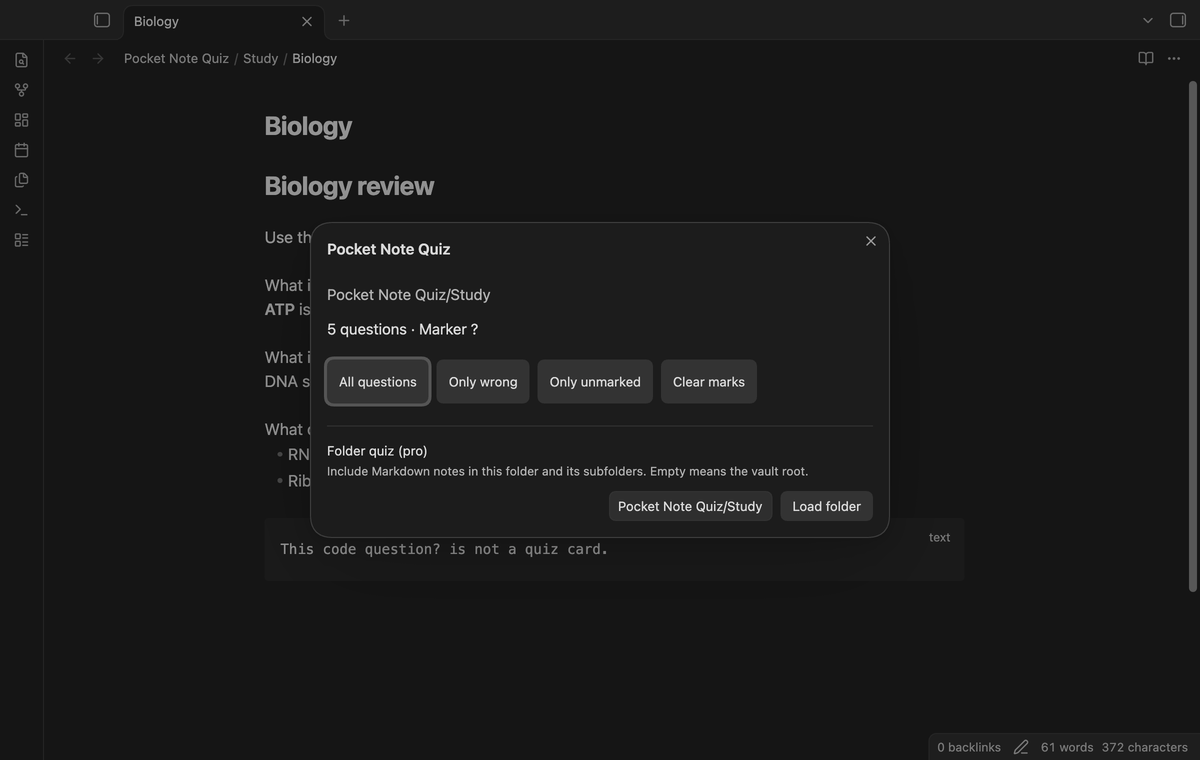
Enter a vault-relative folder path on the start screen and select "Load folder". The quiz includes Markdown notes in that folder and its subfolders, in path order. An empty path selects the vault root. The same filters and answer controls apply to the combined cards. A folder path is case sensitive.
Dated score reports (Pro)
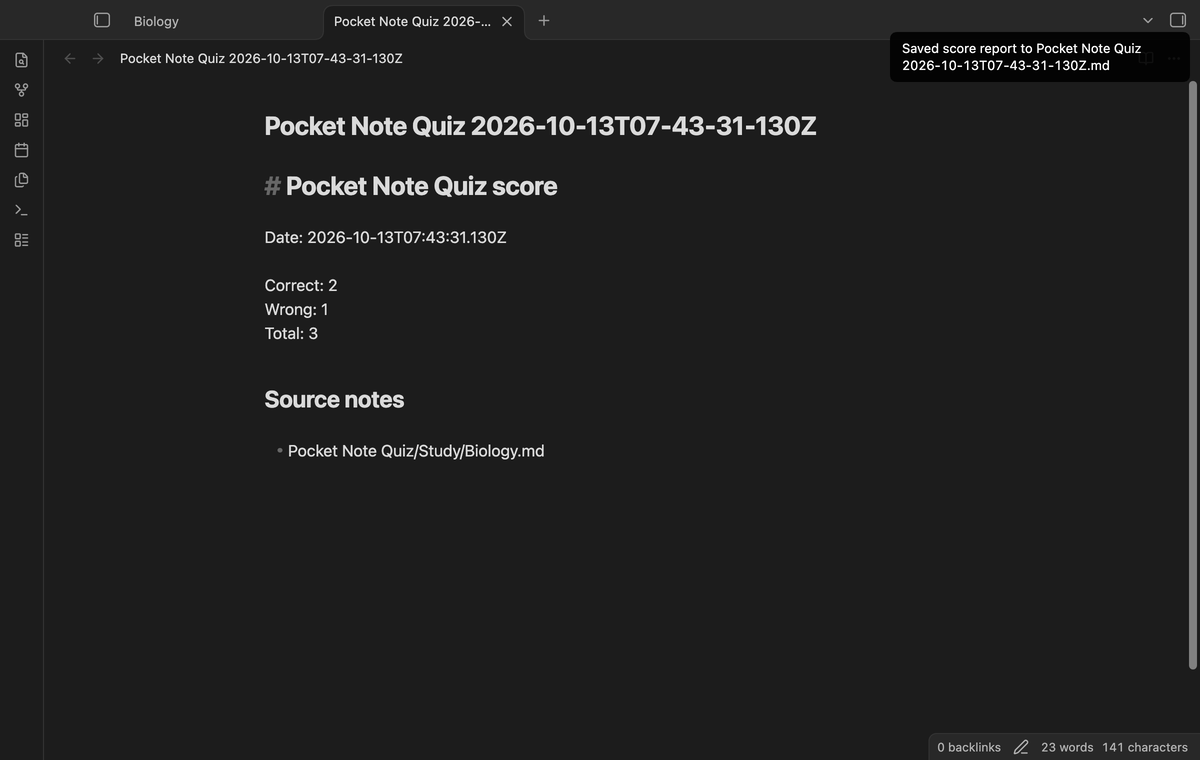
On the score screen, select "Save dated score report (Pro)". The plugin creates a Markdown note at the vault root. The report contains a UTC date, correct and wrong counts, total count, and source paths. The report does not contain the questions or answers. A numbered suffix avoids a name collision. Saving a report does not apply source marks.
Named question-marker presets (Pro)
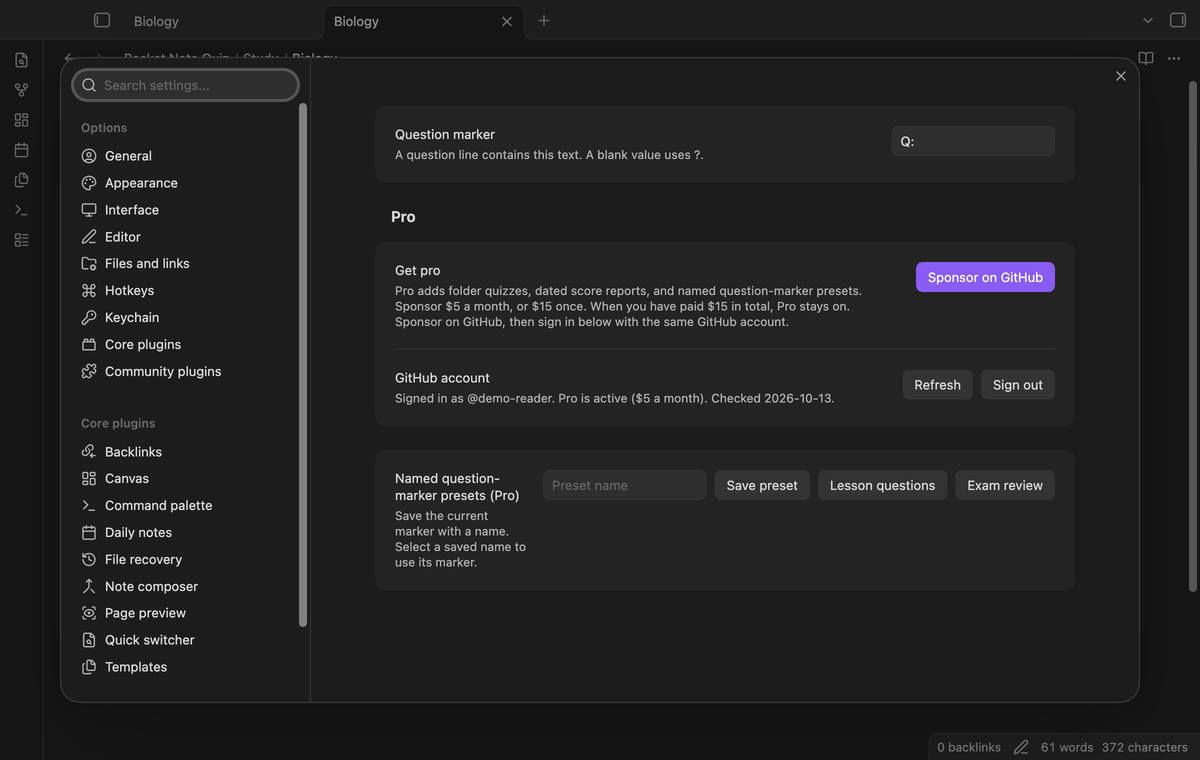
Set the current marker in the plugin settings. Enter a preset name and select "Save preset". Select a saved name to use its marker. Saving with the same name replaces that preset. Presets and the current marker are stored in the plugin's settings. Saved presets remain there when Pro is off; their controls need Pro.
Install
For manual installation, copy main.js, manifest.json, and styles.css into <vault>/.obsidian/plugins/pocket-note-quiz/. Enable Pocket Note Quiz in Community plugins. This build requires Obsidian 1.13.4 or later. The repository contains source and tests; use the built files for installation.
Usage
- Open a Markdown note with a question and answer block.
- Run "Start quiz on current note" from the command palette.
- Choose a filter, reveal each answer, and select a result.
- Read the score. Apply marks if you want to keep those results in the source.
For example, put What is ATP? on one line, Energy carrier on the next, then leave a blank line before the next question. The parser does not provide a separate bullet-list question mode.
Settings
"Question marker" is a literal text match. Change it to Q: to use question lines such as Q: What is ATP. A blank value returns to ?. A quiz keeps the marker used when it was loaded. Start a new quiz after you change the marker. The Pro section contains the sponsor, sign-in, refresh, and sign-out controls.
FAQ
What was not tested?
Tests did not cover physical phones and tablets, the Linux CI runner, third-party themes, screen readers, large-vault performance, sync conflicts between devices, or live GitHub payment and device sign-in. Pro test fixtures use a local sponsorship response. The manifest permits mobile loading because the plugin source uses no Node or Electron API. The end-to-end tests also run in phone emulation at 390 by 844 pixels. Device behavior still needs a test on the intended phone or tablet.
What happens when the source changes?
A changed question at its original line is skipped during apply. A line insertion can also move a question and cause a skip. The quiz does not search for a moved question by text, because repeated question text can make that choice unclear. Start another quiz after a large edit.
Can Markdown cause network access?
The answer view uses Obsidian's renderer. If your answer includes a remote image or another remote resource, Obsidian can request that resource from its host. Use local attachments for offline study. The quiz parser, marks, presets, and report writer send no vault data to GitHub.
Payment, account and network
The core features are free. Pro features need a GitHub Sponsors sponsorship of theluckystrike: $5 a month or more, or $15 once. A total payment of $15 meets the payment requirement for Pro without further payment. Sign-in and the checks below still apply. Your notes stay readable and editable with or without Pro.
GitHub handles the payment. Sponsor at https://github.com/sponsors/theluckystrike. You need no account for the free features. Pro needs the GitHub account that sponsors.
Until you select "Sign in with GitHub" in the settings, Pocket Note Quiz makes no network requests. Sign in uses the GitHub device flow. Pocket Note Quiz sends its public client ID and the scope read:user to https://github.com/login/device/code and shows you a code. While you enter the code at https://github.com/login/device, it asks https://github.com/login/oauth/access_token every few seconds to check the sign-in status. The scope permits profile reads only. GitHub needs this access to show the sponsorship tier. It grants no repository scope and no write access.
After sign in, Pocket Note Quiz sends one query to https://api.github.com/graphql. It checks if the signed-in account sponsors theluckystrike. It asks for the tier and the total payment to theluckystrike. The plugin reuses a successful check for 7 days. Failed checks can retry after 6 hours. Select Refresh to request an earlier check. It sends no note content, file names or other vault data, and it has no telemetry.
After a successful check, Pro can work offline for up to 14 days. Sign out or a negative sponsorship answer turns Pro off. The plugin stores the GitHub token through the secret storage API of Obsidian. It does not put the token in its saved settings or its local sponsorship data. The local storage of this device keeps your GitHub login, the tier and the time of the last check. Sign out clears the token. You can also revoke the access in your GitHub settings, under Applications.
Support
Report bugs in this repository's issues. Include the Obsidian version, marker, and a small sample note that reproduces the problem. Remove private text from the sample. For a skipped mark, include the question before and after the edit and its original line position. The implementation is new code; the emoji format was checked against beginner137's Simple Note Quiz release 1.1.1.
For plugin developers
Search results and similarity scores are powered by semantic analysis of your plugin's README. If your plugin isn't appearing for searches you'd expect, try updating your README to clearly describe your plugin's purpose, features, and use cases.