Propsec
Schema enforcement for Obsidian properties.
Define schemas based on templates or invariants in your vault, add custom reusable types, and more.
Usage
First, define a schema:
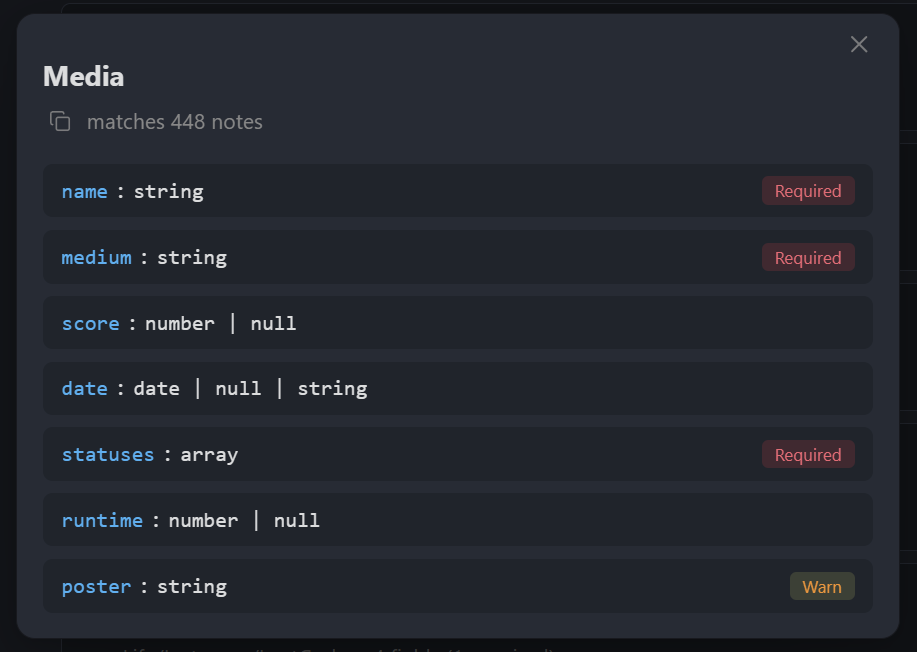
Once saved, violating notes such as this one...
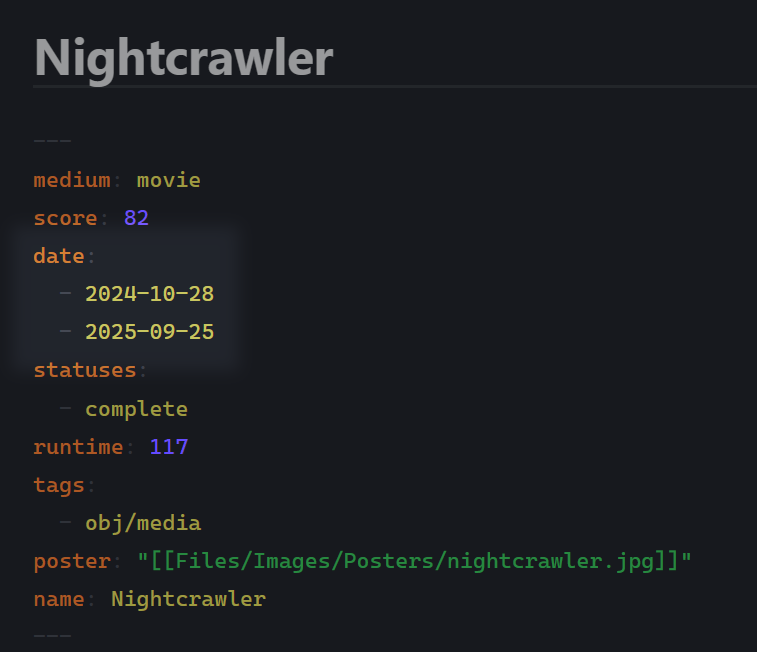
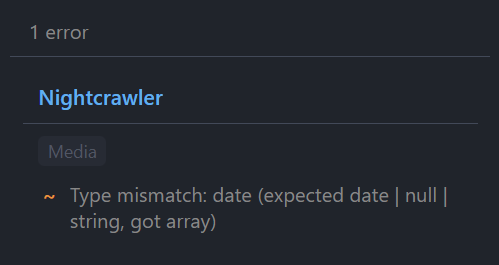
...will be caught by the validation:
Why
Obsidian properties are freeform. Over time, things can break: you change the structure, use an old field, etc. This plugin validates notes against schemas you define. Your notes are untouched, but your vault's consistency becomes easier to manage.
Setup
- Open plugin settings
- Create a schema: click + Add Schema
- Write a rule for which notes it applies to, e.g.
file.inFolder("Books") - Add fields: name, type, required/optional, and optional rules
- Violations appear in the status bar/sidebar
Rules
Everything that picks or checks something is a rule, written in a small expression language. Press Ctrl+Space in a rule box for helpers like "at most N characters" or "in folder". This will insert the rule for you.
| Where | Example | Meaning |
|---|---|---|
| Schema: applies to | file.inFolder("Books") || file.hasTag("book") | Notes in Books, or tagged #book |
| Field: value must | size(it) >= 1 && size(it) <= 5 | Between 1 and 5 items |
| Field: value must | it.exists(t, t.matches("^genre/")) | Has a tag starting with genre/ |
| Field: value must | it >= started | On or after the started property |
| Field: applies when | status == "finished" | Only check this field for finished notes |
| Settings: excluded notes | file.hasTag("archived") | No schema checks archived notes |
A rule reads properties by name (rating, or note["date created"] when the name has spaces), the field's own value as it, and the file through file: file.path, file.name, file.folder, file.tags, file.mtime, file.ctime, file.inFolder(...), file.hasTag(...).
The syntax follows CEL, adjusted for frontmatter.
Field types
Primitives
string, number, boolean, date, array, object, null, unknown
Custom types
Define reusable types in settings. A custom type is a named group of fields. Use them when multiple schemas share the same structure or you need nested validation.
Union types
Add multiple field entries with the same name but different types. For example, two entries for status with types string and null creates string | null.
Field flags
Fields can be flagged to be required (key is required) xor warn (soft requirement). There is also a unique flag that prevents duplicate values on that field across notes.
For plugin developers
Search results and similarity scores are powered by semantic analysis of your plugin's README. If your plugin isn't appearing for searches you'd expect, try updating your README to clearly describe your plugin's purpose, features, and use cases.