RedNote
approvedby kylemumu
Connect RedNote/Xiaohongshu (小红书) with Obsidian - This plugin has not been manually reviewed by Obsidian staff.
RedNote for Obsidian
An Obsidian plugin to connect RedNote/Xiaohongshu (小红书) with Obsidian, with support for media downloads and categorizations.
How it Works
The flow below illustrates how a RedNote link is processed and converted into a formatted note in your vault:
sequenceDiagram
    actor User
    participant IM as Input Modal
    participant PM as Preview Modal
    participant ON as Output Note (Saved)

    User->>IM: Paste share text / URL
    IM->>PM: Fetch and parse content details
    User->>PM: Customize fields & toggle media download
    PM->>ON: Save and open the formatted note
Import Workflow Screenshots
Below is a step-by-step preview of the import process using the plugin:
Step 1: Input Modal
Paste the shared link or text containing the link to start fetching.
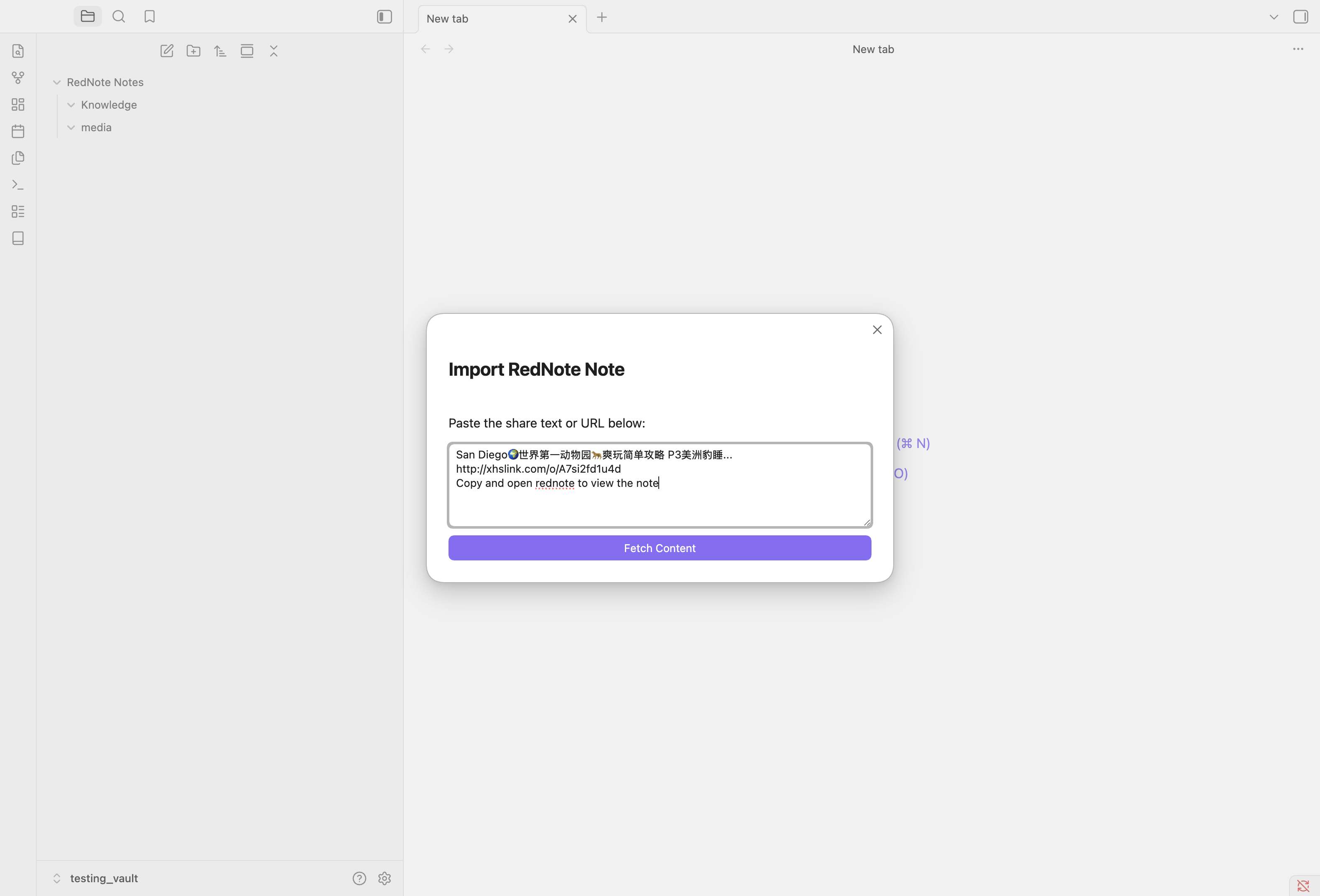
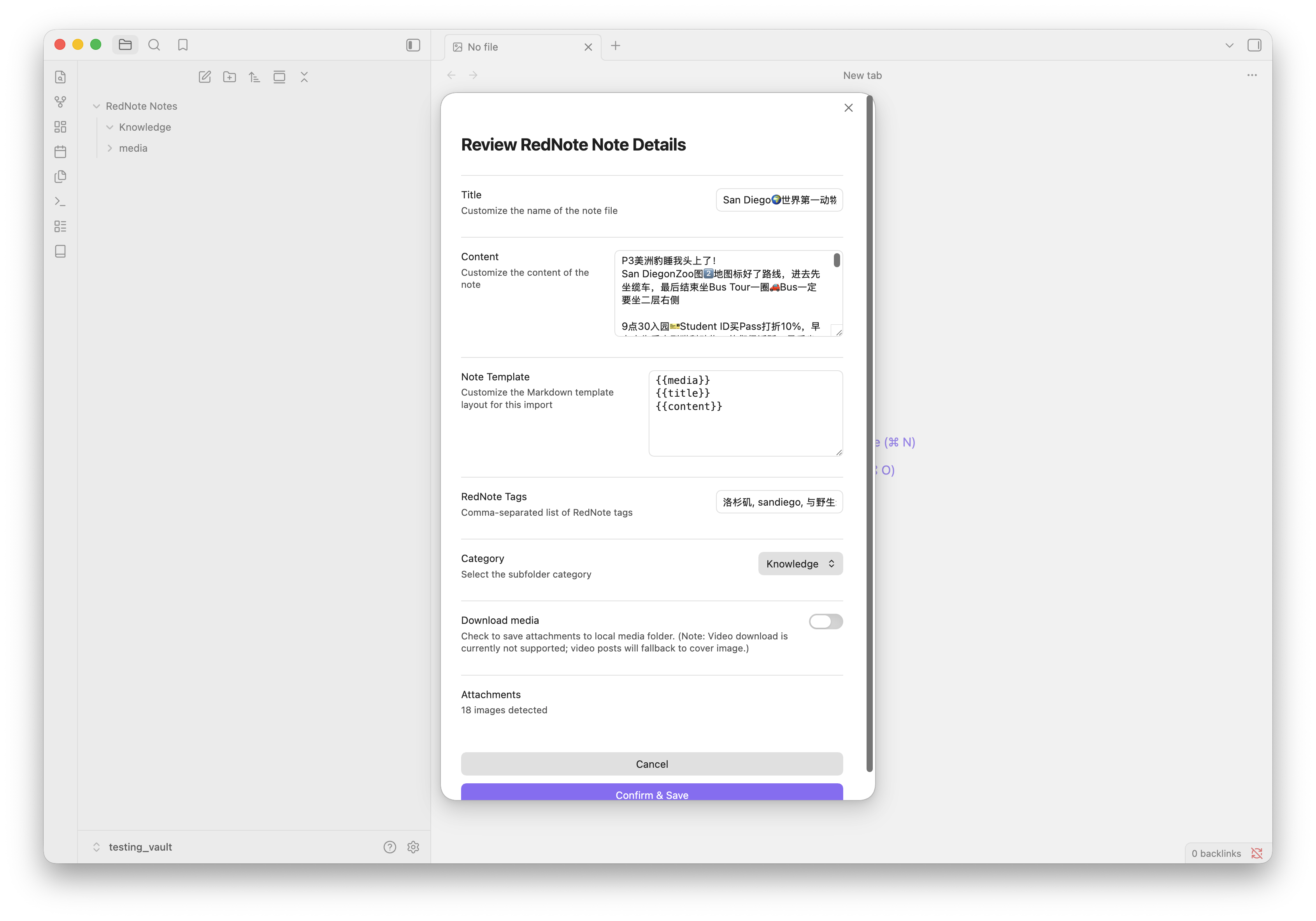
Step 2: Preview & Customize
Review the parsed title, content, template layout, category, and toggle local media download.
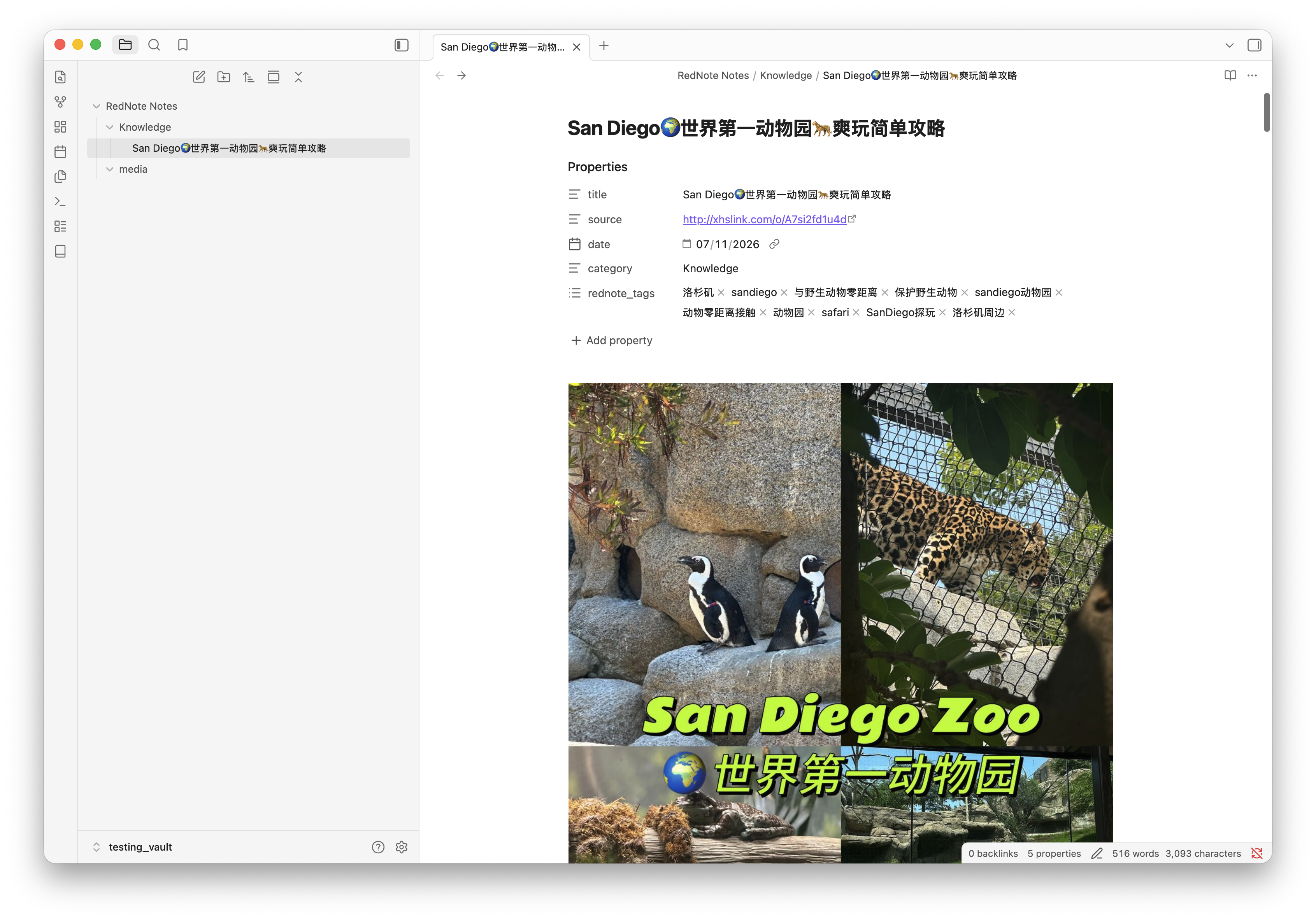
Step 3: Saved Markdown Note
The scraped content is formatted according to the template with all tags and local media embedded.
Features
- RedNote & Xiaohongshu Support: Handles links from both
xiaohongshu.comandrednote.comdomains, as well asxhslink.commobile short links. - URI Protocol Handler: Trigger imports from outside Obsidian via the
obsidian://rednote-importprotocol link. Excellent for iOS Shortcuts or Tasker on Android. - Media Download Support: Automatically download images locally into a dedicated media subfolder. Note: Currently supported media does not include video files (video posts will fallback to cover image or keep the remote video link).
- Filename Collision Protection: If a note with the same title already exists, the plugin automatically resolves the filename by appending
-1,-2, etc., avoiding data overwrite.
Usage
1. Manual Import
- Click the ribbon icon (book) or run the command
Import RedNote Notefrom the command palette. - Paste the shared link or text containing the link.
- Select a category and toggle media downloads if desired.
- Press Import.
2. Mobile / Protocol Trigger
You can open the following URI on your mobile device (e.g. from an iOS Shortcut share action) to trigger a background import:
obsidian://rednote-import?url=<REDNOTE_URL>&category=<CATEGORY>&downloadMedia=true
Templates & Placeholders
You can customize the structure of your note body and frontmatter properties in the settings tab.
Available Placeholders:
{{title}}: The title of the post (hashtags removed).{{content}}: The post body content description.{{media}}: Note media block (HTML video element, or Markdown images list). When used inside YAML properties, it renders the raw media path/URL (useful forcover:orthumbnail:fields).{{source}}/{{url}}: The source RedNote link.{{date}}: Current date in YYYY-MM-DD format.{{category}}: The selected note category.
Default Markdown Template:
{{media}}
{{title}}
{{content}}
Known Issues
- Media Timeout Fallback: If media file downloads time out (due to slow network connections exceeding the 10-second threshold), the note creation will fall back to using the raw remote URLs for those media assets instead of local paths. This ensures the note is always successfully saved.
- Video Downloads: Local video file downloading is currently not supported; video posts will fall back to displaying the cover image or use remote video links.
Installation & Local Development
To run and install the plugin in your local Obsidian vault:
- Clone this repository anywhere on your system.
- Create your local environment configuration file:
cp .env.example .env - Open
.envand setOBSIDIAN_VAULT_PATHto the absolute path of your Obsidian vault. - Install dependencies:
npm install - Build and deploy the plugin to your vault:
npm run install-local
For plugin developers
Search results and similarity scores are powered by semantic analysis of your plugin's README. If your plugin isn't appearing for searches you'd expect, try updating your README to clearly describe your plugin's purpose, features, and use cases.