Reference Note
approvedby Rafael Mehdiyev
Create new notes by cloning properties from any existing note. - This plugin has not been manually reviewed by Obsidian staff.
Reference Note
Create new notes by cloning properties from any existing note.
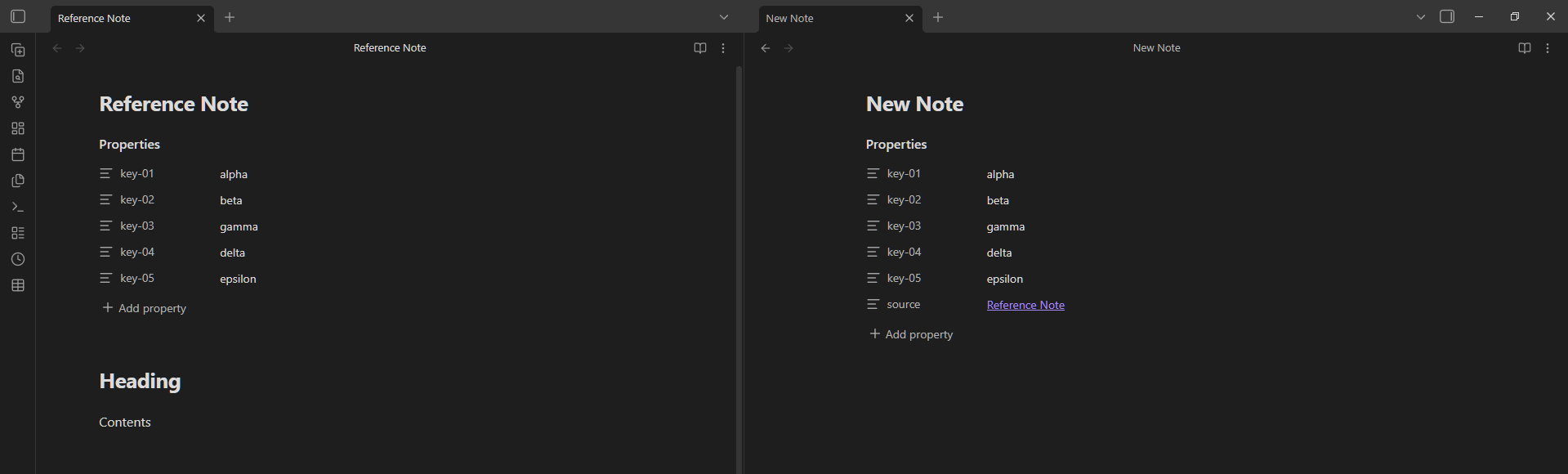
What it does
Reference Note lets you use any note as a template. It copies the properties you choose into a new note. Useful for creating notes that share a same set of properties. So you will not have to manually re-type them every time.
How to use
Three ways to trigger it:
| Trigger | How |
|---|---|
| Ribbon icon | Click the icon in the left sidebar (works on the currently open note) |
| Command palette | Run "Reference Note: Use this note as reference" |
| Right-click menu | Right-click any .md note in the file explorer → "Use as reference" |
The modal
After triggering, a modal appears:
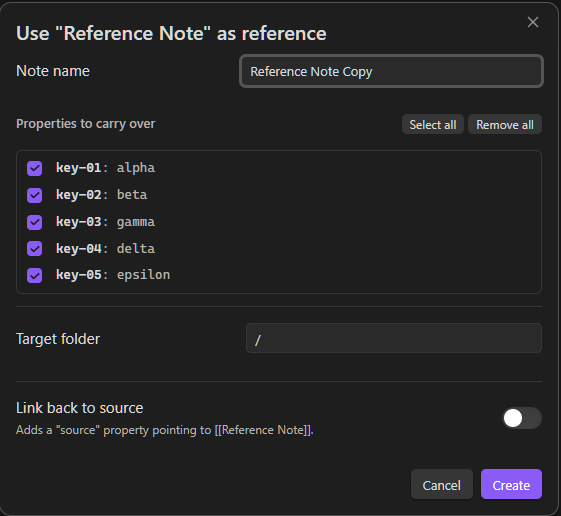
- Note name — pre-filled with
{source note name} Copy. Edit it freely. - Properties to carry over — checklist of all properties keys. All checked by default (except keys listed in your "Default excluded keys" setting).
- Target folder — searchable input, defaults to the source note's folder.
- Link back to source — when enabled, adds a
source: "[[Note Name]]"property to the new note.
Click Create (or press Enter) to create and open the new note. If a note with the same name already exists, a number suffix is appended automatically (Note Copy 2, Note Copy 3, …).
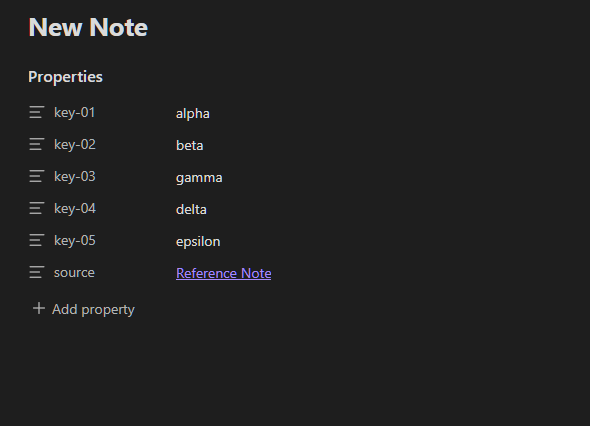
Result
Settings
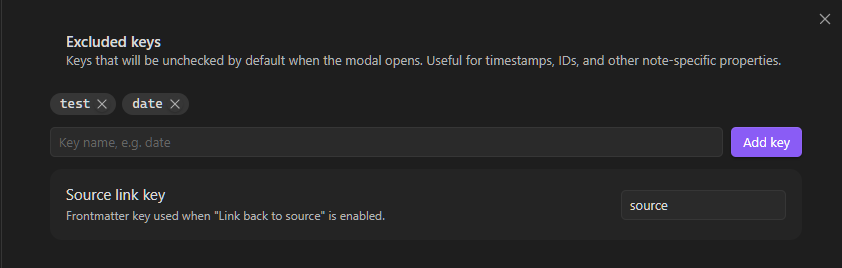
Go to Settings → Community Plugins → Reference Note.
| Setting | Default | Description |
|---|---|---|
| Excluded keys | (empty) | Keys unchecked by default in the modal |
| Source link property | source | The property name used for the "Link back to source" feature |
Author
License
MIT
For plugin developers
Search results and similarity scores are powered by semantic analysis of your plugin's README. If your plugin isn't appearing for searches you'd expect, try updating your README to clearly describe your plugin's purpose, features, and use cases.