Reorderable Lists
approvedby hosikiti
Drag and drop to reorder list items in the editor. - This plugin has not been manually reviewed by Obsidian staff.
★ 3 stars↓ 572 downloadsUpdated 3mo agoMIT
Reorderable Lists
An Obsidian plugin that lets you drag and drop list items to reorder them in the editor.
Features
- Drag handle (⠿) appears on hover for any list item
- Works with all list types: unordered (
-,*,+), ordered (1.), and task lists (- [ ]) - Nested children move together with their parent item
- Preserves scroll position after reordering
- Semi-transparent ghost image follows the cursor while dragging
- Configurable handle position and offset
- Live Preview editor only (desktop)
Usage
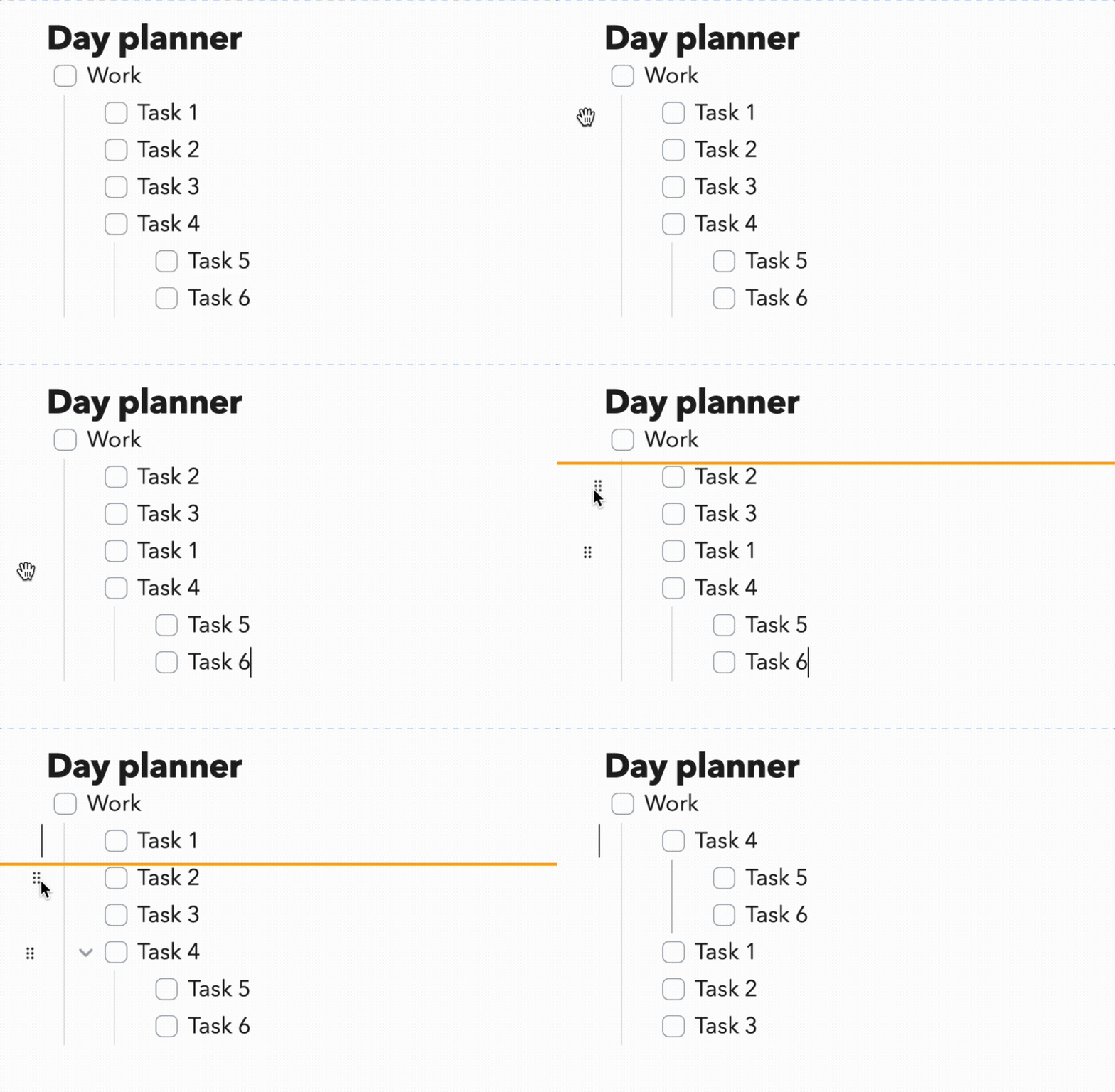
- Hover over any list item — a ⠿ grip icon appears
- Drag the handle to move the item to a new position
- A blue line indicates where the item will be dropped
- Release to reorder
Settings
| Setting | Description | Default |
|---|---|---|
| Ghost image | Show a semi-transparent preview of the item while dragging | On |
| Handle position | Before line content — handle at the far left of the lineBefore bullet marker — handle floats just left of the bullet/number | Before line content |
| Handle offset | Gap between the handle and the bullet marker (em units, 0.5–3). Only shown when Before bullet marker is selected | 1.4 |
Installation
From Obsidian Community Plugins (recommended)
- Open Settings → Community Plugins
- Disable Safe Mode if prompted
- Click Browse and search for "Reorderable Lists"
- Click Install, then Enable
Manual
- Download
main.js,manifest.json, andstyles.cssfrom the latest release - Copy them into your vault at
.obsidian/plugins/reorderable/ - Enable the plugin in Settings → Community Plugins
Development
git clone https://github.com/hosikiti/obsidian-reorderable-lists
cd obsidian-reorderable-lists
npm install
npm run dev   # watch mode
npm run build # production build
To test locally, copy the plugin folder into your vault's .obsidian/plugins/ directory.
License
MIT
For plugin developers
Search results and similarity scores are powered by semantic analysis of your plugin's README. If your plugin isn't appearing for searches you'd expect, try updating your README to clearly describe your plugin's purpose, features, and use cases.