Show Whitespace
approvedby ebullient
CSS styles and CM6 extensions to highlight whitespace in Source and Live Preview modes.
Obsidian: Show Whitespace



This is a simple plugin to enable CodeMirror 6 extensions to highlight whitespace in both Source and Live Preview modes.
Features
- Whitespace Visualization: Displays leading and trailing whitespace in your notes.
- Blockquote Identification: Highlights the leading caret for blockquotes, making them easily distinguishable.
- List marker whitespace: Slight background applied to whitespace assigned to list markers (bullets or numbers)
Basic CSS styling provided by the plugin renders characters for whitespace at the beginning and ending of lines (not in the middle) for readability.
Look / Feel options
The plugin provides a few options to customize the look and feel of whitespace characters.
You can also completely disable the plugin's CSS and use your own.
- Use the plugin setting to disable registration of style.css (this functions as a style settings plugin would)
- Copy the plugin
style.cssinto your own CSS snippet - Update styles as desired.
Examples
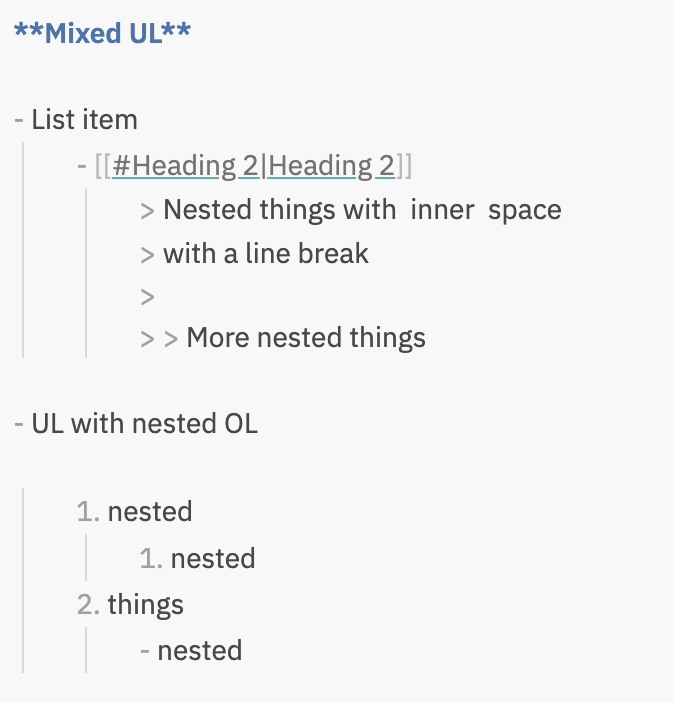
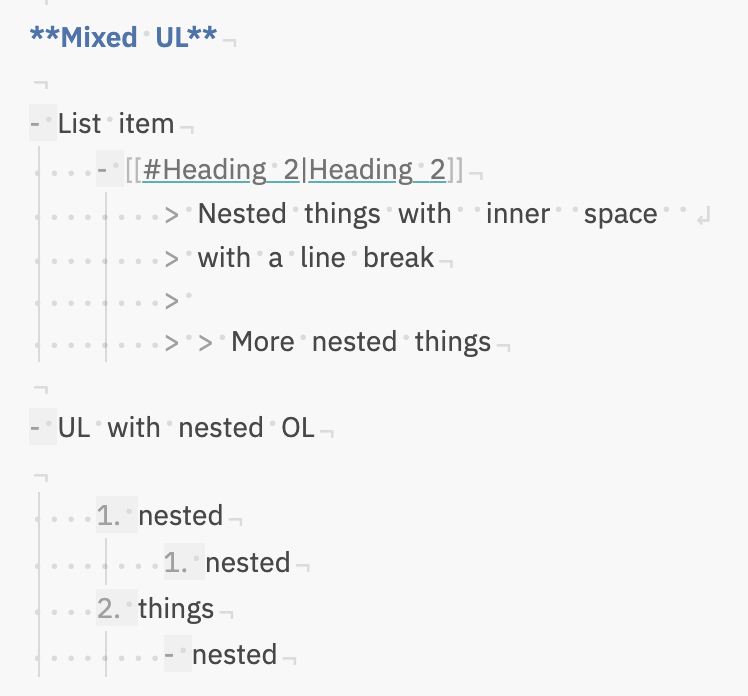
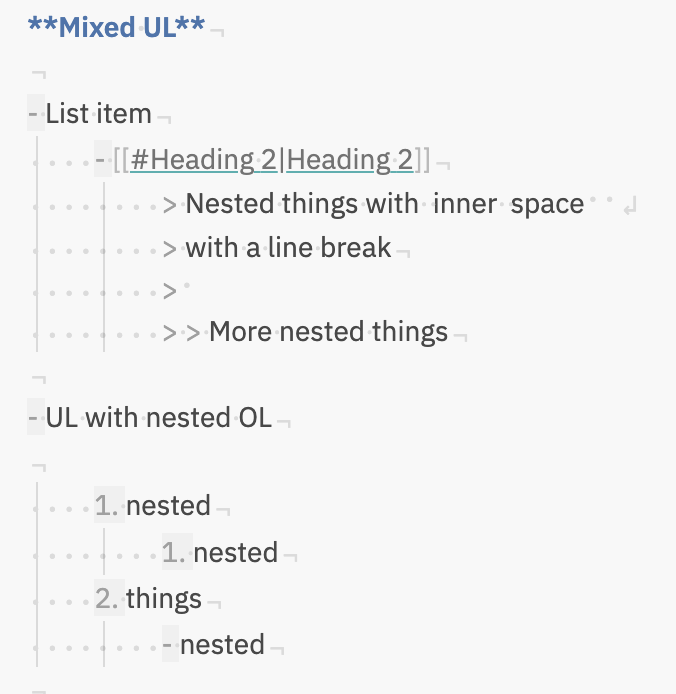
Once enabled, the plugin always shows leading space (as that is the hardest to see). Display of inner/trailing spaces depends on configuration.
-
Plugin disabled:
-
Show all whitespace; outline list markers:
-
Leading/Trailng whitespace; outline list markers:
Line endings
Redefine --line-end or --line-break to change how those characters appear in a snippet.
body {
  --line-end: '¬';
  --line-break: '↲';
}
Installation
To install:
- Open
Settings->Community Plugins - Disable safe mode
- Browse and search for "Show Whitespace"
- Click install
- Use the toggle on the community plugins tab to enable the plugin.
Preview with Beta Reviewers Auto-update Tester (BRAT)
- Install BRAT:
- Open
Settings->Community Plugins. - Disable safe mode.
- Browse, and search for "BRAT."
- Install the latest version of Obsidian 42 - BRAT.
- Open
- Configure BRAT:
- Open BRAT settings (
Settings->Obsidian 42 - BRAT). - In the
Beta Plugin Listsection, clickAdd Beta Plugin. - Specify this repository:
ebullient/obsidian-show-whitespace-cm6.
- Open BRAT settings (
- Enable the Plugin:
- Navigate to
Settings->Community Plugins. - Enable the plugin.
- Navigate to
For developers
Pull requests are both welcome and appreciated. 😀
Support
Interested in supporting further development? Consider buying me a coffee!

Attribution
While this is a new implementation for CM6, styles and characters are inspired by behavior in VSCode and the original Show Whitespace plugin by death_au.
License
This work is licensed under a Creative Commons Attribution-ShareAlike 4.0 International License.

For plugin developers
Search results and similarity scores are powered by semantic analysis of your plugin's README. If your plugin isn't appearing for searches you'd expect, try updating your README to clearly describe your plugin's purpose, features, and use cases.