Shuai WeChat Formatter
approvedby qizong007
Copy Markdown notes as WeChat-ready rich text, with live preview in an editor split or new tab. - This plugin has not been manually reviewed by Obsidian staff.
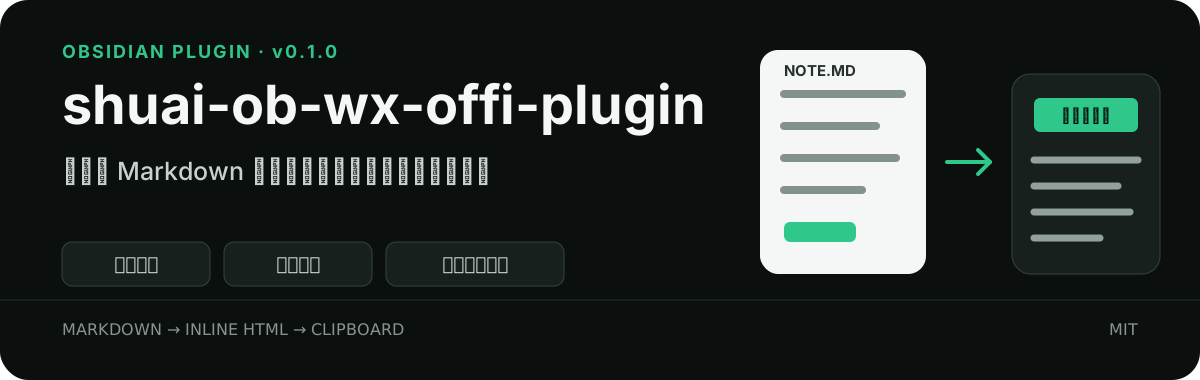
Shuai WeChat Formatter
Shuai WeChat Formatter is an Obsidian plugin for writers who publish through WeChat Official Accounts. Open a Markdown note, click the ribbon icon, and copy clean rich text with inline styles that can be pasted directly into the WeChat editor.
All formatting happens locally. The plugin does not upload notes, send network requests, collect analytics, or save copies of article content.
Features
- Copy the active Markdown note as both
text/htmlandtext/plain. - Preview the WeChat layout in a split pane or a new tab.
- Refresh the preview automatically while editing.
- Add an optional Markdown footer for communities, products, contact details, or advertisements.
- Toggle the footer directly from the floating preview controls.
- Adjust line height and page margins before copying.
- Save default line height and page margin values in plugin settings.
- Choose a body font in plugin settings: editor default, sans-serif, or serif. Code remains monospaced.
- Convert Markdown links into numbered references at the end of the article.
- Ignore YAML frontmatter at the beginning of a note.
- Escape raw HTML and sanitize generated preview content.
Supported Markdown
| Type | Support |
|---|---|
| H1-H6 headings | Yes |
| Paragraphs and line breaks | Yes |
| Bold and italic text | Yes |
| Ordered and unordered lists | Yes |
| Blockquotes | Yes |
| Inline code and code blocks | Yes |
| Links | Yes, converted to references |
| Standard remote images | Yes |
| Tables and horizontal rules | Yes |
Obsidian ![[local image]] embeds | Not yet |
Installation
After the plugin is accepted into the Obsidian Community directory, install it from Settings → Community plugins → Browse.
For manual installation, download main.js, manifest.json, and styles.css from the latest GitHub release and place them in:
<your-vault>/.obsidian/plugins/shuai-wechat-formatter/
Restart Obsidian, open Settings → Community plugins, and enable Shuai WeChat Formatter.
Build from source
Node.js 18 or later is required.
git clone git@github.com:qizong007/shuai-ob-wx-offi-plugin.git
cd shuai-ob-wx-offi-plugin
npm install
npm run build
Usage
- Open a Markdown note in Obsidian.
- Click the WeChat ribbon icon containing the Chinese character “帅”.
- The plugin copies the formatted article and opens the preview.
- Paste the result into the WeChat Official Account editor.
Use the 复制公众号格式 button at the top of the preview to copy the latest version again.
Footer content
Open Settings → Shuai WeChat Formatter and enter Markdown footer content. For example:
### Join the community

Find more Obsidian and AI writing resources at <https://example.com>.
When enabled, the plugin inserts a visible horizontal rule before the footer. The floating controls in the lower-left corner of the preview can temporarily enable or disable the footer for both preview and copy output.
Preview and layout controls
Choose how the preview opens in the plugin settings:
- Right split opens the preview next to the current note.
- New tab opens the preview in the current tab group.
The floating preview panel provides two controls:
- Line height ranges from
1.2to2.5. - Page margin ranges from
0to48px.
Preview changes are temporary and affect the next copied result. Default values can be saved in plugin settings. The defaults are a line height of 1.8 and page margins of 16px.
Link references
WeChat may not preserve ordinary external links. The plugin replaces each Markdown link with a numbered reference and collects the source URLs at the very end of the article.
Read the [Obsidian website](https://obsidian.md).
The output is structured like this:
Read the Obsidian website[1].

References
[1] Obsidian website
    https://obsidian.md
When footer content is enabled, the final order is article content, footer content, and then link references. Duplicate URLs share one reference number.
Commands
The Obsidian command palette includes:
- 复制当前笔记为公众号格式 — copy the active note in WeChat format.
- 打开公众号预览 — open the WeChat preview.
How it works
The plugin parses the current Markdown note and generates HTML with inline styles. Inline styles are used because the WeChat editor usually removes external stylesheets. Before copying, the plugin also removes effects that are poorly supported by WeChat, including shadows, filters, transitions, and rounded corners.
Generated HTML is sanitized before it is inserted into the preview or clipboard fallback element. Link protocols are checked, and raw HTML from the note is escaped.
Development
npm install
npm test
npm run build
npm testruns formatter unit tests.npm run buildtype-checks the TypeScript source and generatesmain.js.npm run devwatches source files and rebuilds during development.
Project structure:
shuai-ob-wx-offi-plugin/
├── assets/
│   ├── plugin-icon.svg
│   └── readme/hero.svg
├── src/
│   ├── formatter.ts
│   ├── main.ts
│   └── settings.ts
├── tests/
│   └── formatter.test.ts
├── manifest.json
├── versions.json
├── styles.css
└── package.json
Known limitations
- Obsidian WikiLinks and
![[local image]]embeds are not converted into WeChat image assets. - Remote image handling still depends on the WeChat editor and its media policies.
- Mobile behavior has not been fully tested on physical devices.
- WeChat may filter additional HTML or styles, so review the pasted article before publishing.
Privacy
The plugin does not send network requests, collect user data, or retain article copies. Note content stays inside the current Obsidian window and is written to the system clipboard only when the user requests a copy.
Contributing
Issues and pull requests are welcome. Before submitting a change, run:
npm test
npm run build
For changes related to WeChat styling compatibility, include both the Obsidian preview result and the result pasted into the WeChat editor.
License
For plugin developers
Search results and similarity scores are powered by semantic analysis of your plugin's README. If your plugin isn't appearing for searches you'd expect, try updating your README to clearly describe your plugin's purpose, features, and use cases.