by theluckystrike
Keep inline math stable when you type spaces next to dollar signs in a paragraph.
Steady Inline Math
Steady Inline Math keeps an active inline equation in math mode when you type a space next to a dollar sign in a plain paragraph. It adds temporary empty braces inside the two dollar signs. The editor hides the braces that the plugin owns. When the caret leaves the equation, the plugin removes those braces and keeps your text.
Use it in Live Preview when you edit short equations in notes. The guard, its command and source cleanup are free. Saved folder rules and the equation panel need Pro.
Features
Temporary braces in the active equation
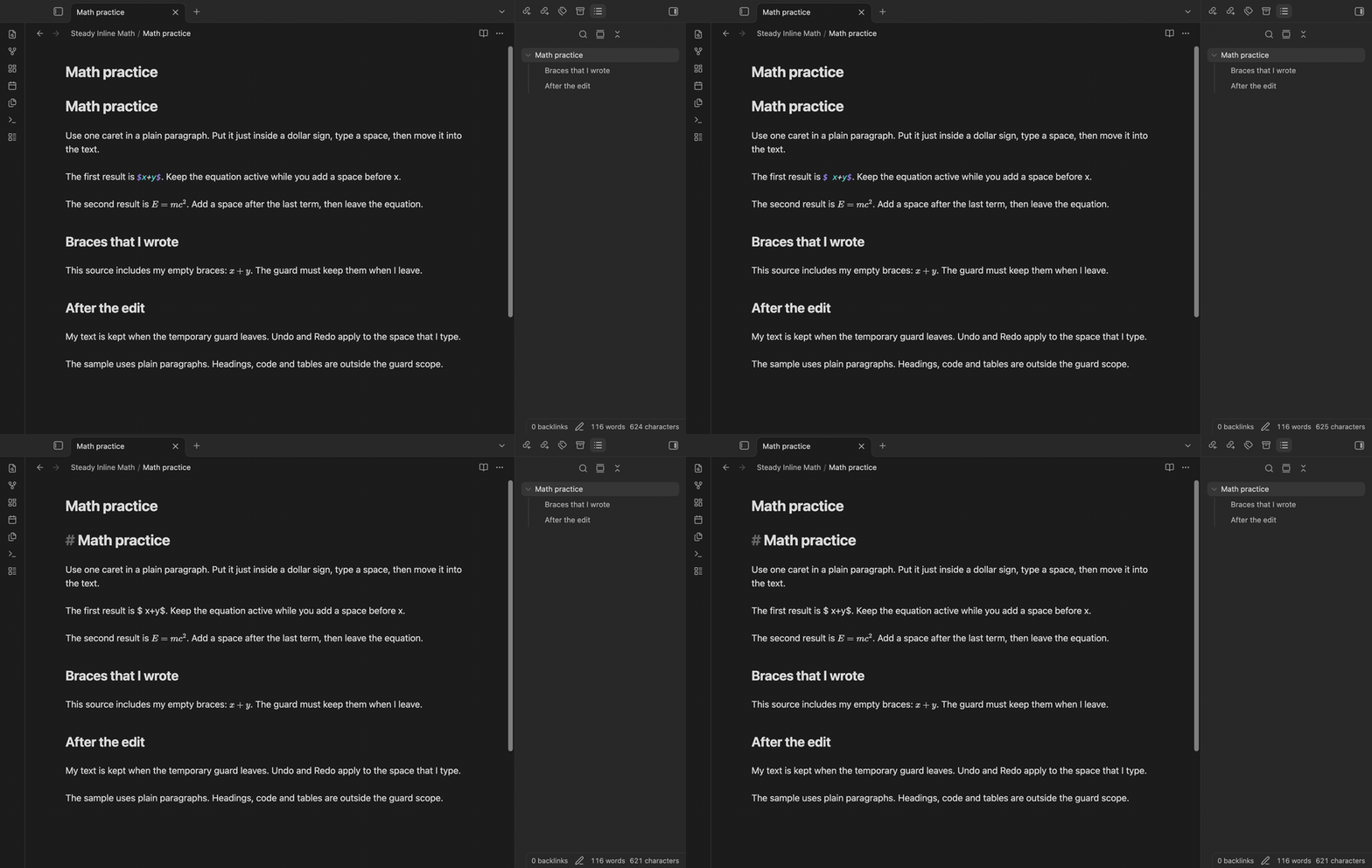
Place the caret inside a single-line equation such as $x+y$. The guard adds one empty brace pair after the opening dollar sign and one before the closing dollar sign. A space that you type before x or after y then stays inside those pairs. This keeps a non-space character next to each delimiter while you edit.
Hide owned braces
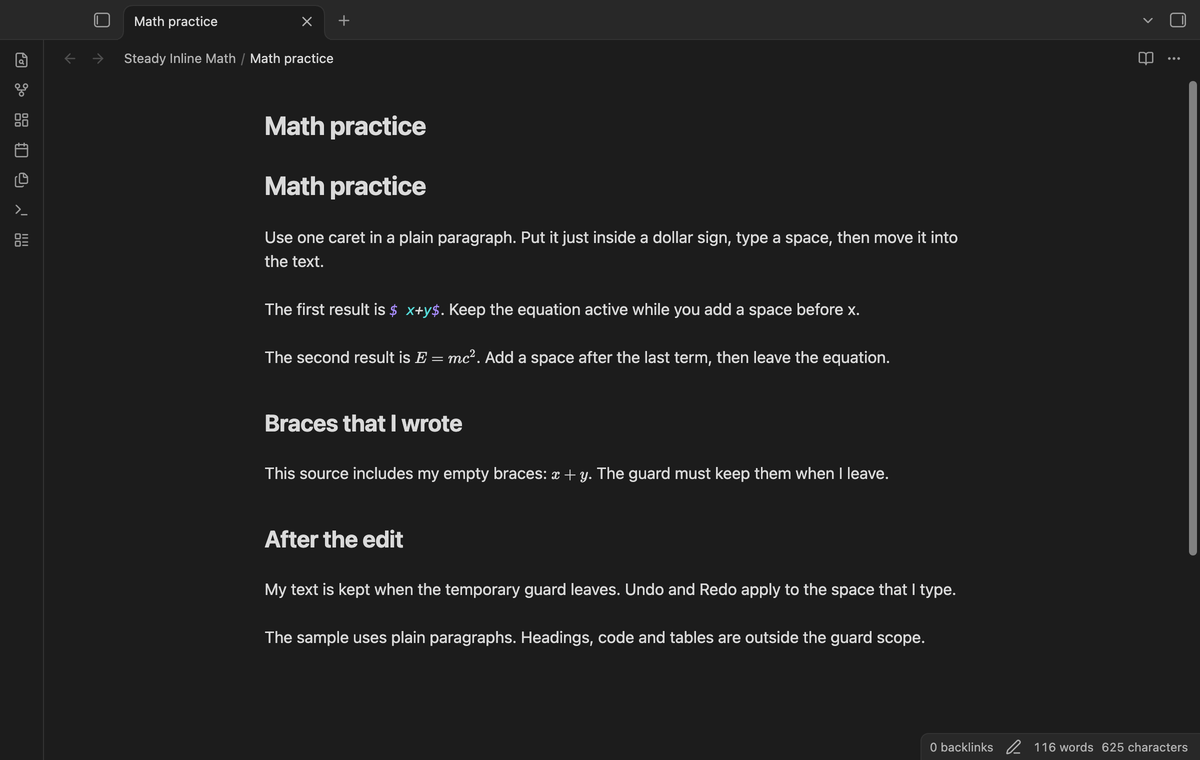
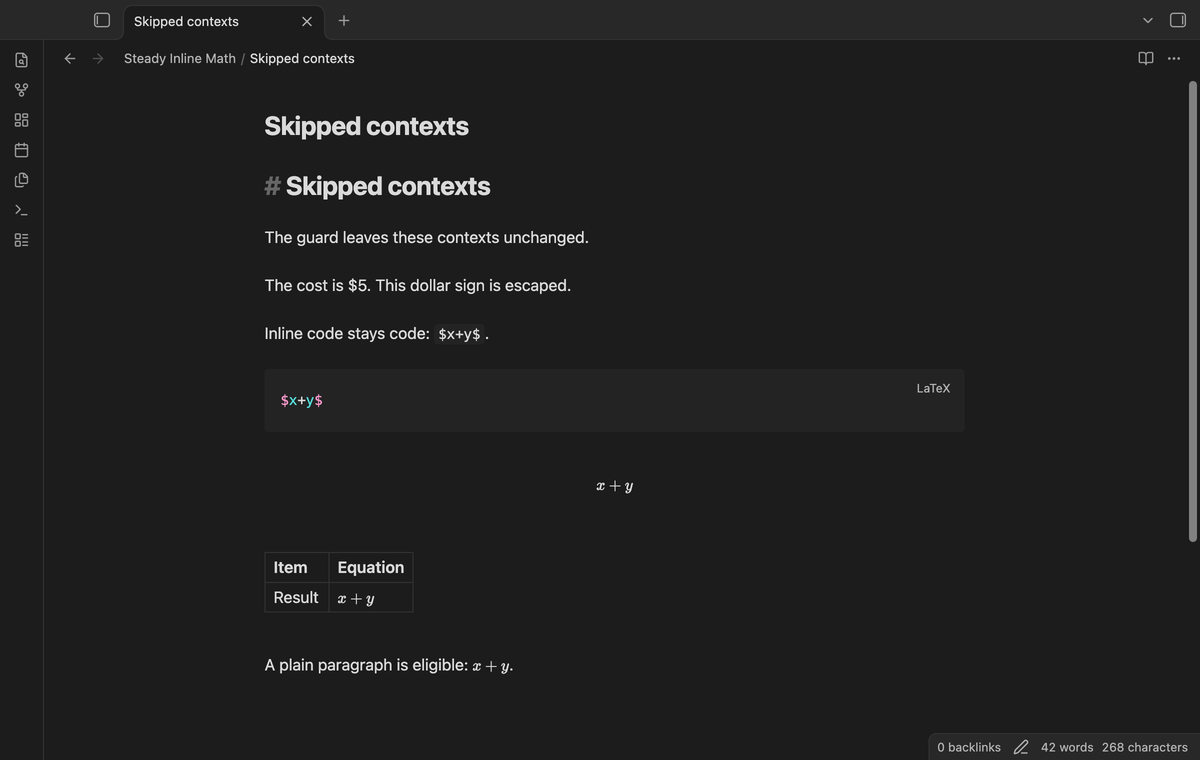
The extension tracks the characters it inserts by their document positions. It hides those characters in the editor. Braces that you write, such as the pair in $x{}+y$, stay part of your equation. A source change before the equation moves the tracked positions with it.
Cleanup and Undo
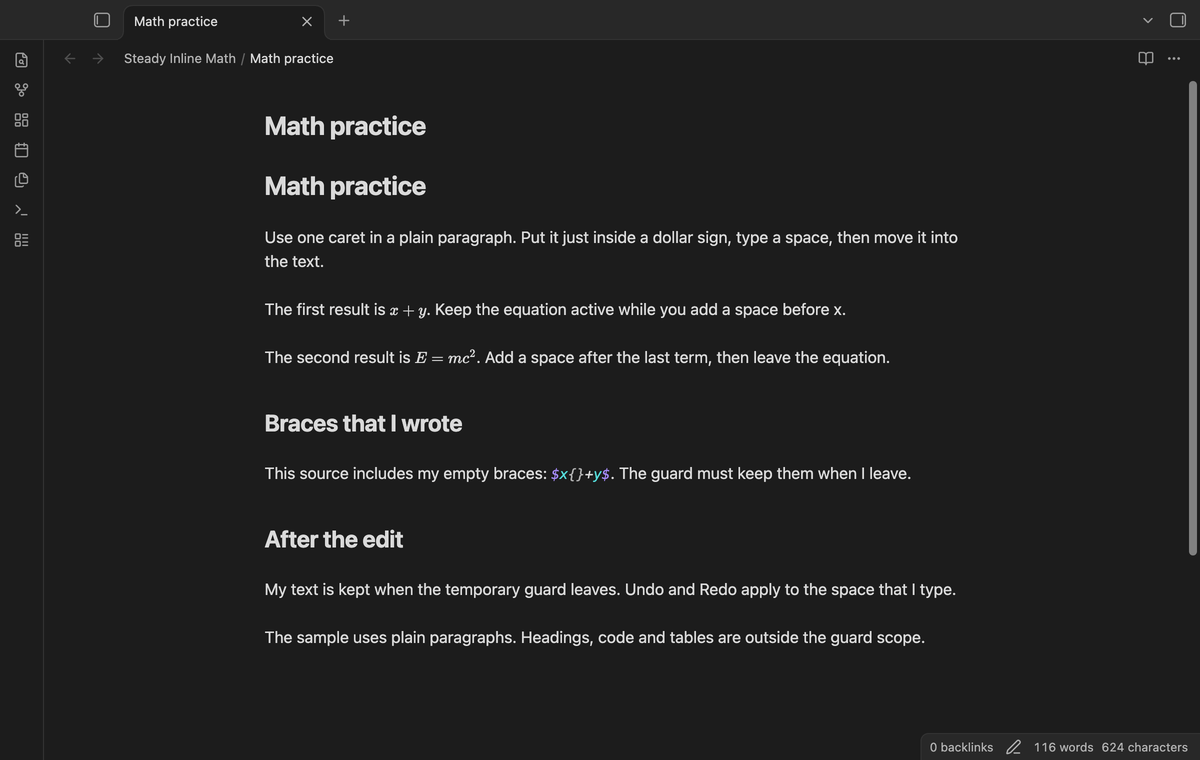
Move the caret to text outside the equation to remove its temporary characters. Cleanup keeps a leading or trailing space that you typed. Guard maintenance does not add its own Undo event. Undo removes the typed space, and Redo restores it. Turning off the plugin also cleans the characters it still owns.
Skip uncertain contexts
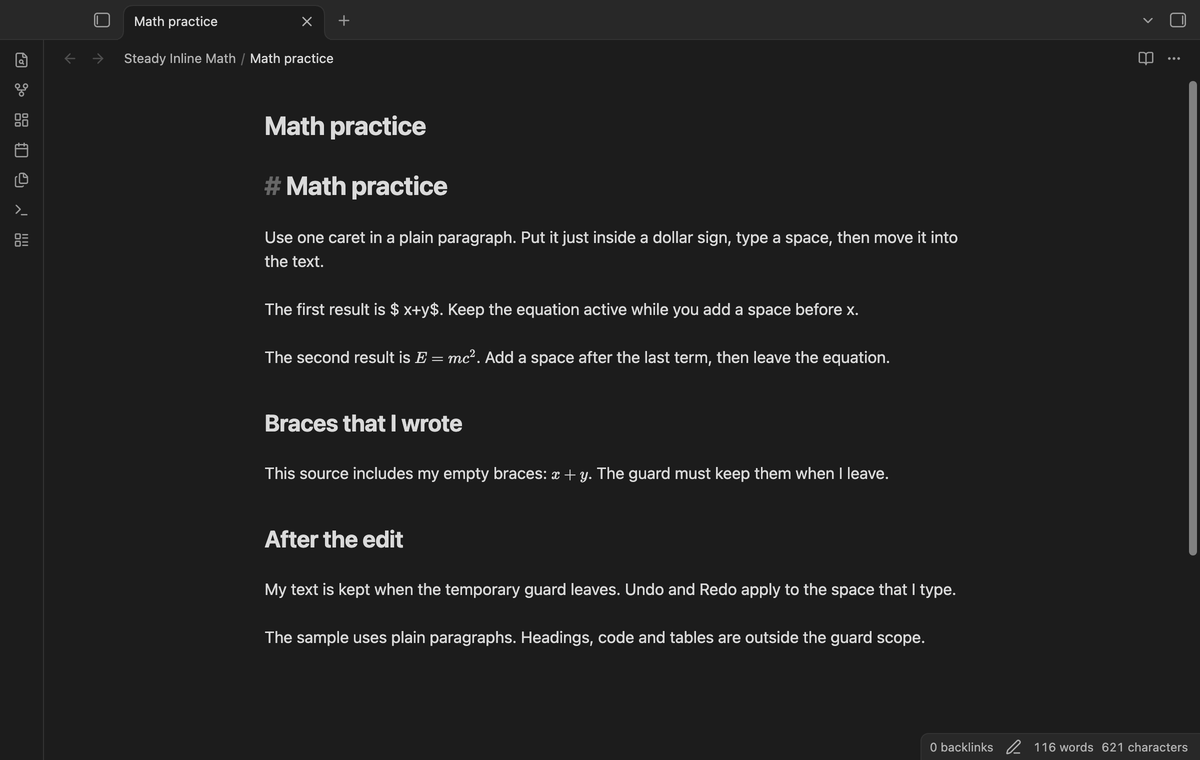
The guard skips code, display math, table lines, headings, lists and callouts. It also skips lines with links, HTML, backticks, pipe characters, escaped dollars or an odd number of dollar signs. Multiple selections and active text composition suspend guard changes. A normal single caret can use the guard after composition ends.
Toggle the guard
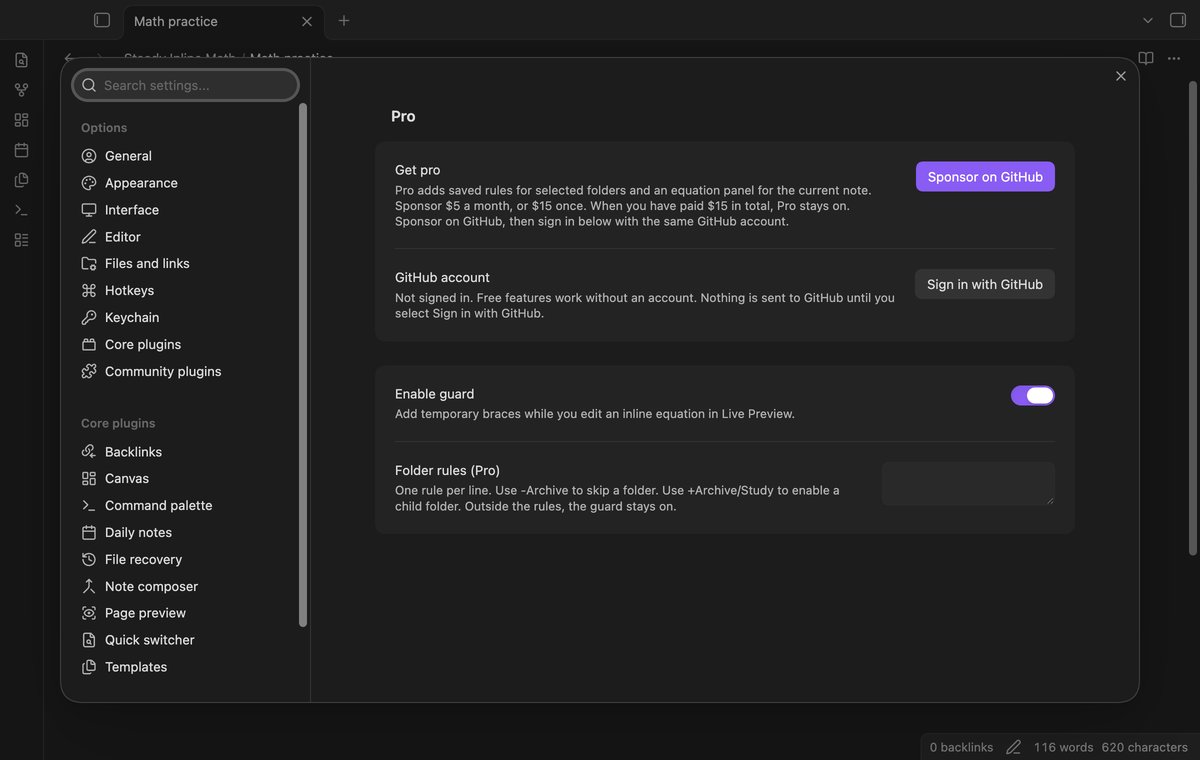
Run “Steady Inline Math: Toggle inline math guard” from the command palette. The command saves the switch for the next session. You can also use “Enable guard” in the plugin settings. The command has no default hotkey. Assign one in Obsidian if you need it.
Saved folder rules (Pro)
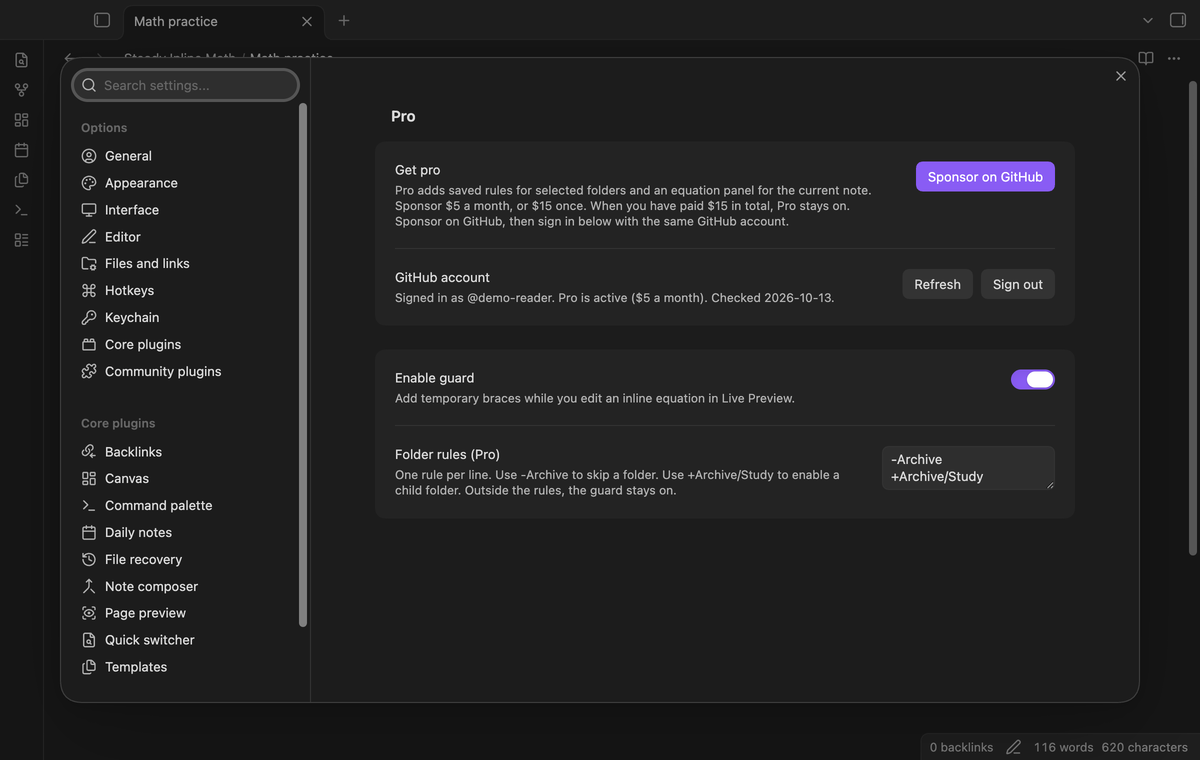
Use one folder path per line. Write -Archive to skip Archive and its child folders. Write +Archive/Study to enable that child folder. The most specific matching path wins. Paths are case sensitive, and Archive does not match Archive-old. Outside a matching rule, the guard stays on. The global switch can turn it off.
Equation panel (Pro)
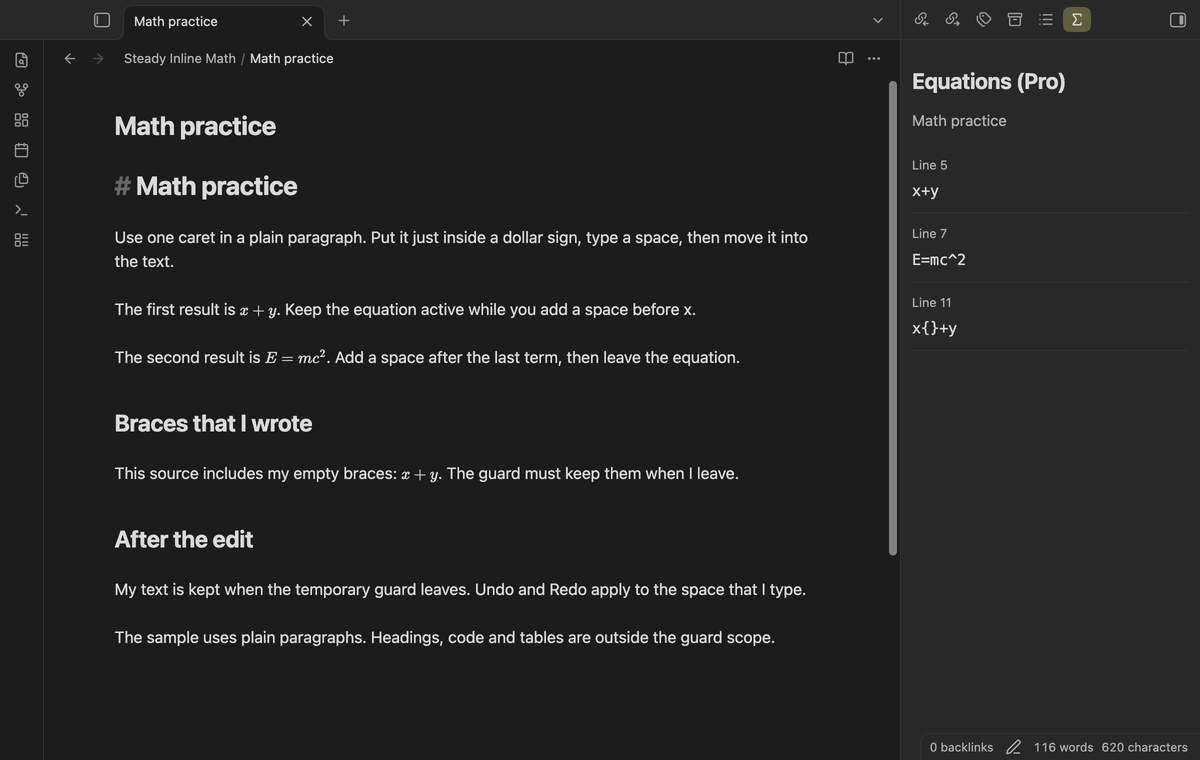
Run “Steady Inline Math: Show equations (Pro)” to open a side panel. It lists eligible inline equations from the current editor note with their source line numbers. The list uses the same plain paragraph scan as the guard. It excludes this instance’s temporary braces. The panel does not render a separate LaTeX preview.
Install
For a manual install, copy main.js, manifest.json and styles.css from the release into <vault>/.obsidian/plugins/steady-inline-math/. Enable Steady Inline Math in Settings → Community plugins. This version needs Obsidian 1.13.4 or later.
The plugin uses the editor extension API and native settings controls. It has no separate server or editor framework. Keep a copy of an important note when you first try software that changes its source.
Usage
Open a Markdown note in Live Preview. Write a plain paragraph with a short equation, for example “The result is $x+y$.” Put the caret just inside either dollar sign. Type a space, then move the caret back into the paragraph text.
The final source includes the space you typed. A boundary space may affect Obsidian’s math parsing after cleanup. Remove that space yourself if you want the final note to render without it. The guard protects the active edit; it does not rewrite your final equation to enforce a spacing rule.
Use one caret with no selected text. Source mode and Reading view do not add guards. If a line is skipped, simplify it to a plain paragraph before you test the guard.
Settings
“Enable guard” is on by default. The command and settings control use the same saved value. “Folder rules (Pro)” starts empty. Saved rules remain in the plugin data when Pro is off, but the free guard ignores them.
The Pro section has sign-in, refresh and sign-out controls. The equation panel checks the Pro state when it opens and when it draws. Sign out to return to the free behavior. The panel then shows a sign-in message.
FAQ
Does it change my note source?
Yes, while an equation is active. Obsidian can save the temporary braces before the caret leaves. Another tool that reads the note may see them. Cleanup removes only tracked characters, rather than searching for empty braces in the note.
If you close the tab while an equation is active, Obsidian can save the note with the braces. The plugin then writes the clean source back to the closed note. It does this only when the saved file matches the guarded source exactly, and it waits no more than 10 seconds for that save.
What happens after a crash?
A crash can leave temporary braces in the saved note. A later session cannot prove which braces belong to the previous instance. Review the equation and remove those braces yourself if needed. Automatic crash recovery is not provided.
What was tested, and what was not?
Tests cover plain paragraphs, boundary spaces, existing user braces, position changes, Undo, Redo, disable and unload cleanup, multiple selections and synthetic composition events. The desktop tests ran on macOS with Obsidian 1.13.4 and 1.14.4. A separate test used a 390-pixel viewport in Obsidian’s emulated mobile UI with synthetic Japanese composition.
Linux and Windows were not tested in this build. Pro tests used local replies; real sponsorship payments and GitHub device sign-in were not tested. Physical phone and tablet keyboards were not tested. Chinese and Japanese input methods on physical devices, LaTeX Suite integration, crash recovery, collaborative editing and interaction with other source-changing plugins were not tested. Synthetic events do not prove phone keyboard compatibility. Lists and callouts are outside this version’s scope.
Payment, account and network
The core features are free. Pro features need a GitHub Sponsors sponsorship of theluckystrike: $5 a month or more, or $15 once. A total payment of $15 meets the payment requirement for Pro without further payment. Sign-in and the checks below still apply. Your notes stay readable and editable with or without Pro.
GitHub handles the payment. Sponsor at https://github.com/sponsors/theluckystrike. You need no account for the free features. Pro needs the GitHub account that sponsors.
Until you select "Sign in with GitHub" in the settings, Steady Inline Math makes no network requests. Sign in uses the GitHub device flow. Steady Inline Math sends its public client ID and the scope read:user to https://github.com/login/device/code and shows you a code. While you enter the code at https://github.com/login/device, it asks https://github.com/login/oauth/access_token every few seconds to check the sign-in status. The scope permits profile reads only. GitHub needs this access to show the sponsorship tier. It grants no repository scope and no write access.
After sign in, Steady Inline Math sends one query to https://api.github.com/graphql. It checks if the signed-in account sponsors theluckystrike. It asks for the tier and the total payment to theluckystrike. The plugin reuses a successful check for 7 days. Failed checks can retry after 6 hours. Select Refresh to request an earlier check. It sends no note content, file names or other vault data, and it has no telemetry.
After a successful check, Pro can work offline for up to 14 days. Sign out or a negative sponsorship answer turns Pro off. The plugin stores the GitHub token through the secret storage API of Obsidian. It does not put the token in its saved settings or its local sponsorship data. The local storage of this device keeps your GitHub login, the tier and the time of the last check. Sign out clears the token. You can also revoke the access in your GitHub settings, under Applications.
Support
Report a problem in the source repository’s issues after it is available. Include your Obsidian version, editor mode, the source of a small test paragraph and the cursor steps. Remove private text from the sample. State whether the error occurs before or after cleanup, and whether another plugin changes equations. The publisher is theluckystrike at notemods.com. The source uses the MIT license.
For plugin developers
Search results and similarity scores are powered by semantic analysis of your plugin's README. If your plugin isn't appearing for searches you'd expect, try updating your README to clearly describe your plugin's purpose, features, and use cases.