Track-a-Lot
approvedby revolter
Scrapes different webpages, builds lists with the items as Markdown tables, and allows you to track their status.
★ 19 stars↓ 3,172 downloadsUpdated 1y agoMIT
Obsidian Track-a-Lot Plugin

This is a tracker plugin for Obsidian (https://obsidian.md).
It scrapes different webpages, builds lists with the items, and allows you to individually track their status.
The lists are created as Markdown tables. You can write anything in the status column, and it will be preserved when you update the list.
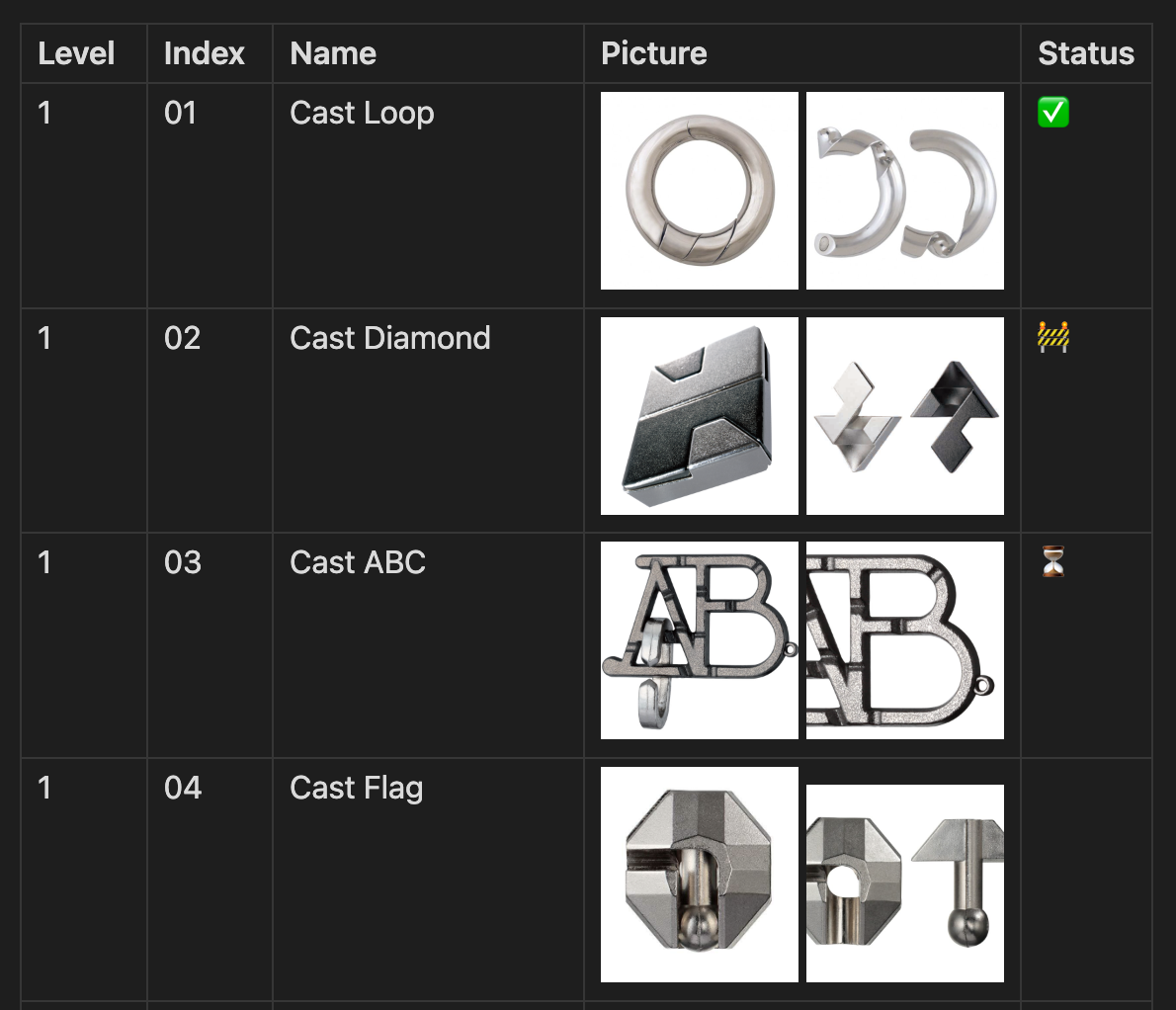
Settings
- Open
Settings>Track-a-Lot. - Enable the required tracking recipe.
Usage
- Create or select a note.
- Make sure the note is in editing mode (https://help.obsidian.md/edit-and-read#Editing+view).
- Open the
Command palette(https://help.obsidian.md/Plugins/Command+palette). - Search for the
Track-a-Lotcommand for the respective list (e.g.Track-a-Lot: Update Hanayama Huzzles list). - Press Enter.
Contributing
Setup
- Go to settings/actions.
- Enable
Read and write permissionsunderWorkflow permissions. - Click
Save.
Installation
- Install
Node.jsby following the instructions from https://docs.npmjs.com/downloading-and-installing-node-js-and-npm. - Install the
Node.jsdependencies by runningnpm install
Usage
npm run dev
Releasing
- Run
npm version <major/minor/patch>. - Optionally add release notes to the created GitHub draft release.
- Publish the GitHub draft release.
Submitting
- Follow the official instructions.
License
For plugin developers
Search results and similarity scores are powered by semantic analysis of your plugin's README. If your plugin isn't appearing for searches you'd expect, try updating your README to clearly describe your plugin's purpose, features, and use cases.