Papertrail
approvedby ankitchouhan1020
This plugin has not been manually reviewed by Obsidian staff. Browse all notes from the sidebar with excerpts, modified dates, search, quick create, and the File Explorer context menu.
Papertrail
Browse every markdown note from the sidebar — compact cards with title, excerpt, and modified date; a footer with search and quick-create; and a right‑click menu aligned with the File Explorer.
Requires Obsidian 1.5.0+.
Repository: github.com/ankitchouhan1020/papertrail
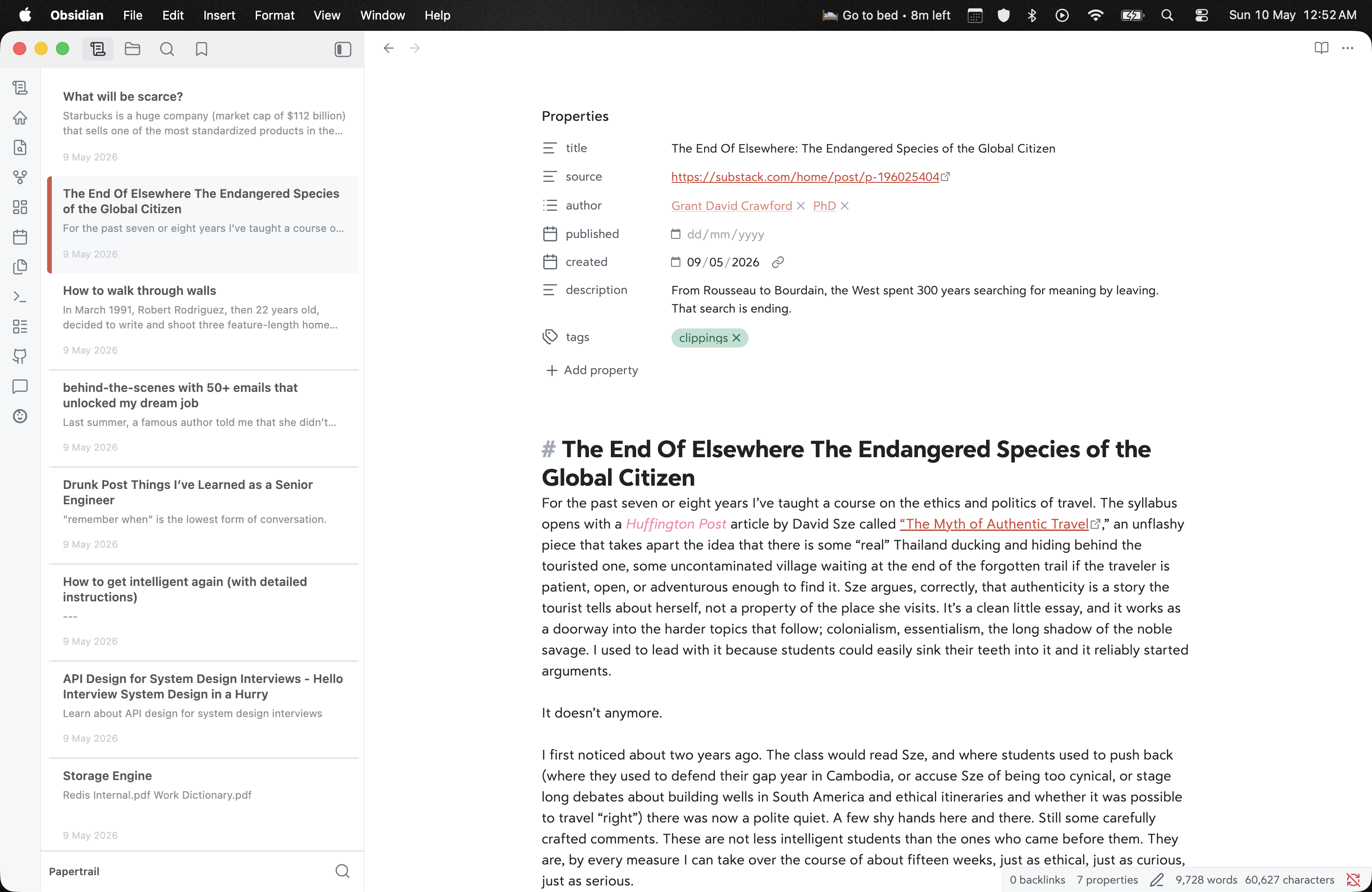
Sidebar list beside the editor — pick a note, open it, keep context.
Install
| Channel | How |
|---|---|
| Manual | From Releases, put main.js, manifest.json, and styles.css in <Vault>/.obsidian/plugins/papertrail/, then enable the plugin |
| BRAT | Add ankitchouhan1020/papertrail |
Usage
- Ribbon / command “Open Papertrail” — open or focus the view.
- Footer — filter the list; + creates a note in the vault’s default location.
- Right‑click a row — open in new tab, rename, delete, reveal in navigation when available, plus other file menu entries from Obsidian and plugins.
Settings
| Setting | Description |
|---|---|
| Sort order | By modified date, title, or path. |
| Hide excluded paths | Also hide paths with a . segment (in addition to Obsidian excluded files and .obsidian). |
Development
Use Obsidian’s Build a plugin flow with a dev vault, not your primary notes.
- Clone into
<dev-vault>/.obsidian/plugins/papertrail/. npm install(installs Git hooks viaprepare; pre-commit runsnpm run build).npm run dev— watchsrc/main.tsand rebuildmain.json change.- Enable Papertrail and reload when files change (or use Hot-Reload).
Production bundle: npm run build. Edit src/main.ts only — root main.js is generated.
Releasing
See COMMUNITY_PLUGIN_CHECKLIST.md. Bump versions in manifest.json / versions.json, tag a GitHub release with main.js, manifest.json, and styles.css.
License
MIT — see LICENSE.
For plugin developers
Search results and similarity scores are powered by semantic analysis of your plugin's README. If your plugin isn't appearing for searches you'd expect, try updating your README to clearly describe your plugin's purpose, features, and use cases.