Sidekick
unlistedby anwar3606
Multi-provider AI chat assistant with 30 tools, agent presets, user profiling, auto-RAG, and vault integration. Supports OpenAI, OpenRouter, and GitHub Copilot.
Sidekick
AI assistant that lives inside your Obsidian vault
Chat with 33 tools · 8 agent presets · inline autocomplete · 3 providers


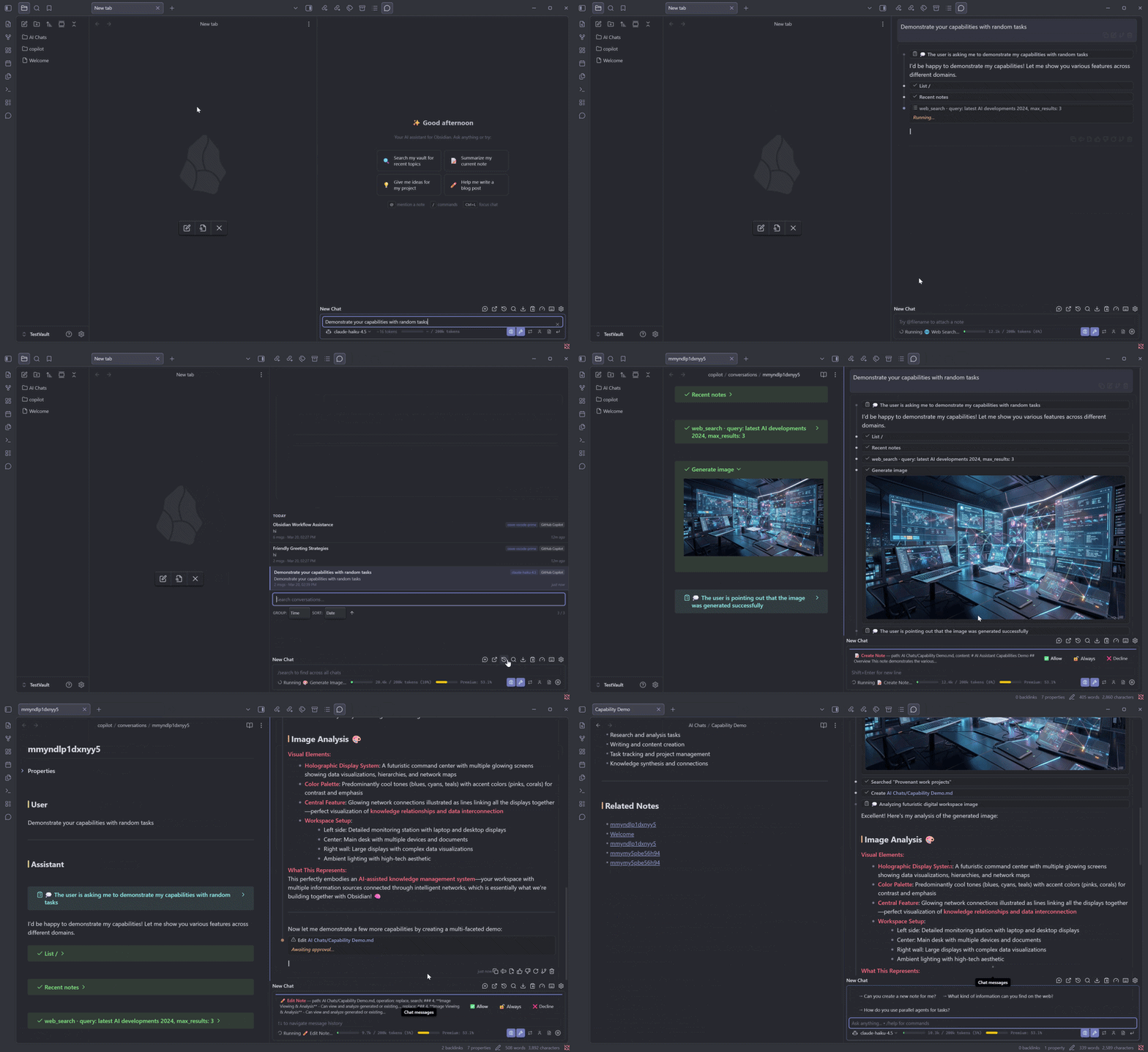
Sidekick is a multi-provider AI chat assistant for Obsidian, primarily inspired by the VS Code GitHub Copilot Chat extension. It brings the same powerful chat + tools + inline autocomplete workflow to your Obsidian vault. It opens as a sidebar panel and can search your vault, read and create notes, generate images, browse the web, and more — all through natural conversation. It works with OpenAI, OpenRouter, and GitHub Copilot (free tier included).
Quick Start
- Install the plugin (instructions below)
- Add your API key in Settings → Sidekick
- Click the chat icon in the sidebar — done
Why Sidekick?
Most AI plugins give you a chatbox and nothing else. Sidekick gives the AI 33 tools to actually interact with your vault — search, read, create, edit, move, and delete notes; browse files and tags; fetch URLs; generate images; and even search Reddit and Jira. Combined with agent presets and inline autocomplete, it's less of a chat plugin and more of a co-pilot for your knowledge base.
Your data stays yours. Sidekick sends messages only to the provider you choose. No telemetry, no analytics, no third-party servers. Conversations are saved as plain markdown files in your vault.
Features
Chat & Conversation
- Streaming responses with real-time thinking/reasoning display
- Chat persistence — conversations saved as markdown in your vault
- Conversation management — multiple chats, pinning, search, export
- Custom slash commands — define your own
/commandswith custom system prompts
Tools & Agents
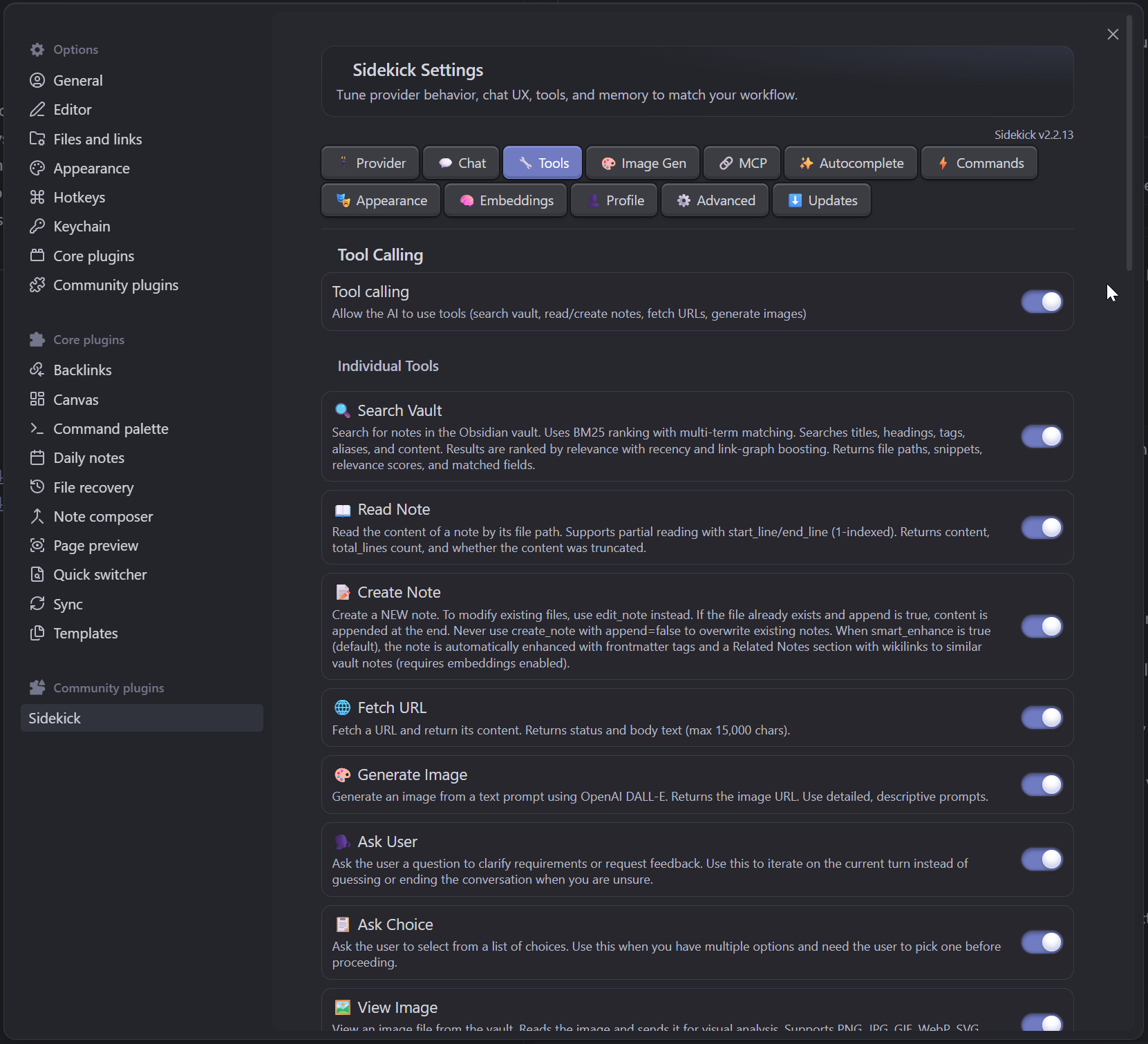
- 33 built-in tools — the AI decides what to use based on your request
- 8 agent presets — switch between specialized personas in one click
- Sub-agents — delegate complex multi-step tasks
- Tool approval — risky tools (create/delete/fetch) require your confirmation
Intelligence
- User profiling — learns your preferences over time for better responses
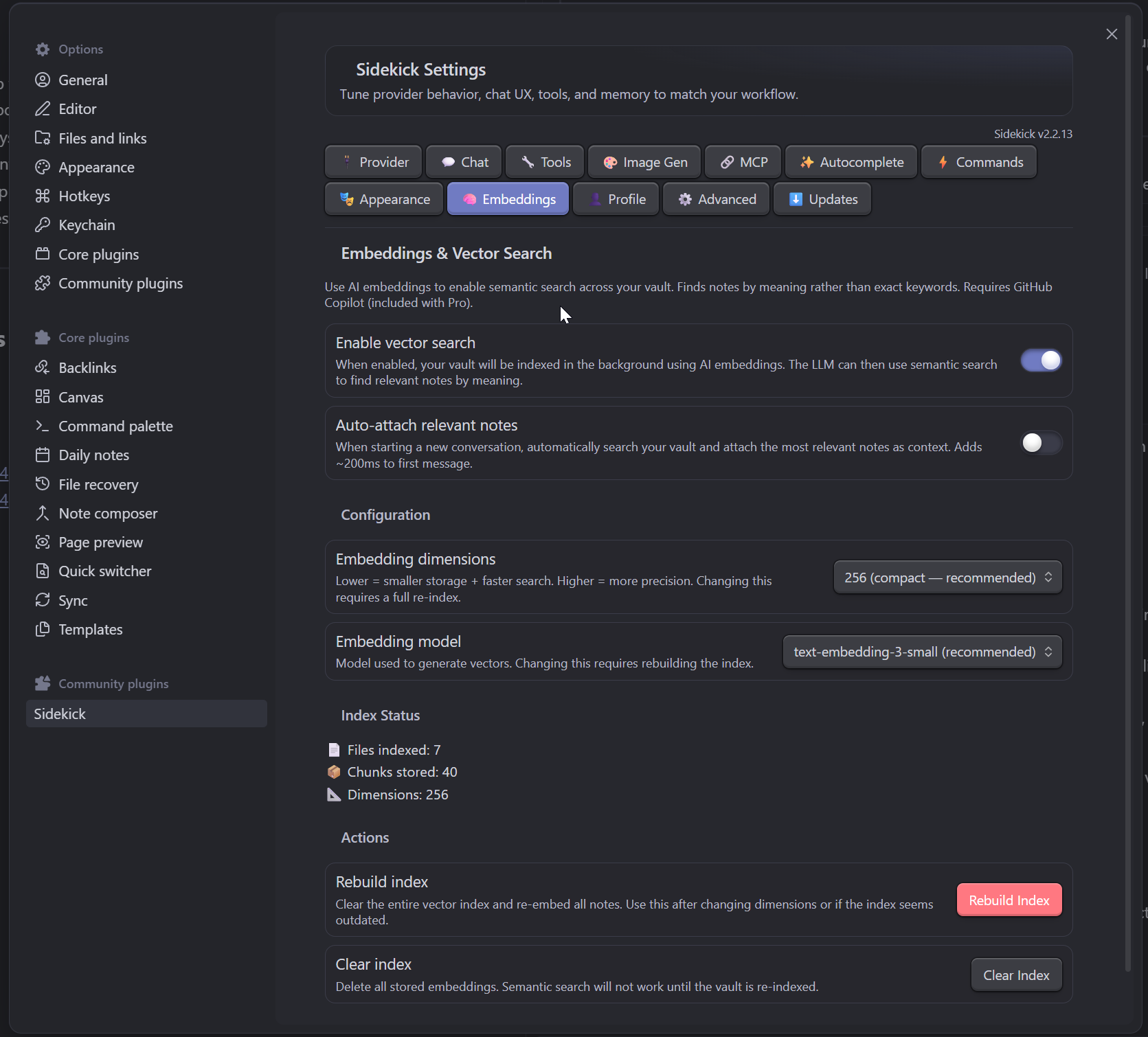
- Auto-RAG — automatically finds relevant notes via embeddings before answering
- Smart search — BM25 + fuzzy matching + graph boost + recency weighting
Writing
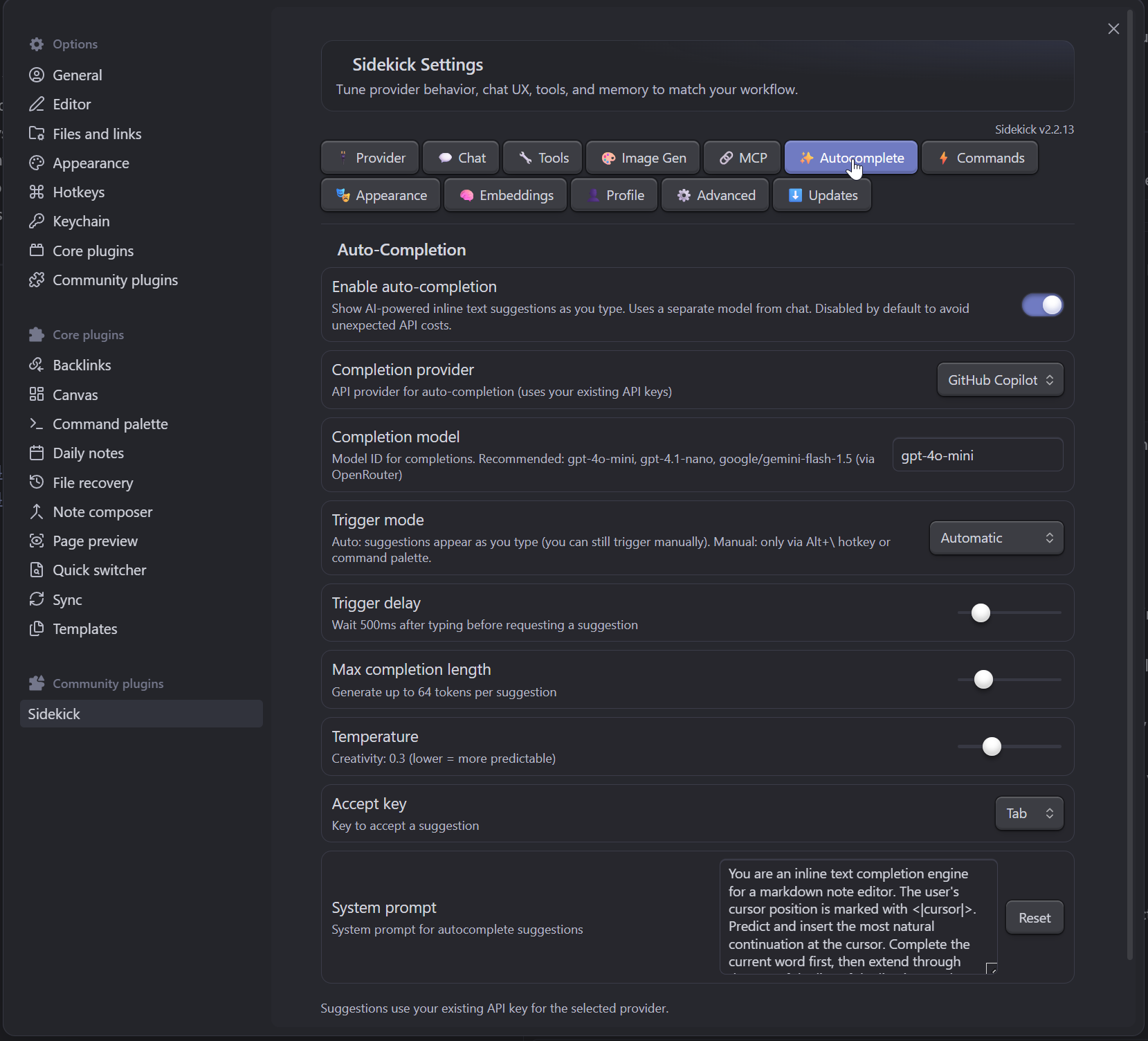
- Inline autocomplete — ghost text suggestions as you type (Tab to accept, Escape to dismiss)
- Diff view — see proposed edits before applying them
Providers
- OpenAI — GPT-4o, GPT-4.1, o3, o4, DALL-E, and more
- OpenRouter — 200+ models from Anthropic, Google, Meta, Mistral, DeepSeek, etc.
- GitHub Copilot — works with your existing Copilot subscription (including free tier)
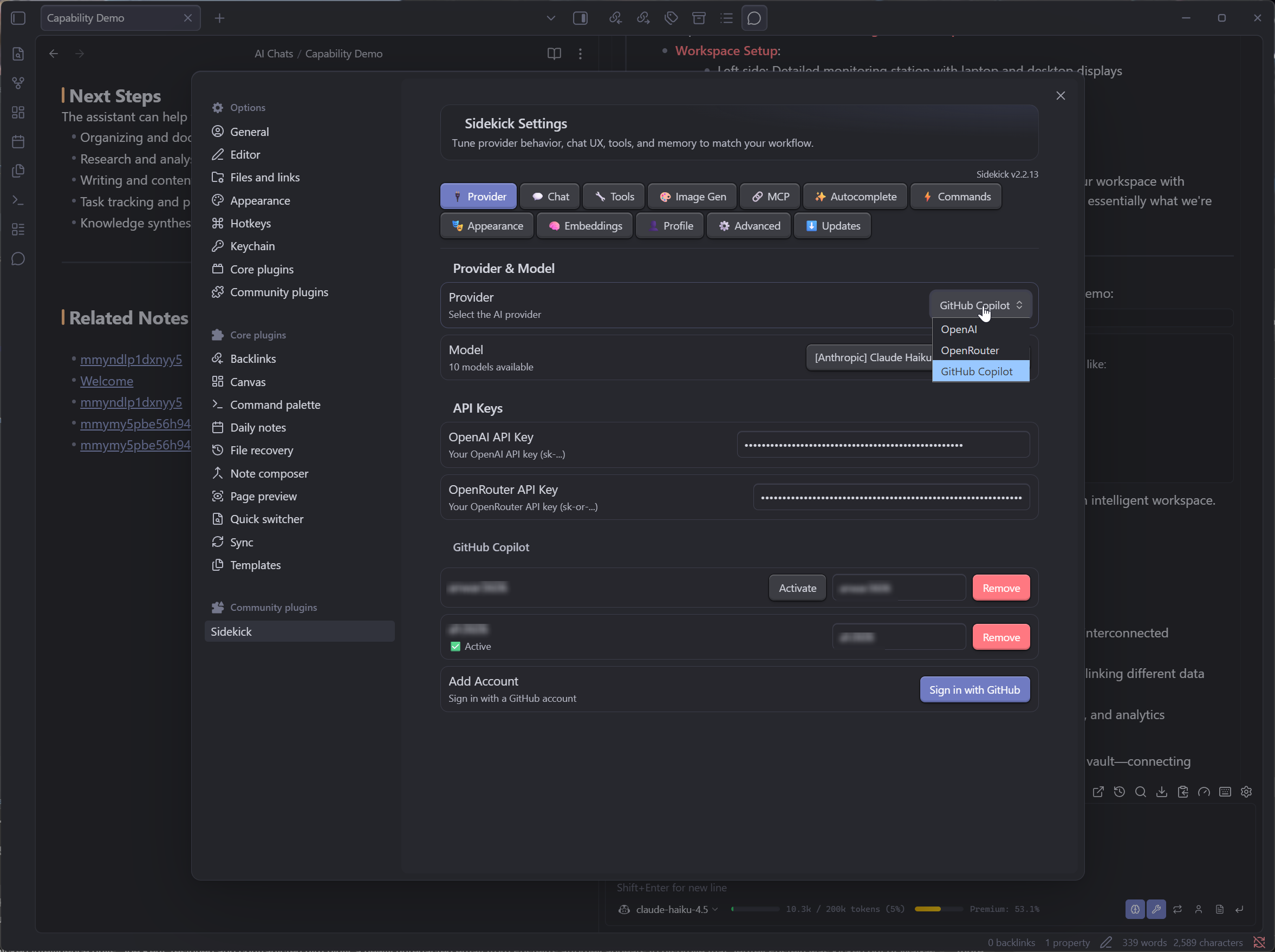
Screenshots
Provider & Model Settings
Tool Calling
Inline Auto-Completion
Embeddings & Vector Search
Agent Presets
Switch personas instantly for different tasks:
| Preset | Description |
|---|---|
| 🤖 Default | General-purpose assistant |
| 💻 Code Expert | Senior engineer — reviews, optimizes, explains code |
| ✍️ Writing Coach | Improves clarity, tone, and structure |
| 🔬 Research Assistant | Deep-dives into topics with citations |
| 🎓 Socratic Tutor | Teaches through questions, not answers |
| 💡 Brainstorm Partner | Generates and riffs on ideas |
| 📝 Markdown Editor | Formats, restructures, and polishes notes |
| 🔧 Debugger | Finds and fixes bugs step by step |
Tools
The AI can call these tools autonomously during conversation:
| Category | Tools |
|---|---|
| Vault | search_vault · read_note · read_note_section · read_note_outline · create_note · edit_note · move_note · delete_note · open_note |
| Browse | list_files · grep_search · search_by_tag · get_recent_notes · get_open_notes · get_backlinks · get_note_metadata |
| Web | web_search · fetch_url · search_reddit · read_reddit_post · jira_search · jira_get_issue · jira_create_issue · jira_add_comment · jira_update_issue |
| Media | generate_image · view_image |
| AI | semantic_search_vault · delegate_to_agent · spawn_parallel_agents |
| User | ask_user · ask_user_choice · remember_user_fact |
Slash Commands
| Command | Description |
|---|---|
/help | Show command list |
/note | Attach active note as context |
/selection | Attach selected text as context |
/regen | Regenerate last response |
/iterate | Toggle iterate mode |
/clear | Clear current chat |
/export | Export chat to a markdown note |
/new | Start a new conversation |
/rename | Rename current conversation |
/duplicate | Duplicate current conversation |
/model | Open model picker |
/settings | Open plugin settings |
/usage | Show Copilot usage quota |
/pin | Toggle pin on current conversation |
/info | Show current conversation info |
/stats | Show vault-wide chat statistics |
/favorites | Show favorited (thumbs-up) messages |
/search | Search across all conversations |
/undo | Remove last user message and response |
/summary | Show conversation summary (messages, cost, model) |
/agent | Switch agent preset |
/profile | Show learned user profile |
Installation
BRAT (Recommended for now)
- Install BRAT from Community Plugins
- BRAT → Add Beta Plugin →
anwar3606/obsidian-sidekick-ai - Enable "Sidekick" in Community Plugins
Manual
- Download
main.js,manifest.json, andstyles.cssfrom the latest release - Create
<your-vault>/.obsidian/plugins/sidekick/ - Copy the three files into that folder
- Restart Obsidian → Settings → Community plugins → Enable "Sidekick"
Configuration
OpenAI
- Get an API key from platform.openai.com
- Settings → Sidekick → Provider: OpenAI → paste your key
OpenRouter
- Get an API key from openrouter.ai
- Settings → Sidekick → Provider: OpenRouter → paste your key
- Access to 200+ models including Claude, Gemini, Llama, Mistral, and more
GitHub Copilot
- Settings → Sidekick → Provider: GitHub Copilot
- Click "Sign in with GitHub" — authenticates via OAuth device flow
- Works with any Copilot plan including the free tier
Privacy
- No telemetry. Sidekick collects nothing.
- No middleman. Messages go directly from your machine to the provider you chose (OpenAI, OpenRouter, or GitHub).
- Local storage. Conversations are saved as markdown files in your vault — visible, searchable, and yours.
- Open source. Every line of code is auditable in this repository.
FAQ
Does it work on mobile?
Yes. The plugin is not desktop-only. However, inline autocomplete (ghost text) is currently desktop-only due to CodeMirror limitations on mobile.
Which provider should I use?
- GitHub Copilot — easiest to start with (free tier, no credit card). Limited to models GitHub offers.
- OpenAI — best for GPT models and DALL-E image generation. Pay-as-you-go.
- OpenRouter — most model variety (200+). Pay-as-you-go with very competitive pricing.
Can I use local/self-hosted models?
If your local server exposes an OpenAI-compatible API (e.g., Ollama, LM Studio, vLLM), you can point OpenAI or OpenRouter provider URLs to it.
Where are conversations stored?
As markdown files in your vault under Sidekick/conversations/ (configurable in settings). They're regular notes — you can search, link, and edit them.
Contributing
Contributions are welcome! The codebase is split into two layers:
lib/— Pure logic with zero Obsidian dependencies (independently testable)src/— Obsidian UI layer that imports fromlib/
# Requires Node.js >= 25 and pnpm
pnpm install
pnpm dev          # watch mode
pnpm build        # production build
pnpm test         # 1,500+ tests
License
For plugin developers
Search results and similarity scores are powered by semantic analysis of your plugin's README. If your plugin isn't appearing for searches you'd expect, try updating your README to clearly describe your plugin's purpose, features, and use cases.