Calendar Events
unlistedby James Hawkins
Display and manage iCal (.ics) calendar events directly inside Obsidian. Supports any public ICS feed (Google, Outlook, Apple, etc.).
Calendar Events



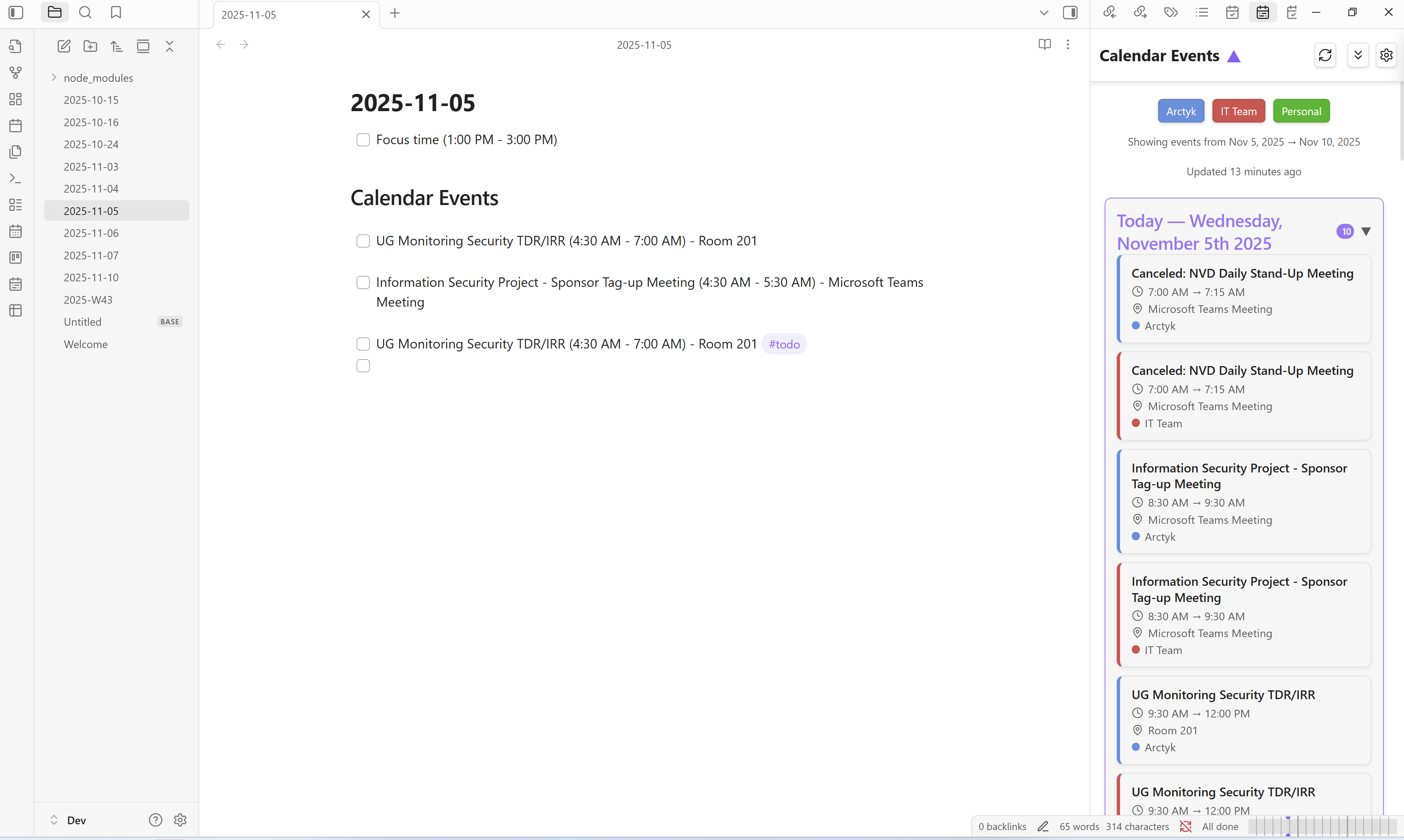
A plugin that displays iCal (.ics) calendar events in a dedicated Obsidian sidebar panel. Connect any number of public ICS feeds — Google Calendar, Outlook, Apple Calendar, SharePoint — and see your upcoming events without leaving Obsidian.
View the full CHANGELOG.md for version history.
Calendar View
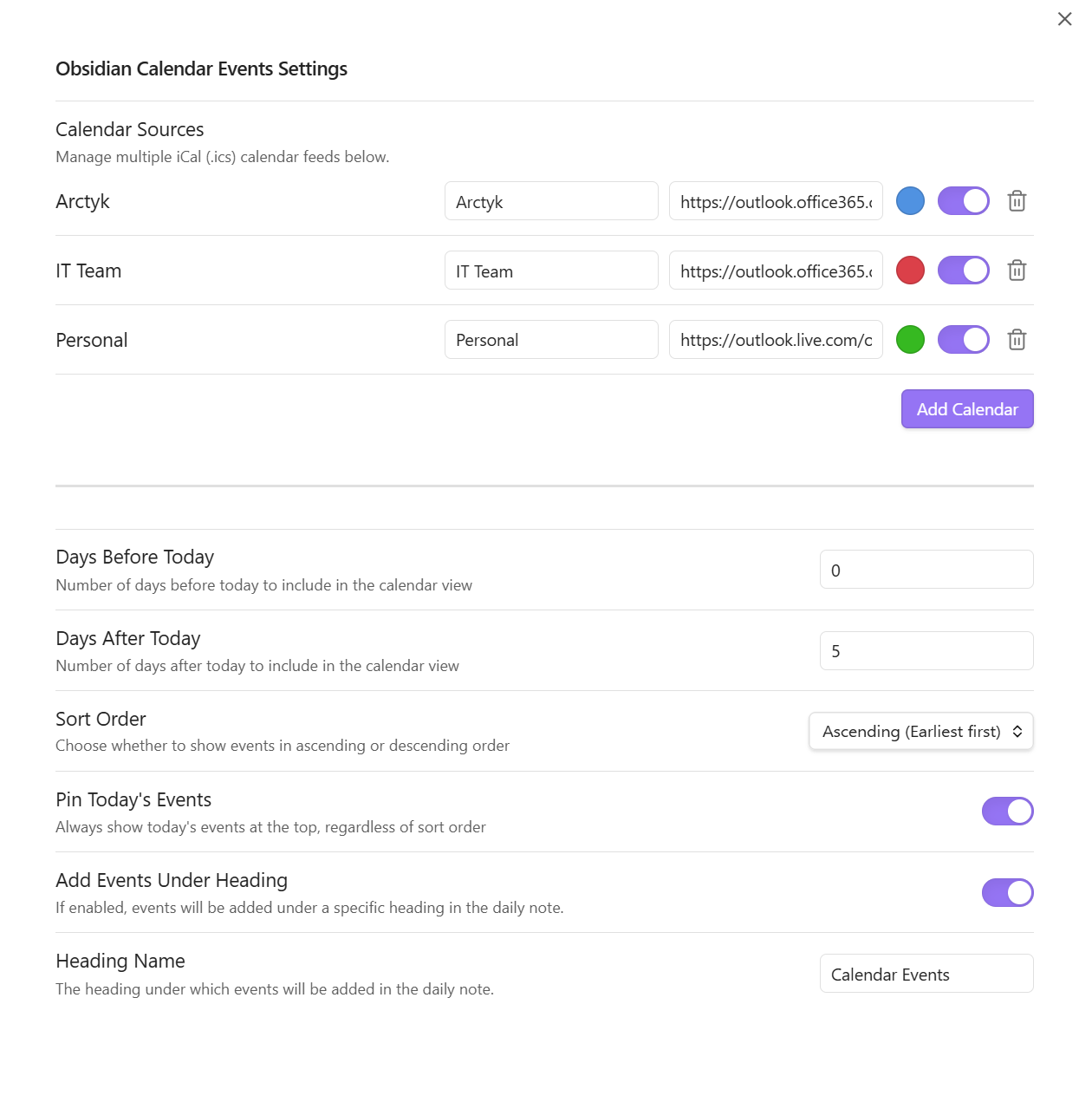
Settings View
✨ Features
- 📅 Events from any public iCal (.ics) feed, grouped and sorted by day
- 📆 Multiple calendars with individual colour coding and visibility toggles
- 🔍 Real-time search — filter events by title, location, or description
- 🔗 Meeting link support — clickable URLs for Zoom, Teams, Google Meet
- 📝 Event descriptions shown on each card (3-line preview)
- 🗃️ Pin today’s events to the top regardless of sort order
- ✅ Add events to your daily note as tasks with one click
- ⏱️ Configurable date range (days before and after today)
- 🔄 Auto-refresh — keep the calendar current in the background
- ↕️ Collapsible day sections with persistent state
- ⚙️ Test URL button per calendar to validate your ICS feed before saving
- 🎨 Show/hide individual card fields (location, description, URL, calendar name)
- 📱 Works on desktop and mobile
🧩 How It Works
This plugin reads events from one or more iCal (ICS) URLs and displays them in a dedicated sidebar panel. Events are parsed locally — including recurring events, all-day events, and timezone-aware times — grouped by day, and presented in a clean, readable layout.
No authentication is required. Only public ICS export URLs are supported.
🛠 Installation
Option 1: Community Plugins (recommended)
- Open Settings → Community Plugins → Browse.
- Search for Calendar Events.
- Click Install, then Enable.
Option 2: Install via BRAT (for beta testing)
-
Install and enable BRAT in Obsidian.
-
Open the BRAT settings and add this repository:
ArctykDev/obsidian-calendar-events -
BRAT will install and keep the plugin up to date automatically.
Option 3: Manual installation
-
Download the latest release from the Releases page.
-
Copy
main.js,manifest.json, andstyles.cssinto your vault's plugin folder:<vault>/.obsidian/plugins/ical-calendar-events/ -
Reload Obsidian and enable Calendar Events from the Community Plugins list.
Option 4 — Build from source
git clone https://github.com/ArctykDev/obsidian-calendar-events.git
cd obsidian-calendar-events
npm install
npm run build
Copy the output files (main.js, manifest.json, styles.css) into your vault's plugin folder.
Support
If you have questions or want to request a feature, visit the Discussion board.
For full documentation, visit the GitHub repository.
Follow me
Interested in a project management plugin? Check out my other Obsidian plugin: Project Planner
- Project Planner repo: github.com/ArctykDev/obsidian-project-planner
For plugin developers
Search results and similarity scores are powered by semantic analysis of your plugin's README. If your plugin isn't appearing for searches you'd expect, try updating your README to clearly describe your plugin's purpose, features, and use cases.