Add Under Page Heading
unlistedby Chris Guilliams
Add items to specific headings in your notes directly from the command palette based on configurable rules.
Add Under Page Heading
Insert note content into other notes or groups of notes based on configured rules through an embedded editor.
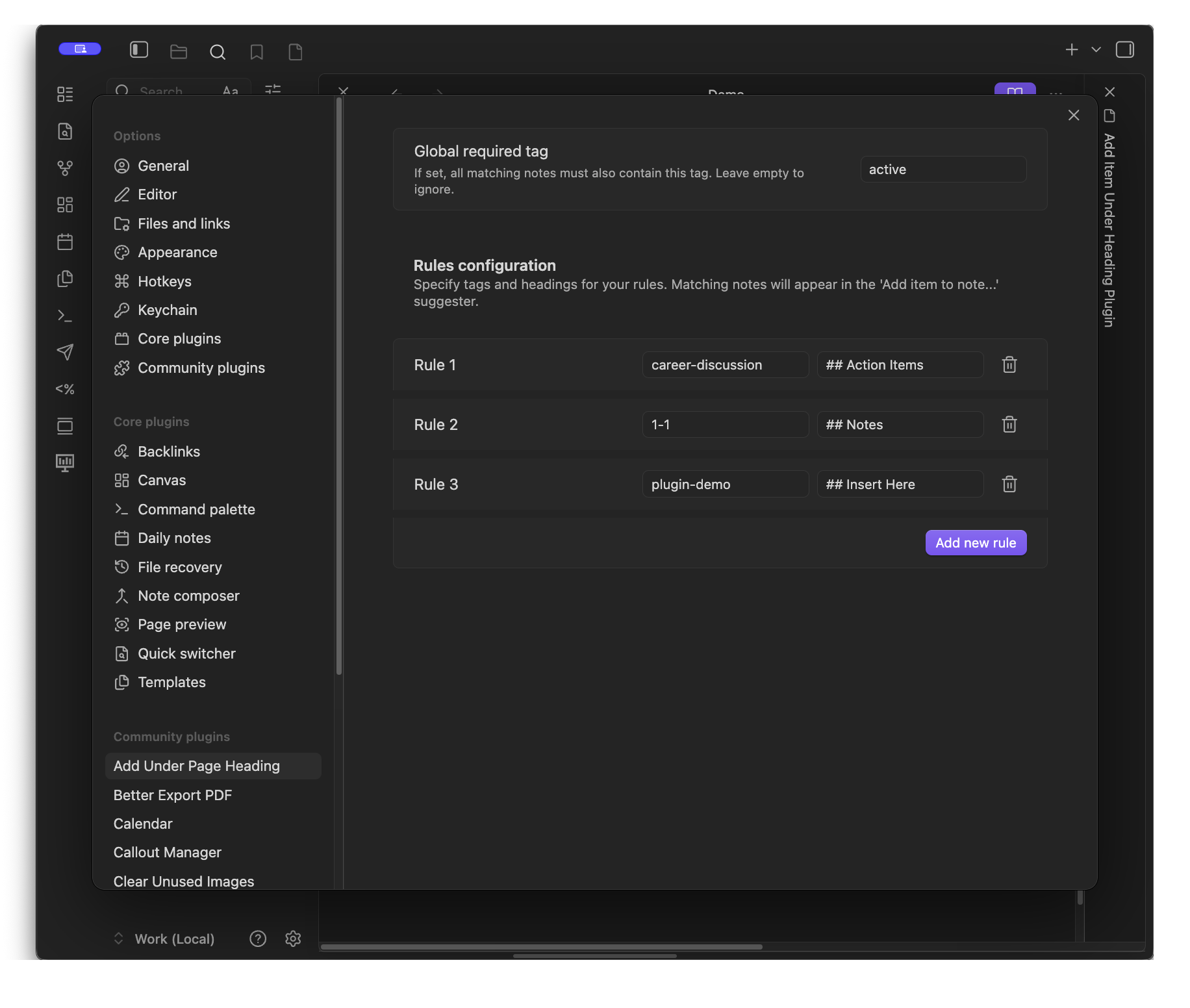
Rules require a specified tag and heading. Once configured, notes that match a rule's specified tag criteria appear in the search list when you perform the Add item under page heading... command.
Uses Fevol's Embeddable CM Markdown Editor solution.
Commands
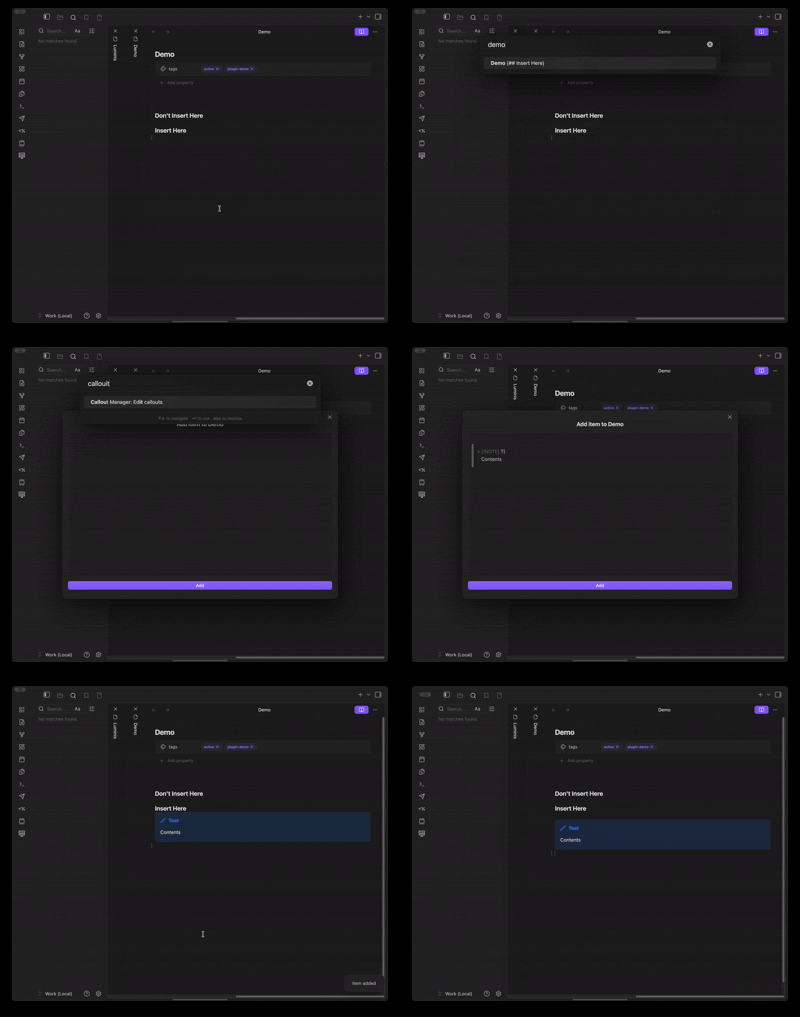
Add Under Page Heading: Add item under page heading...
Search through notes that match the currently configured rules. Selecting a note opens the embedded editor to enter content for insertion under the specified heading.
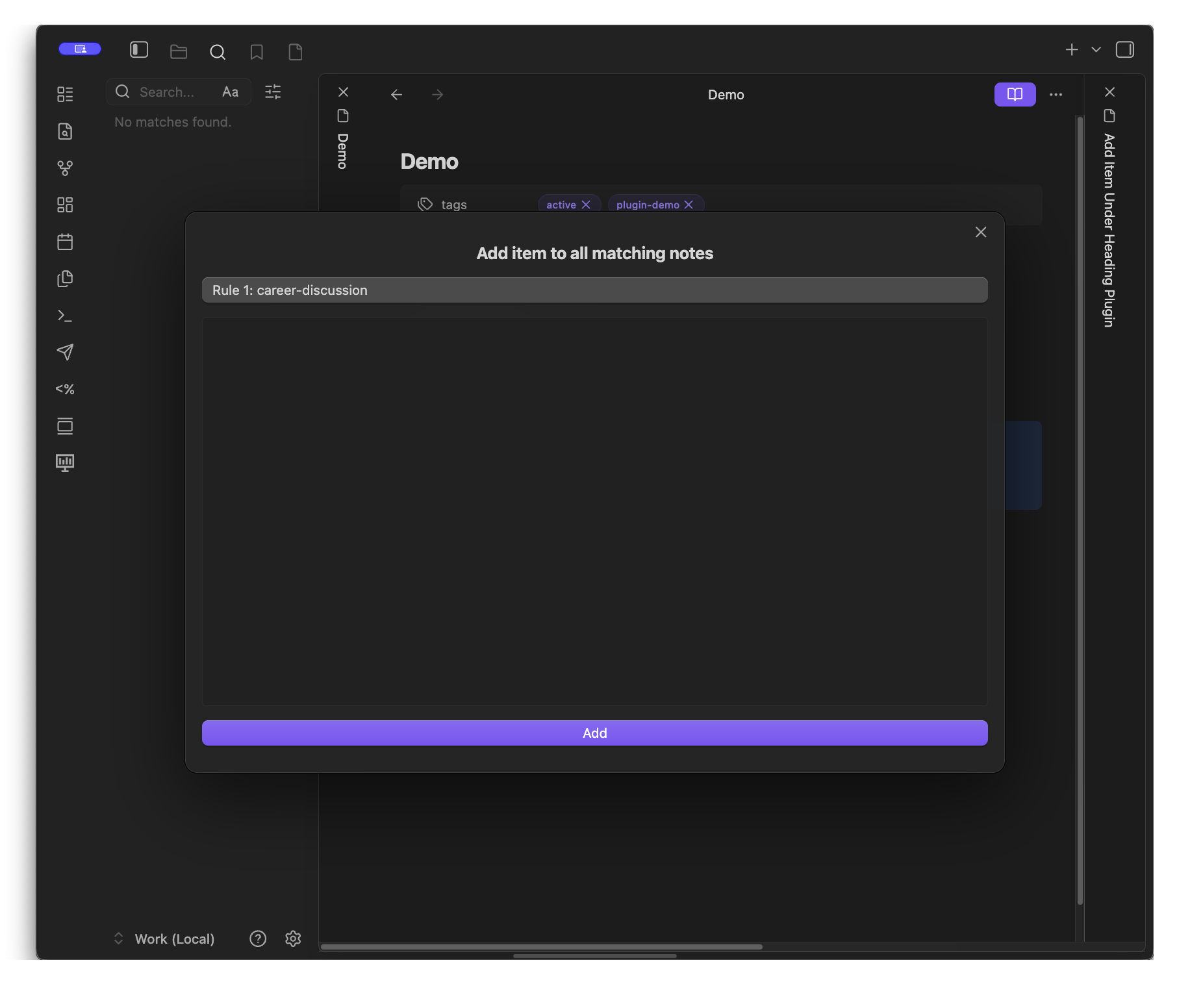
Add Under Page Heading: Add item to all notes that match a rule
Opens an embedded editor with a dropdown menu to select a specific rule. Entered content is inserted into every note that matches the selected rule.
Features
- Command palette insertion — Insert content into a specific note (or all notes that match) under a specified heading directly from the command palette.
- Rule-based filtering — Configure rules in the plugin settings to surface specific notes based on tags.
- Embedded Obsidian editor — Use the rich markdown editor and command palette options while entering content.
How it works
- Tag your notes — Add tags (in frontmatter) such as
career,1-1, oractive. - Define rules — In the plugin settings, specify:
- A tag to match against your notes’ frontmatter.
- A heading under which new content should be inserted.
- Perform the command — Use the command palette to choose a note that matches or bulk insert into all notes that match a rule.
- Enter content — A modal appears with a rich markdown editor.
- Submit entry — Your content is inserted under the configured heading in the target note.
Example use case
Insert under a heading of a specific note
Consider a manager with a note like this:
---
tags: [direct-report, career, active]
---

## Career Discussion

- Deliver feedback regarding recent performance
If you configure a rule with:
- Tag —
career - Heading —
## Career Discussion
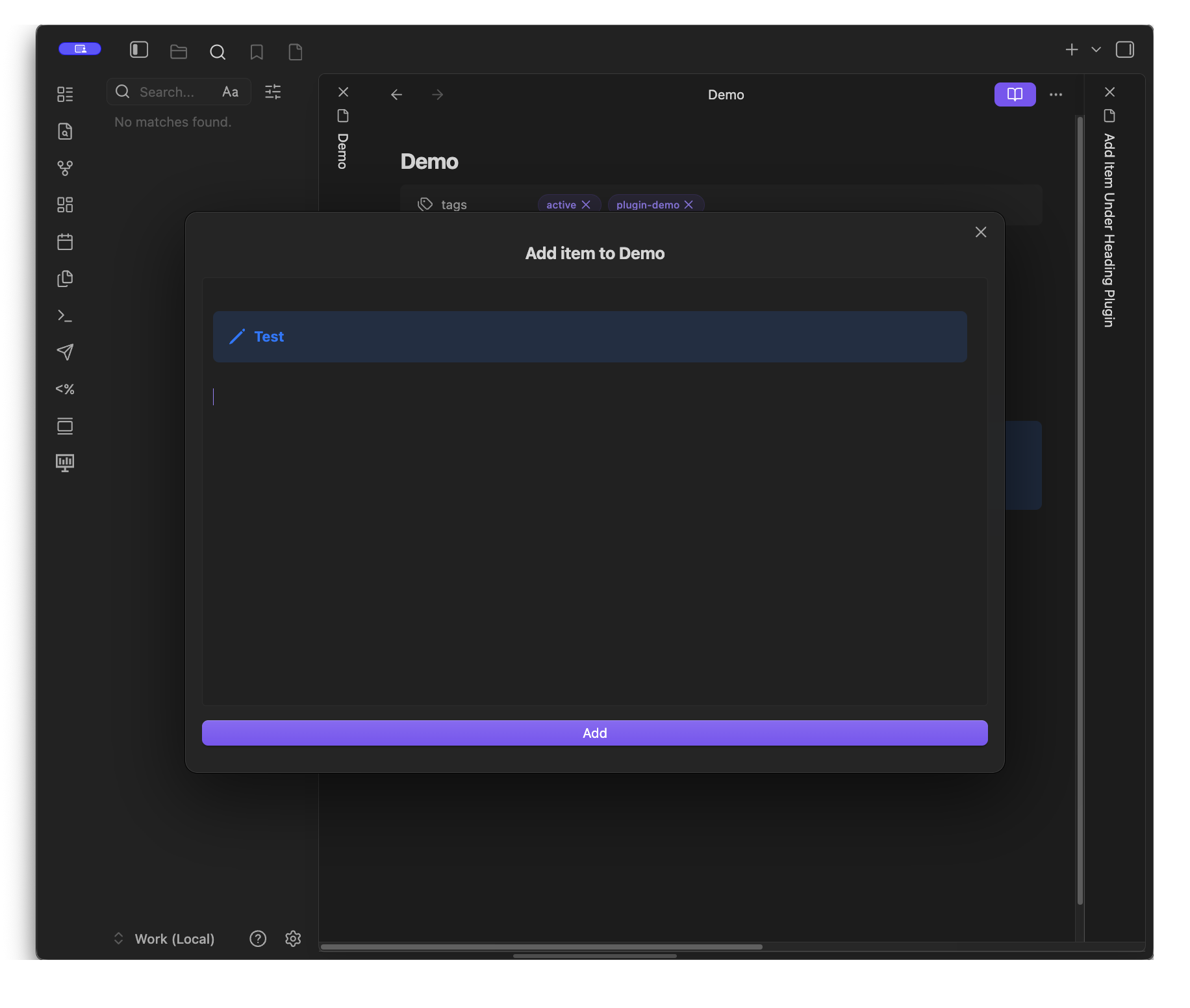
You can perform the Add item under page heading... command, search for the specific note, and enter the content you would like to have inserted directly under the specified heading.
Insert under a heading of all notes for a given rule
If multiple notes in your vault match a configured rule, use the Add item to all notes that match a rule command to insert content into all of them simultaneously.
Settings
[!info]+ Future plan The Global required tag setting will be removed once rules are updated to support multiple tags per rule.
Roadmap
- Support for rules with multiple tags (e.g.,
#projectsand#active).- Remove global tag setting
- Support default editor contents for rules.
- Support inserting at the top of a note if no heading is provided.
- Automatically remove empty rules when settings are closed.
- Fix modal submit buttons disappearing at shorter screen heights.
- Support reordering of rules.
- Support matches for specified heading level (i.e.,
##,###, etc.) in rule configuration. - Support fuzzy matching headings similar to file names for rules with no heading configured
For plugin developers
Search results and similarity scores are powered by semantic analysis of your plugin's README. If your plugin isn't appearing for searches you'd expect, try updating your README to clearly describe your plugin's purpose, features, and use cases.