Claude Code
unlistedby fougaser
Run Claude Code in Obsidian's sidebar under your personal subscription — isolated token, one-click setup.
🤖 Claude Code Subscription Inside Obsidian
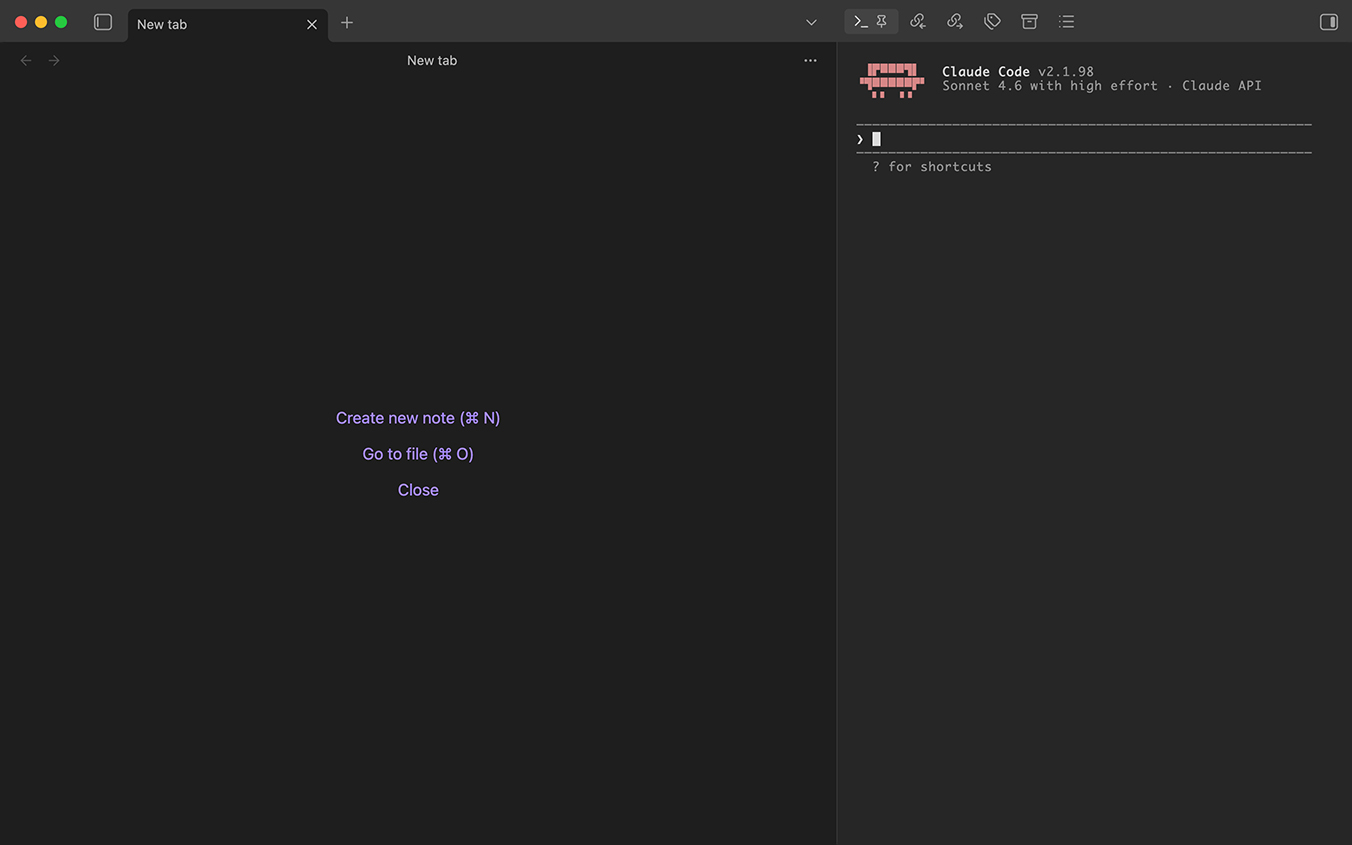
Run Claude Code in Obsidian's sidebar under your personal subscription.




One-click bootstrap for the setup described in the "Claude Code в Obsidian" guide: isolated OAuth token, Keychain storage, and a terminal pane that starts Claude ready to use.
Why this plugin exists
Anthropic has restricted third-party wrappers around the subscription-based OAuth flow. The safe way to use your personal Pro subscription inside Obsidian is to run the official claude CLI through a thin setup that isolates its credentials and config from any other installations. The guide that describes this setup is ~10 manual steps — this plugin automates them.
No custom frontend. No direct API calls. No token reuse across machines. Same HTTP traffic as running claude in any terminal.
Status
Alpha / scaffold. The repository currently contains the plugin skeleton and documentation. The functional layers (OAuth capture, Keychain I/O, wrapper generation, terminal view) land in upcoming commits.
Planned functionality
- Setup assistant. Walk through:
- Detect / install Claude Code CLI (
brew install anthropic/claude-code/claude-code). - Run
claude auth loginin an isolatedCLAUDE_CONFIG_DIRandclaude setup-token. - Store the token in a named Keychain slot (not the shared
Claude Code-credentialsone). - Log out of the isolated session so the slot stays empty.
- Detect / install Claude Code CLI (
- Terminal view. An xterm-powered pane that spawns
claudeas a child process with the right env vars:CLAUDE_CONFIG_DIR=~/.claude-personalCLAUDE_CODE_OAUTH_TOKEN=<from Keychain>
- Settings. Change the Keychain slot name, rotate the token, toggle auto-start, pick working directory.
- Commands. Quick palette entries: focus terminal, start new session (
/clear), resume last session.
Installation (future)
git clone https://github.com/fougaser/obsidian-claude-code.git
cd obsidian-claude-code
npm install
npm run build
Symlink the three artifacts into your vault's .obsidian/plugins/obsidian-claude-code/:
ln -s "$PWD/main.js"       <vault>/.obsidian/plugins/obsidian-claude-code/main.js
ln -s "$PWD/manifest.json" <vault>/.obsidian/plugins/obsidian-claude-code/manifest.json
Enable in Settings → Community plugins.
Compatibility
- macOS only (for now). Keychain integration (
securityCLI), Homebrew path assumptions (/opt/homebrew/bin/claude). - Obsidian 1.5+.
Safety & trademarks
This plugin uses the official claude binary with its own documented env vars. No redistribution of Anthropic code, no proxying, no mimicry. Still, honest caveats apply:
- Don't share your OAuth token.
- Don't automate high-QPS bot-like loops — the subscription is for interactive use.
- Anthropic policy can change. Use at your own risk.
Treat this plugin as a setup automator, not a wrapper or a service.
License
MIT © fougaser.
For plugin developers
Search results and similarity scores are powered by semantic analysis of your plugin's README. If your plugin isn't appearing for searches you'd expect, try updating your README to clearly describe your plugin's purpose, features, and use cases.