Inkstone Annotations
unlistedby Ivan
Highlight and underline mutable Markdown, add notes, and draw on stable snapshots.
Inkstone Annotations


Highlight and underline mutable Markdown, add notes, and draw on stable snapshots.
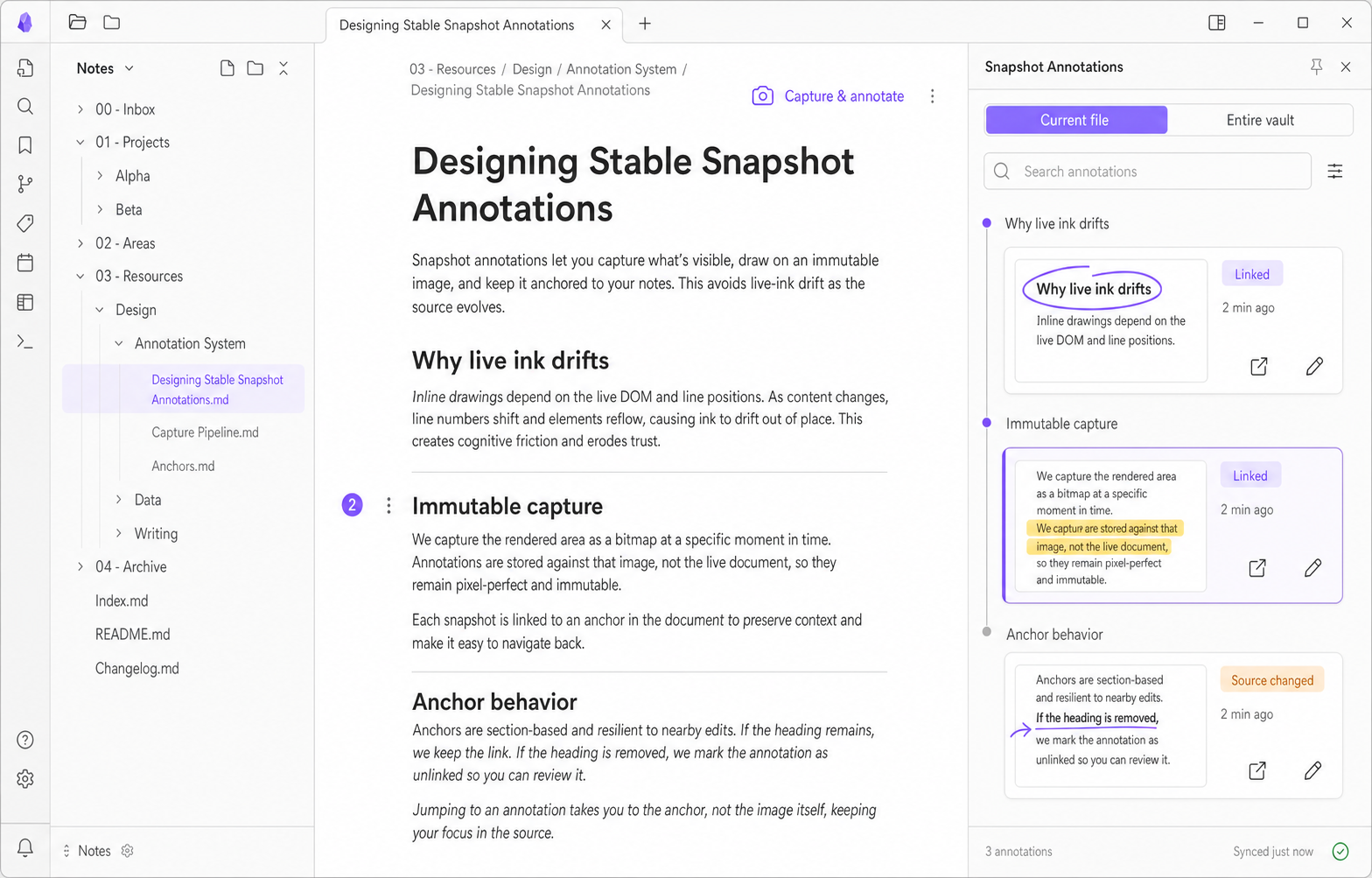
Inkstone Annotations keeps text annotations separate from your Markdown and restores them conservatively as the source changes. When pixels matter, capture the visible Reading View and add freehand Pen or Highlighter markup to that immutable, Vault-local Snapshot.
[!IMPORTANT] Inkstone Annotations 0.1.x is a Beta line. Back up your Vault before testing a prerelease with important notes.
What it does
- Highlights and underlines supported text selected in Reading View.
- Adds notes and tags without rewriting the Markdown source.
- Recovers annotations after nearby source edits and fails closed when a target is ambiguous.
- Captures the visible Reading View into a stable Snapshot for freehand Pen and Highlighter markup.
- Reopens, edits, deletes, restores, searches, and exports annotations from the sidebar.
- Indexes the current file and Entire Vault without loading every image or Ink point eagerly.
- Keeps canonical annotation data inside the Vault with no account, telemetry, or external service.
Why snapshots?
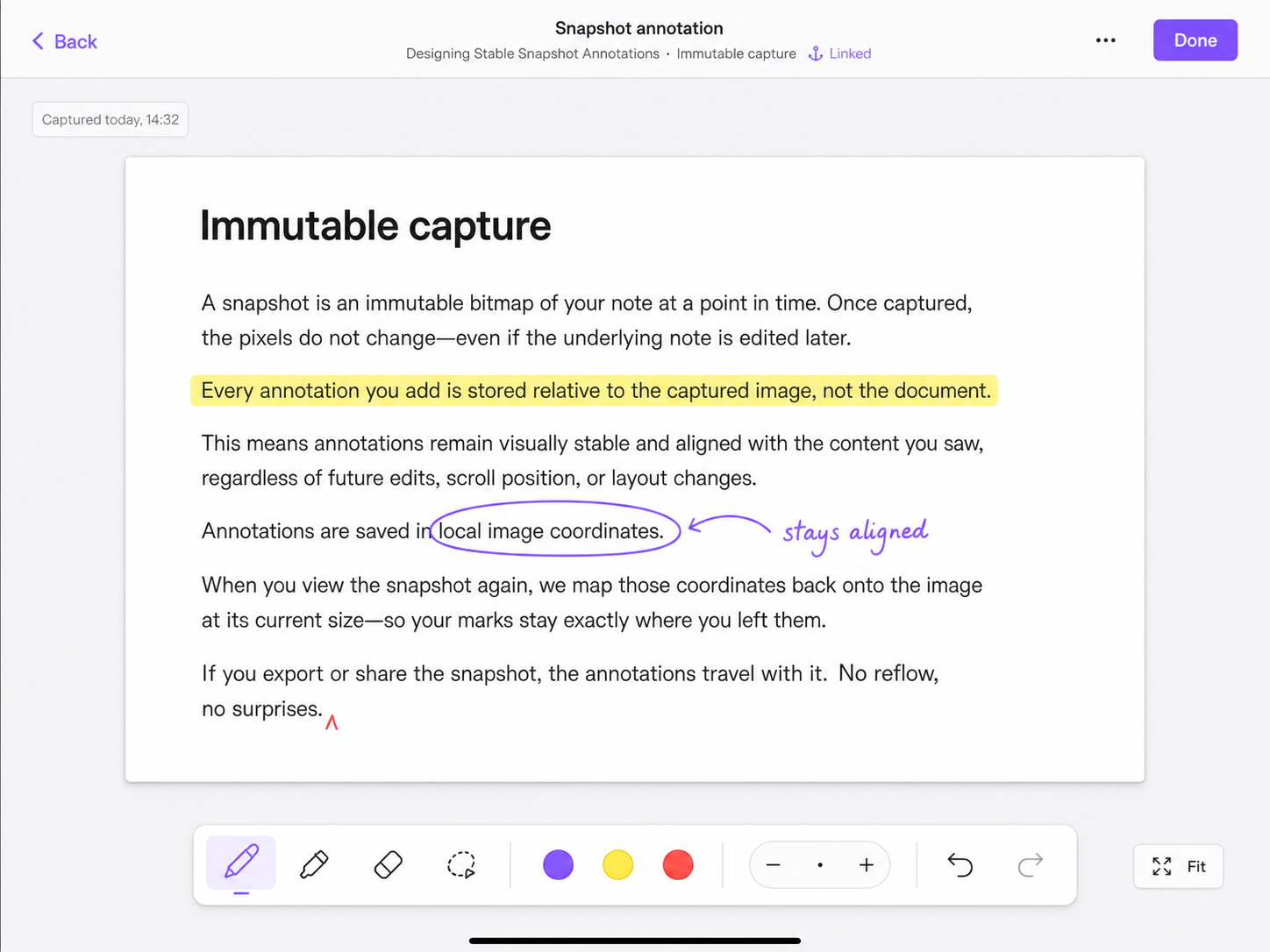
Mutable Markdown is a good semantic source but an unstable drawing surface. Theme changes, pane width, fonts, and edits can all move rendered pixels.
Inkstone therefore uses two complementary models:
- Text annotations anchor to Markdown source and can reattach after edits.
- Snapshot annotations bind freehand strokes to the exact captured image the user saw.
New freehand markup is never persisted against a live DOM range or mutable page layout.
Quick start
Inkstone is not yet listed in the Obsidian Community directory. For a Beta installation:
- Install the BRAT community plugin in Obsidian.
- In BRAT, choose Add Beta plugin and enter
https://github.com/ivan-94/obsidian-plugin-ink-annotation. - Enable Inkstone Annotations under Community plugins.
- Open a Markdown note in Reading View.
- Select supported text to create a highlight, underline, or note, or use Capture & annotate to create a Snapshot.
For a manual installation, download main.js, manifest.json, and styles.css from the matching
GitHub Release and copy them into <Vault>/.obsidian/plugins/inkstone-annotations/, then reload
Obsidian.
For detailed workflows, see the user guide. Report Beta results in the 0.1.0 feedback hub.
Data and privacy
Canonical data is stored separately from Markdown under:
<Vault>/.obsidian-annotations/
- Opening an unannotated note does not create an empty per-note Ink summary.
- Disabling or uninstalling the plugin does not delete canonical sidecars or exports.
- Disposable summaries, thumbnails, indexes, and device-local drafts are not canonical data.
- A successful local write does not claim that iCloud or another sync provider has finished syncing.
- Inkstone has no telemetry, account, ads, or external service.
- Snapshot images can contain sensitive note content and follow the Vault's own storage and sync configuration.
Read Data Safety before using a Beta with an important Vault. Exported Markdown, HTML, SVG, or PNG files are the portability boundary outside Inkstone.
Supported scope
- Text annotation creation is available in Reading View.
- Snapshot capture is available for the visible Markdown Reading View viewport.
- Source mode, Live Preview, PDFs, Canvas files, and arbitrary embedded web content are not general-purpose annotation surfaces.
- Generated or unsupported content fails closed for text anchoring and may be captured as a Snapshot when the active backend can preserve it.
- Legacy document Ink remains read/export compatible but cannot be created in the retired editor.
html-to-imageis embedded inmain.js; it is not downloaded from a CDN. Capture skips font downloads, converts already-loaded Vault images to data URLs, and replaces remote or URL-backed resources before rendering.- The plugin has no telemetry, account, or external service. Backend-selection HAT controls are excluded from release assets.
See Known Limitations for the current platform and feature boundaries.
Development
Requirements:
- Node.js 20.19 or newer
- npm
npm ci
npm run check
npm run install:dev
npm run install:dev installs the built plugin into test-fixtures/vault by default. Set
INKSTONE_VAULT to use another development Vault.
To build and verify a release candidate:
npm run package:rc
npm run verify:release-tag -- 0.1.0
The release process and production gates are defined in the production release specification.
Contributing and security
Bug reports and focused pull requests are welcome. Read CONTRIBUTING.md before changing behavior, persistence, or release automation.
Do not include private note text, screenshots, sidecars, or Vault paths in a public issue. Report a potential vulnerability using the process in SECURITY.md.
License
MIT © 2026 Ivan
For plugin developers
Search results and similarity scores are powered by semantic analysis of your plugin's README. If your plugin isn't appearing for searches you'd expect, try updating your README to clearly describe your plugin's purpose, features, and use cases.