Kanban Base
unlistedby jaide
Add kanban views to Bases, organized by folder structure or property values.
Kanban Base
A plugin for Obsidian that adds two kanban views to Bases.
Requires Obsidian 1.10.1+.
Views
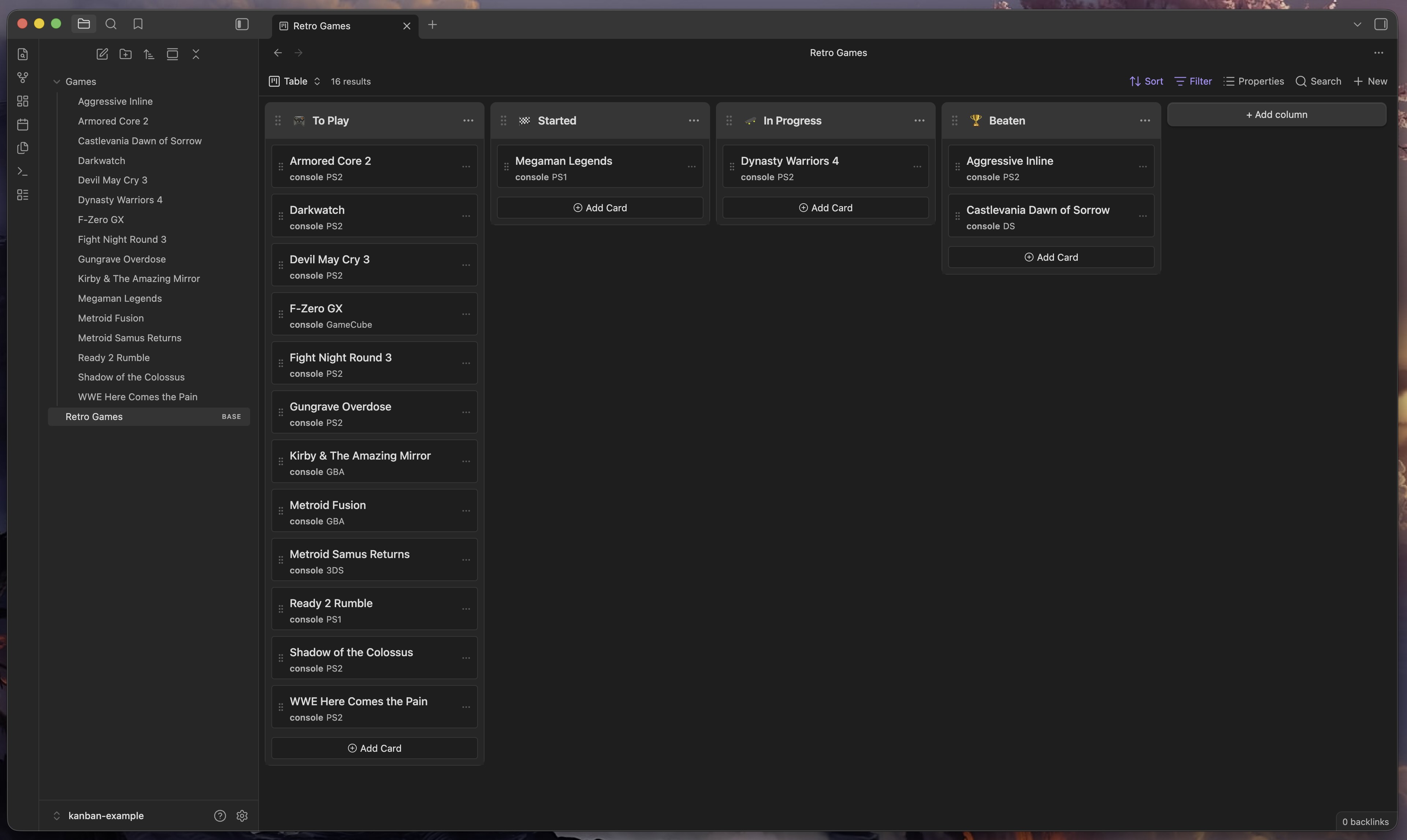
Kanban (Property)
Groups notes into columns by a text property value (e.g. a status field). Set
the group-by field in the base to any text property and each unique value
becomes a column. Changing a card's column updates that property on the note.
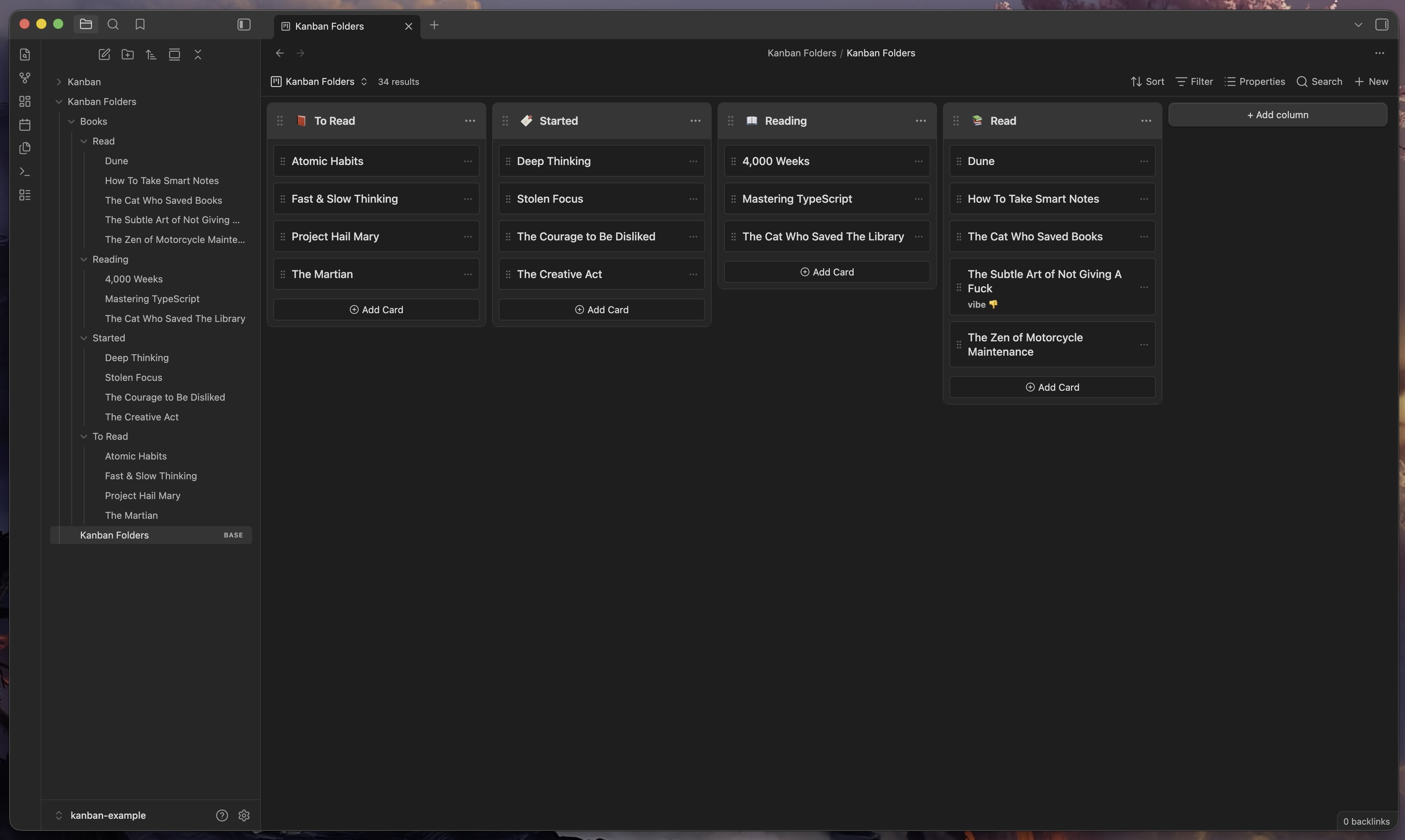
Kanban Folders
Groups notes into columns by their immediate parent folder. Each direct subfolder of the base's root folder is a column. Moving a card between columns physically moves the file to that folder — Obsidian handles link updates automatically.
How to install
Using BRAT
- Install BRAT from the community plugins directory.
- Open BRAT settings and click Add Beta Plugin.
- Enter
https://github.com/jaidetree/obsidian-kanban-base.
Using Community Plugins
Search for Kanban Base in Settings → Community plugins → Browse.
Manual install
- Download
main.js,manifest.json, andstyles.cssfrom the latest release. - Copy them to
.obsidian/plugins/kanban-base/in your vault. - Enable the plugin in Settings → Community plugins.
Usage
- Open or create a base file.
- Click the view selector and choose Kanban or Kanban Folders.
Kanban (Property)
- Set the base's group-by field to a text property (e.g.
status). - Cards are grouped by property value. Drag cards between columns to update the property.
Kanban Folders
- Set the base folder to a directory that contains subfolders.
- Each subfolder becomes a column. Drag cards between columns to move the file.
Feedback and feature requests
Contributing
Open an issue before submitting a PR — I don't want to merge work that doesn't fit the direction of the project.
AI Disclaimer
Development was largely done with Claude. I'm a professional frontend engineer and have reviewed and tested this project during every phase of development.
License
MIT
For plugin developers
Search results and similarity scores are powered by semantic analysis of your plugin's README. If your plugin isn't appearing for searches you'd expect, try updating your README to clearly describe your plugin's purpose, features, and use cases.