Curtis.ai
unlistedby Jordan Newell
AI chat + agent. 53 providers: ChatGPT, Claude, Gemini, DeepSeek, Ollama + local. Agent tools edit your notes, MCP client & server, skills, RAG vault search, scheduled runs, arena. Free, source-available.
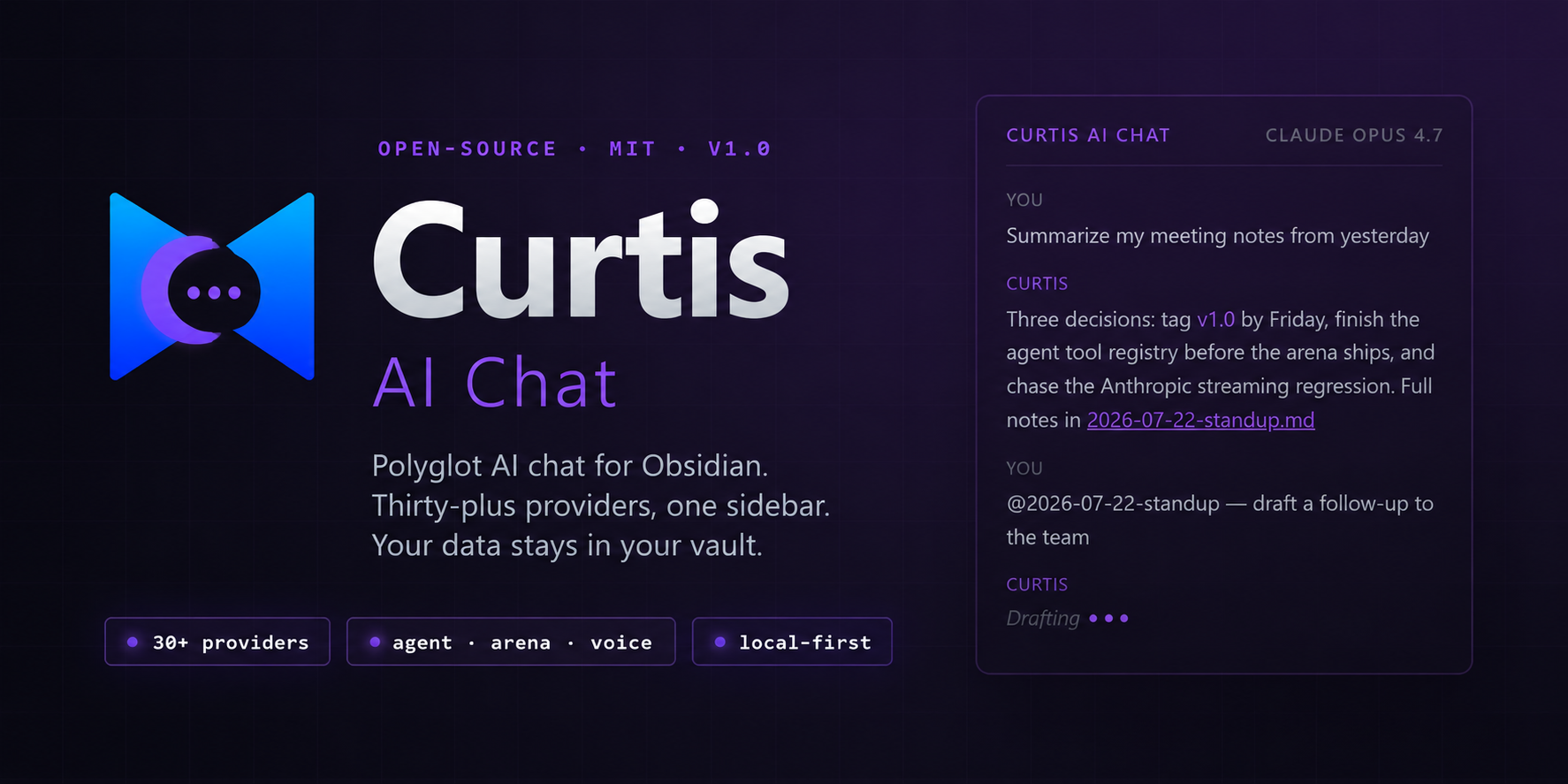
The agent layer for Obsidian.
Every provider, one sidebar — 53 of them, OpenAI to Ollama. The agent reads and writes your notes, calls your MCP servers, learns skills, and remembers what matters. Conversations live as markdown in your vault. Your vault stays yours.
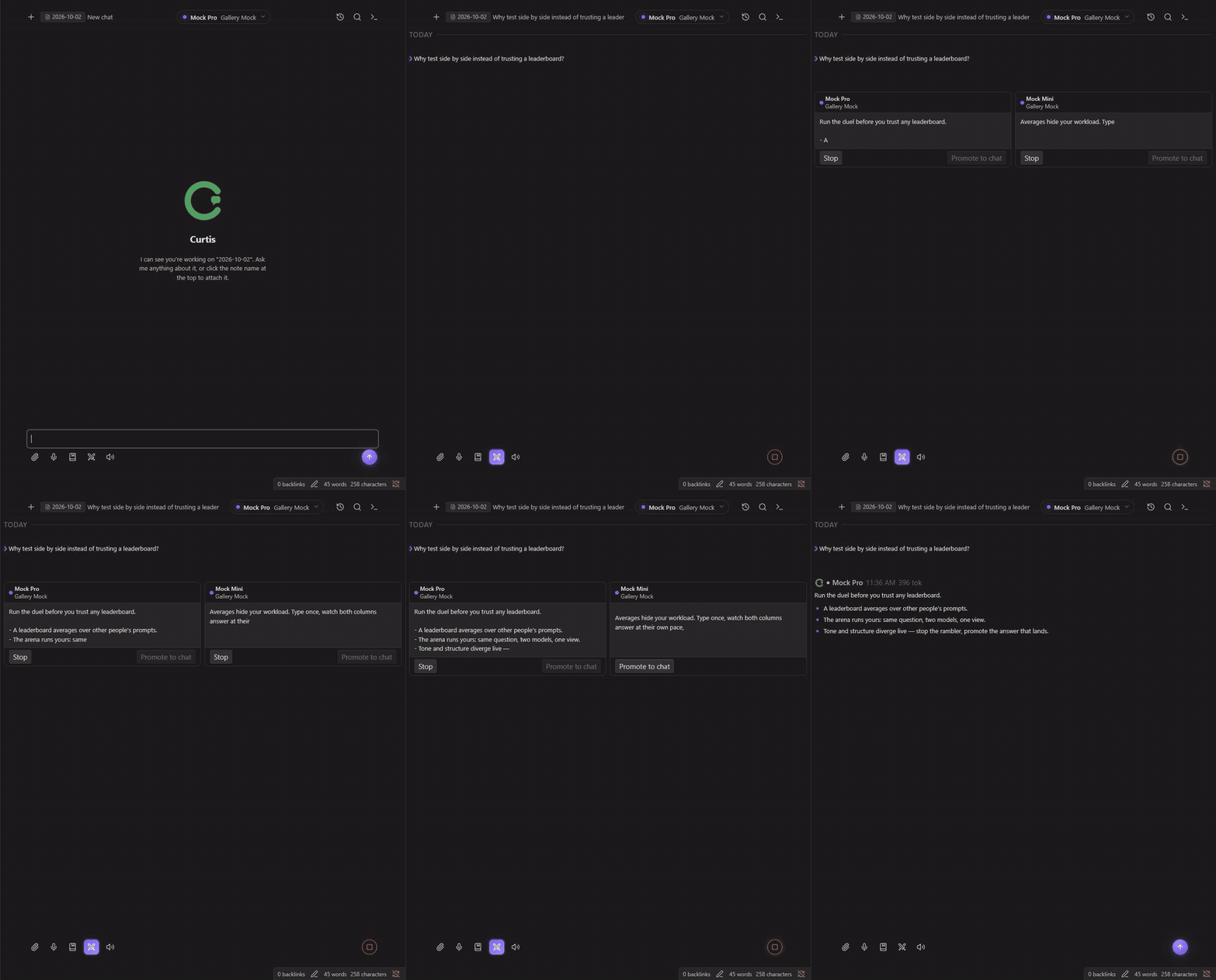
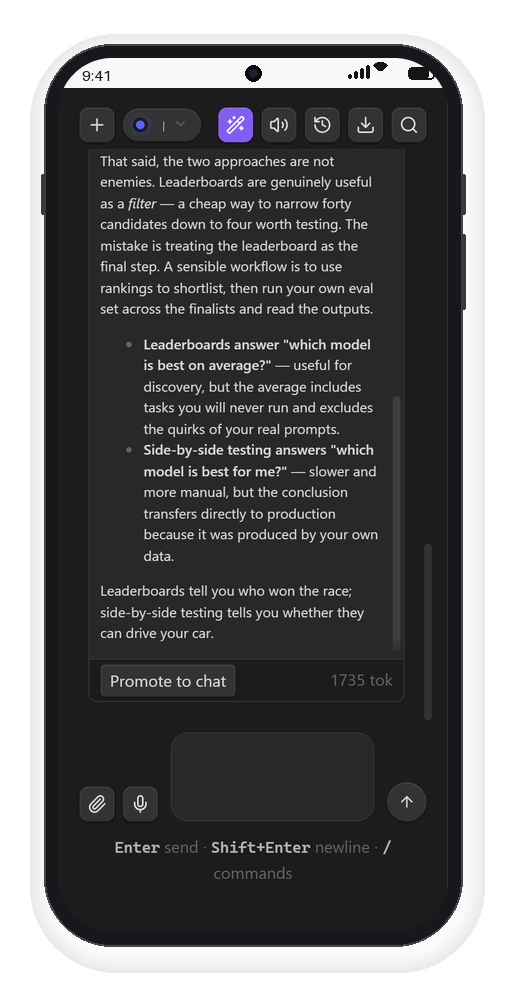
The arena, live: one prompt, two models in parallel — stop one column, promote the winner.







Website ↗ · Quick start · What's new · Features · Docs · Changelog · Feedback
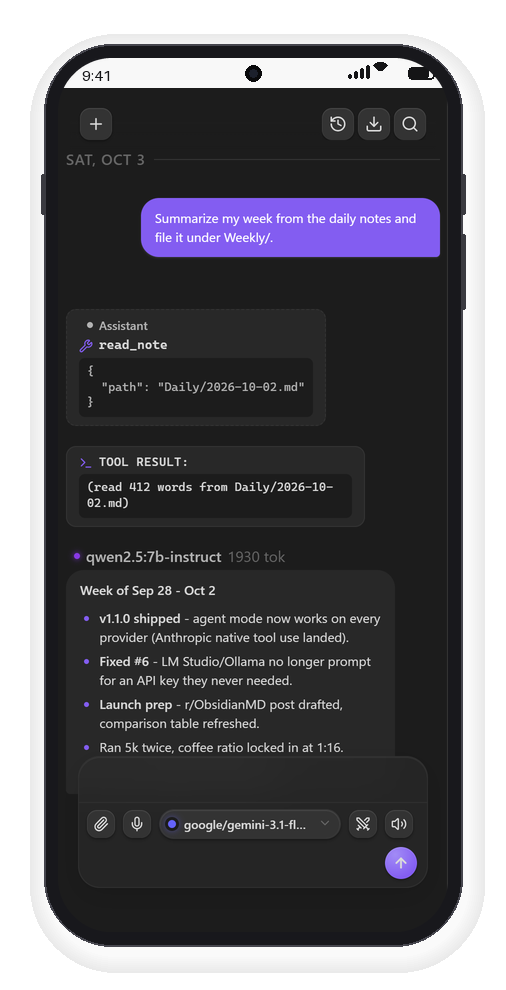
Screenshots
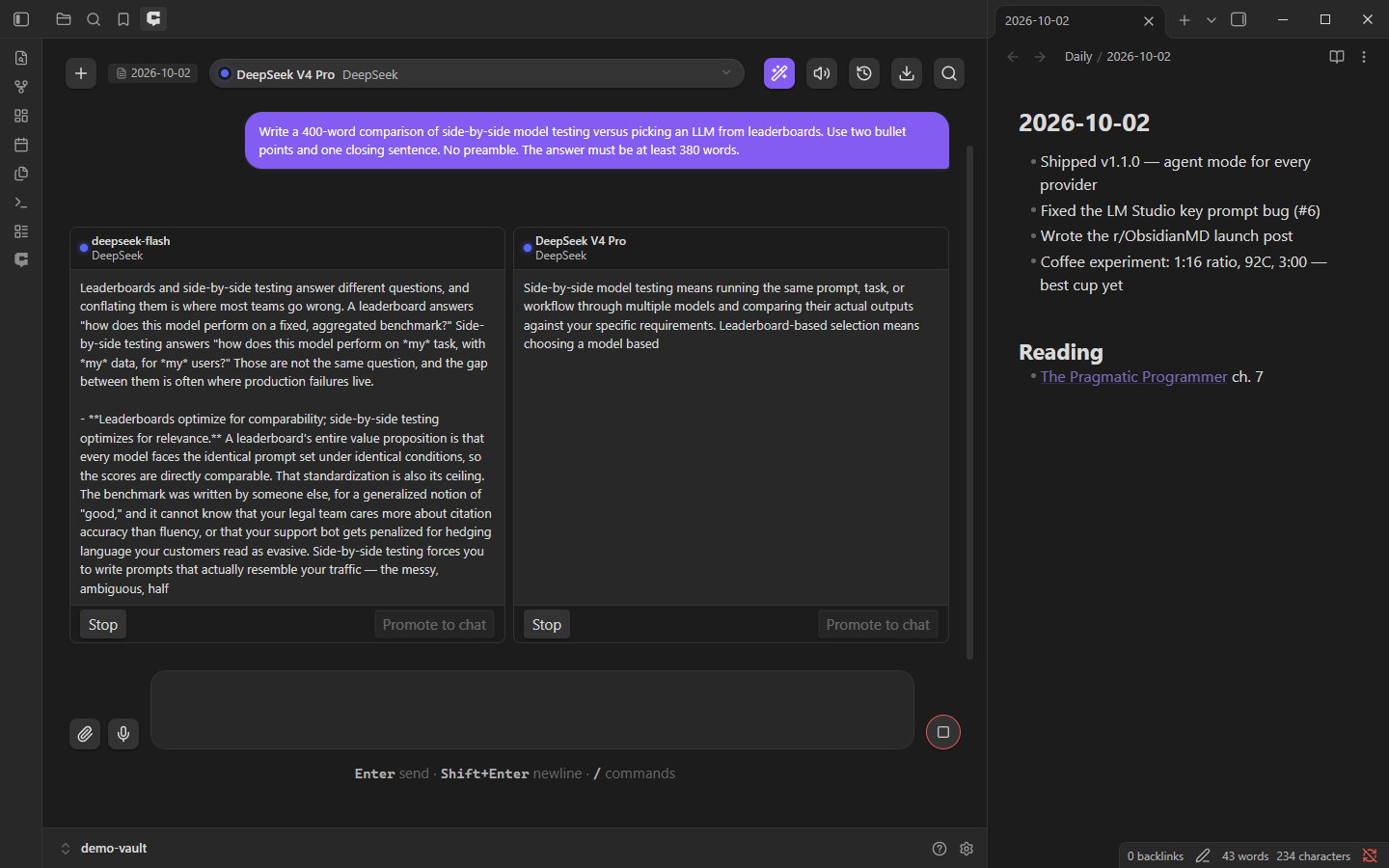
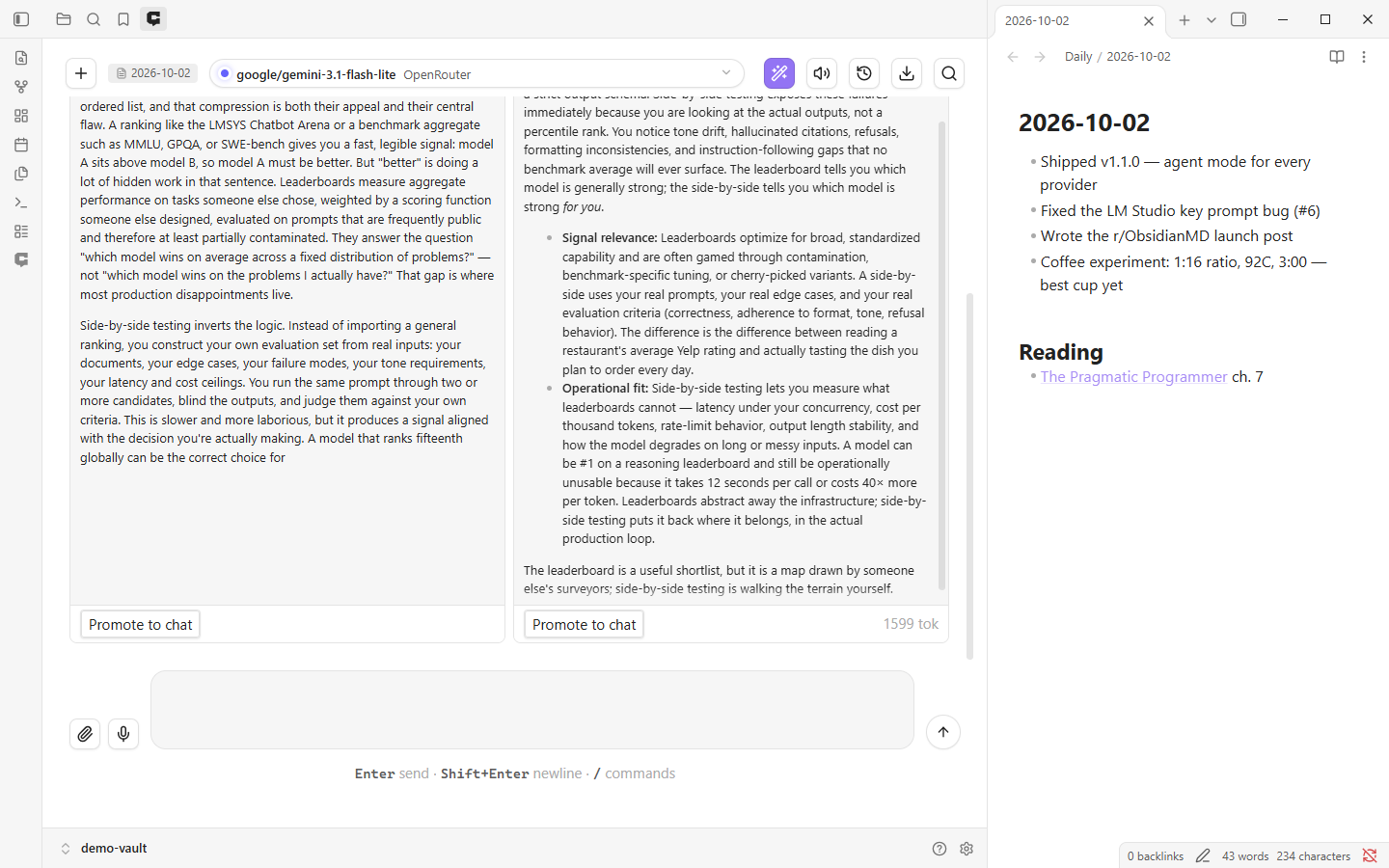
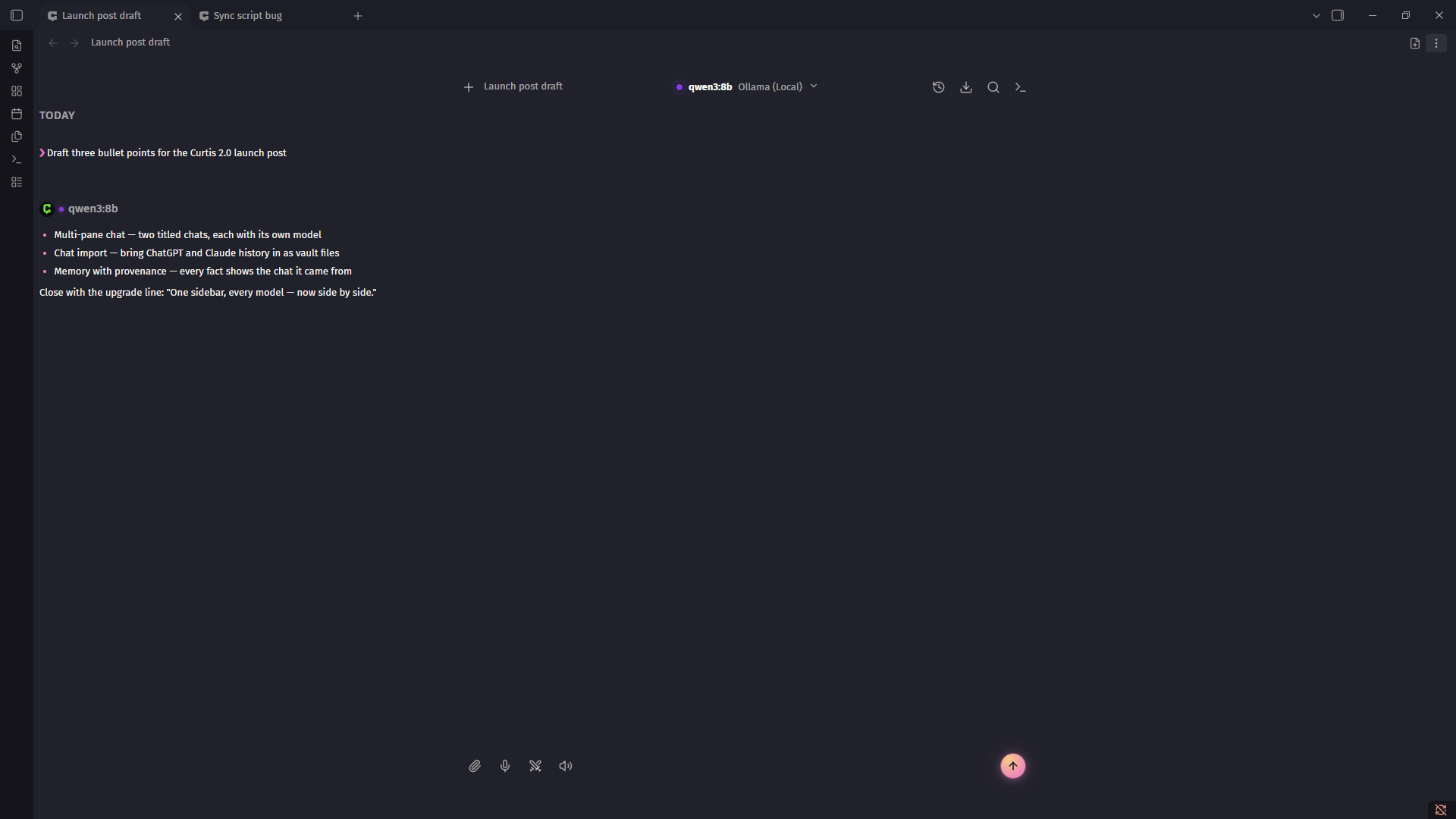
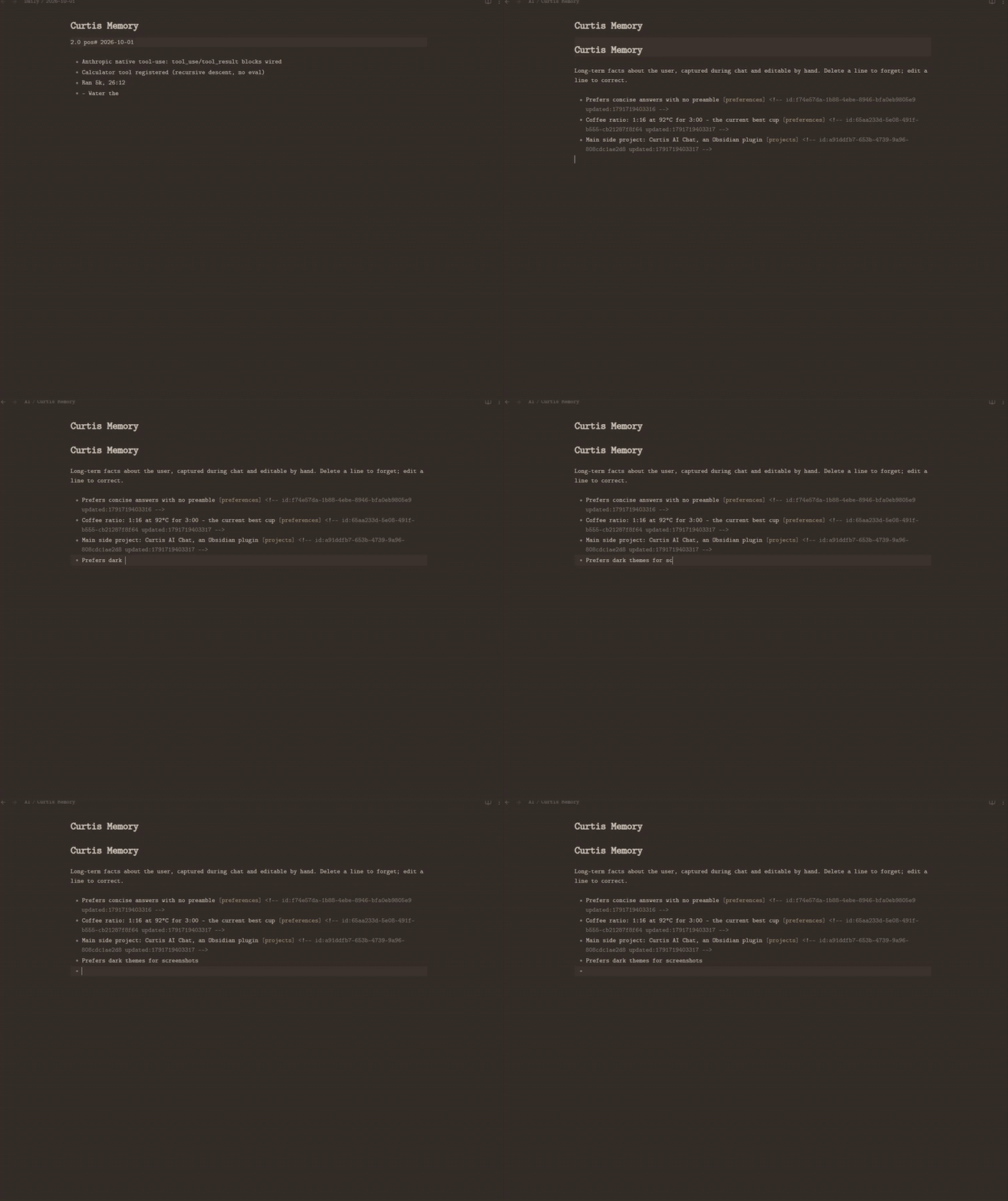
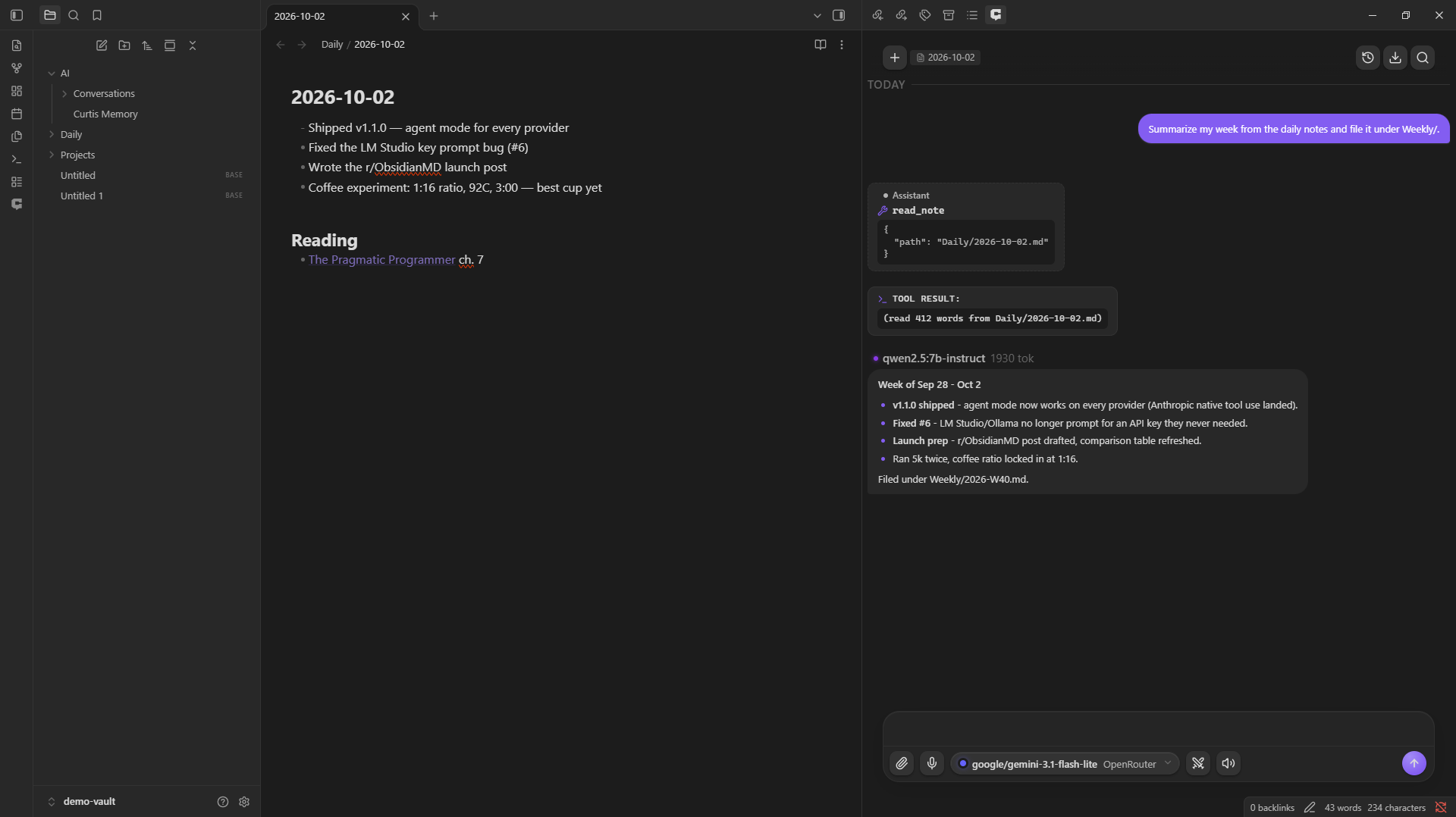
Real captures, regenerated any time with npm run shots && npm run mockups (general set) and node scripts/capture-arena-shots.mjs (arena set, both themes + phone).
 | |
 |  |
 | |
 | |
 |  |
Quick start
60 seconds to your first message.
-
Install — download the latest release (
main.js,manifest.json,styles.css) into<vault>/.obsidian/plugins/curtis-ai-chat/, then enable it under Settings → Community plugins. Or use BRAT for auto-updates during the beta. -
Configure one provider — open Settings → Curtis.ai → Provider Configuration, enable a provider, paste an API key. Keys are stored in your OS keychain via the Obsidian
SecretStorageAPI. No key for some plans: ChatGPT (Sign in) uses OpenAI's official OAuth against your ChatGPT Plus/Pro plan, and Kimi for Coding / Alibaba Coding Plan take a plan key from those consoles. See Subscription plans and sign-in. -
Send a message — click the Curtis mark in the ribbon, pick a model from the header dropdown, type, hit Enter. (No command ships with a default hotkey; every command is assignable under Obsidian's Settings → Hotkeys.)
[!TIP] Want fully private, free, offline AI? Install Ollama, run
ollama pull qwen2.5:7b-instruct, then enable Ollama (Local) in provider settings. No API key. Nothing leaves your machine.
Highlights
The flagship features. Full details in CHANGELOG.md and the per-feature docs.
| Feature | What it does | |
|---|---|---|
| 🤖 | Curtis Agent | AI calls tools to read, create, and edit your vault notes. Twelve built-in tools, every provider. |
| 🎭 | Named agents | Give any model a role: persona + model routing + tool ceilings, bound to any chat with /agent — or spawned as swarm specialists. |
| 🧠 | Skills | Teach any model a reusable procedure: vault skills in the open Agent Skills standard, discovered by description, loaded on demand in every chat, arena run, and headless run. Portable to and from Claude Code, Cursor, and Copilot. |
| 🧩 | Harness profiles | Pick the base contract composed under every system prompt: the full Curtis contract, a no-persona plain assistant, or your own custom profile. Settings → Generation. |
| 🔌 | MCP servers | Connect MCP servers you already run — any tool they expose joins the agent's toolset, namespaced mcp__<server>__<tool>. |
| 🛰️ | MCP server mode | Serve the vault — and your named agents — as MCP tools on localhost, so Claude Desktop, coding agents, and any MCP client can work your notes without opening Curtis. |
| 🔑 | Subscription plans | Use plans you already pay for: ChatGPT Plus/Pro via official sign-in (no API key), Kimi for Coding and the Alibaba Coding Plan via a pasted plan key. |
| ⏰ | Scheduled runs | Put a prompt or a named agent on a cadence — daily at a time or every N minutes. Each headless run lands as a markdown note. |
| ⛁ | Terminal pane | A shell next to your notes, plus the opt-in run_command agent tool with per-command approval. |
| ⚔️ | Multi-model arena | Stream one prompt to 2–4 models in parallel, side-by-side. Pick a winner, promote to chat. |
| 🪟 | Multi-pane chat | Open another chat as a tab or its own OS window. Each keeps its own conversation, provider, and model — titled, so you can tell them apart. |
| 🎨 | Inline diff rewrite | Cursor-style rewrite with an Accept/Reject diff modal. Assignable hotkey. |
| ✍️ | Inline autocomplete | Ghost-text suggestions while you type in any note. Pause, Tab to accept. Small and local models work. |
| @ | @-mention vault notes | Type @ in chat → fuzzy-search your vault → attach note content as context. |
| 📚 | Prompt library | Save prompts you reuse and drop them into any chat input: /prompt, or the book-marked button in the composer. One shared library, model-agnostic. |
| 🎙️ | Voice I/O | Whisper speech-to-text on the mic button. Browser TTS on every assistant message. |
| 🔍 | Cross-conversation search | Assignable hotkey opens a fuzzy-matched picker across all conversations and messages. |
| 📝 | Markdown export | Download any conversation as .md. /export slash command or download icon. |
| 📥 | Chat import + .curt | Bring ChatGPT, Claude, or any role-labeled chat history into Curtis — exports auto-detected, imports land as normal vault files. One .curt file = one portable conversation. Plus a full backup zip: chats, prompt library, harnesses, and settings (keys stripped), restorable section-by-section. |
| 🔧 | Import from Claude Code | One click adopts your Claude Code setup: MCP servers (imported disabled), vault skills, subagents as named agents (remote invocation off), CLAUDE.md as a harness profile. Desktop. |
| 🧠 | Memory | Ask-before-saving capture with provenance: every fact records the conversation it came from, and replies show a "N memories" chip with the fact list behind it. |
| 📓 | Recaps + Curtis Journal | /recap writes a terse session summary into the chat and an append-only journal note — plus a "discussed in …" hint when your open note matches a past conversation. |
| 🗂️ | Conversations as vault files | Every chat persists as a markdown note in AI/Conversations/ — synced across devices, in native Obsidian search, and readable by the agent. Old localStorage history imports itself. |
Plus a full type-safety pass: every AI provider response shape is strictly typed, with type-guard narrowing at every JSON boundary. Zero lint warnings on npm run build.
Features
🤖 Curtis Agent
The AI can now call tools to modify your vault. Twelve built-in tools: read_note, search_notes, semantic_search, create_note, edit_note, list_notes, get_tags, get_backlinks, get_current_note, get_current_date, calculator, load_skill (semantic_search joins with the vault retrieval index on, load_skill with Skills enabled).
- Every major provider — Anthropic via native tool use, OpenAI-compatible endpoints (OpenAI, Gemini, Ollama, Groq, DeepSeek, custom). The model must support tool calling.
agentMaxTurnssafety cap (default 5) prevents runaway tool loops- MCP servers — connect your existing Model Context Protocol servers (Settings → MCP servers) and every tool they expose becomes callable alongside the built-ins. Streamable HTTP transport — local stdio servers need an HTTP bridge such as
mcp-proxyorsupergateway. - Opt-in via Settings → Agent → Enable
🎭 Named agents
Create reusable workers — an Editor on Claude that can read but not write, a Researcher with web access and a read-only vault, a Librarian on local Ollama that never touches the network — and bind them to any chat with /agent or the header pill.
- Model routing per role — the agent picks the provider/model; the pane picker stays yours
- Tool ceilings — vault / web / MCP toggles that can only narrow what the global settings allow
- Memory you can sever — a memory-off agent's facts never reach the shared memory file, so local-only lanes stay private end to end
- Swarm specialists — a leader chat can spawn any agent by name as a follower with its own model and permissions
⚔️ Multi-model arena
Pick 2–4 models, send one prompt, watch responses stream side-by-side. Click Promote to chat on any column to continue with that model.
- Compare quality, latency, and cost live
- All providers supported (mind per-provider rate limits)
- Stacks vertically on mobile
🎨 Inline diff rewrite
Select text in any note → right-click → Rewrite with AI (diff) (or assign a hotkey under Settings → Hotkeys). The AI generates an improved version and a modal shows line-by-line green/red diff. Accept or reject.
- Cursor-style review workflow
- Reuses your active provider and model
- Word-level diff and inline editor decorations are still on the roadmap
@ @-mention vault notes
Type @ in the chat input → fuzzy-search your vault → click a result to attach. Note content is prepended to your message as invisible context. Chips above the input show what's attached.
- Active-note pill in the chat header for one-click attach of the current note
- AI uses attached content as the source of truth — no re-searching
- Works with or without the Agent enabled
✍️ Inline autocomplete
Keep typing — when you pause mid-word, a dimmed continuation appears after the cursor. Tab accepts, Escape dismisses, one undo removes it.
- Works in every note, with any provider — including local Ollama models
- Requests are debounced, cached, and capped at 60 tokens; the model picker steers you to small fast models
- Tab only takes over while a suggestion is visible — vim users keep their indent
- Off by default; session token spend is visible in
/stats
🎙️ Voice I/O
- Speech-to-text — click the mic button, talk, transcribed text lands in the chat input. Transcribe on your OpenAI key (Whisper), Groq (
whisper-large-v3-turbo), or any OpenAI-compatible endpoint; optional auto-send after dictation - Text-to-speech — speaker button on every assistant message. System voices (offline, no API key) or a neural voice on your OpenAI key (OpenAI
/v1/audio/speech): ten voices, a steerable reading style, and automatic fallback to system voices if a request fails - Auto-speak toggle in the header for hands-free listening — works with either engine
- Markdown is stripped before synthesis so the voice reads naturally
🪟 Multi-pane chat
Open another chat as a tab beside the active one, or pop one out into its own OS window. Every pane is a full, independent chat that starts fresh.
- Open new chat tab and Open chat in new window in the command palette
- Also the always-visible new-tab icon on the pane header, the popout icon (carries that chat into the window), and the pane's "..." menu
- Tabs and windows are titled with their conversation — click the title in the chat header, or the pane menu, to rename
- Per-pane conversation, provider, and model — two models at once with no cross-talk
- Popout windows are desktop-only
💬 Chat that gets out of the way
- Terminal-style transcript — your messages echo as
❯prompt lines, replies type out under the streaming neon caret - Model picker with capability pills (vision 👁, tools 🔧, context length)
- Per-message hover actions: copy, quote-into-input, save-as-note, insert-into-active-note, regenerate, edit-and-resend
- Conversation history dropdown
- Cross-conversation search (assignable hotkey)
🖼️ Image attachments
- Paste (
Ctrl+V), drag-and-drop, or paperclip — three ways to attach - Images save as real vault files (not base64 blobs in
localStorage) - Vision-capable models see them automatically; non-vision models get a clear "switch to a vision model" notice
- Transcripts via
/save-allembed images as![[wikilinks]]
✂️ Inline selection actions
Right-click any selection in a note for Explain · ELI5 · Summarize · TL;DR · Improve · Fix grammar · Shorten · Translate · Make a table · Pros & cons · Code review · Refactor · Add tests. Each writes the result directly back into the note — replace or insert-below.
🧠 Long-term memory
Curtis remembers durable facts about you across conversations — preferences, identity, projects, standing instructions. Facts live in a markdown file in your vault.
- Ask before saving: after each turn the model proposes up to 3 facts — Save/Skip each, nothing persists without your tap
- Provenance: every captured fact records the conversation it was learned from; Settings → Memory shows "learned · from " with a jump button
- Memory chips: assistant replies show how many facts were in context; click to open the list with learned dates and source-conversation links. Removed facts say so instead of showing stale text
- Manual:
/remember <fact>or right-click selection → Save to memory - Edit UI: edit/delete individual facts from Settings → Memory
- Recall: every prompt includes a
## What you know about the userblock
📓 Session recaps + Curtis Journal
Close out a working session with a summary you can find later.
/recapor Export → Recap conversation: 2-3 terse bullets — worked on, decided, left open — appended to the chat and logged toAI/Curtis Journal.md- The journal is plain append-only markdown in your vault, one entry per recap with a link back to the conversation
- Relevance pulse: open a note that closely matches a past conversation and a quiet "discussed in …" hint appears under the chat header — click to jump straight back into it. Local similarity over your vault index, no API calls (Settings → Vault retrieval)
🔎 Vault retrieval (RAG)
Ask about your vault in plain language — the most relevant note excerpts are retrieved and injected into the prompt automatically.
- Any embeddings provider — OpenAI, Gemini, Z.ai, or fully local via Ollama/LM Studio (Anthropic and Azure are excluded — no embeddings API / deployment-specific URL scheme)
- Hybrid retrieval — semantic embeddings fused with keyword (BM25) matching via reciprocal rank fusion; exact names, tags, and identifiers match as well as meaning does, at zero extra cost
- Automatic injection — top-k excerpts in every prompt; skipped when you
@-attach a note, because curated context wins - Live index — edits re-embed in the background; rebuilds are incremental and cheap
semantic_searchtool — the agent queries the vault by meaning and by keyword- Your index stays yours — int8-quantized JSON in the plugin folder; nothing uploaded beyond the embeddings provider you configure
Enable in Settings → Vault retrieval, then Rebuild index.
⌨️ Slash commands
Type / in the chat input for an autocomplete menu of 21 commands — /clear, /regen (alias /regenerate), /title, /leader, /agent, /skill, /copy, /note, /save-all, /paste, /prompt, /model, /provider, /system, /stats, /remember, /forget, /memory, /recap, /export, /help.
⚙️ Customizable
- Chat panel position (left/right), background (theme default or a wallpaper image from your vault)
- Configurable system prompt, temperature, max tokens — with per-provider and per-model overrides for advanced request parameters
- Enter-to-send (default) or Enter-for-newline
- Auto-save assistant responses to a folder of your choice
- Show or hide token counts after each response
🎛️ Advanced request parameters
Every provider card — and each of its models — takes overrides for temperature, max tokens, top-p/top-k/min-p, seed, stop sequences, and penalties, plus a reasoning-effort control mapped to each provider's dialect, an omit-temperature escape hatch for models that reject sampling params, and an "Extra body JSON" passthrough. Fields a provider's API rejects are dropped before the request goes out. Ollama adds hardware knobs — context window, GPU layers, CPU threads, keep-alive — over its native /api/chat dialect. Per-model beats per-provider beats the global Generation settings.
Why Curtis.ai
Curtis.ai is the agent layer for Obsidian. Where other plugins focus on a single workflow (chat, RAG, or text generation), Curtis ships all three with a polyglot provider model and a native Obsidian feel. Every provider, one sidebar.
| Curtis.ai | Smart Connections | Text Generator | Copilot for Obsidian | |
|---|---|---|---|---|
| All features free (no subscription) | ✅ | ✅ | ✅ | Core only — advanced features need Copilot Plus |
| Agent tools (vault-modifying) | ✅ 12 built-in + MCP | ❌ | ❌ | ✅ v4 agent chat |
| Vault retrieval (RAG) | ✅ hybrid — BM25 + any embeddings provider | ✅ | ❌ | ✅ |
| Provider count | 53 | 1–2 | 1–2 | 10+ |
| Local-first (Ollama, LM Studio) | ✅ | ❌ | ✅ | ✅ |
| Multi-model arena | ✅ | ❌ | ❌ | ❌ |
| Inline diff rewrite | ✅ | ❌ | ❌ | ❌ |
| Voice I/O | ✅ | ❌ | ❌ | ❌ |
| Long-term memory | ✅ Markdown-file | Vector index | ❌ | ✅ JSON |
| Native Obsidian rendering | ✅ MarkdownRenderer | Partial | ❌ | Partial |
[!NOTE] Comparison refreshed 2026-10-03. Other plugins ship fast — Copilot's v4 agent chat is real and actively developed, Smart Connections remains the gold standard for RAG (Curtis' own retrieval is new; theirs is battle-tested), Text Generator excels at template-driven writing. Curtis aims to be the free, polyglot, local-first agent layer that ties chat, tools, and memory together.
Principles
- Your data stays yours. Conversations as markdown files in your vault (
AI/Conversations/by default) — synced across devices, searchable in native Obsidian search, and readable by the agent. Images as real vault files. Memory as a markdown file you can read and edit. No telemetry, no tracking, no phone-home. - No vendor lock-in. Fifty-three providers ship built-in. Add any OpenAI-compatible endpoint as a custom provider in 30 seconds. Switch models mid-conversation.
- Local-first when you need it. Enable Ollama and nothing ever leaves your machine. Useful for private notes, air-gapped machines, or when you just don't want to pay per token.
- Native Obsidian feel. Real Obsidian setting components. Messages render through
MarkdownRenderer. Themes respected — light, dark, Things, Minimal, all of them.
Configuration
Full configuration reference lives in the docs:
- Providers (API keys, endpoints, custom providers)
- Slash commands
- Memory
- Curtis Agent
- Voice I/O
- Image attachments
- Selection actions
- @-mentions
- Inline diff rewrite
- Inline autocomplete
- Multi-model arena
Or start at the docs index.
Privacy & security
Curtis.ai accesses your vault files only in user-initiated cases:
- Agent vault-search tool — when you explicitly invoke a tool in chat, the plugin enumerates markdown files. The agent sees file paths and contents you ask it to read.
- Image picker — when you click the paperclip, the plugin lists image files.
- Folder picker — when you configure auto-save or wallpaper folders.
- @-mention autocomplete — when you type
@, the plugin fuzzy-searches note names. Note contents are only read when you actually attach and send.
No file contents are sent to AI providers except message text, attached images, attached note contents, and tool-call results. API keys are stored in your OS keychain (Windows Credential Manager / macOS Keychain / Linux Secret Service), never in the vault.
PERMISSIONS.md maps every vault-enumeration, clipboard, and dynamic-evaluation call site to the feature that requires it.
Clipboard: the plugin reads the system clipboard only when you paste into the chat input (Ctrl+V / long-press → Paste), and writes to it only when you click copy on a message. Nothing is read from or written to the clipboard in the background.
[!IMPORTANT] Tool calls go to your AI provider. Vault contents read by agent tools are sent to the provider as part of the conversation. If you're on a cloud provider, that content leaves your machine. Switch to Ollama for fully offline operation.
Network access
Curtis is vault-first — no background telemetry, no analytics, no auto-update checks. Every outbound request is user-initiated, except the always-on link-favicon fetch noted below. The plugin may contact these domains:
| When | Domain | Why |
|---|---|---|
| You send a message (cloud providers) | Your provider's API (e.g. api.anthropic.com, api.openai.com, generativelanguage.googleapis.com) | Chat completion / streaming |
| Vault retrieval builds or queries the index (opt-in) | Your embeddings provider's API | Note chunks and queries are sent for embedding |
| Vault retrieval uses Local (on-device) embeddings (opt-in) | huggingface.co | One-time download of the embedding model weights (~30 MB, then cached by the WebView) |
| You send a message (Ollama / LM Studio) | localhost / your custom endpoint | Local model inference |
| You click "Test connection" or "Refresh models" | Your provider's API | Auth + reachability check, model list |
| You use voice transcription | api.openai.com (default), or the dictation endpoint you configure (Groq / custom) | Whisper-style transcription (only when voice input is on) |
| Read-aloud with the neural TTS engine (opt-in) | api.openai.com | OpenAI speech synthesis — off unless the read-aloud engine is set to Neural; system voices stay fully local |
| You sign in with the ChatGPT provider (desktop) | auth.openai.com | OpenAI OAuth — user-initiated sign-in and token refresh; tokens stored in the OS keychain |
| Chat renders a message containing an external link | icons.duckduckgo.com | Link favicons — one request per domain, then cached (Settings → Chat UI; on by default — off keeps rendering fully local) |
The agent calls web_search (opt-in) | html.duckduckgo.com | DuckDuckGo search |
The agent calls read_url (opt-in) | r.jina.ai | URL → markdown reader |
| The agent calls MCP tools (opt-in) | your own MCP servers | User-configured endpoints (Settings → MCP servers) |
| The agent calls GCP tools (opt-in connector) | Google OAuth + storage.googleapis.com | Sign-in and read-only Cloud Storage requests for the GCP connector |
| You enable webhooks (Settings → Outbound events) | Your webhook URL | Outbound-only JSON event when a response or scheduled run finishes — metadata (provider, model, duration, tokens, cost), never message or note content; optional shared-secret header |
The two web tools (web_search, read_url), voice transcription, MCP, the GCP connector, vault retrieval, and webhooks are off by default; link favicons are the one always-on exception (on by default, one cached request per domain — turn them off for fully local rendering). With the opt-ins off, the only external calls go to whichever AI provider you configured — or none, if you're on Ollama. MCP tool calls go only to the server URLs you entered; tool results travel through your AI provider like any other tool result.
Capabilities
Features that reach beyond reading and writing notes, and the gate each one ships behind:
| Capability | Gate | Bounds |
|---|---|---|
| Terminal pane (desktop) | Opens only when you ask — ribbon, command palette, or the chat top bar | A real shell in a docked pane or its own OS window; not restricted to the vault |
run_command agent tool (desktop) | Off by default; requires agent mode; confirmation per command (Deny / Run once / Always this session) | Restricted to the vault by default (toggleable — bounds the AI, never your terminal pane); output capped; swarm followers ride the same gate |
| Vault shell (mobile) | Same pane and tool, same confirmations | Curated command set (ls, cat, grep, find, …) implemented over the vault API — no OS processes, cannot touch anything outside the vault, rm moves to Obsidian trash |
| MCP server mode (desktop) | Off by default | Binds 127.0.0.1 only, bearer-token auth, refuses non-loopback hosts and browser origins; read-only until "Allow writes" is on; every client path passes a vault jail; run_agent additionally needs the agent's own Remote invocation toggle (default off) |
| GCP connector | Off by default; requires agent mode | Read-only Cloud Storage (devstorage.read_only scope — cannot write even if asked) via your service-account key, stored in the OS keychain; three list/read tools |
| Public plugin API | Other Obsidian plugins call it explicitly | chat() / runAgent() / read-only vault tools; shell commands excluded unless explicitly allowed |
| Outbound webhook | Off by default | One-way: POSTs a metadata-only event (chat.completion, scheduled.run) to the URL you configure, with an optional shared-secret header — no inbound listener, no message or note content |
Scheduled runs execute through the agent loop with shell access always excluded, and only agents with Remote invocation enabled can be put on a schedule.
Installation
[!TIP] Curtis.ai installs via BRAT for beta-channel updates, or manually (below).
Manual install
- Download the latest release
main.js,manifest.json, andstyles.css. - In your vault, create
.obsidian/plugins/curtis-ai-chat/. - Copy the three files into that folder.
- Open Settings → Community plugins, refresh the list, enable Curtis.ai.
From source (developers)
git clone https://github.com/JordanNewell/curtis-ai-chat.git
cd curtis-ai-chat
npm install
npm run build
See CONTRIBUTING.md for dev setup, code style, and the audit checklist.
Mobile
Curtis.ai works on iOS and Android with a few caveats:
- Hover-only elements (per-message toolbar, code-block copy) are always visible on touch at reduced opacity
- Touch targets sized to Apple HIG minimums (44pt send button, 40pt header icons)
- Wallpaper background auto-disabled on phones for scroll performance
/pastemay fail if the OS blocks clipboard read — useCtrl+V/ long-press → Paste- Streaming falls back to buffered responses automatically when a provider blocks mobile CORS
- Local providers work over LAN (
http://192.168.1.50:11434/api/chat)
Roadmap
- Curtis Agent: Anthropic, Gemini, and Ollama provider support (v1.1)
- Inline diff rewrite: word-level diff and inline editor decorations
- Settings: declarative
getSettingDefinitions()— shipped in v1.2.0 (see ADR: settings API) - Vault retrieval (RAG): embedding index over the vault, auto-injected context,
semantic_searchagent tool (v1.4.0); hybrid retrieval — BM25 + cosine fused via RRF (v2.0.0) - MCP client: connect external MCP servers, their tools join the agent toolset (v1.4.0)
- Conversations as vault markdown files with automatic localStorage import (v1.4.0)
- Named agents + swarm mode: persona/model-routing/tool-ceiling workers, leader chats spawning follower agents (v2.0.0)
- Terminal pane + opt-in
run_commandagent tool with per-command approval (v2.0.0) - Scheduled runs: a prompt or agent on a daily/interval cadence, headless, results as notes (v2.0.0)
- MCP server mode: serve the vault and your agents to external AI apps on localhost (v2.0.0)
- Public plugin API for other Obsidian plugins (v2.0.0)
- GCP connector: read-only Cloud Storage as agent tools (v2.0.0)
- Inline autocomplete: ghost text in any note, off by default (v2.0.0)
- Voice settings: persisted voice/rate/pitch, karaoke highlight, auto-speak (v2.0.0)
- Voice engines: neural TTS on the OpenAI key + dictation endpoints (Groq / any OpenAI-compatible host, auto-send) (v2.0.0)
- Desktop notifications when a response finishes or fails (v2.0.0)
- Voice: local offline neural TTS, streaming TTS, wake-word detection
- Conversation branching UI
- Plugin settings import/export — full backup & restore: chats, prompts, harness profiles, settings (v2.0.0)
- Semantic memory retrieval via sqlite-vec (when memory exceeds ~150 facts)
Tracked live on the public roadmap project; open issues carry the detail.
Contributing
PRs welcome — see CONTRIBUTING.md for dev setup, code style, and the audit checklist every change goes through before merge.
[!NOTE] Not accepting external PRs yet while the 2.0 line stabilizes. Bug reports and feature requests via Issues are very welcome.
Architecture decisions
Settings API
Since v1.2.0 Curtis targets Obsidian 1.13.0+ and uses the declarative getSettingDefinitions() API for its settings tab. Every section and row is indexed by Obsidian's settings search; dynamic re-renders go through the sanctioned SettingTab.update().
History: through v1.1.x the floor was 1.11.4 (set by the SecretStorage API for per-provider key storage) and the tab used the imperative display() API, which Obsidian 1.13 deprecated. The dual-path (getSettingDefinitions() + display() fallback) was evaluated and rejected — the declarative path's SettingTab.update() is 1.13-only, so supporting both meant either shipping a broken tab on older versions or tripping the no-unsupported-api lint rule. When Obsidian 1.13.6 reached the stable channel for all desktop and mobile users (August 2026), the migration shipped as v1.2.0: a single declarative path, zero deprecation warnings, and settings search that actually finds things.
💬 Feedback
All feedback is public and lives on GitHub:
- Bug found? Open an issue
- Feature idea? Start a discussion
- Love it? Share in Show & Tell
- Stuck? Ask in Q&A
No GitHub account? Email hello@jordannewell.com and it gets posted publicly for you.
License
BUSL-1.1 © Jordan Newell. Free to use, modify, and redistribute for non-production purposes; production use — personal or business — is permitted so long as you are not offering Curtis, or a derivative of it, as a competing product or service. Each version converts to Apache-2.0 four years after release. The Curtis name and logo are trademarks of Jordan Newell.

For plugin developers
Search results and similarity scores are powered by semantic analysis of your plugin's README. If your plugin isn't appearing for searches you'd expect, try updating your README to clearly describe your plugin's purpose, features, and use cases.