Kanban Board
unlistedby Komail Kanjee
A modern, feature-rich Kanban board.
Obsidian Kanban
A modern, feature-rich Kanban board for Obsidian.
Create and manage your projects with a simple, intuitive drag-and-drop interface directly within your Obsidian vault.
Features
- Markdown-Backed: All your board data is stored in standard Markdown files.
- Interactive UI: Responsive drag-and-drop interface for managing lanes and cards.
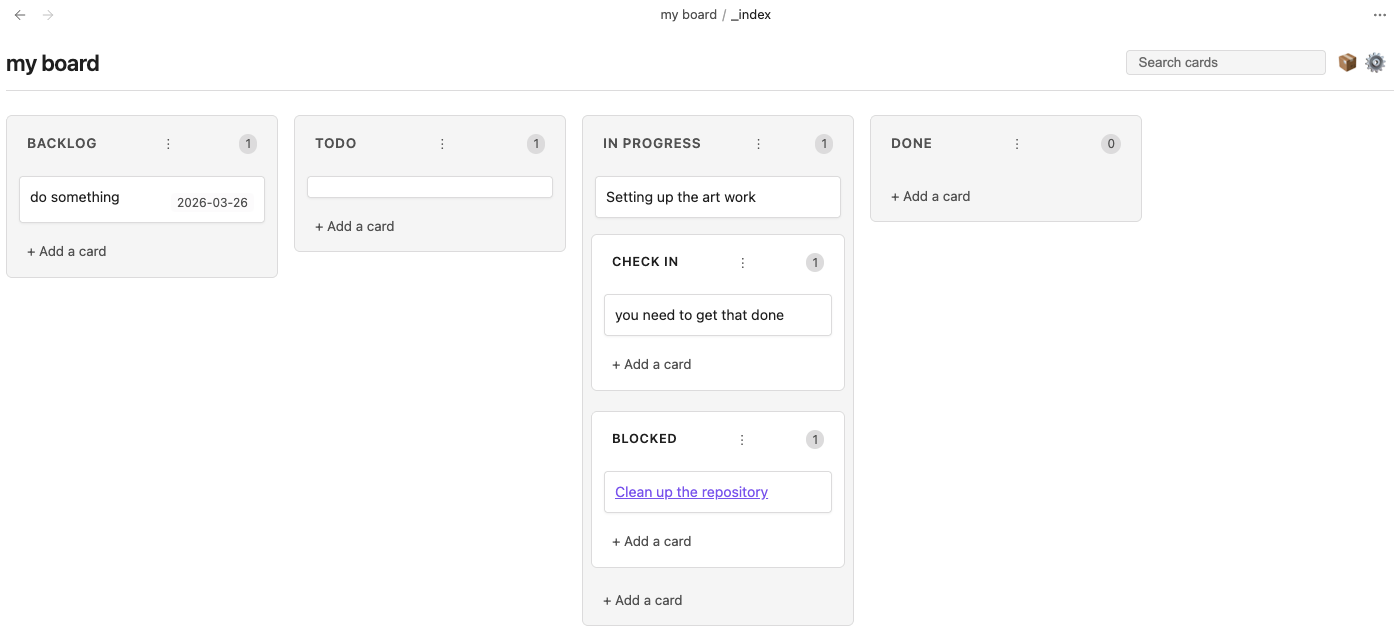
- Sub-swimlanes: Organize complex workflows with nested lanes. Perfect for grouping "Active" and "Slow" tasks under "In Progress."
- Search and Filter: Easily find cards with the built-in search bar.
- Date Management: Add and manage dates on your cards with a native calendar picker.
- Note Integration: Quickly create new notes from Kanban cards.
- Customizable: Define your own lanes, lane widths, and date formats.
Installation
- Search for "Obsidian Kanban" in the Community Plugins tab in Obsidian settings.
- Install and enable the plugin.
Usage
Creating Sub-swimlanes
You can create sub-swimlanes in two ways:
-
In Settings: Go to the board settings (gear icon) and use a
-prefix for any lane you want to nest under the previous one. For example:Backlog Todo In Progress - Active - Slow Done -
In Markdown: Use different heading levels. H2 headings create top-level lanes, and H3+ headings create sub-lanes nested under the preceding H2.
Managing Priorities
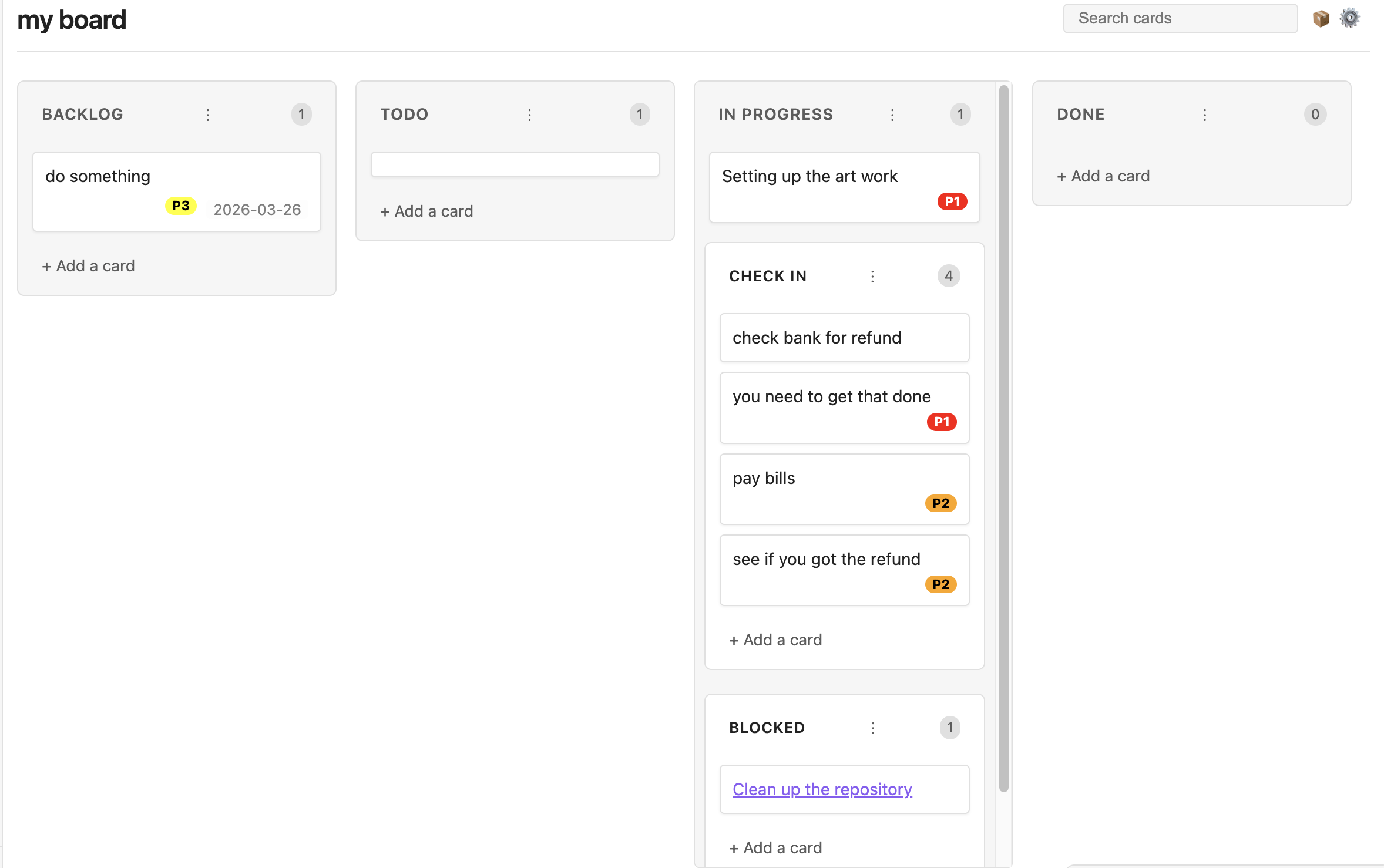
You can configure global default priorities in the Obsidian settings, or customize them per-board via the Board Settings menu (gear icon).
- Format: Define priorities as a list, one per line, using the format
Name, Color. (e.g.,High, red,P1, #ff0000,Critical, rgb(255,0,0)). - Assigning: Right-click any card to open the context menu and select a priority to assign it. It will render as a colorful badge on the card.
- Auto-Grouping: Enable the Auto group by priority setting to strictly enforce priority sorting within lanes. Drag-and-drop will intelligently reject moves that violate the sorting order, ensuring your highest-priority tasks are always at the top.
- Deleting Priorities: If you remove a priority from your settings, data is preserved! The card will retain a standard markdown tag (e.g.,
#P1), and will simply be grouped as "unassigned" if auto-grouping is enabled. Add the priority back to your settings, and the board will instantly re-render the badges and re-sort them automatically.
Configuration & Feature Flags
The plugin includes several configuration options and feature flags to customize your experience. These can be found in the Obsidian settings under Community plugins → Obsidian Kanban.
- Add card button in header: (Enabled by default) Adds a button to the header for creating new cards. This saves vertical space, especially in long lanes.
- Auto group by priority: Automatically sorts cards by their assigned priority within each lane.
- Hide tags in card titles: Visually removes hashtags from card titles while keeping them in the underlying markdown.
- Show linked page metadata: Displays frontmatter metadata from any notes linked in a card.
Screen Shots
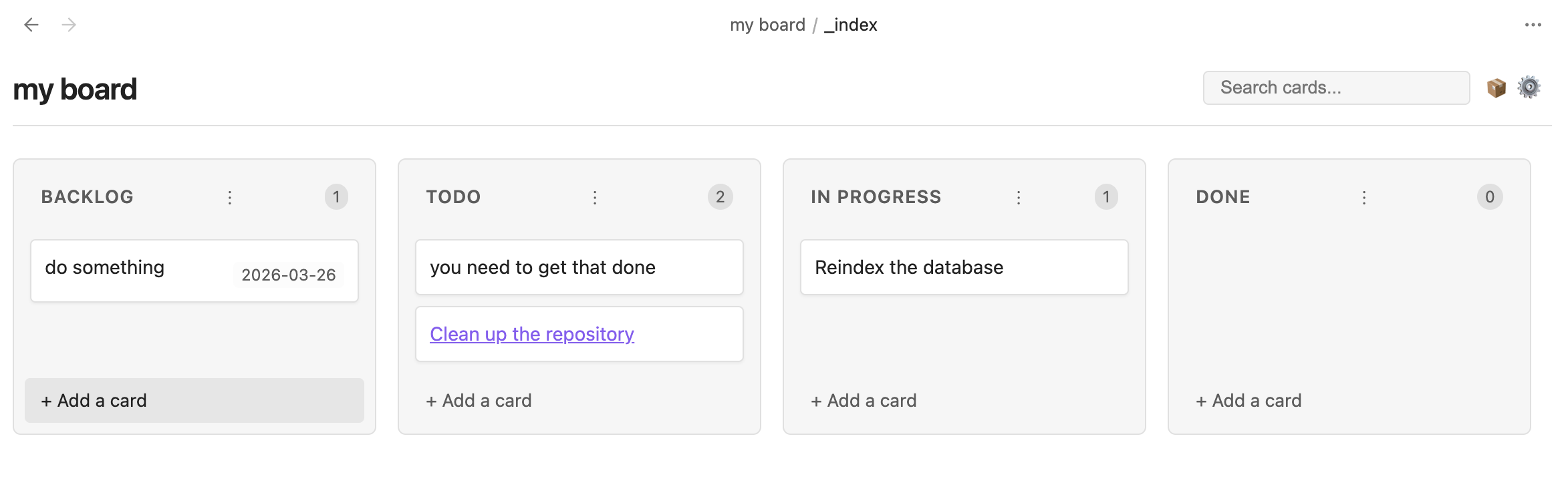
Main Board
Sub-swimlanes
Priorities
For plugin developers
Search results and similarity scores are powered by semantic analysis of your plugin's README. If your plugin isn't appearing for searches you'd expect, try updating your README to clearly describe your plugin's purpose, features, and use cases.