Speed Reading
unlistedby Your Name
A plugin to enable speed reading using the RSVP technique. Select text and trigger a modal to display words at a user-controlled pace.
Obsidian Speed Reading Plugin
Part of the Study Framework — a small ecosystem of tools for evidence-based learning in Obsidian. Each piece is independent and usable on its own.
Component Role obsidian-speed-reading (this repo) RSVP reader with retrieval practice, streaks, and session tracking obsidian-study-spaced-repetition Spaced repetition flashcard review using question::answernotes (fork ofst3v3nmw/obsidian-spaced-repetition)obsidian-study-quiz In-note quiz UI powered by a self-hosted study-server backend (fork of ECuiDev/obsidian-quiz-generator)study-server Backend that generates the summaries, flashcards, and quiz questions consumed by the three plugins
A plugin to enable speed reading using the RSVP (Rapid Serial Visual Presentation) technique. Select text in your note and trigger a modal to display words at a user-controlled pace.
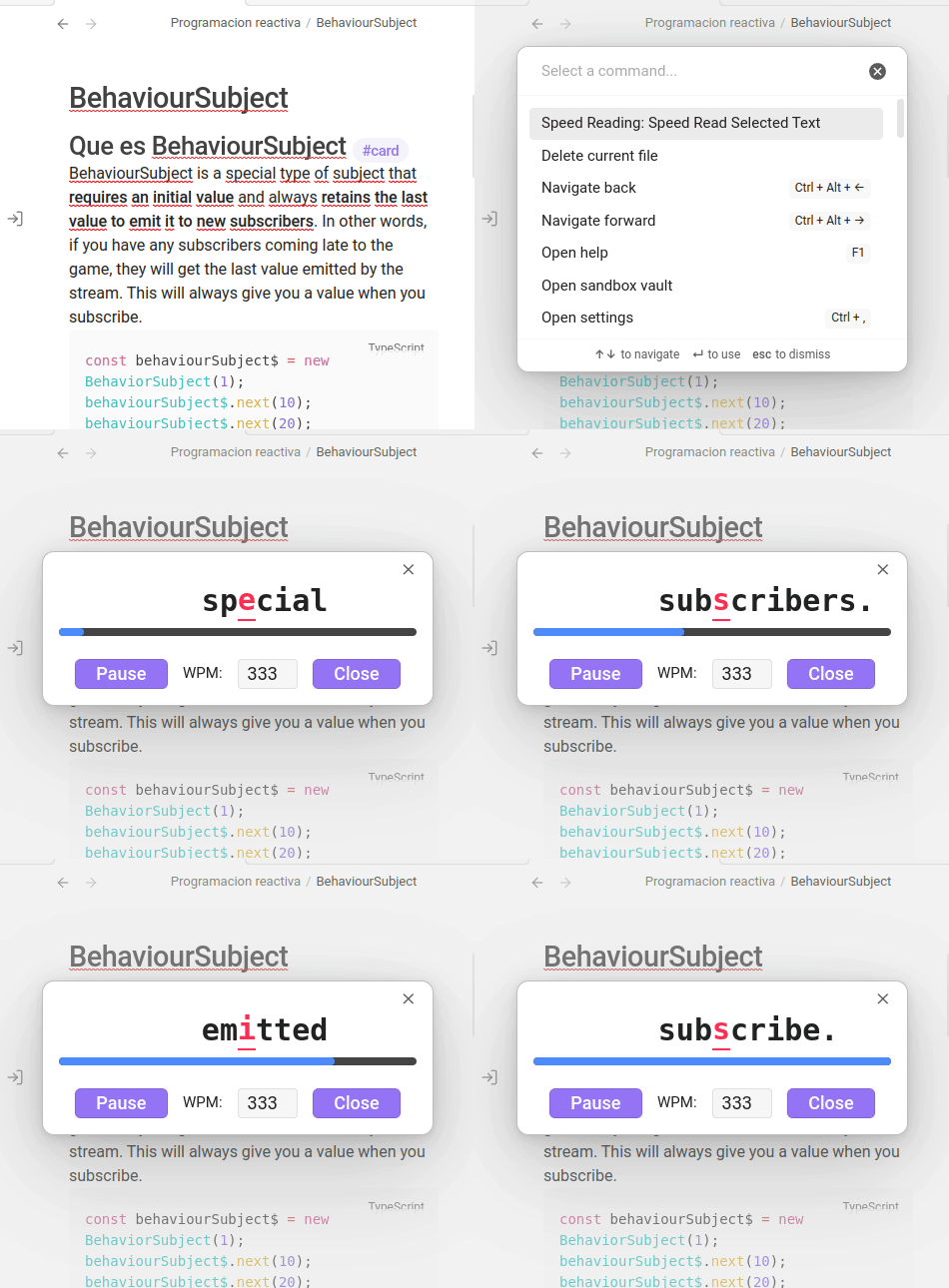
Features
- Command palette entry: Speed Read Selected Text
- Configurable hotkey trigger
- Modal dialog with RSVP display
- Start/Pause button
- Adjustable WPM (words per minute) control
- Close button
- Robust Markdown handling for clean reading experience
- Settings tab for default WPM and preferences
- User-configurable progress bar control
- Full mobile support
Installation
-
Build the plugin
In your project directory, run:pnpm install pnpm run build -
Copy plugin files
Copy the following files and folders to your Obsidian vault’s plugins directory (e.g.,YourVault/.obsidian/plugins/speed-reading):manifest.jsonstyles.cssdist/main.js- (For compatibility, also copy
dist/main.jsasmain.jsin the plugin root)
-
Enable the plugin
- Open Obsidian.
- Go to
Settings→Community plugins→Installed plugins. - Enable Speed Reading.
Usage
- Open a note and select the text you want to speed read.
- Open the command palette (
Ctrl+PorCmd+P), search for Speed Read Selected Text, and run the command. - The RSVP modal will appear. Use the Start/Pause button and adjust WPM as needed.
Development Notes
- Built with TypeScript and the Obsidian API.
Future Enhancements
- Public release preparation (code review, linting, versioning, submission to community plugins)
For plugin developers
Search results and similarity scores are powered by semantic analysis of your plugin's README. If your plugin isn't appearing for searches you'd expect, try updating your README to clearly describe your plugin's purpose, features, and use cases.