Relay
unlistedby System 3
Collaborate in real time with live cursors. Create multiplayer folders and manage user access.
decentralized-relay
Fork of Relay by System 3, used under the MIT License. Original authors: Daniel Grossmann-Kavanagh and contributors.
Why this fork
The original Relay plugin is excellent for teams comfortable with a centralized service. This fork is for people who want the same real-time collaboration without sending document content through a third-party server.
Conceptual. Upstream Relay routes every note update through System 3's y-sweet relay servers and stores snapshots in their S3 bucket. This fork routes updates peer-to-peer via WebRTC. Your note content never leaves your devices — the only data that touches external infrastructure is signaling metadata (room names and ICE candidates), which cannot reveal document content.
Architecture. The y-sweet relay server is replaced by a WebRTCProvider adapter that satisfies the same interface, so the rest of the plugin — CRDT merge logic, shared folder management, offline persistence — is largely unchanged. Optional Polkadot Bulletin Chain integration adds document snapshots for offline recovery: peers can catch up even when no live peer is available. Identity and access control use the Westend Asset Hub Proxy Pallet — passkey-derived keys on your hardware, membership enforced via free on-chain storage reads, no relay server, no custom pallet.
In use. No System 3 account required. Identity is hardware-backed: a passkey (Touch ID, Face ID, Windows Hello) derives your master key deterministically — no seed phrase to back up, no keyfile to manage. Each device registers a proxy key; losing a device means revoking one proxy from any other registered device. Folder access is invite-code based with on-chain enforcement and signed expiry.
Monetization. Upstream Relay charges for relay server bandwidth and cloud storage. This fork's optional paid tier charges only for account funding — a Relayer backend tops up your device key's on-chain balance automatically when it runs low. The backend holds no document content, no cryptographic keys, and no signatures. Unsubscribing doesn't lock you out; remaining balance stays on your account, and the free testnet faucet is always available.
What's in this fork
- WebRTC P2P sync — document content travels peer-to-peer; no relay server required
- Bulletin Chain persistence — Yjs snapshots stored on Polkadot Bulletin Chain (IPFS-backed); offline recovery without a live peer
- Resilient signaling — public signaling server with automatic chain-backed fallback; no self-hosting required
- Passkey identity — hardware-bound biometric auth; device proxy keys on Westend Asset Hub; revoke a lost device from any other registered device
- On-chain ACL — per-folder membership via Asset Hub Proxy Pallet; role-aware invite codes with signed expiry
- Gas management — free testnet faucet (Westend/Paseo) and paid auto top-up;
store()always submits directly to the chain RPC - End-to-end encryption — AES-256-GCM snapshot encryption + per-folder WebRTC password (Phase 8, in progress)
For architecture diagrams, phase-by-phase implementation notes, design rationale, and system internals → see src/README.md.
Relay 🛰️
The following is the original upstream README, preserved for context. Sections like FAQ, pricing, privacy policy, security disclosure, and installation instructions refer to the upstream System 3 service and are less relevant to this fork.
True multiplayer mode for Obsidian. 💃🕺
- Collaborate in real time with live cursors.
- Edit offline and sync seamlessly when you're back on.
- Share folders and manage access to updates.
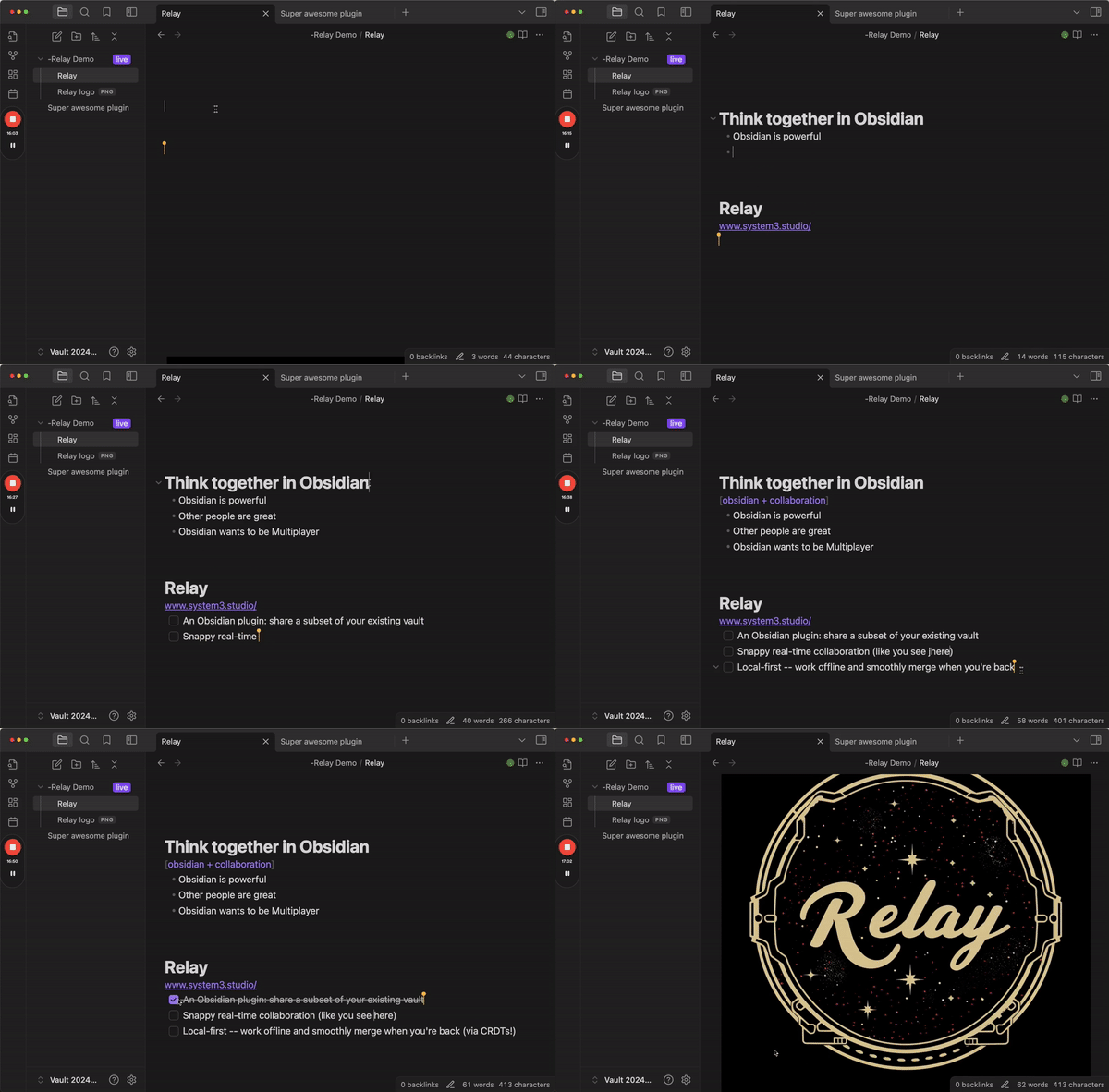
Relay is a collaborative editing plugin for Obsidian by System 3. It uses CRDTs to enable snappy, local-first, real-time and asynchronous collaboration.
Join our Discord for support and a good time.
How does Relay work?
In a nutshell, Relay:
- Tracks updates to designated folders. The plugin uses conflict-free replicated data types (CRDTs) to track updates to folders that you designate within your vault.
- Relays updates. It sends those updates up to Relay servers 🛰️, which then echo the updates out to all collaborators on the relay.
- Integrates updates. Your collaborator receives the updates and integrates them seamlessly as they come in.
What's a CRDT?
Great question. CRDT stands for conflict-free replicated data type and it's a technology that's critical to making local-first real-time collaboration work.
The fundamental idea is this: You have data. This data is stored on multiple replicas. CRDTs describe how to coordinate these replicas to always arrive at a consistent state. [1]
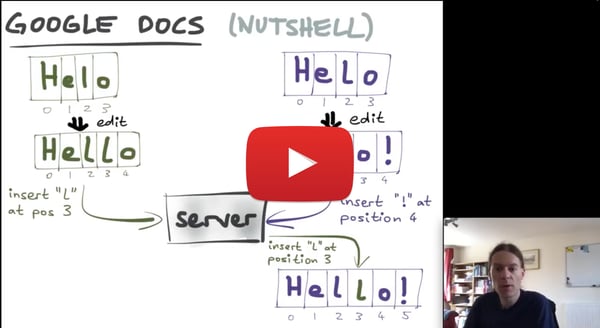
For a great intro and overview, watch the first 10 minutes of this video by Martin Kleppmann. If you want to get into the nitty-gritty, watch the whole thing.
For more, check out this video: Intro to the Modern State of Synchronization by Kevin Jahns. Jahns is the maintainer of Yjs, which is the open source CRDT that we use in Relay.
What can I do with Relay?
Oh, the things you can do.
Here's a video tour:
Create a new relay
- Go to Obsidian settings (gear icon in lower left of Obsidian)
- Go to Relay settings (on the left, at the bottom)
- Create new relay
- Add shared folder(s) to the relay
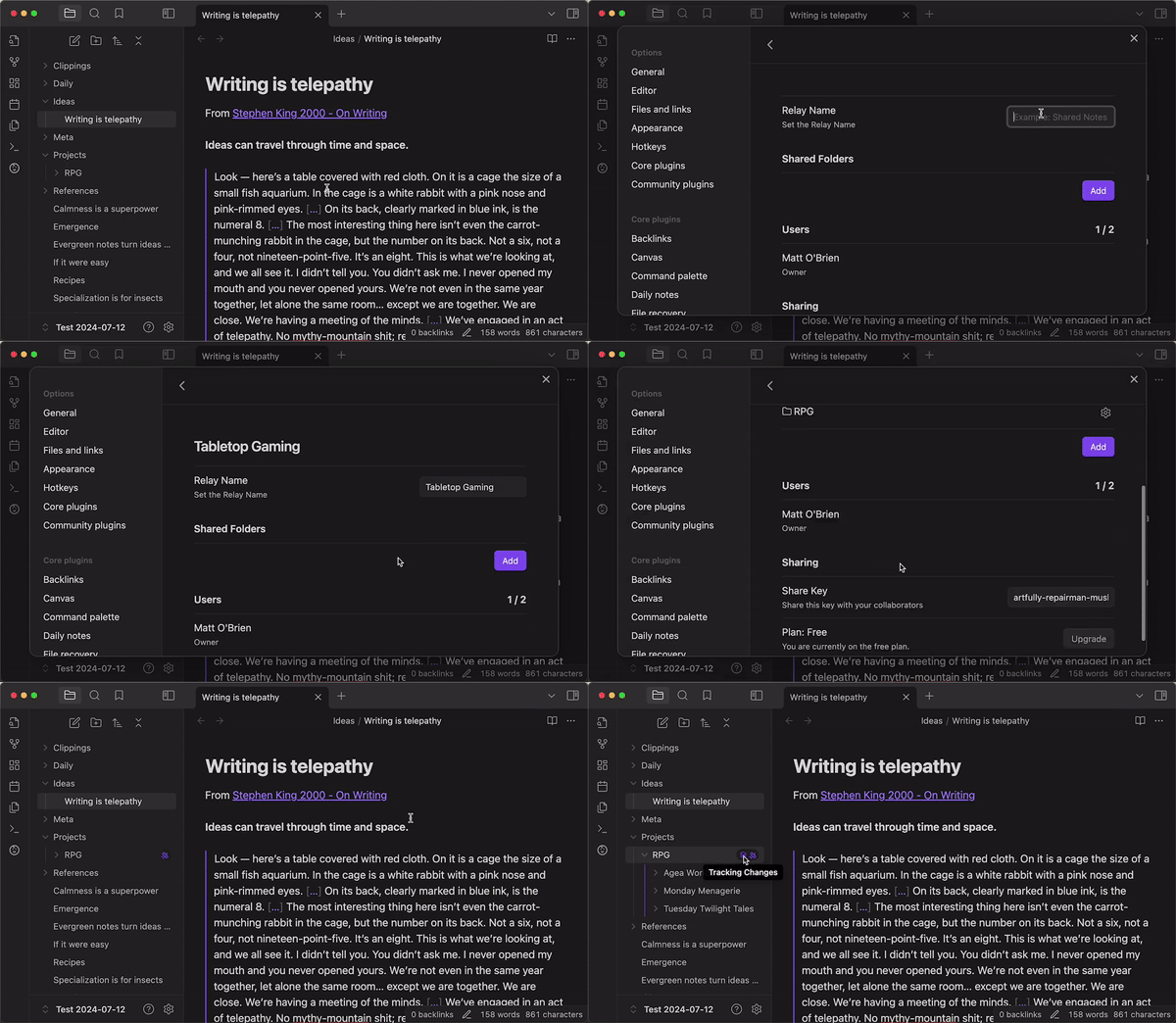
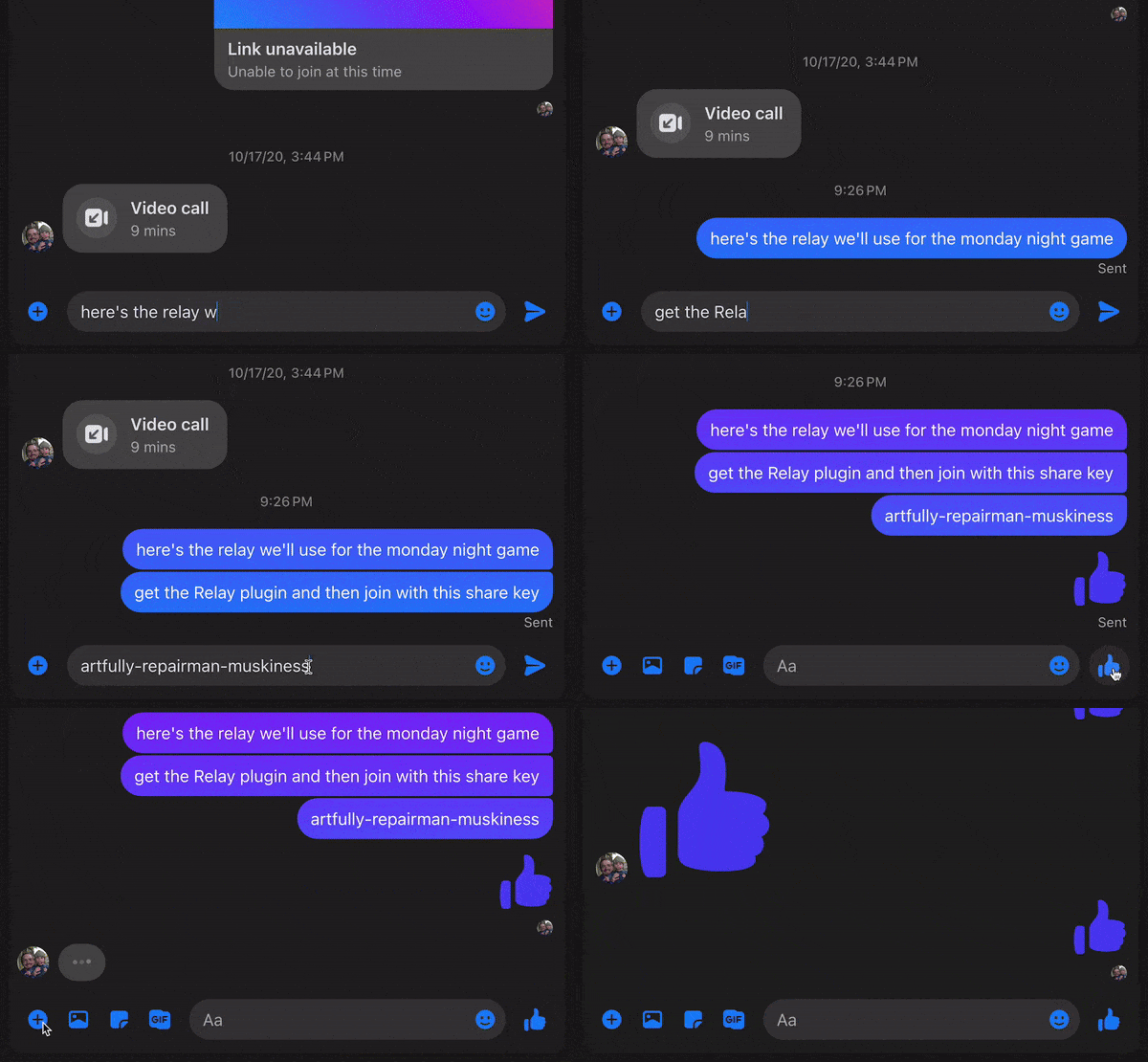
Add users to the relay by giving them a share key
- Go to settings for your relay
- Grab the share key
- Give it to your people
Collaborate to your heart's content
- If you're in a note at the same time, you'll see each others' cursors
- You can edit the same block at the same time (magic of CRDTs)
- You can edit offline and it'll all be fine when you come back on (CRDTs ftw)
- If you hit any bugs or have questions/requests let us know in the Discord
Kick user from a relay
- Right now anyone with the share key can join the relay
- So you can kick the user but they could rejoin if they want
- We'll be adding stricter sharing options in the future

Join someone else's relay
- Get their share key
- Use it to join their relay
- Add the folders you want to your vault

Destroy the relay when you're done
If you're the owner of a relay, you can destroy the copy on the server.
If you're a member but not the owner, you can leave the relay (destroy your connection to the server), and you can destroy the local data.
FAQ
Asked more or less frequently.
Which file types are supported?
Relay currently has two types of storage, document storage and attachment storage. Document storage is backed by our real-time CRDT servers, while Attachments are stored as file blobs.
Document storage:
- Folders
- Markdown files
Attachment storage:
- Images
- Audio
- Video
- PDFs
- Other files (must be enabled in settings)
You need to have available Attachment storage in order to sync images/audio/video/PDFs/etc.
How much does Relay cost?
Free ($0)
- Up to 3 users
- 2 devices per user
- Unlimited markdown files
- No cloud storage (0 MB)
- Self-hosted deployment
- Cloud deployment (.md only)
- BYO Relay Server
- BYO storage (unmetered, self-host only)
- Community support
Hobby ($5 per month total)
- Up to 6 users
- 3 devices per user
- Unlimited markdown files
- 10GB cloud storage included
- Self-hosted deployment
- BYO Relay Server
- BYO storage (unmetered, self-host only)
- Community support
Starter ($6 per user per month)
- Unlimited users
- 6 devices per user
- Unlimited markdown files
- 20GB + 5GB/user cloud storage included
- Self-hosted deployment
- BYO Relay Server
- BYO storage (unmetered)
- Role-based access control
- Single sign-on
- Private Discord
- Email support
We offer discounts for educational use.
Do I need to be online to use Relay?
Relay is local-first -- this means that all of your edits are tracked locally and the server is used to relay the edits to your collaborators. You can work offline and your edits will be merged once you come back online.
How are edits merged?
We use a Conflict-Free Replicable Data Types (CRDTs) provided by the excellent yjs library.
Is Relay Open Source?
The Obsidian plugin code is MIT licensed (this repo).
The Relay Server is a fork of y-sweet and is MIT licensed.
Our login, permissions, and billing server code is proprietary.
Can I self-host?
We support "On-Prem" deployment of a Relay Server.
If you self-host your Relay Server on a private network then your users will still perform login and permissions checks through our servers, but they will connect directly to your server. Your content will be completely private and inaccessible by us.
For instructions on hosting your Relay Server on fly.io, see Relay Server Template.
Join our Discord for help on configuring your on-prem deployment.
Who's behind Relay?
Relay is made by System 3. The legal entity behind System 3 is No Instructions, LLC.
Right now the whole operation is two people:
- Dan, a software engineer who has worked at places like Planet and Benchling
- Matt, a product manager and psychotherapist (in training) who has worked at places like Meta AI, Lumosity, and Big Health
Do you have a privacy policy?
Yes: https://system3.md/Privacy+policy.
How can I make a responsible security disclosure?
Please email security@system3.md
Installing Relay
You can search for Relay in the Obsidian Community plugins list,
or click this Obsidian Plugin Link.
[1] Intro to CRDTs by Lars Hupel https://lars.hupel.info/topics/crdt/01-intro/
For plugin developers
Search results and similarity scores are powered by semantic analysis of your plugin's README. If your plugin isn't appearing for searches you'd expect, try updating your README to clearly describe your plugin's purpose, features, and use cases.