DeepSeek Chat
unlistedby 十六
Embeds the DeepSeek Harness (dsh) web UI in an Obsidian sidebar panel, with auto-start for the local dsh server.
DeepSeek Chat for Obsidian
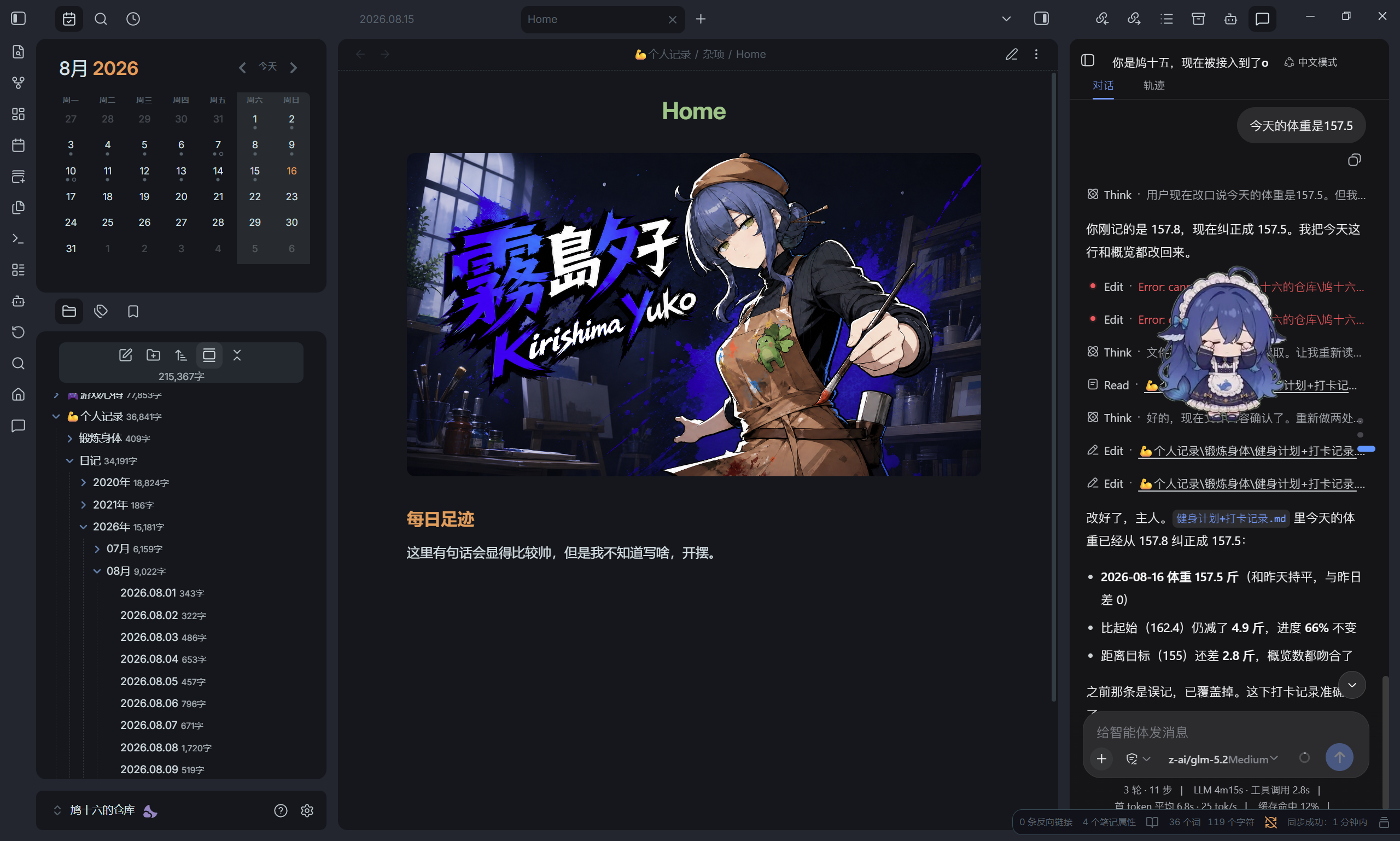
建议搭配 / Recommended Companion
dsh-web-mobile 专门为 DSH Web 界面做了窄屏 UI 适配,跟本插件配合使用,强烈建议搭配。
dsh-web-mobile adapts the DSH web UI for narrow screens. Pairs perfectly with this plugin — highly recommended for a much better mobile experience.
把 DeepSeek Harness (DSH) 的 Web 界面嵌入 Obsidian 侧边栏,并在打开面板时自动拉起本地 dsh web 服务。
Embed the DeepSeek Harness (DSH) web UI inside an Obsidian sidebar panel, with auto-start for the local
dsh webserver.
功能 / Features
- 侧边栏嵌入 DSH 官方 Web UI,与浏览器里打开完全一致
- 打开面板时自动探测并启动
dsh web(dsh找不到时回退npx) - 用 Obsidian 的
requestUrl探测服务,绕过本地 CORS 限制 - 可配置服务地址、启动命令、是否自动启动、启动超时
- Embeds the official DSH web UI in an Obsidian panel, identical to opening it in a browser
- Auto-detects and starts
dsh webwhen the panel opens (falls back tonpx)- Probes the server via Obsidian's
requestUrl, bypassing local CORS restrictions- Configurable server URL, launch command, auto-start toggle, and startup timeout
前置条件 / Prerequisites
- Obsidian ≥ 1.5.0(仅桌面版,插件需要启动本地进程)
- Node.js ≥ 18
- DSH 已安装(
npm i -g @deepseek-ai/dsh),或允许插件用npx自动拉取 - DSH 已配置模型凭证(与
dsh web一致)
安装 / Installation
从 Release 安装(推荐)/ From Release (recommended)
- 在 Releases 下载
main.js、manifest.json、styles.css - 在你的 vault 里新建目录
.obsidian/plugins/deepseek-chat/ - 把三个文件放进去
- 在 Obsidian 的第三方插件列表里启用「DeepSeek Chat」
- Download
main.js,manifest.json,styles.cssfrom Releases- Create
.obsidian/plugins/deepseek-chat/inside your vault- Put the three files there
- Enable "DeepSeek Chat" in Obsidian's community plugins list
从源码安装 / From Source
git clone https://github.com/MarSuero/deepseek-chat-obsidian.git
cd deepseek-chat-obsidian
npm install
npm run build
然后把 main.js、manifest.json、styles.css 复制到 .obsidian/plugins/deepseek-chat/。
Then copy
main.js,manifest.json,styles.cssinto.obsidian/plugins/deepseek-chat/.
使用 / Usage
- 点左侧 ribbon 的消息图标,或命令面板搜「DeepSeek Chat」,打开面板
- 首次打开会等待
dsh web就绪后加载网页 - 在面板里就像用浏览器一样操作 DSH 的完整界面
- Click the ribbon message icon, or run "DeepSeek Chat" from the command palette
- The first open waits for
dsh webto be ready, then loads the page- Use the full DSH interface inside the panel, just like in a browser
配置 / Configuration
在 设置 → 第三方插件 → DeepSeek Chat 里配置:
| 配置项 | 默认值 | 说明 |
|---|---|---|
| 服务器地址 | http://127.0.0.1:3080 | DSH web 服务地址 |
| 启动命令 | dsh | 启动命令,找不到时回退 npx |
| 自动启动服务器 | 开启 | 打开面板时若服务未运行则自动拉起 |
| 启动超时(秒) | 60 | 等待服务就绪的最长时间 |
Configure under Settings → Community plugins → DeepSeek Chat:
Key Default Description Server URL http://127.0.0.1:3080DSH web server URL Launch command dshStart command, falls back to npxAuto-start server On Auto-launch if the server is not running Startup timeout (s) 60Max time to wait for the server
开发 / Development
npm install
npm run dev     # watch 模式
npm run build   # 生产构建,输出 main.js
npm run typecheck  # 类型检查(npx tsc --noEmit)
源码结构:
src/
  main.ts           # 插件入口:注册视图、命令、设置,管理服务器
  view.ts           # ItemView:内嵌 iframe 加载 DSH web UI
  settings.ts       # 设置 tab 与类型定义
  serverManager.ts  # dsh web 生命周期:探测、自动启动、停止
  transport.ts      # HTTP 传输:requestUrl(绕过 CORS)/ fetch 兜底
src/
  main.ts           # Plugin entry: registers view, commands, settings; manages server
  view.ts           # ItemView: embeds an iframe loading the DSH web UI
  settings.ts       # Settings tab and type definitions
  serverManager.ts  # dsh web lifecycle: probe, auto-start, stop
  transport.ts      # HTTP transport: requestUrl (CORS-free) / fetch fallback
发布 / Releasing
打一个语义化版本号 tag,GitHub Actions 会自动构建 main.js、更新 versions.json,并创建带 main.js / manifest.json / styles.css 的 release:
git tag 0.1.0
git push origin 0.1.0
Push a semver tag; GitHub Actions builds
main.js, updatesversions.json, and creates a release withmain.js/manifest.json/styles.css:
git tag 0.1.0
git push origin 0.1.0
为什么是 iframe 而不是原生面板 / Why iframe instead of a native panel
DSH 的 Web UI 是它功能最完整的界面,且本地服务不返回 CORS 头。用 iframe 嵌入官方 UI 是最稳的方案:完整功能、零协议维护成本,页面自身的请求是同源的,不存在跨域问题。
DSH's web UI is its most complete interface, and the local server does not return CORS headers. Embedding the official UI in an iframe is the most robust approach: full features, zero protocol maintenance, and the page's own requests are same-origin, so there is no CORS issue.
致谢 / Acknowledgements
- DeepSeek Harness
- DeepSeek-Harness-for-VS-Code(
dsh web启动与回退逻辑的参考)
- DeepSeek Harness
- DeepSeek-Harness-for-VS-Code (reference for
dsh weblaunch and fallback logic)
License
For plugin developers
Search results and similarity scores are powered by semantic analysis of your plugin's README. If your plugin isn't appearing for searches you'd expect, try updating your README to clearly describe your plugin's purpose, features, and use cases.