Saturn Graph
unlistedby miumiuliaison-wq
Explore every note in a rotating 3D knowledge cosmos with directory clusters, readable names and search.
Saturn Graph · Knowledge Cosmos
Turn your Obsidian vault into a rotating 3D knowledge cosmos: folders become translucent star clusters, Markdown files become tiny glowing stars, and resolved links connect the clusters.
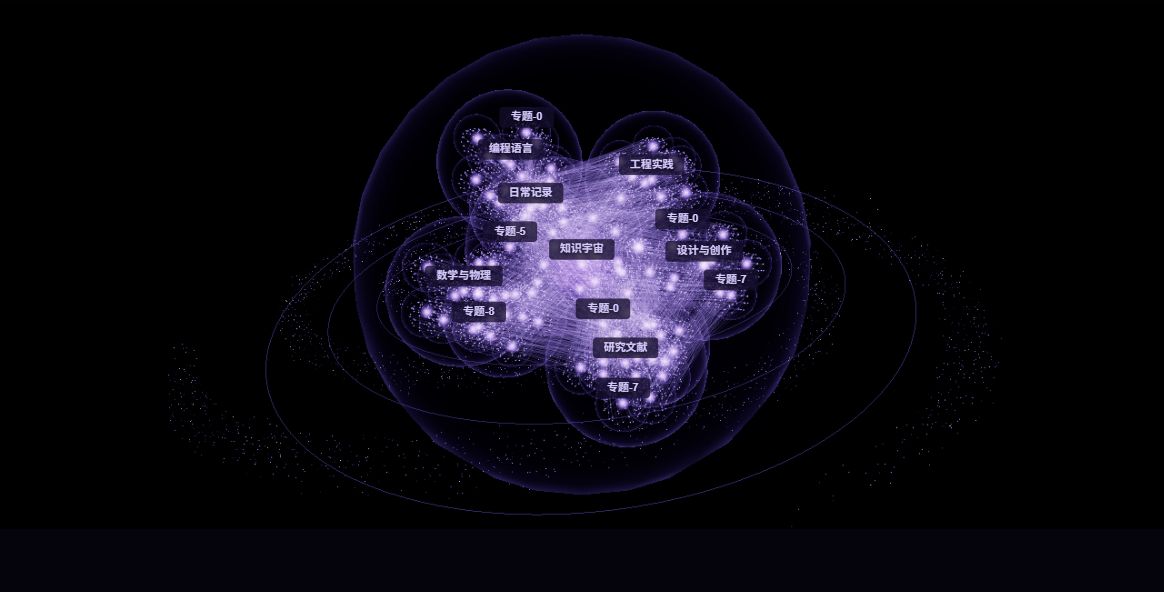
Images use synthetic notes in the standalone QA page with the production renderers, not a personal vault or the Obsidian UI. The test toolbar is cropped out. These are illustrations, not FPS benchmarks.
Features
- Directory hierarchy: the vault is the core; every nonempty ancestor folder has a named aggregate sphere. Sizes grow with descendant counts and shrink with depth.
- Smaller notes, larger clusters: every Markdown file retains a visible halo. Only nearby note surfaces need sphere geometry; the large-vault preset does not drop notes.
- Living galaxy: slow rotation, directory orbits, gentle file drift, outer-shell orbits for unlinked notes, rings and deterministic star dust.
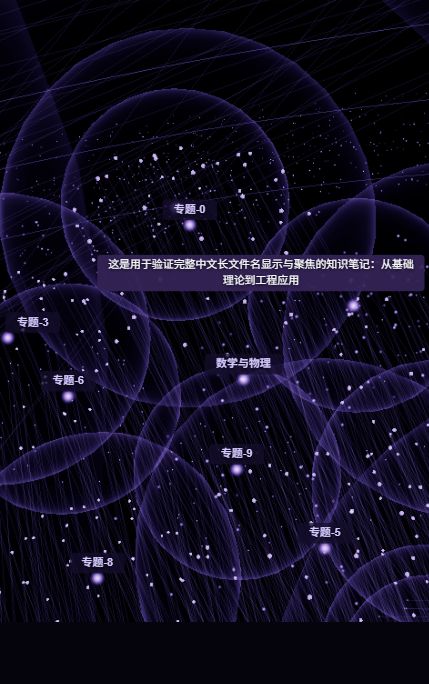
- Readable names and search: overview directory names, nearby file names, full selected/hovered names, collision-aware labels outside bloom. Search filenames/relative paths, including Chinese and duplicate names.
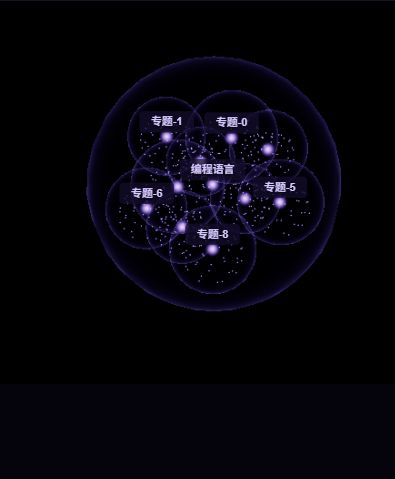
- Scoped navigation: single-click to focus/highlight, double-click a folder to enter its cluster, double-click a file to open the note.
- Controlled light: ordinary note halos and links reduce their additive energy as the vault grows; selected nodes/links remain bright.
- Local and private: reads paths and Obsidian's resolved-link index, not note bodies/frontmatter. No telemetry, external requests or vault-content writes. Plugin settings are stored normally in its
data.json. - Four palettes: Obsidian purple, Deep space blue, Corona gold and Aurora cyan.
Install — no build tools required
Requires desktop Obsidian 1.5.0+ and WebGL/hardware acceleration. GitHub distribution does not mean this plugin is listed in Obsidian's community-plugin catalog.
-
Open the latest release.
-
Download
saturn-graph-1.1.0.zip, or the individual assetsmain.js,manifest.json,styles.css. GitHub's automatic Source code ZIP is not a ready-to-install build. -
Extract the
saturn-graphfolder into your vault's.obsidian/plugins/. Check this exact layout:YourVault/ .obsidian/plugins/saturn-graph/ main.js manifest.json styles.css -
Restart Obsidian. Open Settings → Community plugins, allow community plugins if needed, and enable Saturn Graph.
-
Click the ribbon's orbit icon or run Open Saturn Graph in the command palette.
To update, disable the plugin, replace those three files, and restart/enable it. Keep data.json to retain settings; never replace your vault folder. The one-time migration from 1.0 enables smart labels, smaller stars and the balanced preset, preserving palette, label toggle and satellite-speed preferences.
Controls
| Input | Action |
|---|---|
| Left drag | Pan |
| Mouse wheel / middle drag | Zoom |
| Right drag | Rotate |
| Single-click file / folder | Focus; highlight directly linked notes / descendants |
| Double-click file / folder | Open note in a new tab / enter folder scope |
| Search, ↑ / ↓, Enter | Choose and fly to a note |
| Esc / lower-left breadcrumb | Return to the entire vault |
= while the graph has focus | Cycle palettes |
The upper-right toolbar fits/rebuilds the graph, changes palette, opens settings and opens Obsidian's native graph. Settings expose label density, animation intensity (zero holds the current layout), star-dust density and glow strength. Hover/drag holds motion to help selection; the camera follows focused nodes. The UI currently uses Chinese text; both user guides are available in English and Chinese.
Folder scope and full filenames
Large vaults and limitations
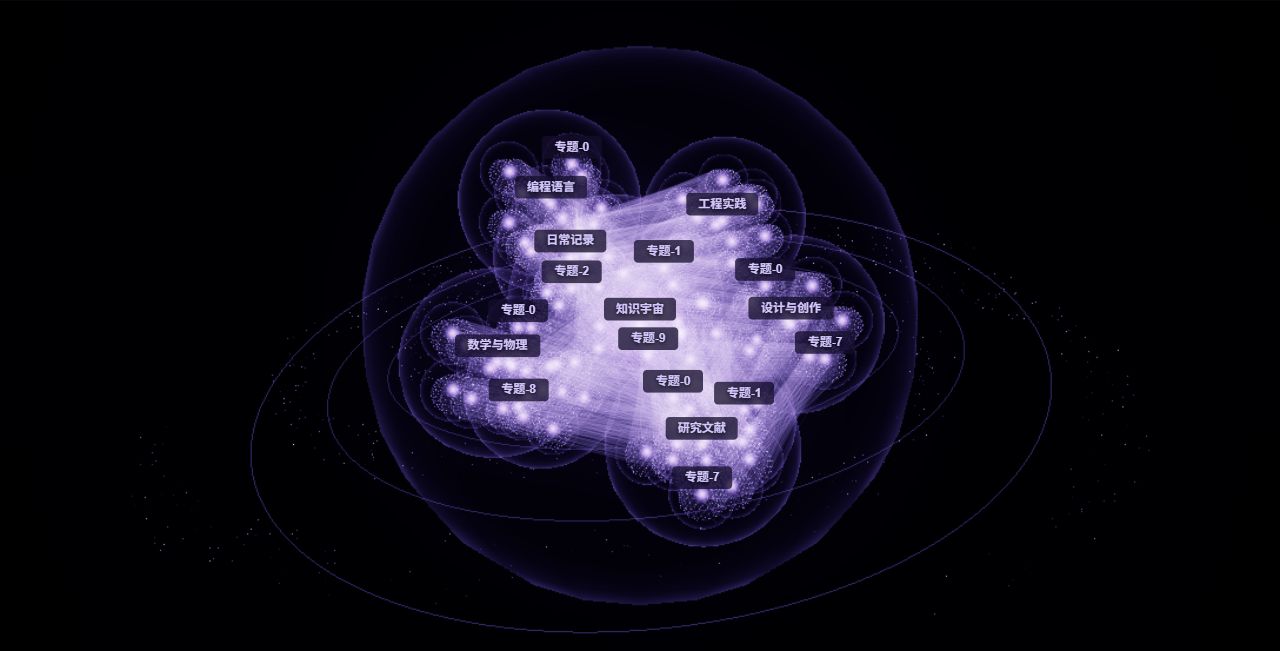
The normal visual target is 1–5k notes. Above 5,000 notes, or with Large vault selected, particles, label updates, pixel ratio and bloom resolution are reduced. Halo size/energy and ordinary-link energy are bounded by dataset size. Every actual note remains in the graph, and selected labels take priority over the normal budget.
Tests cover 20,000 files, preservation of all halos/links, hierarchy, deterministic movement, search and cleanup. A synthetic 20,000-note overview was visually checked for the earlier overexposure issue. This does not guarantee 30 FPS: GPU, viewport size, directory count and link density matter. The QA page's rolling FPS can also be affected by browser background/occlusion throttling.
Attachments, tags, empty folders, unresolved links and decoration particles are not file nodes. Dense/deep clusters can overlap. Labels are deliberately bounded, not thousands of permanently overlaid names. Mobile is unsupported.
Troubleshooting:
- Blank screen: check hardware acceleration and restart Obsidian.
- Busy scene: reduce glow/star-dust density, select Large vault, or enter a folder.
- Missing plugin: avoid a nested
saturn-graph/saturn-graph/folder. - Missing names: enable labels, disable hover-only labels, then zoom or search.
Development and verification
Use Node.js 22+ and npm:
npm ci
npm run typecheck
npm test
npm run lint
npm run build
node scripts/preview-galaxy.mjs
The last command serves synthetic 1,000 / 5,000 / 20,000-note datasets at http://127.0.0.1:8766, with scope, long-name focus and pause controls. It never reads the vault. The legacy WASM build can reuse checked-in artifacts if wasm-pack is absent; the cosmos view does not load/run the old force engine.
Release 1.1.0 uses the exact Obsidian version tag without a v prefix. Assets include the three runtime files, an installable ZIP, bilingual guides and SHA-256 checksums. The source retains upstream Git history and MIT notices.
Credits and license
MIT. Based on Aryan Gupta's New 3D Graph. Spherical-layout inspiration: Roasted-NZ's 3D Graph View. Reuses the existing Three.js instancing and official UnrealBloomPass; hierarchy, orbits, search and DOM labels are custom. No additional rendering dependency was introduced. See LICENSE and THIRD_PARTY_NOTICES.md.
For plugin developers
Search results and similarity scores are powered by semantic analysis of your plugin's README. If your plugin isn't appearing for searches you'd expect, try updating your README to clearly describe your plugin's purpose, features, and use cases.