AnyLLM
unlistedby Neth Botheju
Multi-provider AI chat assistant in the sidebar. OpenAI, Anthropic, Google, and any OpenAI-compatible endpoint.

AnyLLM
One AI chat for every model — right inside Obsidian.
Chat with OpenAI, Anthropic, and Gemini — plus 10 more providers and custom OpenAI-compatible endpoints. Bring your own key, or sign in with your ChatGPT or Claude subscription.
Desktop only — currently in beta.





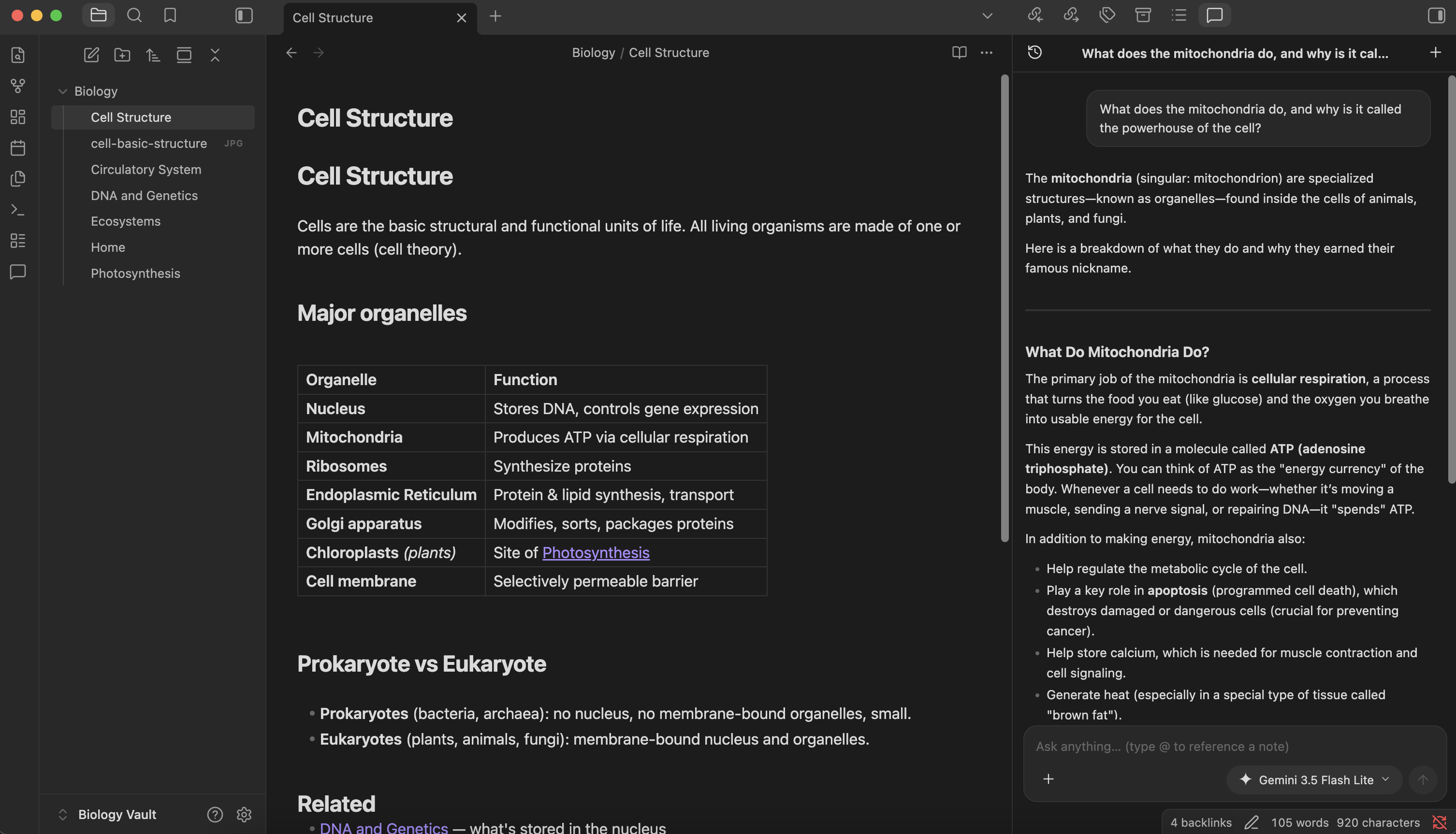
Features
- Every major LLM provider — OpenAI, Anthropic (Claude), and Google (Gemini), plus 10 more providers and any local or OpenAI-compatible endpoint (Ollama, LM Studio, …).
- Switch models mid-conversation — keep one conversation and move between any provider's models as you go.
- Bring your own key, or just sign in — use an API key, or authenticate with your ChatGPT Plus/Pro or Claude Pro/Max subscription via OAuth. No key needed.
- Reference your notes with
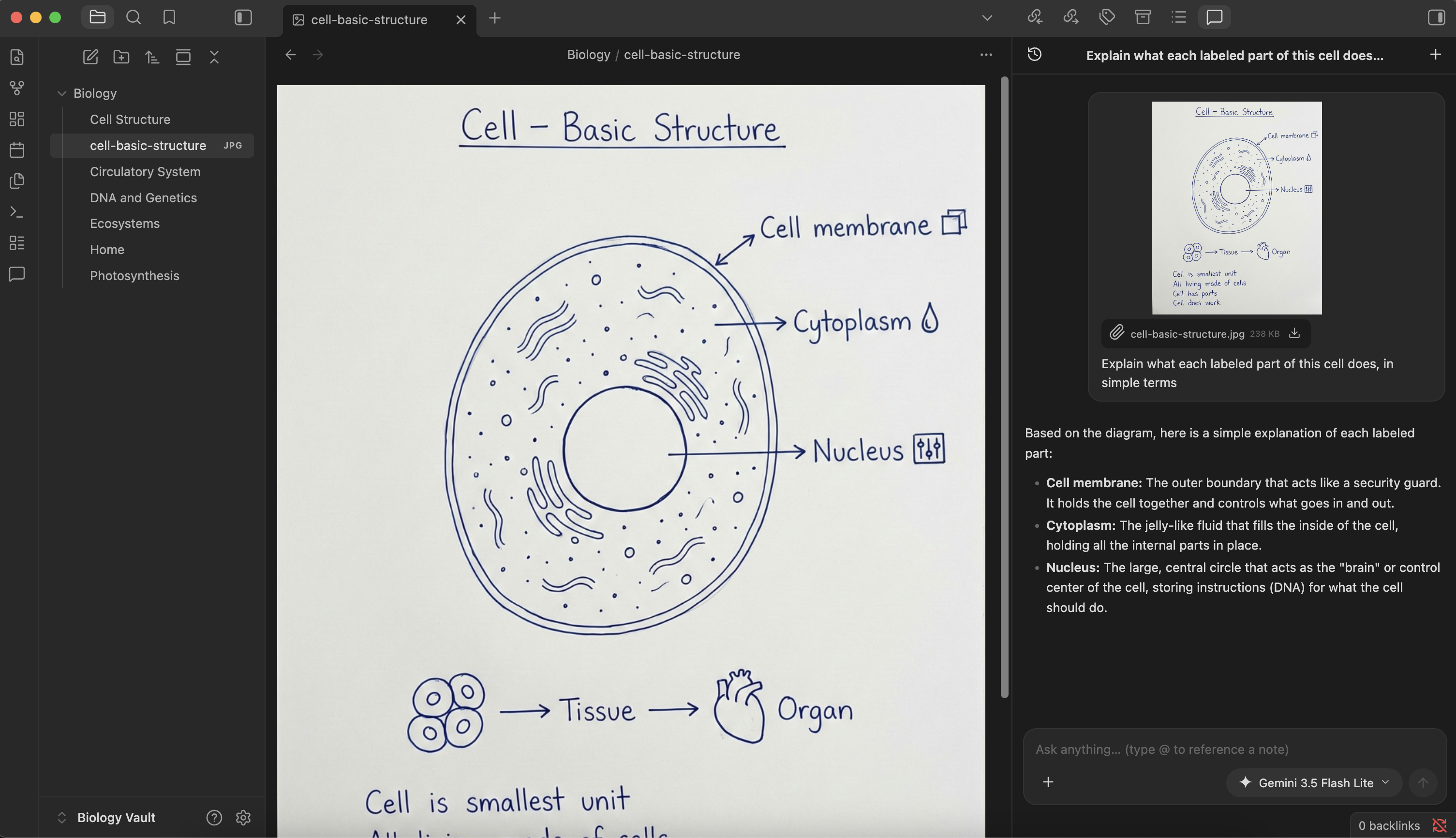
@— pull any vault note straight into the conversation as context. - Multimodal attachments — images, PDFs, audio, video, and text files. The composer only enables attachment types the selected model supports.
- Native Obsidian feel — lives in the right sidebar, markdown rendered with Obsidian's own renderer, themed to match your vault.
Install (beta)
AnyLLM is in beta and distributed via BRAT:
- Install and enable the BRAT community plugin.
- BRAT settings → Add Beta plugin → enter
nethbotheju/obsidian-any-llm. - BRAT installs AnyLLM from the latest GitHub release. Enable it, then run AnyLLM: Open (or click the ribbon icon).
Ran into trouble or found a bug? Open an issue.
In action
Search and switch models — pick from every model of every provider you've configured.
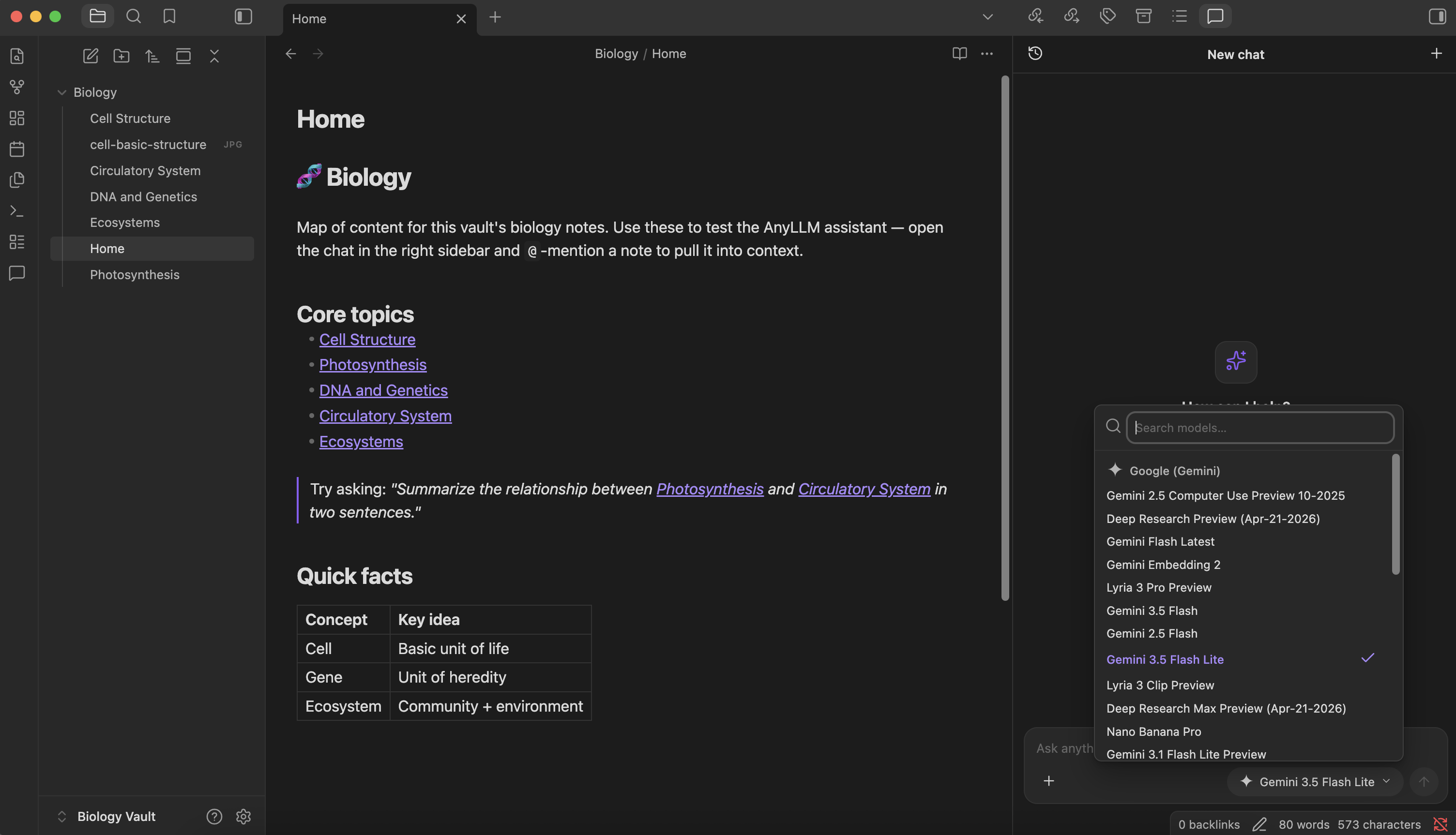
Reference notes with @ — mention a note to pull it into context, then ask across them.
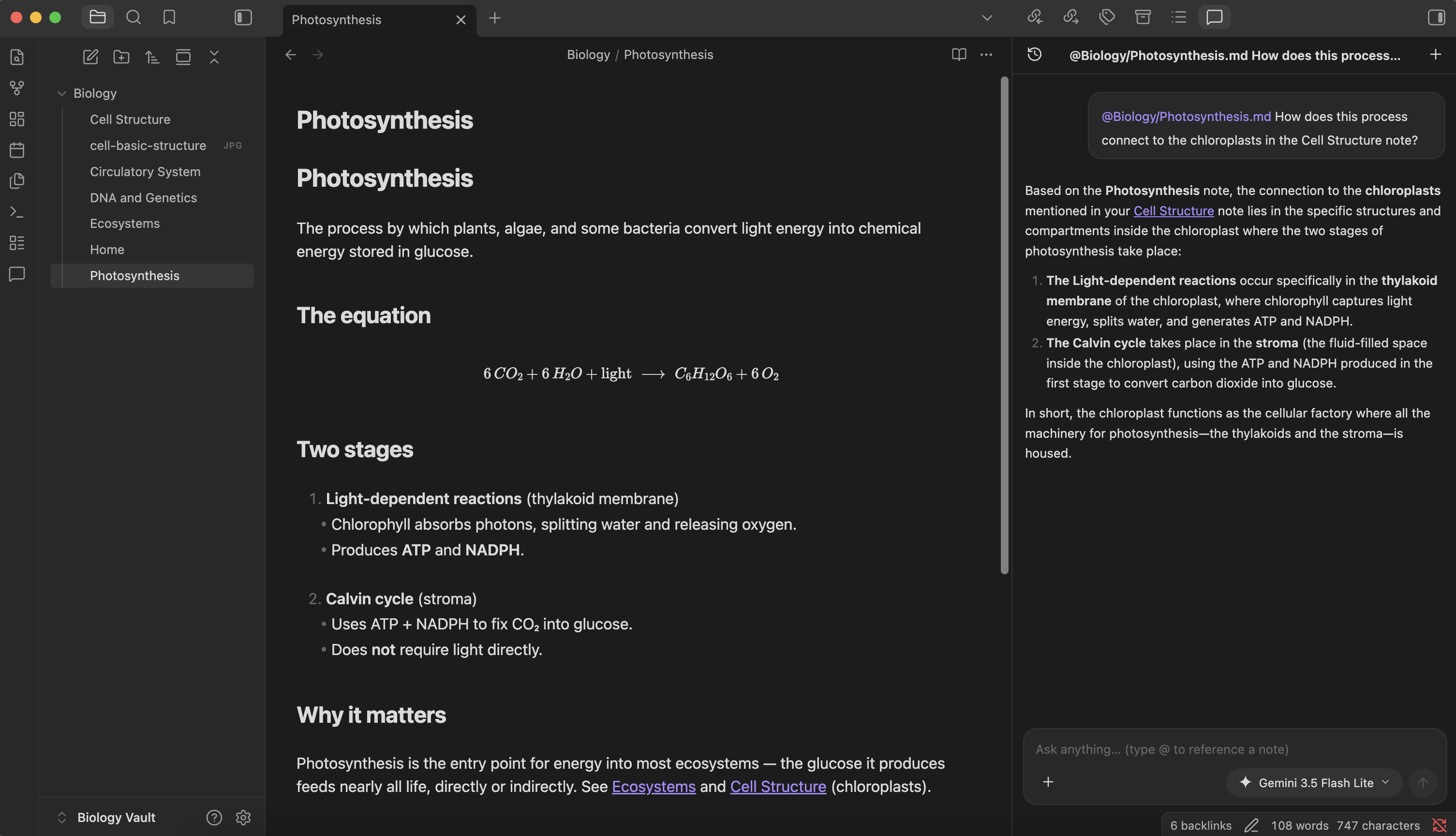
Attach images & files — drop in an image or PDF and the model reads it directly.
Supported providers
Configured in Settings → AnyLLM. A curated catalog ships with the common providers preconfigured — pick one, add your key (or sign in), and you're ready.
API key OpenAI, Anthropic (Claude), Google (Gemini), DeepSeek, Groq, Mistral, xAI (Grok), OpenRouter, Together AI, Fireworks AI, Cerebras, Perplexity, OpenCode Go
Subscription sign-in (OAuth) ChatGPT Plus/Pro, Claude Pro/Max — no API key needed.
Note: Subscription-based sign-in (ChatGPT and Claude) has not been tested yet, and its compatibility is currently unverified. If you encounter any issues with any provider, please open an issue with the relevant details so we can investigate and address it.
Local / custom Ollama ships preconfigured. For anything else — LM Studio, your own server, or any OpenAI-compatible endpoint — choose Custom (OpenAI-compatible) from the provider dropdown, then set a Base URL and list your model ids.
Need a provider that isn't listed? Open an issue and we'll look into adding it.
Contributing
Pull requests are welcome.
- Fork the repo and create a branch using
<type>/<issue>-<slug>(e.g.feat/24-conversation-search,fix/12-model-picker-scroll). - Open a pull request against
maindescribing the change.
Coding agents should follow AGENTS.md for project structure, conventions, and setup.
License
This project is licensed under the MIT License.
Copyright © 2026 nethbotheju.
For plugin developers
Search results and similarity scores are powered by semantic analysis of your plugin's README. If your plugin isn't appearing for searches you'd expect, try updating your README to clearly describe your plugin's purpose, features, and use cases.