Share Notes (Cloudflare)
unlistedby BigT
Share notes through stable Cloudflare Worker links backed by D1 and R2. Free to use. Easy to self host!
Obsidian Share CF
Share CF is an Obsidian plugin plus Cloudflare Worker backend for publishing Markdown notes through stable share links.
The client side does not require accounts. After a Worker URL is configured, the plugin automatically registers the vault on first share, stores a local bearer token in plugin data, and keeps one remote note instance per shared Obsidian file. Sharing the same file again returns the same public link, and later changes are pushed to that link.
Created by BigT.
Screenshots
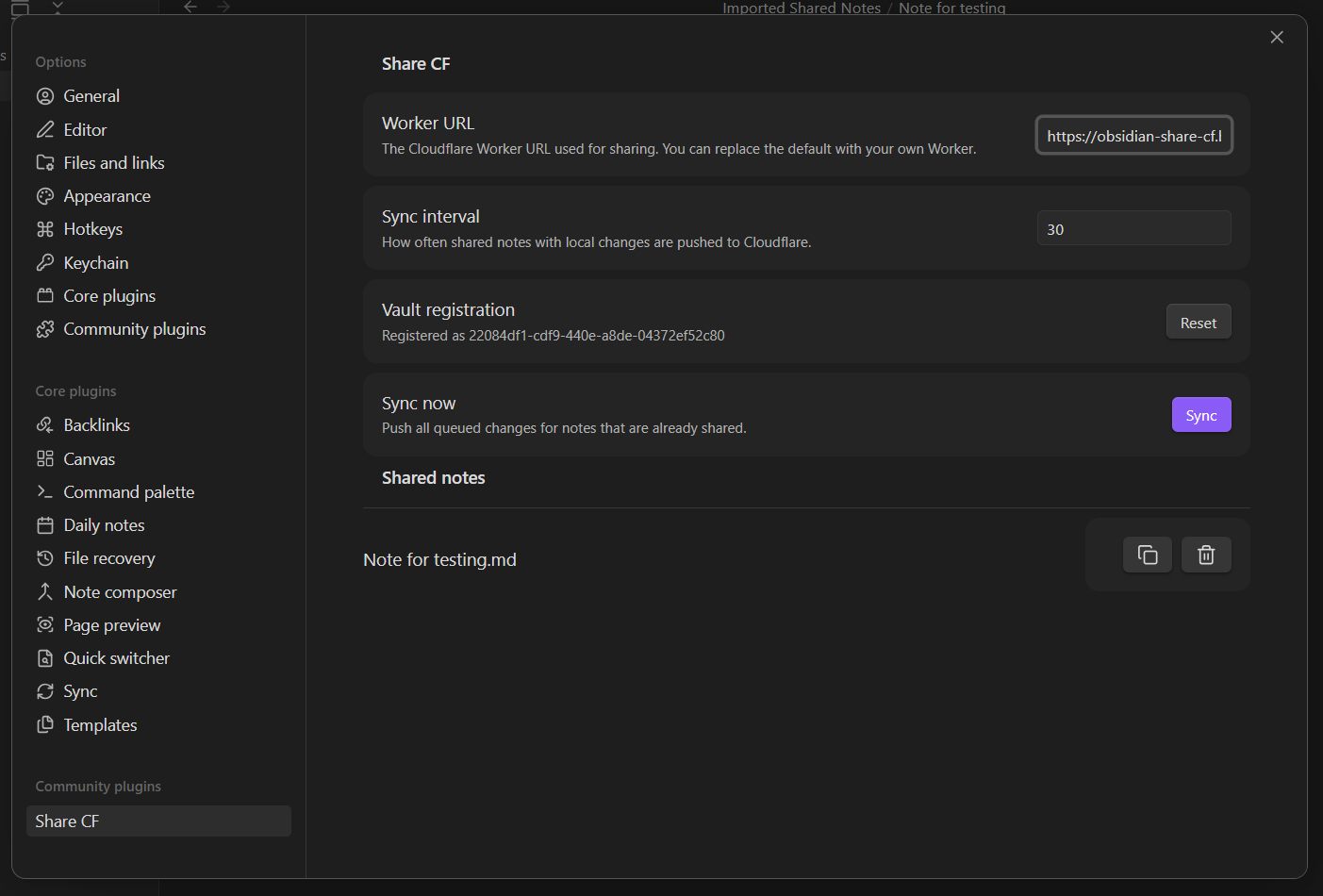
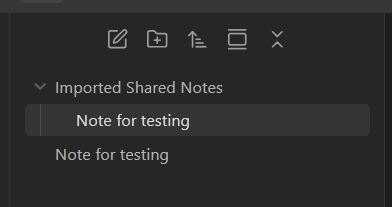
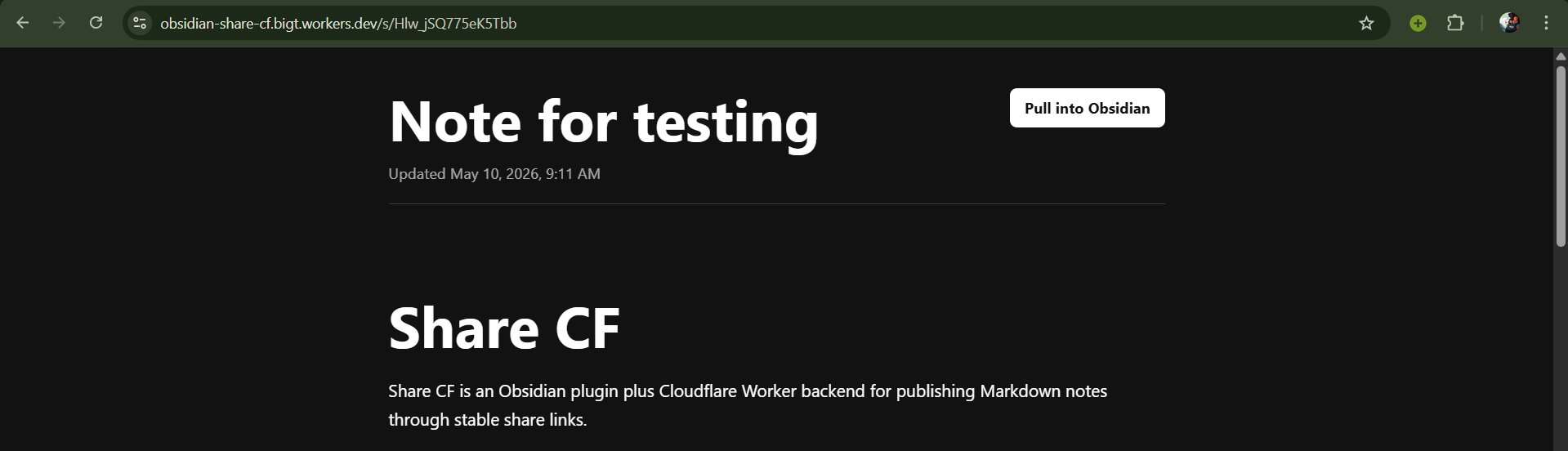
Architecture
- Obsidian plugin:
main.ts - Worker API and public renderer:
worker/src/index.ts - Metadata database: Cloudflare D1
- Current note body storage: Cloudflare R2
Each shared file receives a stable local noteId. D1 stores vault_id, note_id, share_id, path/title/hash metadata, and the R2 object key. R2 stores the current Markdown body at notes/{vaultId}/{noteId}.md. The public URL /s/{shareId} reads the latest R2 object, so updates keep the existing link fresh.
Local Plugin Development
corepack pnpm install
corepack pnpm run dev
During development, place this repository in an Obsidian test vault under:
.obsidian/plugins/share-cf
Enable community plugins, then enable Share CF.
Cloudflare Setup
From worker/:
corepack pnpm install
corepack pnpm --filter obsidian-share-cf-worker exec wrangler d1 create obsidian-share-cf
corepack pnpm --filter obsidian-share-cf-worker exec wrangler r2 bucket create obsidian-share-cf-notes
Update worker/wrangler.jsonc with the D1 database_id. If you deploy behind a custom domain, set PUBLIC_BASE_URL to that origin; otherwise leave it empty and the Worker request origin is used.
Apply the schema:
corepack pnpm --filter obsidian-share-cf-worker run db:migrate:remote
If you are upgrading an existing deployment, make sure the 0002_note_assets.sql migration has run. It adds the asset metadata table used to track images referenced by shared notes.
Run locally:
corepack pnpm --filter obsidian-share-cf-worker run dev
Deploy:
corepack pnpm --filter obsidian-share-cf-worker run deploy
Copy the deployed Worker URL into Settings -> Share CF -> Worker URL in Obsidian.
Usage
Open a Markdown note and run Share current note from the command palette or ribbon icon. The plugin uploads a rewritten copy of the note, copies the share link, and remembers that file. Your original local note is not modified. When a shared note changes, it is queued and synced every 30 minutes by default. You can run Sync shared notes now at any time.
Image embeds are uploaded separately to R2. Share CF supports Obsidian wiki embeds like ![[image.png]] and standard Markdown embeds like . Uploaded image objects receive randomized UUID filenames to avoid collisions, and the public copy of the Markdown is rewritten to reference those R2-backed image URLs. If an image is removed from the note, the next sync removes the no-longer-used image from R2.
Public share pages include a Pull into Obsidian button. When clicked, Obsidian imports the Markdown into Imported Shared Notes/. Clicking the same import link again updates the imported copy instead of creating another duplicate.
Pulled notes include their images. Images are downloaded into Imported Shared Notes/_assets/{shareId}/, and the imported Markdown is rewritten to use those local image files. Running Sync shared notes now also pulls the latest server copy for imported shared notes, so recipients can manually refresh notes and images after the uploader syncs changes. The settings panel lists pulled documents and automatically removes a pulled document from the local sync list if its local file has been deleted.
Deleting a local note removes only the local tracking entry. Use the Share CF settings tab to disable an existing public link.
API
POST /api/register: creates a vault registration and returns a bearer token.POST /api/notes: creates or updates a note for the authenticated vault.GET /api/notes: lists active shared notes for the authenticated vault.DELETE /api/notes/:noteId: disables a share link and deletes the R2 object.GET /api/public/notes/:shareId: returns the latest public Markdown payload for Obsidian imports.GET /assets/:shareId/:assetId: serves an uploaded image asset for a public shared note.GET /s/:shareId: renders the latest public note.
Security Notes
This avoids client-side account creation, but the plugin still needs a trusted Worker URL. Treat the plugin's generated bearer token as secret because it can update or delete shares for that vault. Public links are unguessable random IDs, but anyone with the link can read the note.
For plugin developers
Search results and similarity scores are powered by semantic analysis of your plugin's README. If your plugin isn't appearing for searches you'd expect, try updating your README to clearly describe your plugin's purpose, features, and use cases.