Hardcover Tracker
unlistedby owayys
A hardcover.app tracker for Obsidian.
Hardcover.app Tracker 


A simple Hardcover reading tracker for Obsidian that brings your reading progress directly into your notes.
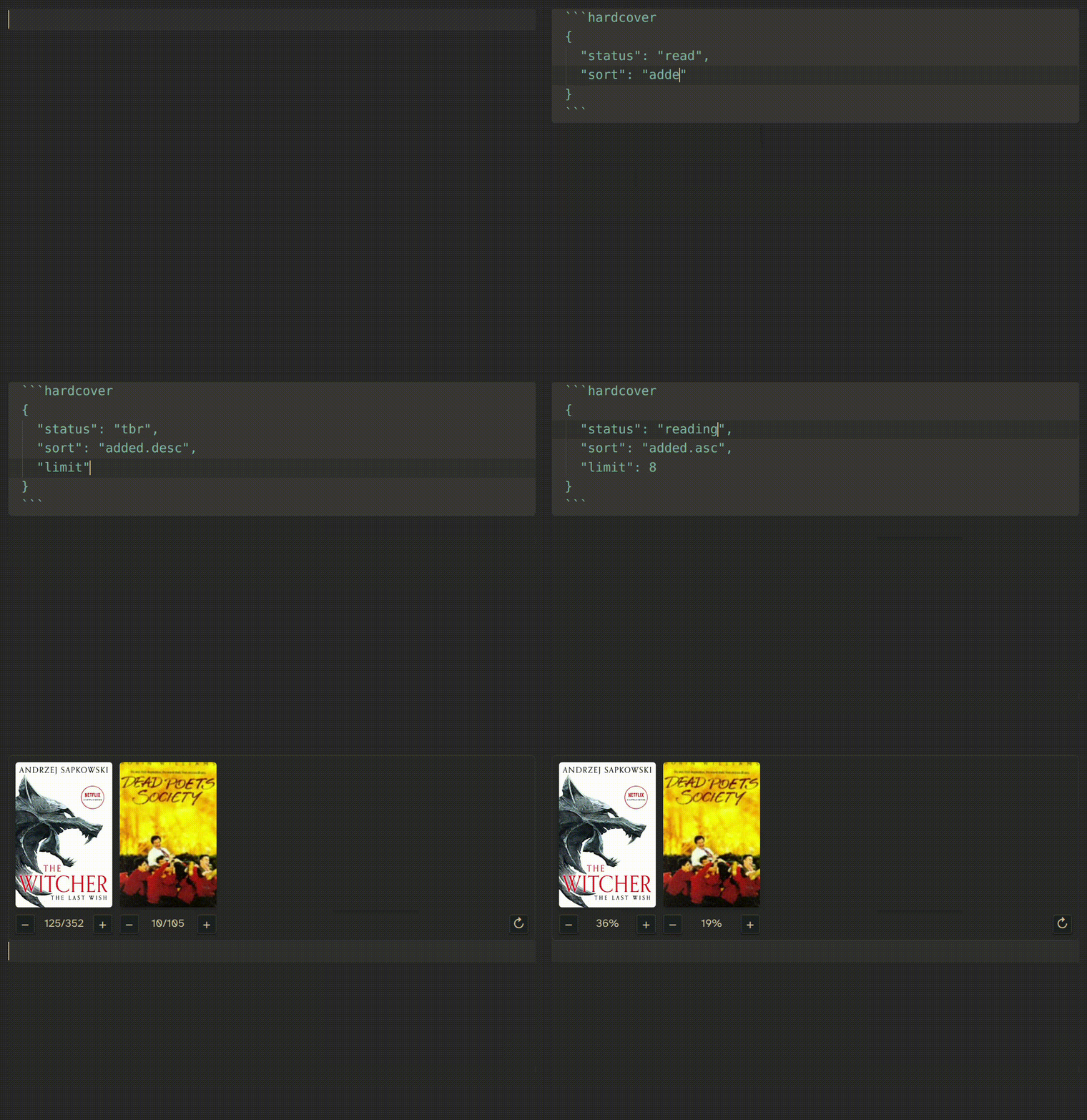
Features
- Live Progress Tracking - Update your reading progress in real-time with interactive controls
- Multiple Reading States - Filter by TBR, Reading, Read, Paused, and DNF statuses
- Flexible Configuration - Customizable limits and sorting options
- Progress Sync - Progress updates automatically sync to your Hardcover account
Quick Start
- Install the plugin using BRAT,
obsidian-hardcoveris currently not available in the community plugins. - Get your API token from the Hardcover.app API access page (its the "authorization" header minus the
Bearerprefix) - Configure the plugin in Settings > Community plugins > Hardcover
- Link the token using obsidian keychain
- Insert book tracker in any note:
```hardcover
{
  "limit": 5,
  "status": "reading",
  "sort": "progress.desc"
}
```
That's it! Your books will appear with interactive progress controls.
Configuration
Code Block Parameters
Customize your book display with these parameters:
```hardcover
{
  "limit": 10,
  "status": "reading",
  "sort": "progress.desc"
}
```
All Parameters
| Parameter | Type | Default | Description |
|---|---|---|---|
limit | number | 5 | Maximum number of books to display |
status | string | "reading" | Filter by book status |
sort | string | "progress.desc" | Sorting order for books |
Status Options
"tbr"- To Be Read books"reading"- Currently reading (default)"read"- Completed books"paused"- Paused books"dnf"- Did Not Finish books
Sort Options
Format: "field.direction" where direction is .asc or .desc (defaults to .desc if only the field is specified)
Fields:
"progress"- Reading progress"added"- Date added to library"updated"- Last updated date
Examples:
"progress.desc"- Highest progress first"added.asc"- Oldest additions first"updated.desc"- Recently updated first
Smart Defaults
The plugin automatically chooses the best sorting for each status:
- TBR:
"added.desc"(newest first) - Reading:
"progress.desc"(most progress first) - Read:
"updated.desc"(recently finished first) - Paused/DNF:
"added.asc"(oldest first)
Usage Examples
Currently Reading (Default)
Show your top 5 currently reading books:
```hardcover
```
TBR
Display 10 books from your to-be-read pile:
```hardcover
{
  "limit": 10,
  "status": "tbr"
}
```
Recently Finished
Show your 5 most recently completed books:
```hardcover
{
  "limit": 5,
  "status": "read",
  "sort": "updated.desc"
}
```
All Paused Books
See all paused books sorted by when you added them:
```hardcover
{
  "status": "paused",
  "sort": "added.asc"
}
```
Minimal Progress View
Just your current read with highest progress:
```hardcover
{
  "limit": 1,
  "status": "reading",
  "sort": "progress.desc"
}
```
Development
Installation
git clone https://github.com/owayys/obsidian-hardcover
cd obsidian-hardcover
bun install
bun run dev
Building
bun run build
Code Generation
bun run codegen
Requirements
- Obsidian v0.15.0+ - Minimum app version
- Hardcover.app account - Required for API access
- API Token - Generated from Hardcover settings
- Internet connection - For API communication
License
MIT License - see LICENSE for details.
This is an unofficial plugin, and not in any way associated with Hardcover.app.
For plugin developers
Search results and similarity scores are powered by semantic analysis of your plugin's README. If your plugin isn't appearing for searches you'd expect, try updating your README to clearly describe your plugin's purpose, features, and use cases.