Gamebook Compiler
unlistedby Petr Sysel
Compiles linked markdown notes into a numbered gamebook DOCX document.
Gamebook Compiler (Obsidian Plugin)
Gamebook Compiler compiles linked Obsidian markdown notes into a .docx document designed for booklet / zine printing.
The plugin is currently focused on a workflow:
- write scenes as separate notes,
- start compilation from the current (start) note,
- generate a print-oriented DOCX output with front matter and back-cover text.
Demo
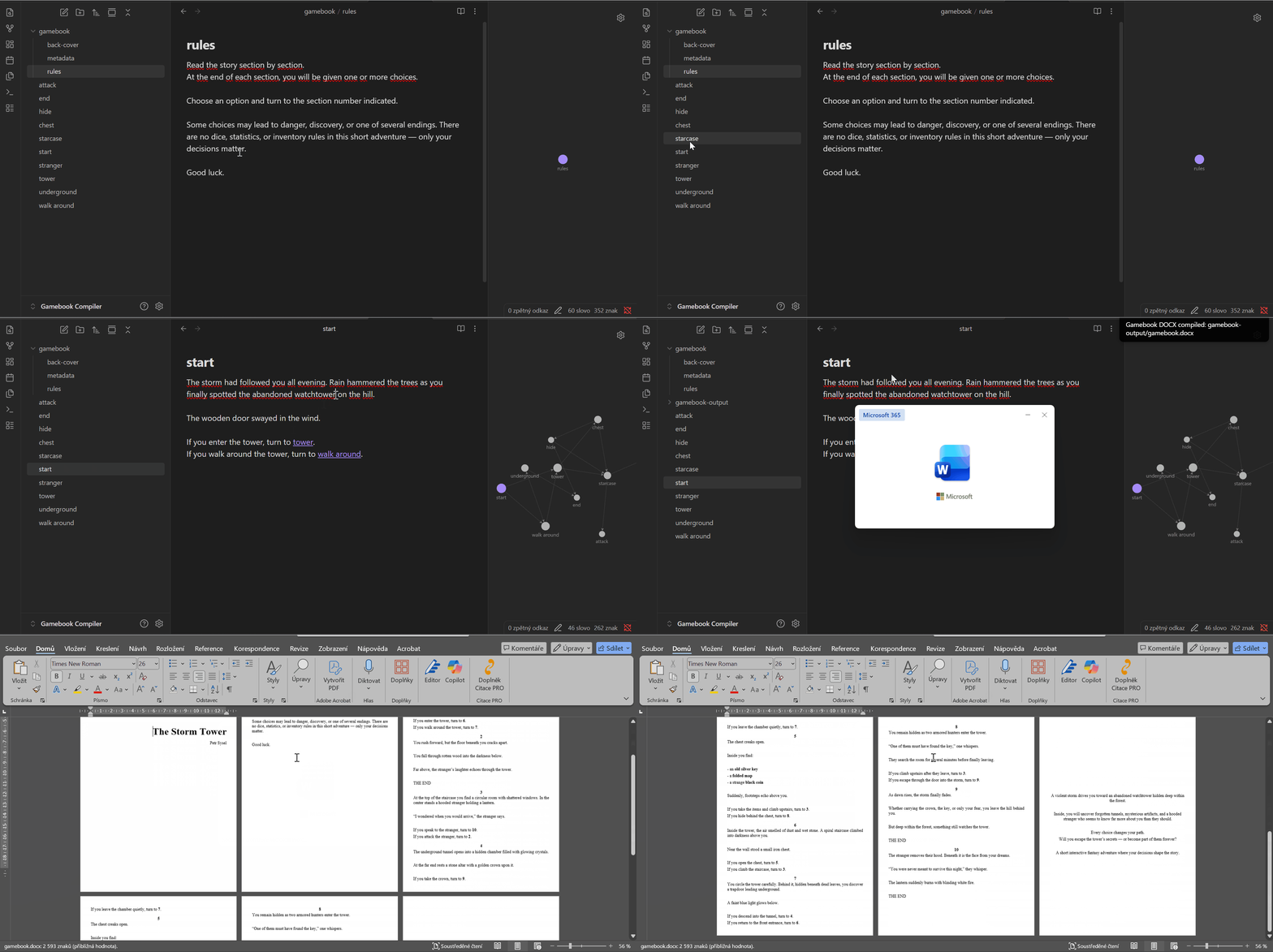
What the plugin does
- Traverses linked markdown notes starting from the currently open note.
- Assigns scene numbers (start scene is always
1, others are deterministic by seed). - Replaces scene wikilinks with scene numbers.
- Generates DOCX output in
gamebook-output/. - Preserves and applies basic markdown formatting in DOCX (headings by level, bold, italic, centered image embeds, etc.).
- Generates
gamebook-output/index.mdwith a DOCX export overview. - Generates
gamebook-output/warnings.mdwith unresolved link warnings.
Available commands
Gamebook Compiler: Compile to DOCXGamebook Compiler: Create support filesGamebook Compiler: Open settings
How to use
- Open the note that should be your start scene.
- Run
Gamebook Compiler: Compile to DOCX. - The plugin compiles reachable linked scenes and writes output into
gamebook-output/.
Important: compilation always starts from the currently open markdown note.
Support files
Run Gamebook Compiler: Create support files to create these files (only if missing):
gamebook/metadata.md(title, optional subtitle, author)gamebook/rules.md(rules/content inserted after title page)gamebook/back-cover.md(last page / back cover text)
Existing files are never overwritten by this command.
Project scope and feature policy
This plugin is intentionally focused and opinionated because it was built for the author's specific use case.
Feature set is limited by design.
Anyone can share ideas and feature requests in this repository's Issues.
Development
npm install
npm run dev
Production build:
npm run build
License
This project uses the MIT license. See LICENSE.
Credits
This plugin was developed with help from OpenAI Codex.
For plugin developers
Search results and similarity scores are powered by semantic analysis of your plugin's README. If your plugin isn't appearing for searches you'd expect, try updating your README to clearly describe your plugin's purpose, features, and use cases.