Chess PGN Viewer
unlistedby Aleksei B
Render interactive chess PGN blocks inside notes.
Chess PGN Viewer





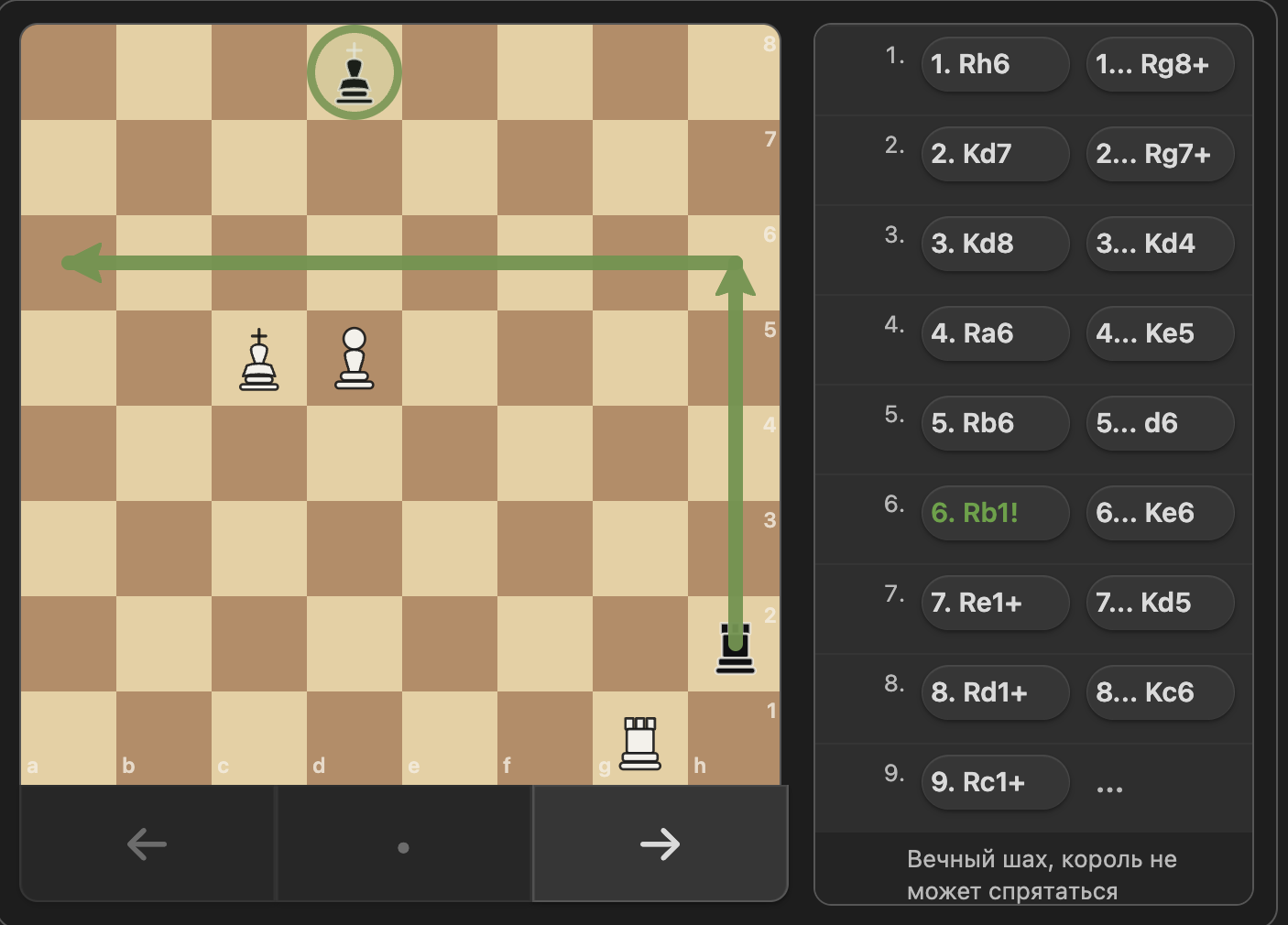
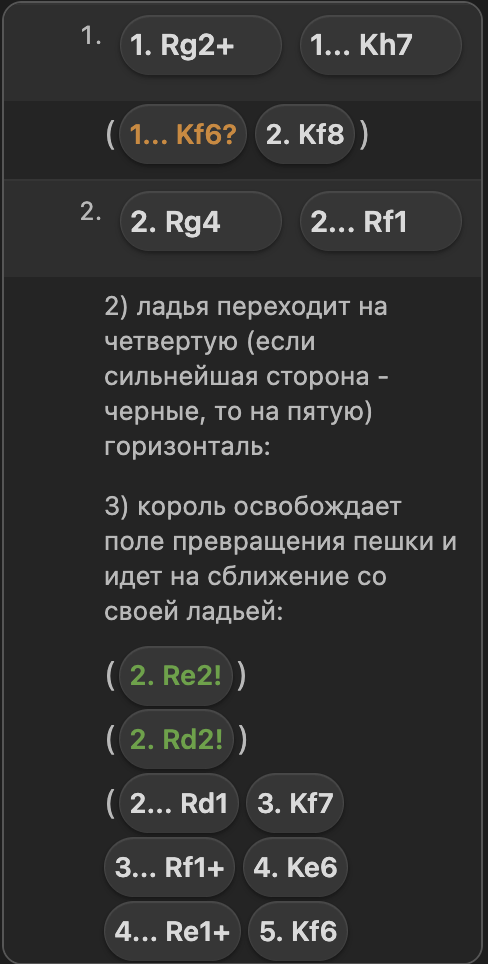
Chess PGN Viewer is an Obsidian plugin that renders interactive chess games inside ```chess code blocks. It turns PGN into a clickable board, supports move navigation, and displays comments, variations, board annotations, and move glyphs.
See CHANGELOG.md for release history.
Screenshots
Features
- Interactive chess board with previous, next, and reset navigation
- PGN parsing with mainline moves and nested variations
- Support for PGN comments and board annotations:
%cslsquare highlights%calarrows
- Move annotation glyphs from PGN NAGs:
!,?,!!,??,!?,?!
- Compact study-style notation layout with clickable moves
- Board geometry that stays aligned on resize
Installation
From source
- Clone this repository.
- Run
npm install. - Run
npm run build. - Copy
main.jsandstyles.cssinto your vault plugin folder at.obsidian/plugins/chess-pgn-viewer/.- Example:
cp main.js .obsidian/plugins/chess-pgn-viewer/main.js && cp styles.css .obsidian/plugins/chess-pgn-viewer/styles.css
- Example:
- Reload Obsidian and enable the plugin.
Usage
Create a fenced code block with the chess language:
orientation: white
showMoves: true
showComments: true
showVariations: true

[Event "Training Game"]
[White "Kasparov"]
[Black "Karpov"]

1. e4 {King pawn opening [%csl Ge4][%cal Ge2e4]}
   e5
2. Nf3 (2. Bc4 {Italian-style line}) Nc6
3. Bb5 a6
Supported block options
orientation: white | blackshowMoves: true | falseshowComments: true | falseshowVariations: true | false
If a block option is omitted, the plugin uses its default value.
Development
npm install
npm run dev
npm test
npm run build
npm run devbuilds in watch mode.npm testruns the Vitest suite.npm run buildcreates the productionmain.jsbundle.- After
npm run build, refresh the installed vault copy before manual testing:
cp main.js .obsidian/plugins/chess-pgn-viewer/main.js
cp styles.css .obsidian/plugins/chess-pgn-viewer/styles.css
- To verify the installed copy is current, compare the files directly:
git diff --no-index -- main.js .obsidian/plugins/chess-pgn-viewer/main.js
git diff --no-index -- styles.css .obsidian/plugins/chess-pgn-viewer/styles.css
No output means the local Obsidian plugin copy is in sync.
Project Structure
src/main.ts- Obsidian plugin entry pointsrc/chess/block.ts- PGN parsing and game-state modelsrc/chess/viewer.ts- board rendering, navigation, and notation UItests/- Vitest coverage for parsing and viewer behaviordocs/assets/- screenshot assets used in this READMEstyles.css- plugin stylesmain.js- built plugin bundle
Testing
Tests use vitest with jsdom. The most important coverage is around PGN parsing, notation layout, navigation, geometry, and annotation rendering. Run the full suite before publishing changes.
When fixing notation layout bugs, add a focused regression in tests/chess-viewer.test.ts first and cover both the CSS contract and the rendered DOM behavior.
Notes
- The plugin targets Obsidian desktop and does not require a separate backend.
main.jsis generated; do not edit it by hand.- The local development copy in
.obsidian/plugins/chess-pgn-viewer/is for testing only and is not part of the Git repository. - Manual Obsidian checks should include long SAN labels, black-move prefixes like
1..., and variation rows in a narrow notation panel to ensure text wraps instead of clipping.
For plugin developers
Search results and similarity scores are powered by semantic analysis of your plugin's README. If your plugin isn't appearing for searches you'd expect, try updating your README to clearly describe your plugin's purpose, features, and use cases.