Wake
unlistedby Real-Fruit-Snacks
A keyboard-first task manager for Obsidian. Wake provides projects, recurring tasks, priorities, smart views, and a permanent logbook in a self-contained panel — your vault stays clean while [[Note]] references keep tasks connected to your notes.
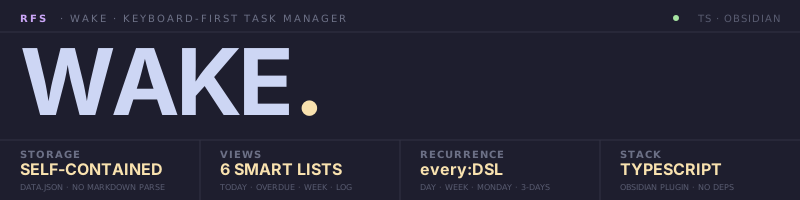
[!IMPORTANT] Keyboard-first task manager for Obsidian. Tasks live inside the plugin and reference vault notes via
[[Note]]— your vault stays clean, your tasks stay searchable, your history stays forever. Self-containeddata.jsonstorage. Smart lists, recurrence DSL, projects, tags, multi-select, and a command palette for everything.
To wake is to surface from sleep with intent — pulled out of background noise into focus. Felt fitting for a tool whose entire job is to surface what matters today and let everything else fade.
§1 / Premise
Wake is an Obsidian plugin that maintains a self-contained task database. Tasks are stored in the plugin's data.json — Wake does not scan, parse, or modify your markdown notes. If you want tasks embedded in markdown, you want a different plugin. Wake is the opposite philosophy: vault stays clean, tasks stay structured, history stays forever.
Every action has a keyboard binding. Quick-add (Ctrl+Shift+T) parses metadata as you type — today, tomorrow, every:week, #tag, [[Note]], >project. The command palette covers every operation. Multi-select with Shift+click and Ctrl+click. Right-click context menus on rows, projects, and group headers.
Smart lists in the sidebar — All Active, Today, Overdue, This Week, No Date, Logbook — group and sort automatically. Override per-view; reset anytime. Logbook preserves every completed task forever, grouped by completion date.
§2 / Specs
| KEY | VALUE |
|---|---|
| STORAGE | Self-contained data.json — no vault clutter, no markdown parsing |
| VIEWS | 6 smart lists — Active · Today · Overdue · This Week · No Date · Logbook |
| PROJECTS | Color-tagged · archive · drag-to-reorder · or none (Inbox) |
| RECURRENCE | every: DSL — every:day · every:week · every:monday · every:3-days |
| METADATA | Title · description · priority · due · start · tags · linked notes · project |
| MULTI-SELECT | Shift+click (range) · Ctrl+click (toggle) · bulk actions |
| PALETTE | Ctrl+K for every action · Ctrl+Shift+T quick-add with live preview |
| STACK | TypeScript · Obsidian Plugin API · zero external dependencies |
§3 / Quickstart
Manual install:
- Download
manifest.json,main.js, andstyles.cssfrom the latest release. - Create
<your-vault>/.obsidian/plugins/wake/. - Drop the three files into that folder.
- Settings → Community plugins → enable Wake.
- Click the check-circle ribbon icon, or run Open Wake panel from the command palette.
Via BRAT: install BRAT, then add this repo's URL.
First task:
Ctrl+Shift+T          Quick-add
"Buy groceries due:tomorrow #errands [[Shopping list]] !2"
                      → Title, due date, tag, linked note, priority — one line
Ctrl+K                Command palette for every other action
§4 / Reference
QUICK-ADD SYNTAX

  today / tomorrow                     Due date shortcuts
  due:YYYY-MM-DD                       Explicit due date
  start:YYYY-MM-DD                     Start (scheduled) date
  every:day / every:week               Recurrence
  every:monday / every:3-days          Custom recurrence
  #tag                                 Add tag (multiple allowed)
  [[Note name]]                        Link to a vault note
  !1 !2 !3 !4                          Priority — urgent → low

VIEW NAVIGATION

  All Active          Every non-completed task
  Today               Due today + overdue + start ≤ today
  Overdue             Past-due, ungrouped
  This Week           Grouped by date for the next 7 days
  No Date             Active tasks without a due date
  Logbook             Completed tasks, grouped by completion date

KEYBOARD (focus on tasks)

  j / k               Move cursor down / up
  x                   Toggle complete on selection
  e                   Inline-edit task text
  Space               Toggle detail pane
  Enter               Open the linked note
  Shift+J / Shift+K   Reorder within project
  1 / 2 / 3 / 4       Set priority on selection
  z                   Undo last change
  Backspace           Delete selection
  Esc                 Close detail / clear selection
  Ctrl+A              Select all visible
  /                   Focus search
  Ctrl+K              Command palette
  Ctrl+Shift+T        Quick add (anywhere in Obsidian)

CONTEXT MENUS (right-click)

  Task row            Toggle · edit · snooze · priority · due · recurrence · move · duplicate · delete
  Sidebar project     Rename · color · reorder · archive · delete (orphans tasks to Inbox)
  Group header        Collapse/expand this · collapse/expand all
§5 / Architecture
wake/
├── main.js          Plugin entry — ribbon, commands, view, hotkeys
├── manifest.json    Obsidian plugin manifest
├── styles.css       Catppuccin-aware theming, compact + cozy density
└── data.json        (Created in vault) — Tasks, projects, settings, logbook
Storage: All state lives in <vault>/.obsidian/plugins/wake/data.json — single JSON document with todos[], projects[], settings, and per-view overrides. Export to JSON for backup; reset with type-to-confirm. Never touches your markdown.
Recurrence: When a recurring task is completed, Wake archives it to the Logbook and creates the next instance with a recomputed due date. The every: DSL is parsed at completion time so timezone shifts and DST work correctly.
Smart per-view defaults:
| View | Default groupBy | Default sortBy | Why |
|---|---|---|---|
| Today | none | priority | Everything's already today; one flat list |
| This Week | due | due | Buckets under each upcoming day |
| Overdue | due | due | Bucketed by how-overdue |
| Logbook | completion | completion | History grouped by completion date |
| Others | (global default) | (global default) | User's preference applies |
Override per view from the toolbar's Group: / Sort: dropdowns. Each menu shows a Reset to default entry when an override exists.
§6 / Philosophy
Wake exists because Obsidian-native task plugins almost universally scan and parse your markdown. That works until you want priorities, recurrence, structured projects, completion history, or smart lists across hundreds of notes. Then the parser fights you, the syntax bloats, and your vault becomes a database masquerading as prose.
Wake takes the opposite stance: tasks are data, notes are prose. Tasks reference notes via [[Note]] links, but the data lives separately and structured. Your markdown stays human-readable; your tasks stay queryable.
If you want tasks-in-markdown, you want Tasks or Dataview. They're great. They're not Wake.
License: MIT · Part of Real-Fruit-Snacks — building tools for focused work.
For plugin developers
Search results and similarity scores are powered by semantic analysis of your plugin's README. If your plugin isn't appearing for searches you'd expect, try updating your README to clearly describe your plugin's purpose, features, and use cases.