Constellation Sync
unlistedby Constellation Sync Contributors
Synchronize multiple Obsidian vaults through GitHub repository branches.
English | 简体中文
Constellation Sync



Constellation Sync is an Obsidian community plugin for synchronizing multiple vaults through independent branches in one dedicated GitHub repository. Private repositories are recommended; public repositories are supported with an explicit visibility warning.
Screenshots
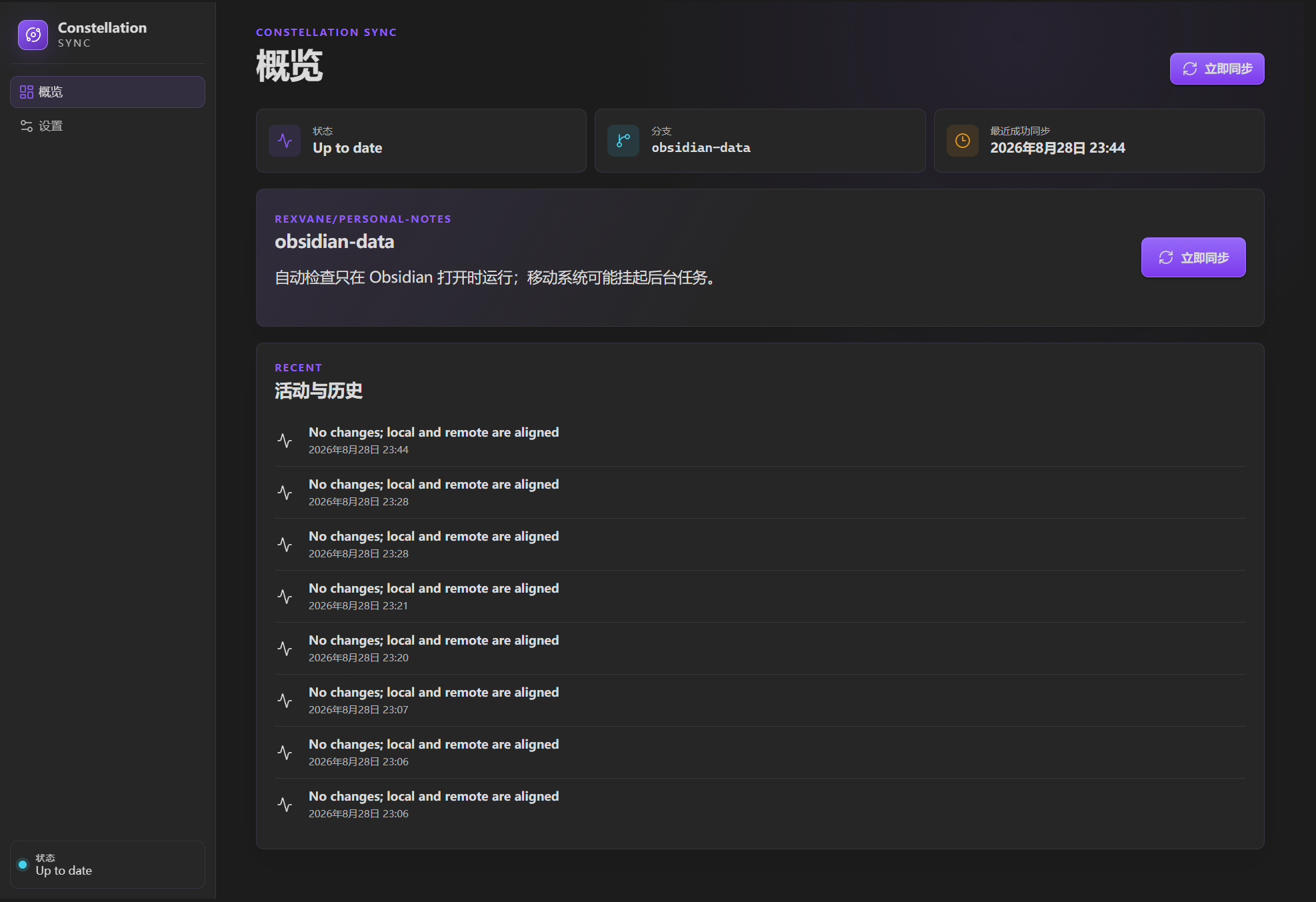
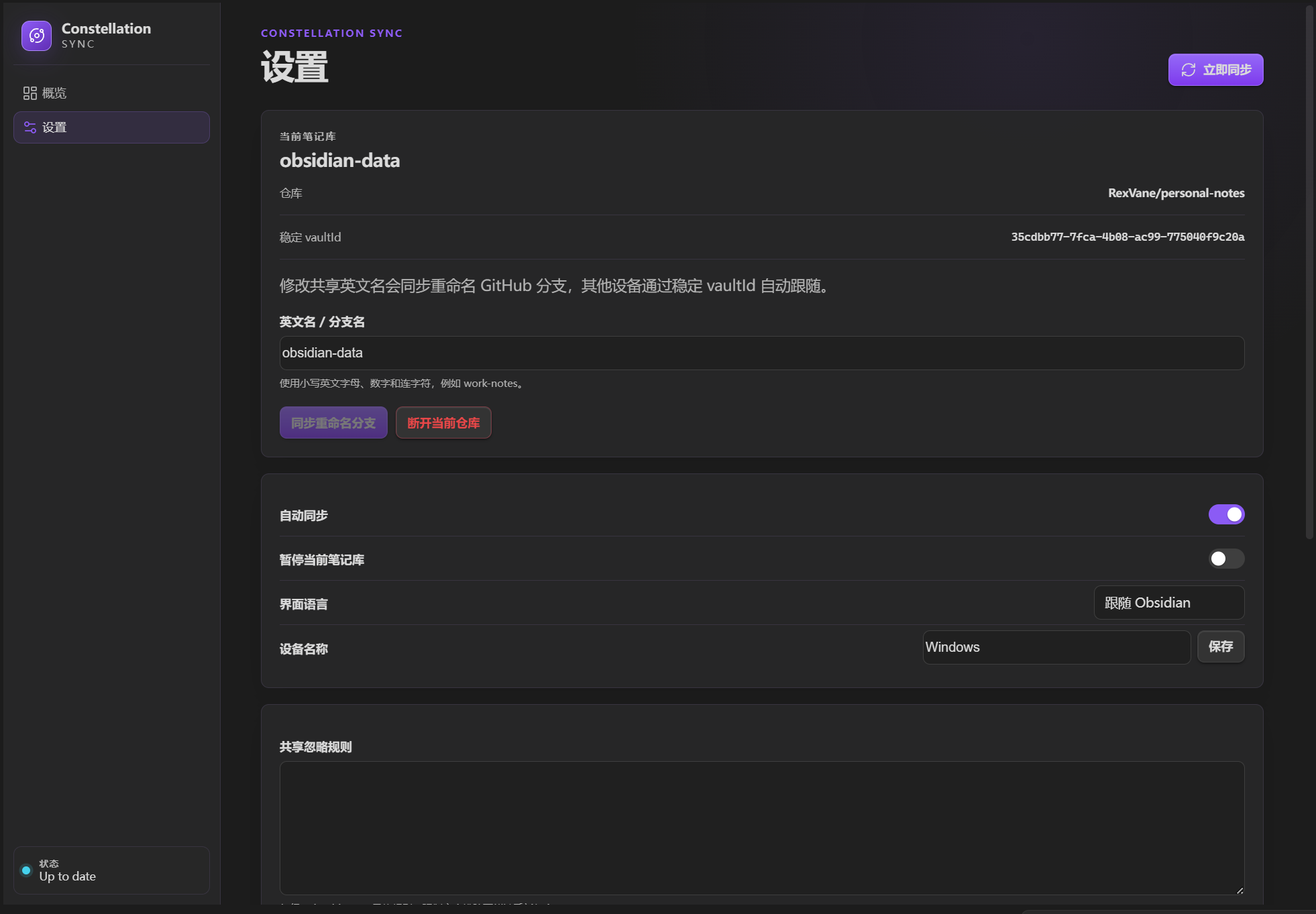
Install
- From Obsidian — Community plugins → Browse → search for "Constellation Sync" (available once the plugin is listed).
- With BRAT — install BRAT, run "BRAT: Add a beta plugin", enter
RexVane/obsidian-constellation-sync, then enable the plugin. - Manually — download
main.js,manifest.jsonandstyles.cssfrom the latest release into<vault>/.obsidian/plugins/constellation-sync/, then enable the plugin.
Quick start
- Open the dashboard from the orbit ribbon icon and connect with a GitHub token — the sign-in screen spells out exactly which token type and which permissions to choose. A dedicated repository is required; private is recommended, and public repositories carry an in-app visibility warning.
- Select the repository, then bind the vault: use the repository's default branch, create a new branch, or join an existing one.
- Done. Sync runs automatically; conflicting edits are preserved as conflict copies and never silently overwritten.
Data model
- One dedicated GitHub repository can contain multiple vaults. Private is recommended; if you pick a public repository, everything synced becomes publicly visible.
- The branch name is the vault's shared English name, such as
work-notes. .constellation-sync/vault.jsonstores a stablevaultId, so devices can follow branch renames safely.- A vault uses either the repository's default branch (the simple choice for a dedicated repository) or a dedicated non-default branch named after the vault's shared English name, which lets one repository hold several vaults.
- Visible empty directories are represented by an internal
.constellation-sync-empty-foldermarker, allowing GitHub and other devices to reconstruct the complete vault folder structure. The marker is removed automatically once the directory holds a real file. - Branch discovery deduplicates the stable
vaultId, displays the actual GitHub branch name and revalidates it when another device joins.
Sync rules
The plugin compares what changed locally and remotely against the last successfully synchronized common version. When only one side changed, that change is carried to the other. When both sides changed different regions, the plugin merges them. Edits to the same region, a delete that races a modification, binary files and anything that cannot be merged safely are preserved as a conflict copy and listed for you to resolve. The plugin never uses file modification times to silently overwrite one side, and never discards conflicting content.
Local files are rewritten only after the remote commit succeeds, so a failed push leaves the vault exactly as you left it. A path that cannot be stored safely on every platform is skipped and reported rather than stalling the rest of the vault.
Only vault content is synchronized. The complete Obsidian configuration directory (normally .obsidian/) and GitHub repository configuration (.github/) are always excluded. Configuration files left on a branch by an older plugin version are ignored and left untouched; configure Obsidian, themes, snippets and plugins separately on each device.
Security
The plugin connects with a GitHub personal access token that you create once and paste into the plugin. The token is stored only in Obsidian SecretStorage and is never written to your notes, data.json, or Git history. A fine-grained token can be limited to the dedicated sync repository with only Contents read/write permission. Classic tokens also work, but their broader repo scope is not recommended. You can revoke the token at any time on GitHub. A private repository controls access, but it is not end-to-end encryption: GitHub and anyone with repository access can read the synchronized files. See docs/github-token-setup.md for step-by-step instructions.
This repository intentionally contains no user tokens, client secrets, local vault data or .env.local files. Compiled main.js is kept out of the source branch and attached only to versioned GitHub Releases.
Build from source
- Download or clone this repository.
- Install Node.js 20.19 or newer and run
npm ci. - Run
npm run build. - Copy
main.js,manifest.jsonandstyles.cssinto<vault>/.obsidian/plugins/constellation-sync/, then enable the plugin in Obsidian.
The public repository is source-first. Community-plugin releases contain the configured main.js asset needed for one-click installation.
Development
- Run
npm install. - Run
npm run devfor a watch build ornpm run checkfor the complete verification suite.
No build variables are required: the plugin contains no OAuth client ID, no client secret and no GitHub App configuration. See docs/github-token-setup.md for token setup steps.
Status
Version 0.6.1 synchronizes vault content only, with Obsidian and GitHub configuration directories always excluded. Connecting is a matter of creating a GitHub token and pasting it in; first-time binding can use the repository's default branch, a new branch, or an existing vault branch. Background checks run silently every 15 seconds by default, and local edits are pushed after 5 seconds by default.
License
This project is released under the MIT License. See LICENSE.
For plugin developers
Search results and similarity scores are powered by semantic analysis of your plugin's README. If your plugin isn't appearing for searches you'd expect, try updating your README to clearly describe your plugin's purpose, features, and use cases.