Grafily
unlistedby TheBestTvarynka
Obsidian plugin for rendering family graph (family trees)
Table of contents:
Grafily
Grafily is an Obsidian plugin for rendering family graphs (family trees). It uses the reactflow library for rendering and a custom layout algorithm for placing graph nodes.
This plugin is useful for family history/genealogy research, tracking family members, etc.
Visualization algorithms
All persons in demo screenshots below are generated using AI. If you find any coincidences with real people, please contact me, and I will fix them.
| Reingold-Tilford | Brandes-Köpf |
|---|---|
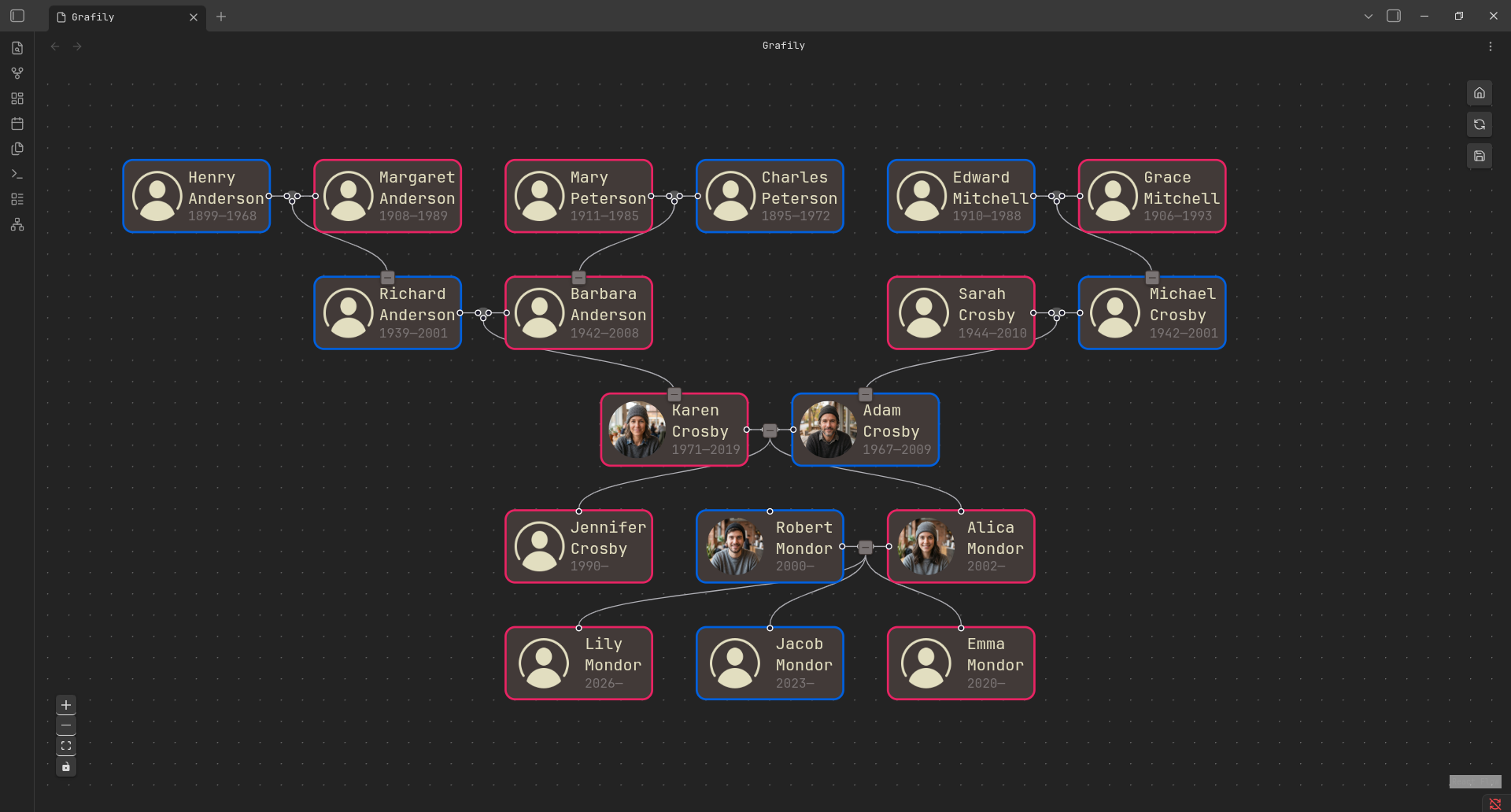 | 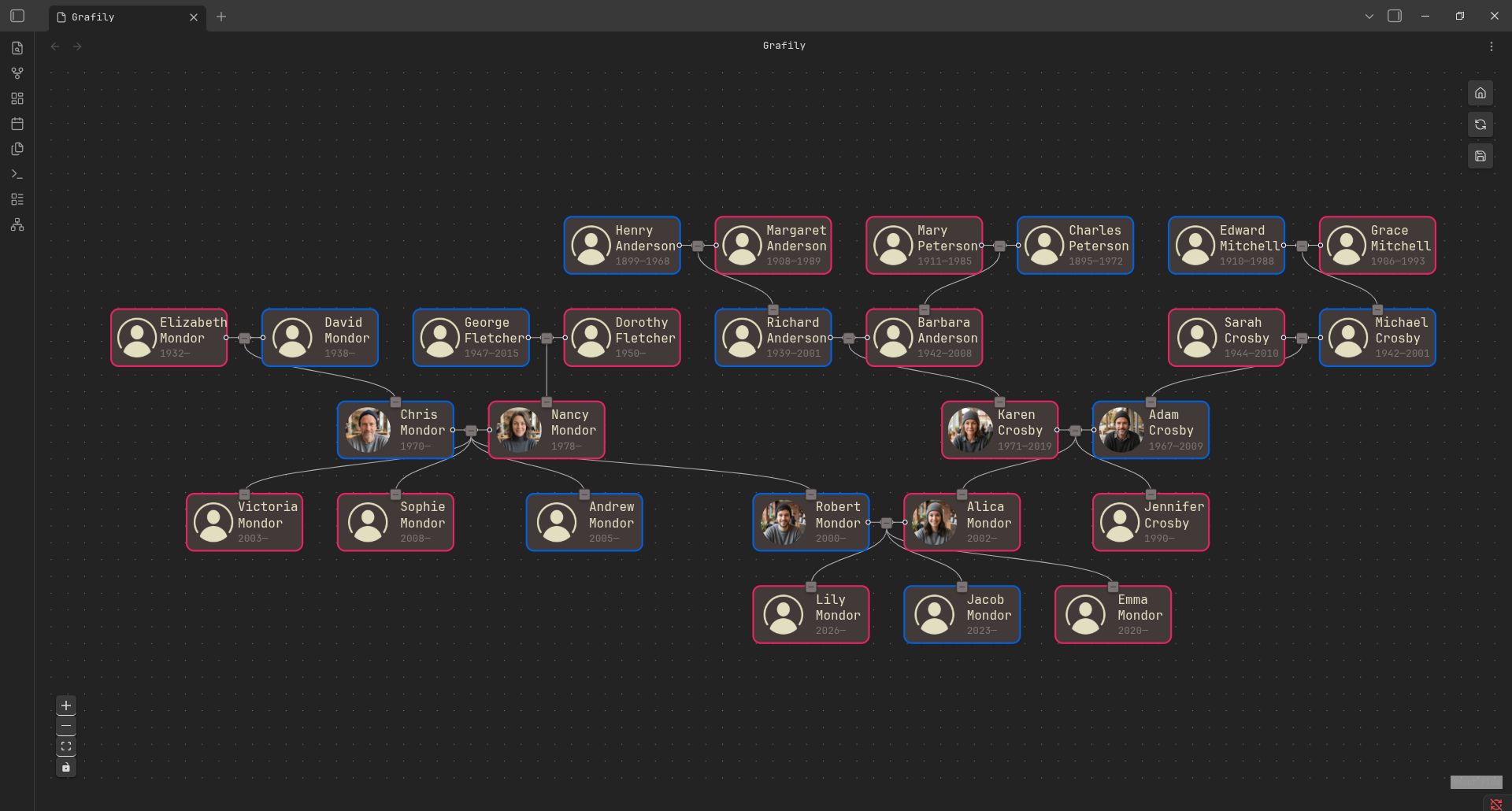 |
| A tree-based visualization algorithm. It will show only direct ancestors and/or descendants of the selected person (e.g., children's children or parents' parents). The advantage of this method is perfect centering. | A graph-based visualization algorithm. It's a universal rendering algorithm for any family graph of any complexity. The only disadvantage is not-perfect centering: some children's or parents' nodes are not perfectly centered. |
How it works
- The Grafily expects that your vault has one page per person.
- The Grafily scans all pages in the directory (the directory is configurable), extracts persons' metadata (see the Usage section for the metadata format), builds an internal relationship graph, and then renders a pretty interactive graph that you can easily navigate and view family members.
- An interactive UI allows you to collapse or expand family relationships with other persons (collapse/expand children/parent nodes).
Basically, Grafily is just a tool which creates a pretty graph from vault .md files:
flowchart LR
    first["bunch of .md files"] -->|Grafily| second["Pretty graph ✨"]
Motivation
I started my family research in 2025. I did not want to store all the information on a third-party site (for instance, myheritage.com). I wanted to be the owner of the private information, photos, stories, interview recordings with my relatives, and much more.
So, I decided to use Obsidian. There are plenty of reasons why Obsidian:
- I own my data.
- Easy to use.
- Powerful plugin API.
But there was a problem: I couldn't find a suitable plugin to render a pretty graph of family relationships. So, I decided to write my own plugin. The Grafily has one concrete purpose: it is a viewer for family members' relationships.
Actually, I found one very interesting plugin: https://github.com/banisterious/obsidian-charted-roots. It is super powerful. Too powerful for me. When I use such complex software, I do not have a feeling that I control the the process. I wanted a simple plugin. But do not get me wrong, obsidian-charted-roots is a great plugin but it's just not for me.
Installation
[!NOTE]
Currently, the plugin has not been submitted to the official list of plugins because I am the only one who uses it. If you considered using it and want to see it in the official list of plugins, create an issue.
You can try this plugin by cloning the repo and enabling it in the Obsidian vault settings.
- Go to the Releases page and download release assets.
They consist of three files:
main.js,manifest.json, andstyles.css. - Place these files in the vault plugin directory:
mkdir -p {vault}/.obsidian/plugins/grafily cd {vault}/.obsidian/plugins/grafily # Place `main.js`, `manifest.json`, and `styles.css` here. - Enable the Grafily plugin in the Obsidian settings (
Community Pluginssection).
Usage
As I said above, Grafily expects that your vault has one page per person. But it does not mean that all pages in the vault must be dedicated only to persons.
- Grafily will scan only pages in the specified directory in the plugin settings.
- Grafily will accept only pages that include all required metadata.
Metadata
Grafily expects predefined information at the start of each page. Here is a metadata template:
# <surname> <name>

**Spouse**: [[<spouse page>]]
**Parents**: [[<1st parent page>]], [[<2nd parent page>]]
**Birth**: <year>-<month>-<day>
**Death**: <year>-<month>-<day>
**Image**: [[<profile picture file>]]

---

Person's page content.
Example:
# Myroniuk Pavlo

**Spouse**: [[Kateryna]]
**Parents**: [[Yaroslav]], [[Halyna]]
**Birth**: 2001-07-10
**Image**: [[images/TheBestTvarynka.png]]

---

Hi there 👋
You can type any information you want after the ---. The # <surname> <name> line is required. All other key-value pairs are optional.
You can add any other key-value pairs to the metadata you want.
Moreover, you do not need to specify the spouse link for both; only one link is sufficient. For example, if you specified in the metadata that Bob's spouse is Emma, then it is not required to specify Bob in Emma's metadata.
BDFL
Did you hear about BDFL?
TL;DR:
Benevolent dictator for life (BDFL) is a title given to a small number of open-source software development leaders, typically project founders who retain the final say in disputes or arguments within the community.
For the Grafily project, the BDFL is @TheBestTvarynka (Pavlo Myroniuk), original creator of Grafily.
For plugin developers
Search results and similarity scores are powered by semantic analysis of your plugin's README. If your plugin isn't appearing for searches you'd expect, try updating your README to clearly describe your plugin's purpose, features, and use cases.