Vault Semantic Search
unlistedby TheBrainAir
Search your vault by meaning, not just words. Hybrid semantic + keyword search, related notes and text-to-image search, powered by EmbeddingGemma 2 running locally.
Vault Semantic Search
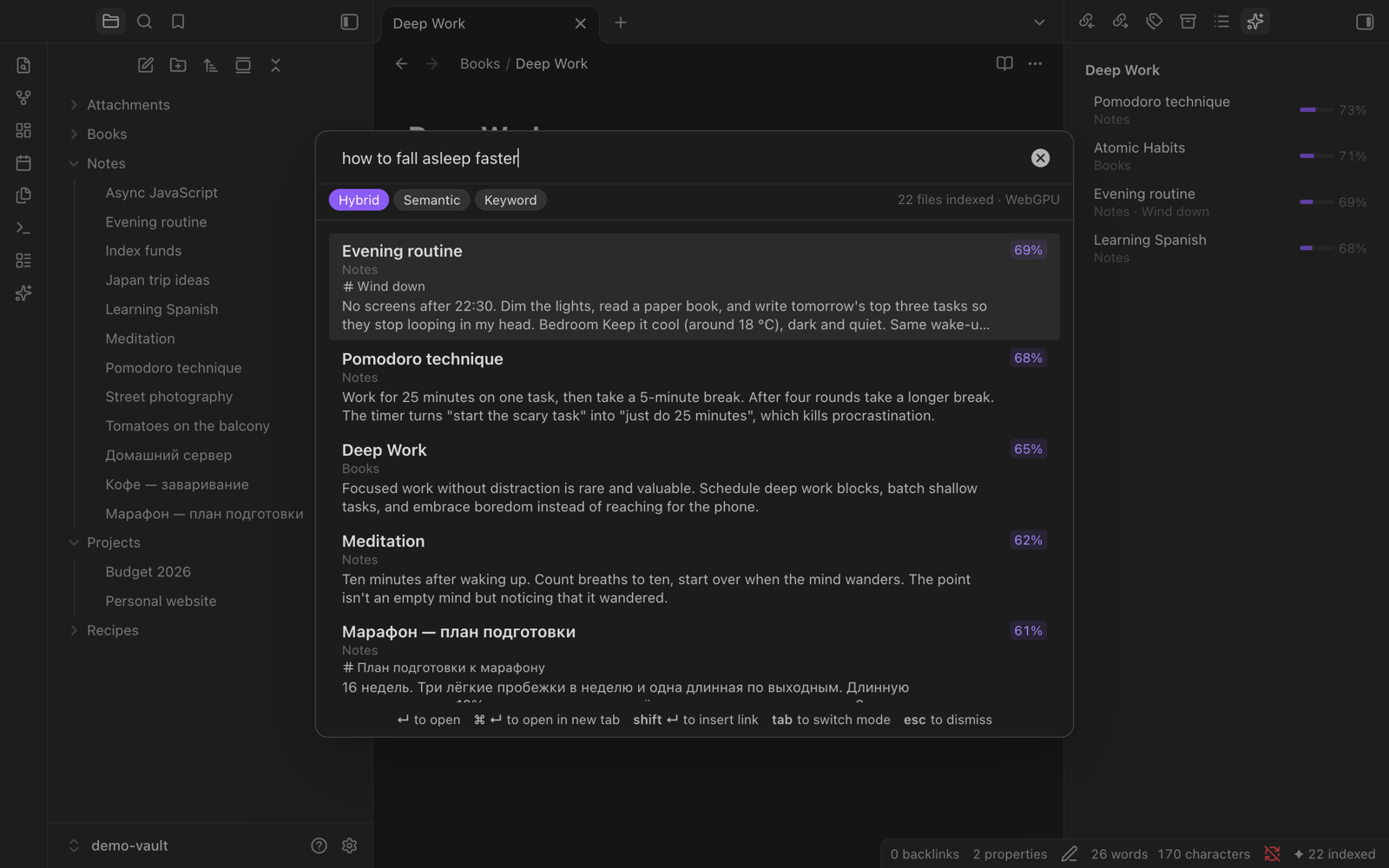
Search your Obsidian vault by meaning, not just words. Type "how to sleep better" and find the note called "Evening routine". Describe a screenshot and find the image.
Powered by Google's EmbeddingGemma 2, running locally inside Obsidian. Your notes never leave your computer.
Features
- Semantic search. Finds notes by what they mean, in 100+ languages, across languages. A Russian query finds an English note and the other way round.
- Hybrid ranking. Meaning decides the order, and exact words (names, codes, rare terms) break near-ties. You can switch to pure semantic or pure keyword search with Tab.
- Jumps to the right place. Long notes are split by headings, and each result opens at the matching section.
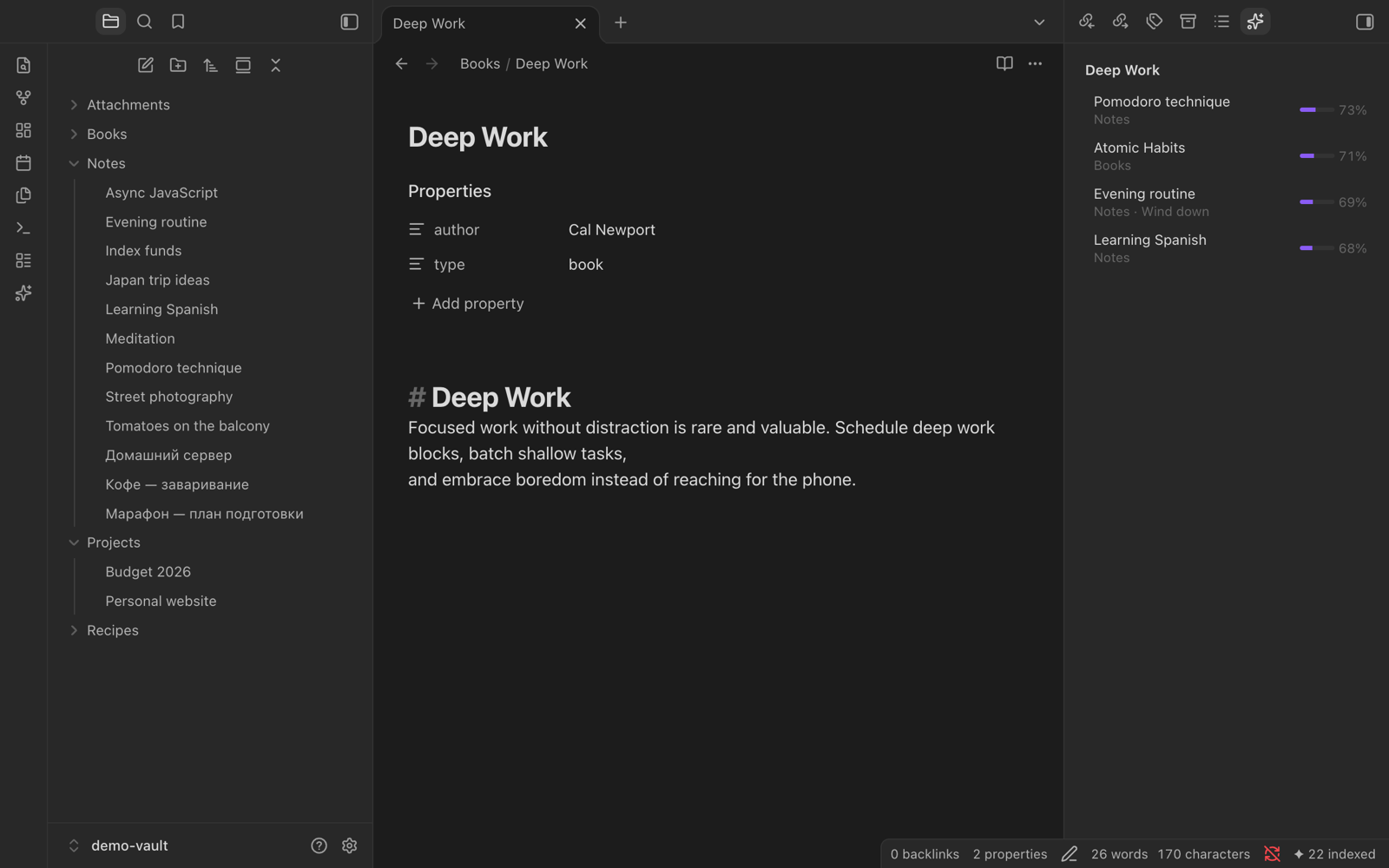
- Related notes. A sidebar lists the notes closest in meaning to the one you're reading. Click to open, drag to link, hover to preview.
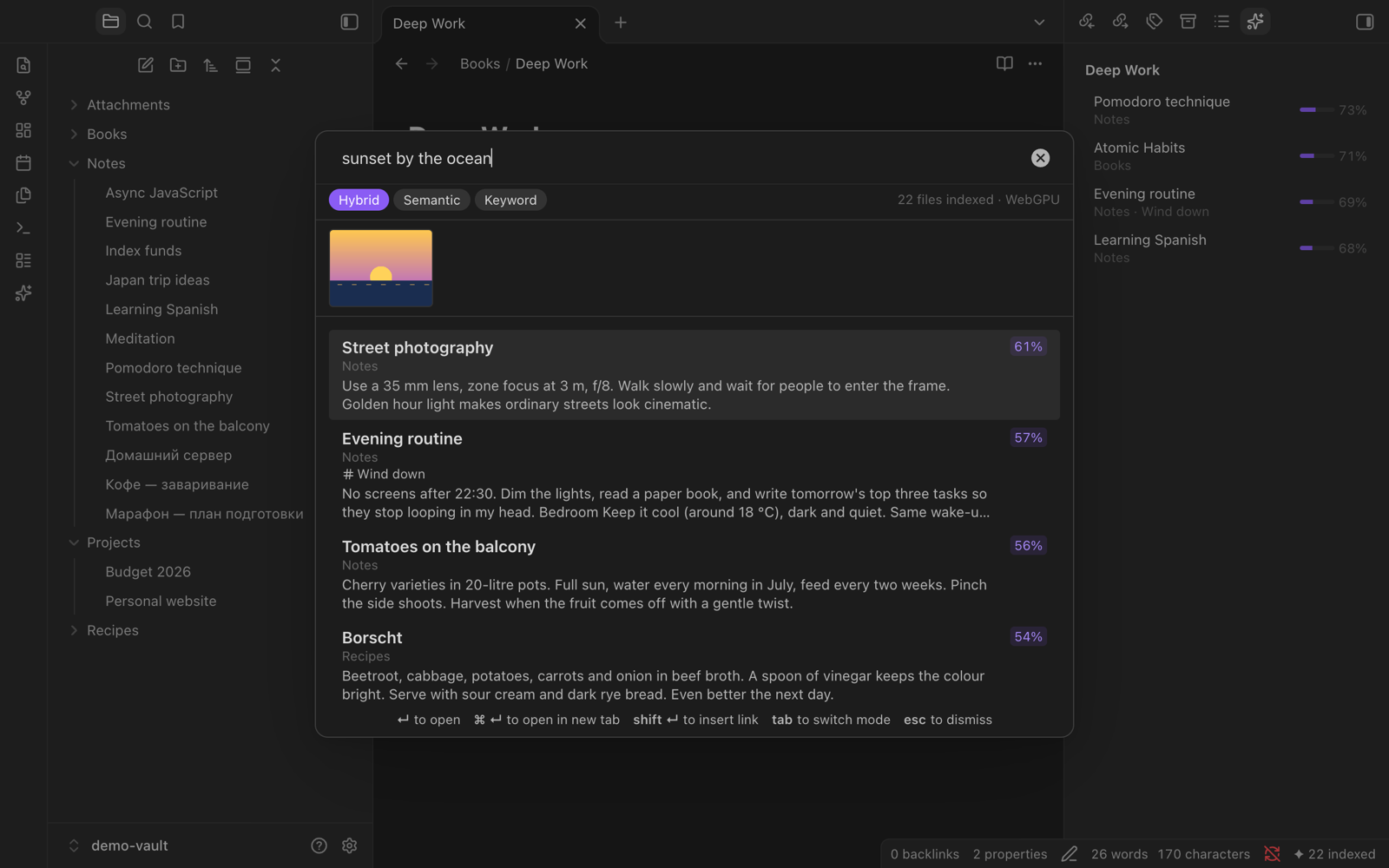
- Image search. Find PNG, JPG and WebP images in your vault by describing them, e.g. "brain waves diagram" or "man holding money".
- Always up to date. New and edited notes are re-indexed within seconds. Renames and deletes are tracked, and unchanged files are never re-embedded.
- Two engines. Use the built-in engine (WebGPU, nothing to install) or a local Ollama server.
Install
The plugin isn't in the community plugin directory yet. Install it either way:
With BRAT (recommended, gets updates)
- Install and enable BRAT.
- Run the command BRAT: Add a beta plugin for testing and enter
TheBrainAir/vault-semantic-search. - Enable Vault Semantic Search in Settings → Community plugins.
Manually
- Download
main.js,manifest.jsonandstyles.cssfrom the latest release. - Put them in
<your vault>/.obsidian/plugins/vault-semantic-search/. - Reload Obsidian and enable the plugin.
On first start, a setup window explains what gets downloaded and lets you pick an engine.
Usage
| Action | How |
|---|---|
| Search | Ribbon icon ✦, or the command Search by meaning (assign a hotkey in Settings → Hotkeys) |
| Open result | Enter; Cmd/Ctrl+Enter opens it in a new tab |
| Insert a link to the result | Shift+Enter |
| Switch hybrid / semantic / keyword | Tab |
| Search for the selected text | Command Find notes similar to selection |
| Related notes sidebar | Command Open related notes |
| Pause or resume indexing | Click the ✦ item in the status bar |
Engines
| Engine | Download | Speed | Notes |
|---|---|---|---|
| Built-in, WebGPU (default) | ~175 MB once (+~110 MB for image search) | Fast | Runs EmbeddingGemma 2 (q4) on your GPU through WebGPU. |
| Built-in, CPU mode | ~1.1 GB once (+~670 MB for image search) | Several times slower | For machines without WebGPU. The quantized model needs a GPU-only operator, so CPU mode uses the full-precision model. |
| Ollama | Whatever you pull | Fast | Run ollama pull embeddinggemma-2:270m. For image search use a tag with vision, such as embeddinggemma-2:440m. |
On an Apple M3 with WebGPU, indexing 200 notes and 17 images takes about 80 seconds, and a search takes 60–90 ms.
WebGPU works out of the box in Obsidian on macOS and Windows. On Linux it may be unavailable; use Ollama or CPU mode there.
Privacy and network use
All embedding happens on your computer. The plugin has no telemetry and never sends your notes anywhere. It makes these network requests:
- huggingface.co (and the Hugging Face download CDN): one-time download of the EmbeddingGemma 2 model from
onnx-community/embeddinggemma-2-ONNX, pinned to a fixed commit. Built-in engine only. - cdn.jsdelivr.net: one-time download of the ONNX Runtime WebAssembly binary (
ort-wasm-simd-threaded.asyncify.wasm). It is checked against a SHA-256 hash built into the plugin before use. The runtime's JavaScript is bundled in the plugin, so no remote code is executed. Built-in engine only. - Your Ollama server (default
http://localhost:11434), only when you choose the Ollama engine.
Where data is stored
- Model files are cached in Obsidian's browser cache. Settings → Clear model cache deletes them.
- The index (vectors and chunk positions) lives in Obsidian's IndexedDB, one database per vault, outside the vault folder. Sync tools such as iCloud, Obsidian Sync or git never see it, so it can't cause sync conflicts. Each device builds its own index.
- Note text is not copied into the index. Keyword search is rebuilt in memory from your notes at startup.
How it works
- Each note is split into chunks of about 1,200 characters along headings. Frontmatter properties, aliases and tags are added to the first chunk. Markdown syntax is stripped.
- Chunks are embedded with EmbeddingGemma 2 using its document prompt (
title: … | text: …), and queries use its search prompt (task: search result | query: …). Vectors can be shortened to 512 or 256 dimensions (Matryoshka) in settings. - A search scores every chunk by cosine similarity; each note takes the score of its best chunk. In hybrid mode an in-memory BM25 index adds a bonus for notes that contain most of the query's words.
- Images are embedded into the same vector space, so text queries can find them. They are shown separately, and only when they stand out from the rest of your images.
The model runs in a Web Worker so Obsidian stays responsive, and search queries jump ahead of indexing work.
Settings
- Engine / device / Ollama URL and model: see Engines.
- Vector size: 768 (best), 512 or 256. Smaller uses less memory. Changing it rebuilds the index.
- Image search: index images too.
- Default mode: hybrid, semantic or keyword.
- Excluded folders: folders to skip. Obsidian's own Excluded files are skipped too, unless you turn that off.
- Rebuild index / Clear model cache.
Development
npm install
npm run dev        # watch build into main.js
npm test           # unit tests (chunker, BM25, ranking, storage)
npm run lint       # eslint-plugin-obsidianmd
npm run smoke      # loads the real model in Node and checks ranking quality
node scripts/mock-ollama.mjs   # fake Ollama server on :11555 for testing the Ollama engine
Symlink main.js, manifest.json and styles.css into <vault>/.obsidian/plugins/vault-semantic-search/ to try a build.
Credits and licenses
- EmbeddingGemma 2 by Google DeepMind, Apache 2.0. The ONNX conversion is by the ONNX Community.
- Transformers.js by Hugging Face, Apache 2.0.
- ONNX Runtime Web by Microsoft, MIT.
This plugin is released under the MIT License.
For plugin developers
Search results and similarity scores are powered by semantic analysis of your plugin's README. If your plugin isn't appearing for searches you'd expect, try updating your README to clearly describe your plugin's purpose, features, and use cases.