PDF Autoscroller
unlistedby trailofjohn
Automatically scrolls PDF files smoothly like movie credits, with WPM reading analytics.
PDF Autoscroller for Obsidian
Human Text :
This is vibe coded. efficiency is a dream here (probably) when I use it the pdf scrolls. I have no idea why or how. But it scrolls. Not bad for 20 mins and 3 prompts
AI Text :
Automatically scroll your PDF files inside Obsidian at a smooth, customizable pace. Experience smooth reading right from your workspace!
https://github.com/user-attachments/assets/demo.mp4 (Or view via ./demo/demo.mp4 locally)
Features
- Smooth Scrolling: Engineered with
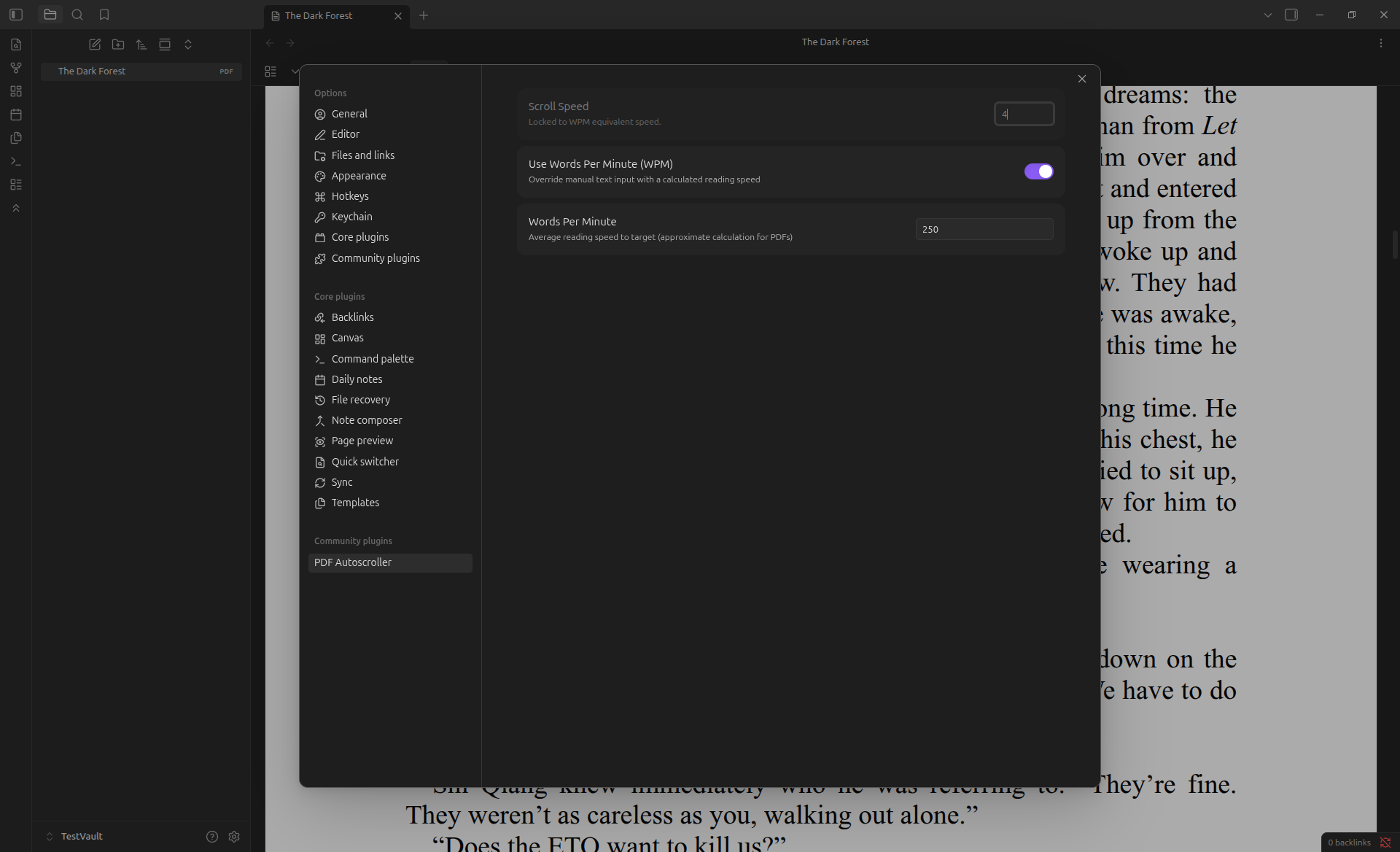
requestAnimationFrameand fractional-pixel calculation, pushing standard interval-based scrolling aside to achieve visually perfect velocity. - Words Per Minute (WPM) Targeting: Read optimally. Toggle the WPM mode to automatically calculate the required screen-velocity based on standardized mathematical conversions of your active PDF viewport!
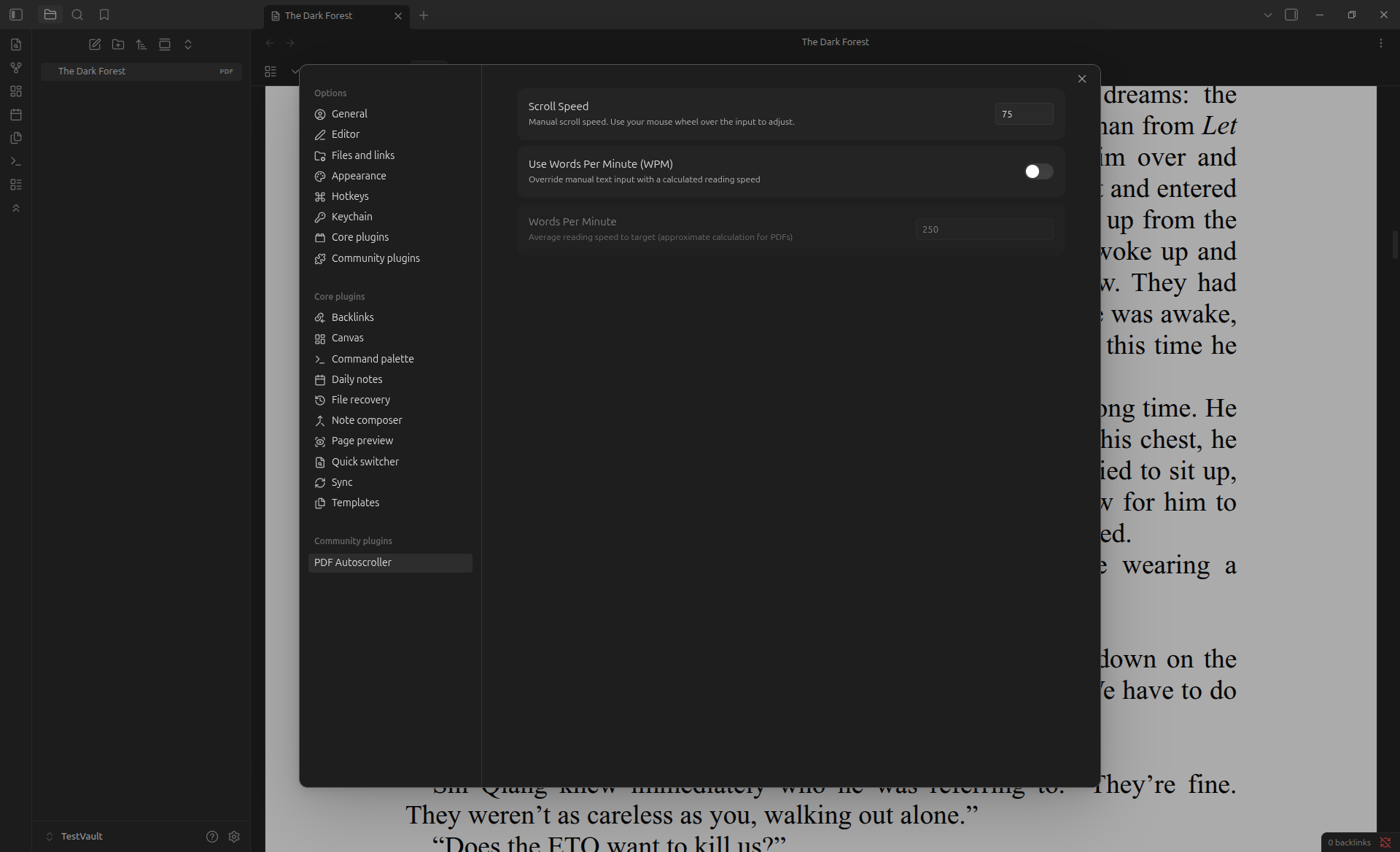
- Granular Speed Dial: Want full control? Dial your speed natively using your scroll wheel up to practically unlimited ceilings.
Screenshots
WPM Toggle OFF (Manual Drag Speed Mode)
WPM Toggle ON (Calculated Read Speed Mode)
The WPM Engine
Rather than relying on abstract guessing or raw zoom-level hardcoding, setting your reading speed to WPM invokes a scientifically backed extraction:
- Word Constraint Check: Standard book-scale pages process around
250 words per page. AtWPM, completing one single page demands exactly15000 / WPMseconds. - True-Box Extraction: The plugin dives into the active
pdf.jsbounding layers in Obsidian. It isolates the primary.pagecontainer and determines its exact pixelclientHeightbased on your exact layout and zoom parameters. - Velocity Matching: It establishes pixel velocity using the formula:
Pixels_Per_Second = (Client_Height * Target_WPM) / 15000. This allows the scrolling velocity to be mathematically locked to your precise reading cadence!
How to use
- Open Obsidian and select any
.pdfviewing pane. - Inside your left-hand ribbon menu, click the Chevrons-Up icon to instantly invoke the autoscroller.
- Click it again to halt scrolling.
- Go to Settings -> Plugin Options -> PDF Autoscroller to dial in manual speed controls or configure your exact WPM threshold.
Installation
Pending Official Community Release. (Currently, this can be manually installed by dropping the built files into a vault, or installed via Obsidian42 BRAT by pointing to this repository!)
For plugin developers
Search results and similarity scores are powered by semantic analysis of your plugin's README. If your plugin isn't appearing for searches you'd expect, try updating your README to clearly describe your plugin's purpose, features, and use cases.