Vergo MDX Studio
unlistedby Arman Hosseini
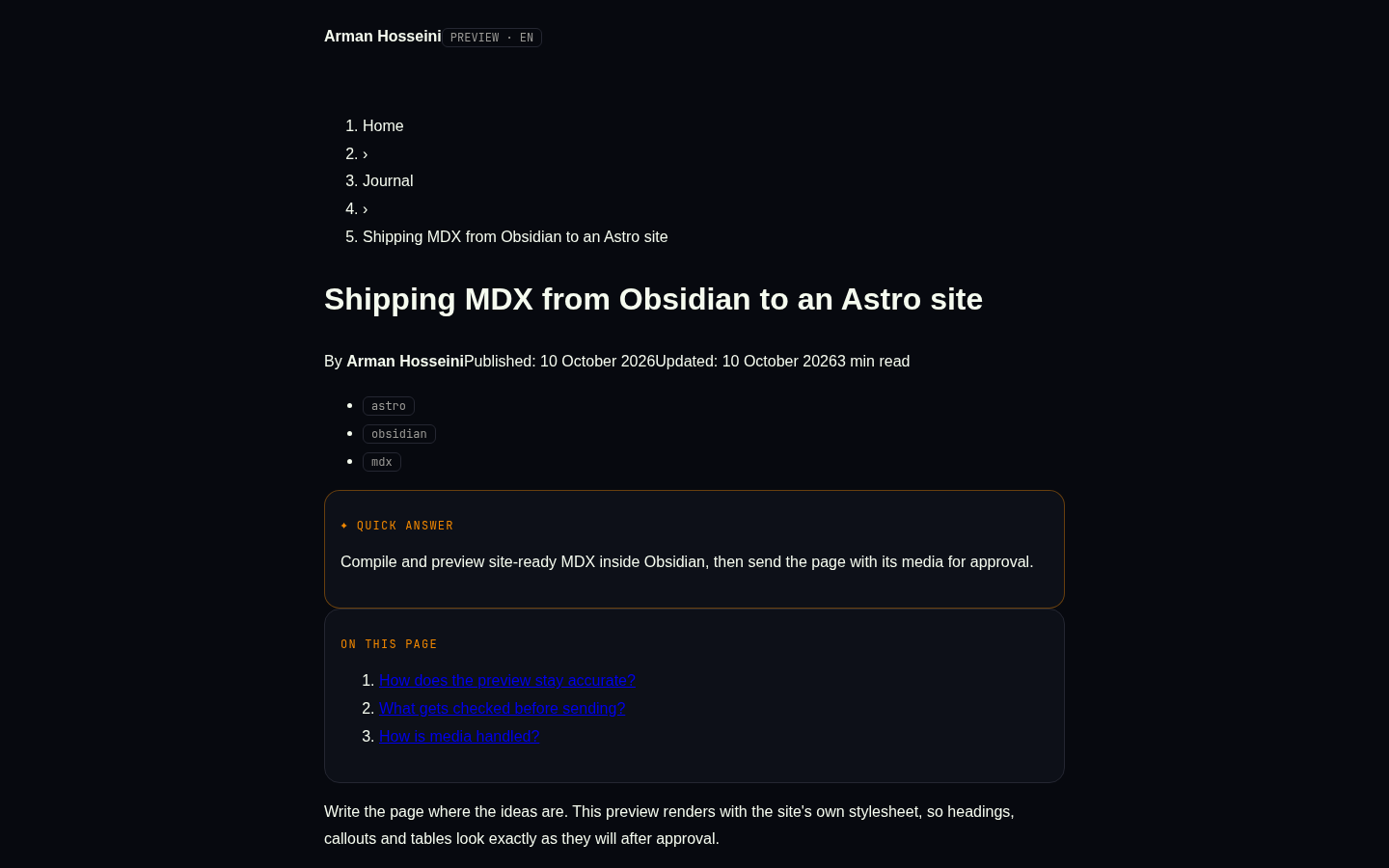
Write MDX, preview it like arman-hosseini.ir, compile it and send it with its media for approval.
Vergo MDX Studio
Write .mdx in Obsidian, see it as it will look on the website, compile it, and send the page together with its images/videos to the site — where it waits for your approval in the dashboard Inbox.
Why
Authoring site-ready MDX by hand means juggling frontmatter, website-only components, Obsidian syntax and media that has to reach the server. Vergo MDX Studio moves that into the editor you already write in: an accurate preview, the same compiler the site runs, a pre-flight check, and a send-for-approval flow that never publishes anything on its own.
Features
- New MDX note — right-click any folder in the file explorer (or run the command). Asks title + language, creates a
.mdxwith the right frontmatter and opens it..mdxfiles open in the normal editor. - Website preview — a side pane that renders the note with the site's own stylesheet (a copy is bundled so it is never unstyled; the live one is used when the site already runs the current design — setting Preview styles). RTL/LTR by
lang, dark/light toggle, Quick-answer box, table of contents, FAQ, reading time. Updates as you type. - Compile — the same MDX compiler the site uses (GFM on). Errors show file line/column with a plain-language hint. Website-only components render as placeholders;
importlines are ignored for the preview only. - Checks — title/summary length, missing alt text, H1 in body, FAQ/tags hints, missing media — the same kind of rules the dashboard's SEO health applies.
- Send to website… — asks language (
en/fa), type (journal/projects) and slug, lists the media that will travel with the page, uploads only the images/videos the server lacks (hash-named), then submits. Nothing is live until you approve it in the dashboard Inbox. - Obsidian syntax conversion —
![[img.png]],![[clip.mp4]],[[wikilinks]],==highlight==,> [!callouts],%%comments%%and^block-idsare converted; fenced code blocks are left untouched.
Requirements
- Obsidian
1.5.0or newer (manifest.json › minAppVersion). - A running site with the Studio API and a Studio token from its dashboard.
- For development: Node.js
22or newer and npm.
Install
- Copy
main.js,manifest.jsonandstyles.cssinto<vault>/.obsidian/plugins/vergo-mdx-studio/. - In Obsidian, turn the plugin off and on again (or reload with
Ctrl+R). The preview toolbar shows the running version (v1.1.0) — if it shows an older one, an oldmain.jsis still loaded. - Open Settings ▸ Vergo MDX Studio: set the site URL and paste a token from the dashboard (Settings ▸ Studio tokens). Test checks the connection.
main.js is not committed — build it from source (below).
Usage
| Command (Ctrl/Cmd-P) | What it does |
|---|---|
New MDX note | Create a .mdx with frontmatter in the active folder. |
Open website preview | Open the preview side pane. |
Compile this note | Compile and report errors with line numbers. |
Send this note to the website (needs approval) | Prepare and submit the page + media. |
The file-explorer context menu offers New MDX note on folders and Preview MDX / Send to website… on .mdx files.
Configuration
All settings live in Obsidian (Settings ▸ Vergo MDX Studio); there are no environment variables. The token is stored on the device only.
| Setting | Purpose | Default |
|---|---|---|
| Site URL | Base URL of the site the API runs on | https://arman-hosseini.ir |
| Token | Studio token used as a bearer token | (empty) |
| Default language | en or fa for new notes and sends | fa |
| Default type | journal or projects | journal |
| Preview styles | auto (live when current) or bundled | auto |
| Preview theme | dark or light | dark |
Studio API used
GET /api/studio/ping · POST /api/studio/media/check · PUT /api/studio/media?name=<hash>.<ext> · POST /api/studio/submissions. The server compiles MDX again before storing anything (broken MDX → HTTP 422, nothing stored); the site build produces the final HTML after approval, and staged media is moved into /media/studio/<hash>.<ext> only when you approve.
Architecture
src/main.ts— plugin entry: view, commands, file-explorer menu, settings tab.src/mdx/—frontmatter(parse/set keys),policy(mirrors the server's rules),compile(MDX → DOM with a hint for every error),runtime+components(tiny JSX-to-DOM runtime and preview renderers for the site components),checks(SEO-health rules),obsidianSyntax(Obsidian → MDX).src/preview/—previewView(theItemViewwith an iframe),pageShell(rebuilds the site's entry page),siteCss(live stylesheet with a bundled fallback).src/publish/—client(HTTP to the Studio API),flow(prepare + send),media(find, hash and rewrite media),publishModal.src/settings.ts,src/newNote.ts— settings shape and the new-note dialog.
src/
  main.ts          plugin entry + settings
  mdx/             compile, policy, checks, syntax, runtime, components
  preview/         preview view, page shell, site CSS
  publish/         client, flow, media, modal
  settings.ts
  newNote.ts
scripts/
  snapshot-css.mjs  refresh the bundled stylesheet from a site build
Development
npm install      # install dependencies
npm run dev      # esbuild in watch mode -> main.js
npm run typecheck
npm test         # vitest run
npm run build    # tsc --noEmit + production bundle
Tests cover the MDX compile/runtime, Obsidian-syntax conversion, media hashing/rewriting and the full send flow. The Obsidian UI (modals, preview pane, menus) is type-checked but must be tried inside Obsidian.
To refresh the bundled stylesheet from a built copy of the website:
node scripts/snapshot-css.mjs ../arman-hosseini/dist
Security
The plugin only talks to the site URL you configure, authenticated with your token. No page is published without approval, and media is staged server-side until then. Never commit your token; the repository is scanned for secrets before every release.
Contributing
Issues and pull requests are welcome at https://github.com/vergoboy/vergo-mdx-studio. Keep the dashboard policy and SEO rules in sync when the server changes.
License
For plugin developers
Search results and similarity scores are powered by semantic analysis of your plugin's README. If your plugin isn't appearing for searches you'd expect, try updating your README to clearly describe your plugin's purpose, features, and use cases.