Basalt Sync
unlistedby Wayne Hoover
Self-hosted sync. End-to-end encrypted, fast, and nothing to configure.
 Basalt Sync
Fast, secure, self-hosted sync for Obsidian. Simple setup.
Basalt keeps your notes in sync through a server you control. Note contents and filenames are encrypted on your devices. Keep writing offline, catch up when you reconnect, and recover earlier versions from inside Obsidian.



Get started · How it compares · Documentation
Made for your personal vault
- Host it where you want. Run a Docker container or a standalone server binary on your homelab. Basalt is free, open-source software; you provide the hosting and backups.
- Encrypt before upload. Contents and filenames are encrypted on your devices. The server stores the encrypted copies.
- Send less when you edit. Basalt uploads changed pieces of a file and reuses the rest, reducing transfers and storage across versions.
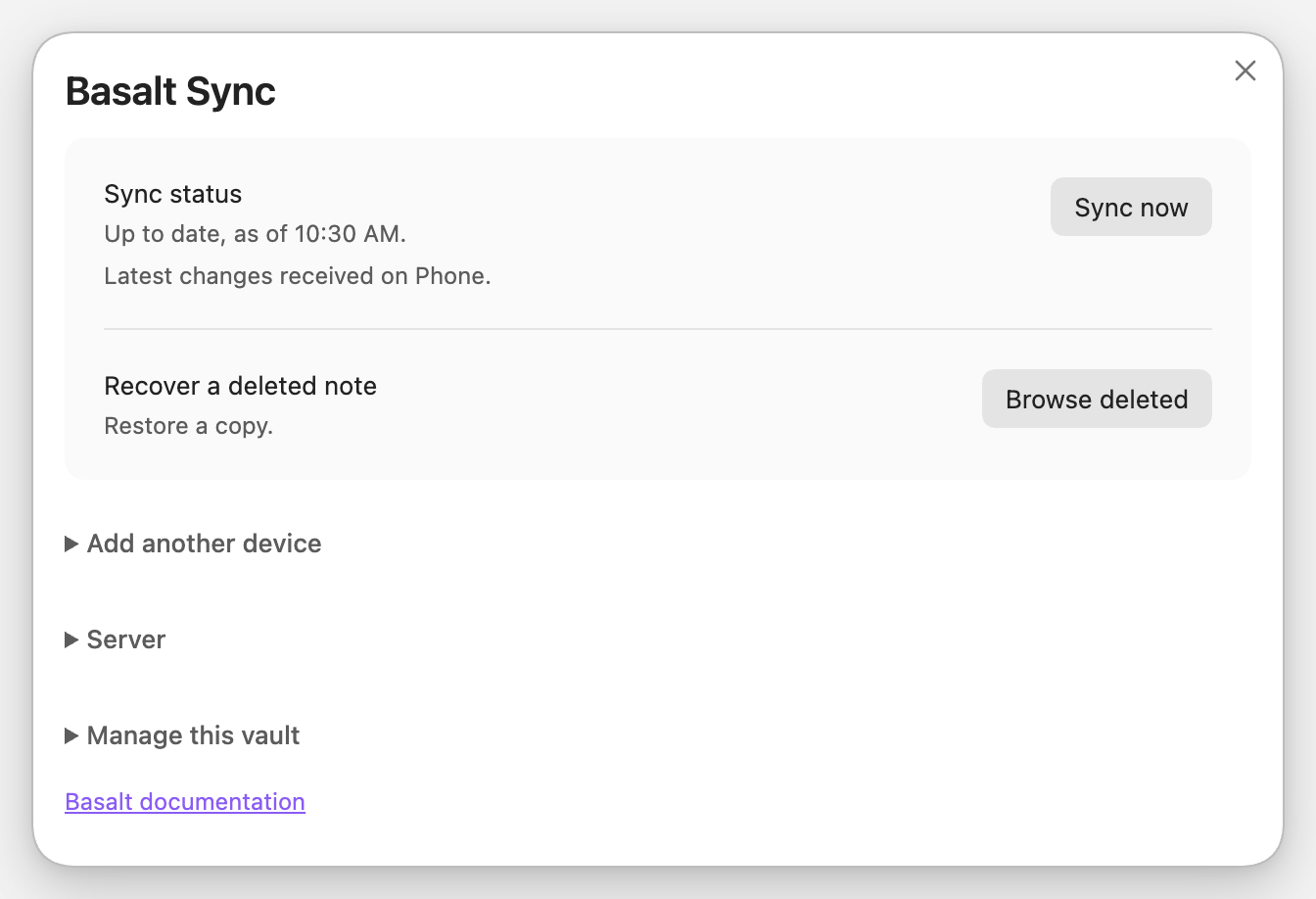
- Recover your work. Browse history, compare changes, and restore deleted notes. Restoring creates a separate copy when a file already exists.
- Handle conflicting edits. Basalt combines edits when its merge checks pass and keeps both versions when they do not. Review preserved copies together and choose what to keep.
- Add devices with an invite. Scan a QR code or copy a pairing code. There is no fixed device limit, and you can revoke a lost device from another one.
Get started
Run Basalt behind Tailscale Serve or an HTTPS reverse proxy. Tailscale Serve is the recommended option for a personal homelab: only your permitted Tailscale devices can reach it. You can also use Caddy or an existing HTTPS proxy with your own domain. Keep Basalt's port 3003 private.
- Set up your server. Run Basalt, follow the secure connection setup, and get the setup string for your first device.
- Install the Obsidian plugin. Start the vault with that string and save the recovery key shown during setup.
- Add your other devices. Create an invite, then scan its QR code or paste the pairing code into Basalt on the next device.
Prefer to have your agent handle setup? Give it llm.md. The guide covers the server, plugin, pairing, and checks that sync works.
For a NAS or a machine without Obsidian, the experimental command-line client can keep a local mirror.
Before you choose Basalt
Basalt is an early project for one person's devices. The supported setup is Obsidian on macOS, Linux, and Android, with local storage. The plugin needs Obsidian 1.7.2 or newer and is installed manually. iOS is untested; Windows is not supported.
On Android, sync runs while Obsidian is open in the foreground. Settings, themes, plugins, and hidden files do not sync. Attachments are included, with a default limit of 64 MiB per file.
Use one sync service per local vault, and keep it off network filesystems. Basalt needs you to maintain the server and keep backups. See How it compares if you prefer a hosted service or need different storage options.
Find what you need
| I want to… | Guide |
|---|---|
| Set up Basalt with an agent | Agent installation guide |
| Run Basalt on my server | Server setup |
| Pair devices or recover a note | Obsidian plugin |
| Back up, restore, or free server space | Server maintenance |
| Keep a copy without Obsidian | Command-line client |
| Understand privacy and recovery keys | Security and privacy |
| Build or contribute | Developer documentation |
License
MIT.
For plugin developers
Search results and similarity scores are powered by semantic analysis of your plugin's README. If your plugin isn't appearing for searches you'd expect, try updating your README to clearly describe your plugin's purpose, features, and use cases.