Real-Time CRDT Sync
unlistedby Yegor Usoltsev
Sync your vault in real time across devices through your own self-hosted server. Supports notes, folders, and attachments with offline editing, conflict recovery, and optional Git backup.
obsidian-crdt-sync


⚠️ Early development — This plugin is in active early development. Use at your own risk and back up your vault before enabling it.
An Obsidian plugin that syncs your vault in real time across devices through your own self-hosted obsidian-crdt-sync-server. Supports notes, folders, and attachments with offline editing, conflict recovery, and optional Git backup.
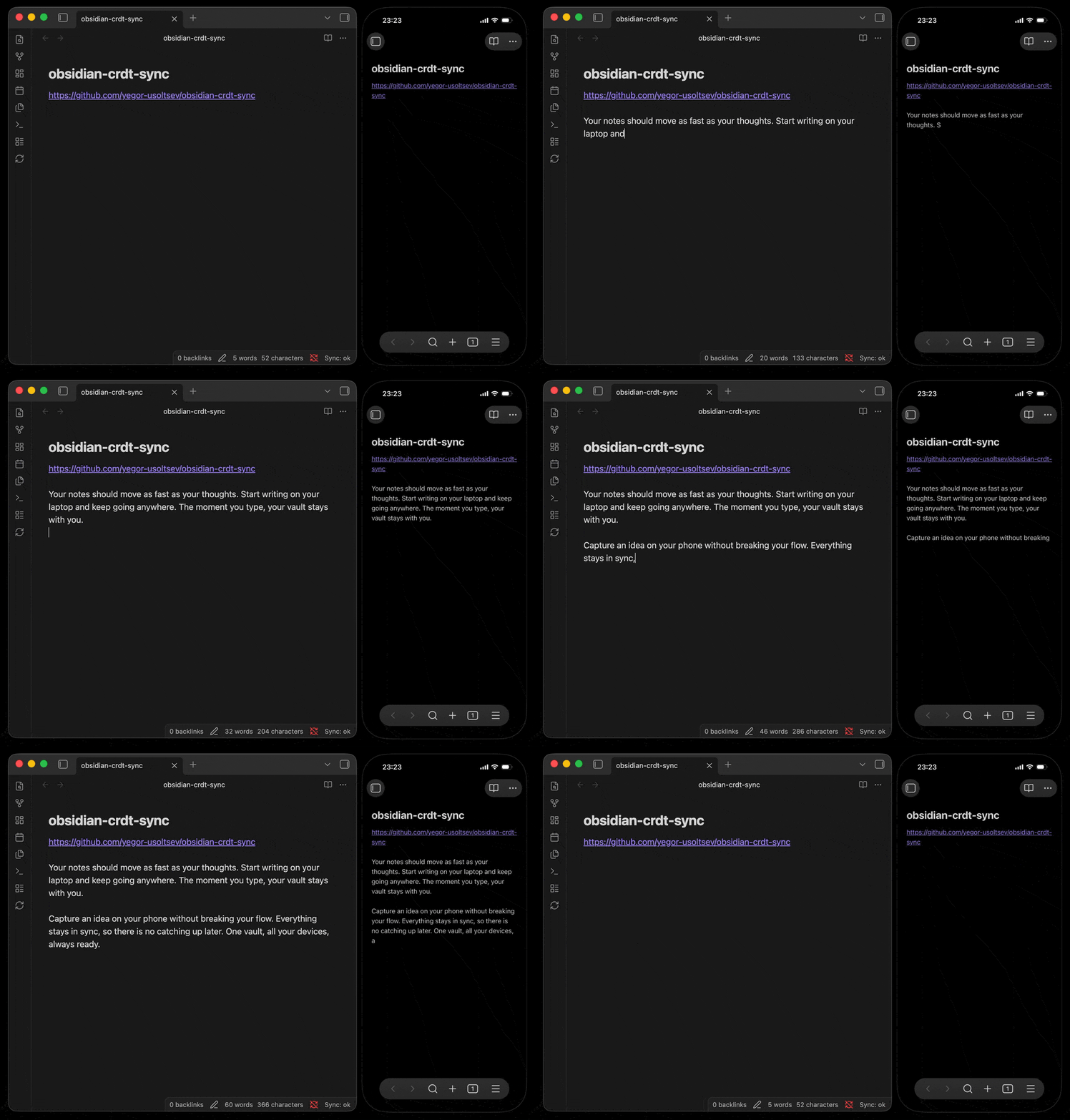
What you get
- Real-time sync for your whole vault: notes update across devices quickly, so your vault feels continuous instead of manually shuffled around.
- Better handling of simultaneous edits: text notes use collaborative merging, which is much more forgiving than plain file-based sync.
- Attachments included: images, PDFs, audio, and other binary files can sync alongside Markdown notes.
- File and folder changes stay aligned: creates, renames, moves, and deletes propagate across devices, not just file contents.
- Offline work still counts: keep editing without a connection and let pending changes catch up when you reconnect.
- Safer conflict handling: if the plugin cannot apply a change cleanly, it preserves local data as
.sync-conflict-<timestamp>copies instead of silently overwriting it. - Backups beyond sync: the companion server can also export your synced vault into Git, giving you commit history and a recovery path outside the live sync database.
- A self-hosted stack: the companion server stores your vault state on infrastructure you control, with durable SQLite storage.
- Practical recovery tools: the plugin shows sync state in Obsidian and lets you trigger a full resync from the command palette whenever you need to reconcile everything.
Installation
The plugin is not yet listed in the Obsidian Community Plugins directory. Install manually:
- Download
main.js,manifest.json,styles.css, andversions.jsonfrom the latest release. - Copy them to your vault's config plugins folder (usually
<vault>/.obsidian/plugins/crdt-sync/). - Enable the plugin under Settings → Community plugins.
Configuration
Open Settings → Real-Time CRDT Sync and fill in:
| Setting | Description |
|---|---|
| Server URL | WebSocket URL of your server, e.g. wss://sync.example.com. Use ws:// for localhost only. |
| Auth Token | Shared secret matching AUTH_TOKEN on the server (min 32 chars). Stored in Obsidian's secure storage. |
| Debug logging | Enable verbose console logs for troubleshooting. |
After saving, the plugin connects automatically. Sync status is shown in the status bar (CRDT Sync: connected, CRDT Sync: syncing, CRDT Sync: offline, CRDT Sync: error). Click the status bar item or use the command palette to run a full sync.
In practice
When a device connects, the plugin reconciles its local vault with the server and resumes syncing from there. Text notes are merged collaboratively, binary files are synced as attachments, local offline changes are replayed on reconnect, and files larger than 90 MB are skipped.
Risks and security
- Data loss: This is early-stage software. Bugs in sync logic could corrupt or lose vault data. Always maintain independent backups.
- Server trust: All vault content is transmitted to and stored on your self-hosted server in plaintext (beyond TLS). Whoever controls the server can read your entire vault.
- TLS required: Always use
wss://for remote servers. The plugin enforces this and rejectsws://for non-localhost addresses. - Auth token: The shared token is the only authentication factor. Use a strong random value generated during server setup and keep it secret. It is stored in Obsidian's secure storage and never written to the data file.
- Protocol stability: The sync protocol and storage format may change in breaking ways between releases while the project is in early development.
Releasing
Create a release from a clean main branch:
bun run release patch
# or: bun run release minor
# or: bun run release major
The local release script updates manifest.json and versions.json, creates a Release: X.Y.Z commit, creates the matching X.Y.Z Git tag, and pushes both main and the tag to GitHub.
The GitHub Actions release workflow then runs GoReleaser on that tag. GoReleaser installs dependencies, builds main.js, creates the GitHub release, and uploads main.js, manifest.json, styles.css, and versions.json as release assets.
For a local dry run of the release packaging:
goreleaser release --snapshot --clean
Versioning
This project uses Semantic Versioning. Release tags use the same X.Y.Z version format as manifest.json and versions.json, as required by Obsidian community plugins.
Contributing
Pull requests are welcome. For larger changes, open an issue first so the release format, protocol compatibility, and migration impact can be discussed before implementation.
License
For plugin developers
Search results and similarity scores are powered by semantic analysis of your plugin's README. If your plugin isn't appearing for searches you'd expect, try updating your README to clearly describe your plugin's purpose, features, and use cases.