Wikilinks to MDLinks
approvedby agathauy
Convert wikilinks to Markdown links and vice versa.
★ 116 stars↓ 22,756 downloadsUpdated 5y ago
Wikilinks to MDLinks (an Obsidian.md plugin)


This plugin allows for the conversion of individually selected wikilinks to markdown links, and vice versa.
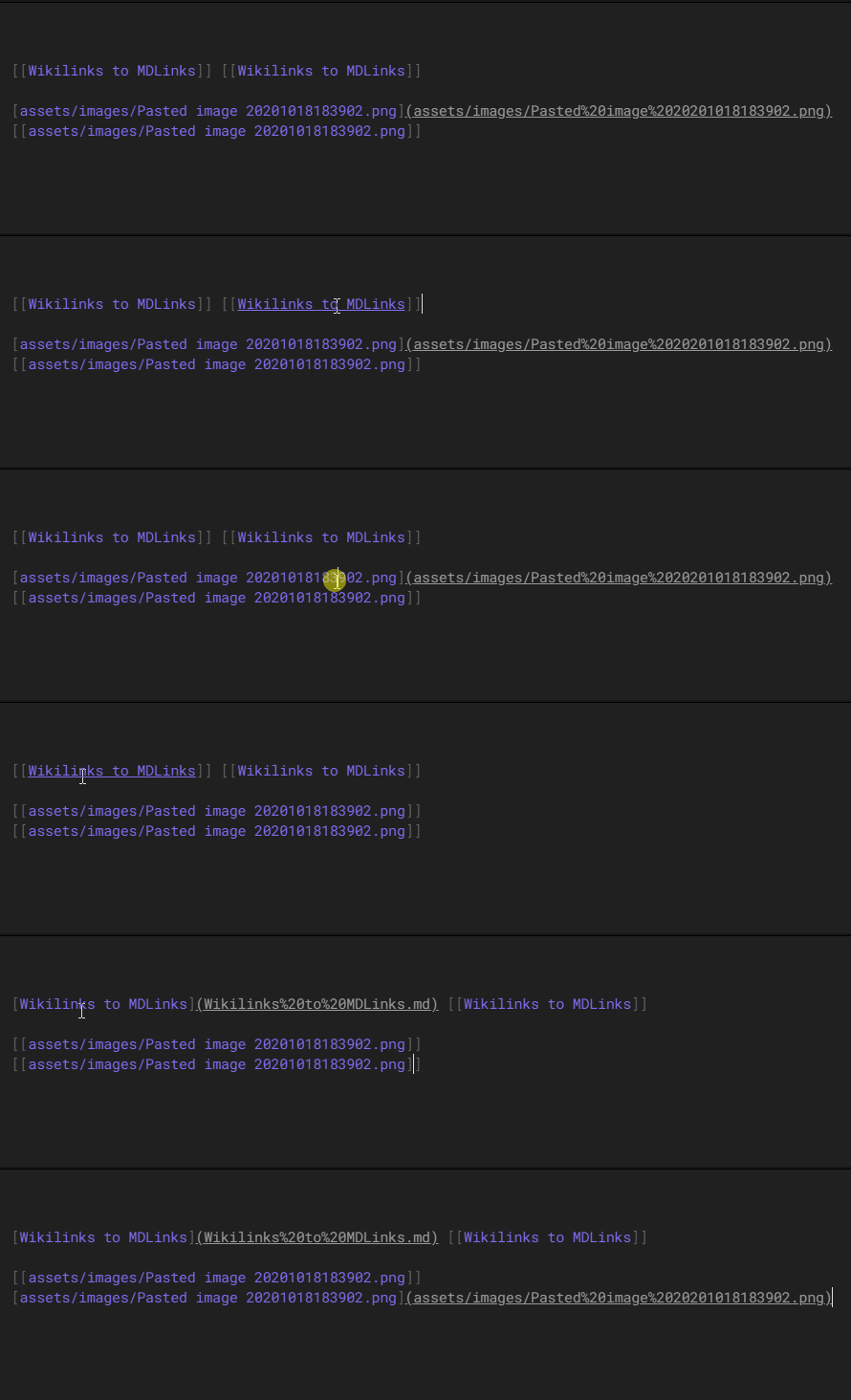
How-to
- Click your cursor somewhere within the link you want to convert.
- Either use the hotkey
Ctrl/cmd + shift + L, or pressCtrl/cmd + pto open the settings dialog and search forWikilinks to MDLinks: Toggle selected wikilink to markdown link and vice versa. Just typing in a bit of the command, e.g. "toggle" would likely allow this command to show up via the suggestions the search dialog provides. - The selected link gets toggled to either wikilink format or markdown format, depending on what it was before.
Settings
- Toggle selected wikilink to markdown link and vice versa
Future Plans
- Convert all wikilinks in selected text to markdown
- Convert all markdown links in selected text to wikilinks
Installation
From within Obsidian
- Install via the
Third Party pluginssetting. Search forWikilinks to MDLinks. - Activate the plugin in the settings.
How to run this repo
- Clone this repo.
npm ioryarnto install dependenciesnpm run devto start compilation in watch mode.
Obsidian API Documentation
Based on the following links:
https://github.com/obsidianmd/obsidian-sample-plugin https://github.com/obsidianmd/obsidian-api
Version History
0.0.5
- Updated for callback check
0.0.4
- Updated markdown link regex
0.0.3
- Updated certain functions as per Obsidian pull request recommendations
0.0.2
- Changed shortcut to
Ctrl/cmd + shift + =due to conflict with previous.
0.0.1
- Initial release. Includes
Toggle selected wikilink to markdown link and vice versa.
For plugin developers
Search results and similarity scores are powered by semantic analysis of your plugin's README. If your plugin isn't appearing for searches you'd expect, try updating your README to clearly describe your plugin's purpose, features, and use cases.