by 杨鹏鹏
Browse book notes in your vault as a cover shelf, and fetch covers and metadata from WeRead and Douban.
YPP Book Shelf
把知识库里的书籍笔记显示成封面书架,并从微信读书 / 豆瓣补全封面与书籍属性。
Browse the book notes in your vault as a cover shelf, and complete covers and metadata from WeRead and Douban.
功能 / Features
-
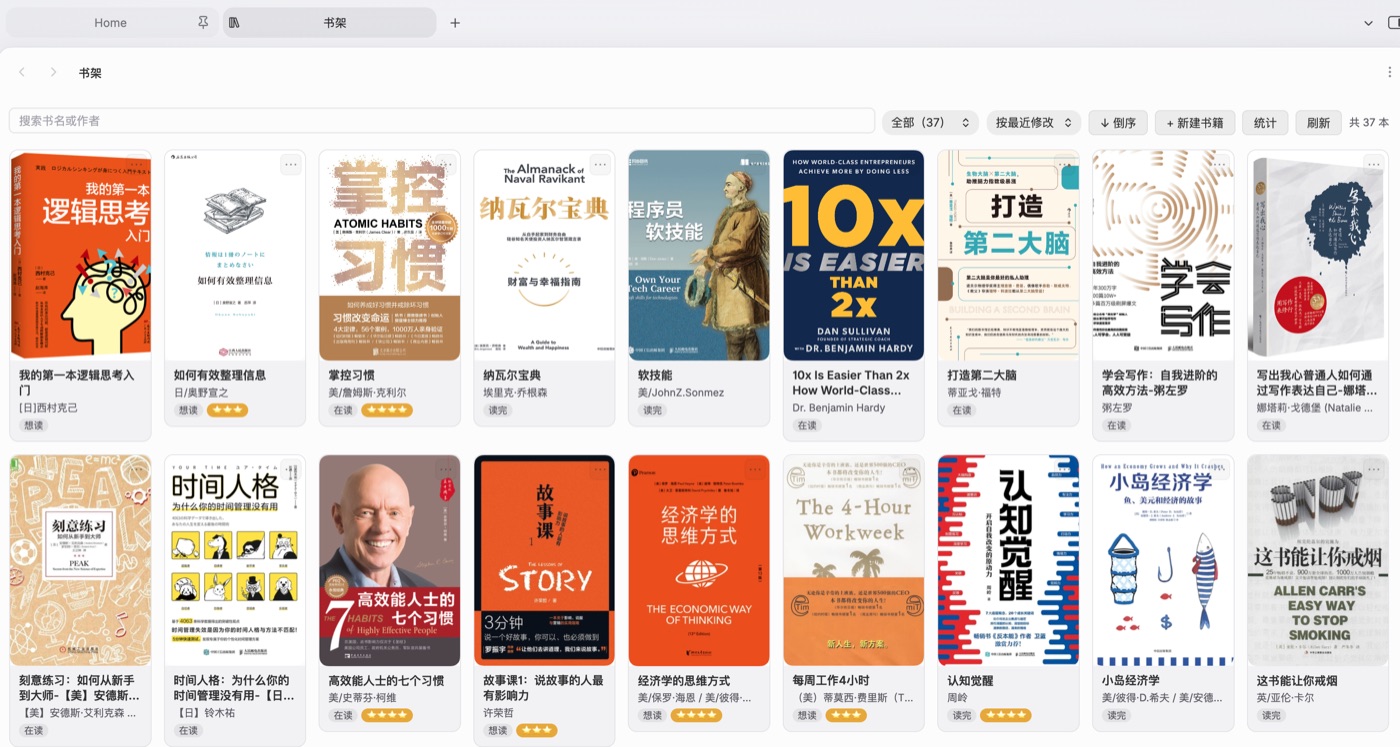
以封面卡片或表格列表浏览书籍笔记,支持搜索、分类筛选、六种以上排序(最近修改 / 加入时间 / 书名 / 作者 / 评分 / 阅读状态 / 页数 / 译者 / 出版社),视图与排序会记住
-
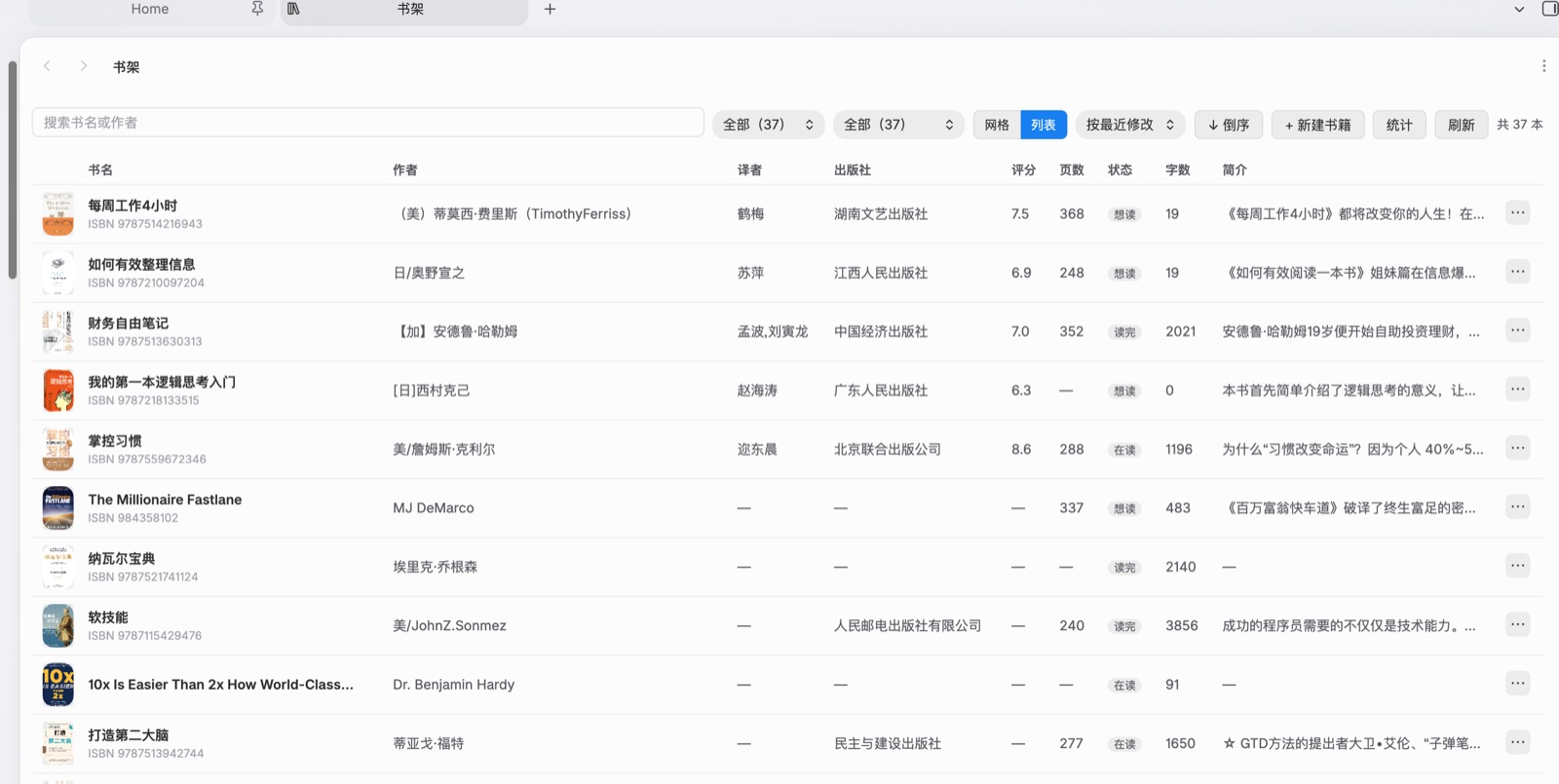
列表视图带封面列、字数、简介,封面悬停放大,书名悬停直接预览笔记正文
-
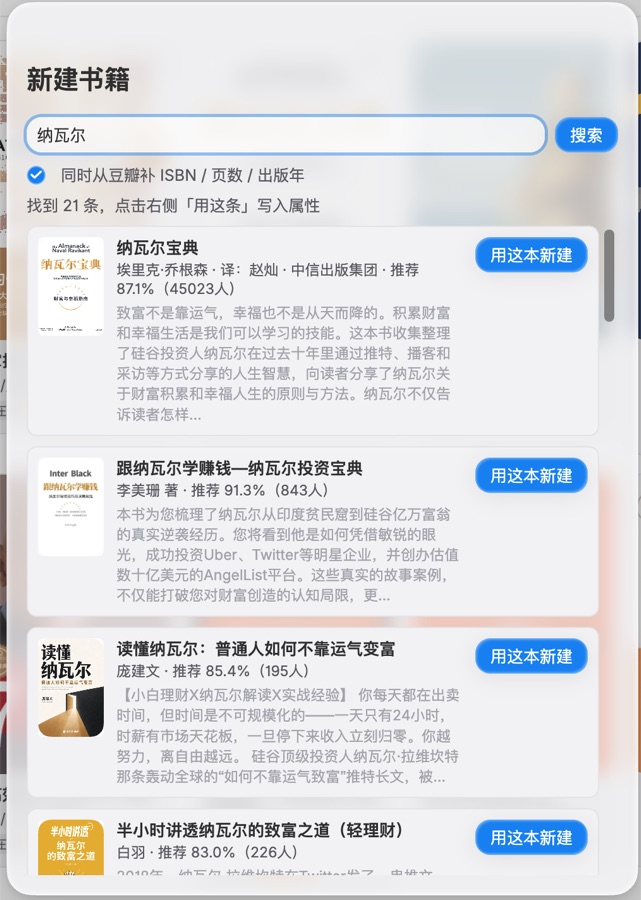
一键从微信读书搜索书名,写入封面、作者、出版社、简介、评分
-
可选再从豆瓣补 ISBN、页数、出版年、出版社
-
新建书籍时按固定版式生成笔记(bookinfo 卡片 + 简介 callout + 标准属性)
-
补全现有笔记时同步已有卡片、封面与空简介;保留手写简介,不给旧笔记强加版式
-
缺字段的书显示「补全」按钮,右键(手机上点「⋯」)可重新拉取
-
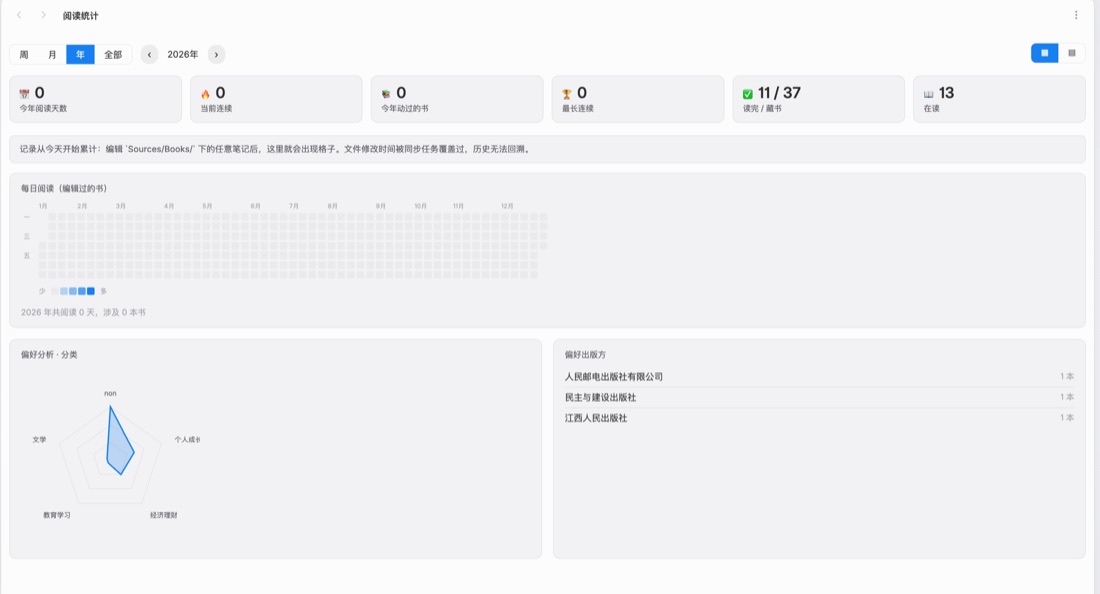
阅读统计:按天记录你编辑过哪些书,画出年历热力图、每月柱状图、偏好分析(分类雷达 + 作者 / 出版社 Top)
-
统计对象可以是书籍目录,也可以换成任意目录(比如统计写作天数)
-
Browse book notes as cover cards or as a sortable table, with search, category filter and nine sort modes (modified, added, title, author, rating, status, pages, translator, publisher). View mode and sort order are remembered.
-
The list view adds cover thumbnails, word count and description; hover a cover to enlarge it, hover a title to preview the note itself.
-
Search WeRead by title and write the cover, author, publisher, description and rating into the note with one click.
-
Optionally enrich the note from Douban with ISBN, page count, publication year and publisher.
-
Create new book notes from a fixed template (bookinfo card, description callout, standard frontmatter).
-
Completing an existing note refreshes its existing card and cover and fills an empty description, preserving handwritten descriptions and notes without that template.
-
Notes missing fields show a "complete" button; right-click (or "⋯" on mobile) re-fetches the metadata.
-
Reading stats: records which books you edited each day and draws a year heatmap, monthly bars and preference charts (category radar, top authors and publishers).
-
The stats can target any folder, for example a
Contentfolder to track writing days instead of reading.
截图 / Screenshots
| 书架 Book shelf | 列表 List |
|---|---|
 |  |
| 阅读统计 Reading stats | 新建书籍 New book |
|---|---|
 |  |
| 设置 Settings |
|---|
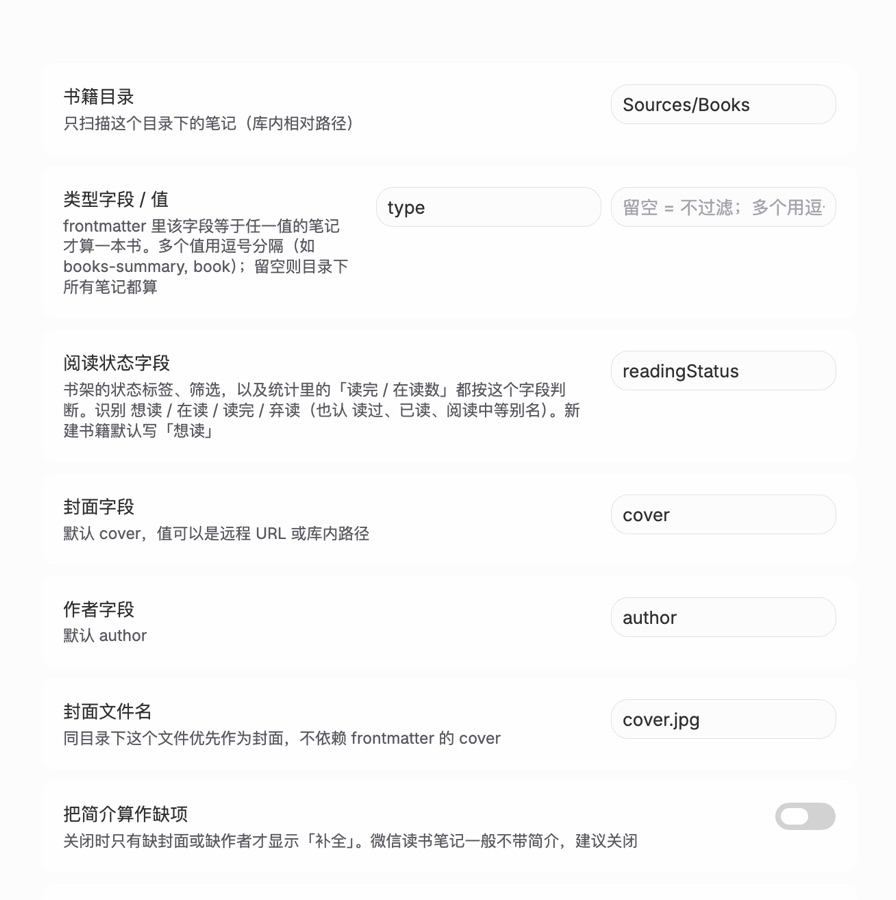 |
安装 / Install
已在 Obsidian 社区市场发布:YPP Book Shelf
方式一:社区市场(推荐)
- Obsidian「设置 → 第三方插件 → 社区插件市场 → 浏览」
- 搜索 YPP Book Shelf 并安装、启用
方式二:手动安装
- 在 Release 下载
main.js、manifest.json、styles.css - 放到
<你的库>/.obsidian/plugins/ypp-book-shelf/ - 重启 Obsidian,在「第三方插件」里启用 YPP Book Shelf
Published in the Obsidian community store: YPP Book Shelf
Option 1: community store (recommended)
- In Obsidian, go to Settings → Community plugins → Browse.
- Search for YPP Book Shelf, install and enable it.
Option 2: manual install
- Download
main.js,manifest.jsonandstyles.cssfrom the latest release. - Put the three files into
<your vault>/.obsidian/plugins/ypp-book-shelf/. - Restart Obsidian and enable YPP Book Shelf under Community plugins.
Requires Obsidian 1.8.7 or newer.
界面语言 / Language
界面跟随 Obsidian 的语言设置(默认跟随系统):中文显示中文,其它语言显示英文。文案表在 src/i18n/,中文原文即 key,缺项自动回退中文。
The UI follows Obsidian's language setting (which follows the system by default): Chinese when Obsidian is Chinese, English otherwise. Strings live in src/i18n/; the Chinese original is the lookup key and missing entries fall back to Chinese.
设置 / Settings
| 项 | 说明 |
|---|---|
| 书籍目录 | 只扫描这个目录,默认 Books |
| 类型字段 / 值 | frontmatter 里该字段等于任一值的笔记才算一本书,留空则目录下所有笔记都算 |
| 新建书籍的类型值 | 新建时写进 type 的值,留空则不写 |
| 阅读统计目录 | 留空跟书籍目录一致;填 Content 就统计写作 |
| 批量同步不计入 | 同步工具批量改写文件时不算作你读了一次 |
| Setting | Description |
|---|---|
| Book folder | Only notes inside this folder are scanned. Defaults to Books. |
| Type field / value | A note counts as a book only when this frontmatter field matches one of the values. Leave empty to treat every note in the folder as a book. |
| Type value for new books | Value written into type when creating a note. Leave empty to skip it. |
| Stats folder | Empty means the book folder; set it to Content to track writing instead. |
| Skip batch sync | File rewrites coming from sync tools are not counted as a reading day. |
数据来源 / Data sources
插件只访问两个地址,不上传任何数据:
weread.qq.com的公开搜索接口(封面、作者、简介、评分)book.douban.com的j/subject_suggest接口(ISBN、页数、出版年、出版社)
这两个接口都不是官方 API,随时可能变更或限流。请求失败时插件会提示,不会写入错误数据。
The plugin only contacts two hosts and never uploads your data anywhere:
- the public search endpoint of
weread.qq.com(cover, author, description, rating); - the
j/subject_suggestendpoint ofbook.douban.com(ISBN, page count, publication year, publisher).
Both are undocumented endpoints rather than official APIs, so they may change or rate-limit at any time. If a request fails the plugin tells you and writes nothing wrong into your notes.
已知限制 / Limitations
-
封面默认以网络地址写入,不下载到本地;可在设置里改成下载到书籍目录(默认关闭)。在线封面在渲染时通过 Obsidian 的
requestUrl绕开防盗链,图片缓存在内存中(按会话) -
阅读统计从启用后开始累计,无法回溯历史(同步工具会覆盖文件修改时间)
-
微信读书 / 豆瓣都是中文数据源,英文书的补全效果有限
-
Covers are stored as remote URLs by default; you can switch to downloading them into the book folder in settings. Remote covers are fetched through Obsidian's
requestUrlto bypass hotlink protection and cached in memory per session. -
Reading stats accumulate from the moment the plugin is enabled; past activity cannot be reconstructed because sync tools overwrite file modification times.
-
WeRead and Douban are Chinese-language data sources, so metadata coverage for English books is limited.
版本 / Changelog
完整更新记录见 CHANGELOG.md,当前版本 0.4.0。
See CHANGELOG.md for the full history; the current version is 0.4.0.
反馈 / Feedback
用着有问题、想提需求,去 GitHub Issues 留一句,能附上 Obsidian 版本和报错就更好查。
Found a bug or want a feature? Open an issue on GitHub; including your Obsidian version and any error message helps a lot.
Donate
插件免费、代码开源。如果它帮你省下一点时间,欢迎扫码请我喝杯咖啡:

用微信扫一扫或长按识别,金额随意,都是鼓励。打赏不是买服务,插件的问题照旧走 Issues。
The plugin is free and open source. If it saves you some time, you can buy me a coffee by scanning the WeChat code above (any amount). Donations are not a support contract — issues still go to GitHub as usual.
License
MIT
0.5.0 开发中
阅读年份可按 finishedDate 筛选(全部、指定年、未填写有效日期),并与搜索、状态、分类及排序组合。统计页新增历年已读数量与已读书籍阅读途径分布,空日期和空途径单列;这部分使用全部已读藏书,与编辑活动时间范围独立。
书籍元数据查询新增本地缓存(7 天、最多 200 项),插件重载后可复用。通过命令面板“清空书籍元数据缓存”强制后续查询重新获取。缓存损坏或写入失败不会阻断检索;数据源不可用时仍使用现有错误处理,不提供过期缓存回退。
开发验证:npm test、npm run build、npm run lint。实际进度与发布前待办见 0.5.0 进度。共享种子库建议推迟,移动端完整测试留待后续。
For plugin developers
Search results and similarity scores are powered by semantic analysis of your plugin's README. If your plugin isn't appearing for searches you'd expect, try updating your README to clearly describe your plugin's purpose, features, and use cases.