AnkiSync+
approvedby rochag07
Integration between Obsidian and Anki.
★ 14 stars↓ 5,233 downloadsUpdated 2y agoMIT
AnkiSync+
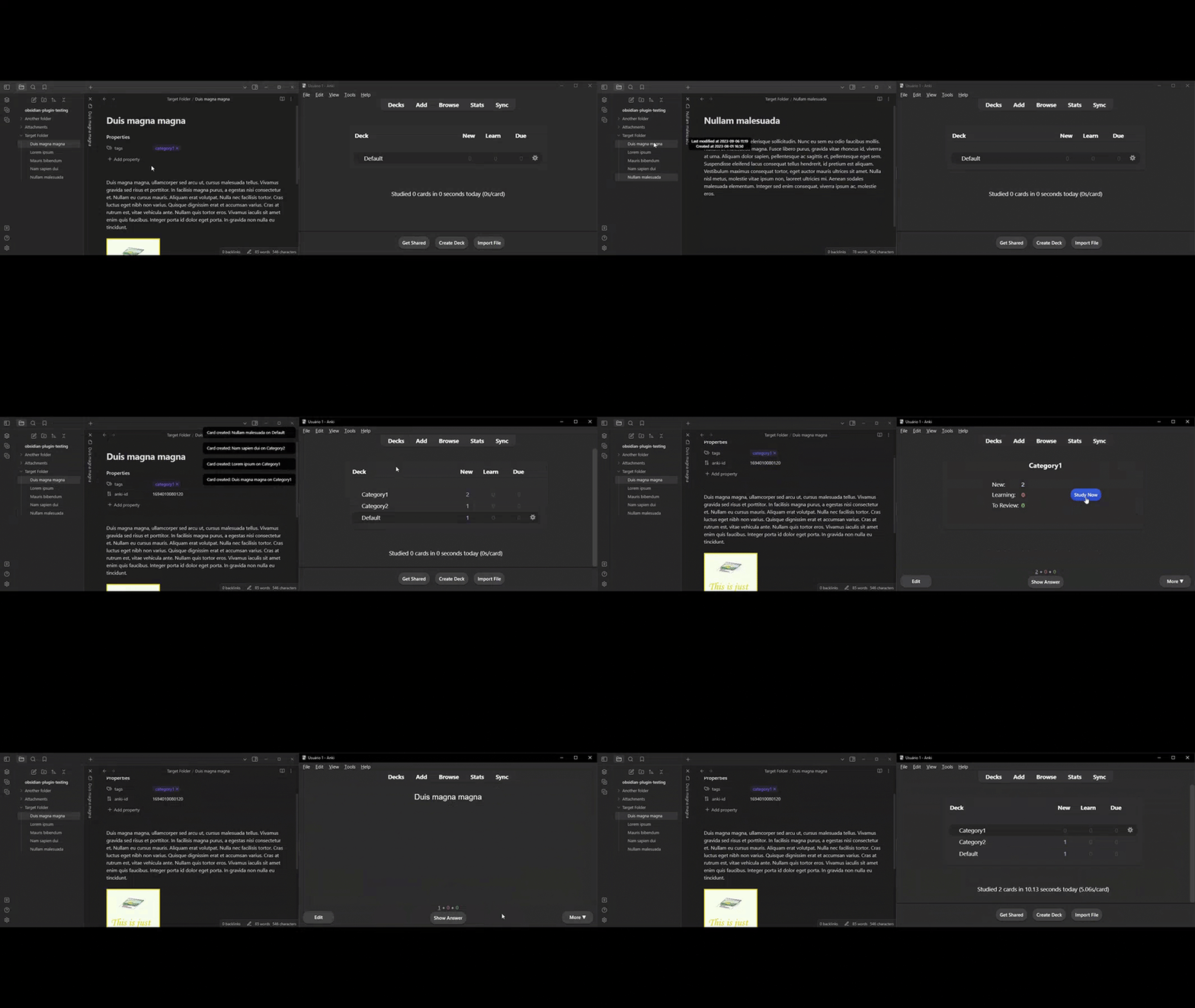
Unlock the power of seamless integration between Obsidian and Anki with AnkiSync+, a feature-packed plugin designed to enhance your flashcard creation experience.
✨ Key Features
- 🗃️ Automated Card Management: Scan the selected folder effortlessly to add new cards or update existing ones. Keep your knowledge up-to-date with ease.
- 📃 Note-Based Card Actions: Choose to add, update, or delete individual cards directly from your currently selected note. Tailor your flashcards to your evolving learning needs.
- 🏷️ Organize with Tags: Organize your flashcards into decks using tags as deck names. The first tag found on a note becomes the deck name, streamlining your card organization.
- ❌ Tag Exclusion: Customize deck names by excluding specific tags. Ensure your decks reflect your unique learning preferences.
- 🌫️ Tag Filtering: Define tags to exclude during file scans, preventing unwanted tags from cluttering your flashcard collection.
- 🗑️ Auto Cleanup: Say goodbye to clutter. Automatically delete the "anki-id" property on notes when cards are removed in Anki during updates.
- 🖼️ Image Support: Seamlessly integrate images into your flashcards and notes for enhanced visual learning.
- ✏️ Excalidraw Integration: Take your diagrams and visual explanations to the next level with support for embedded Excalidraw drawings.
- 🔡 Customizable Regex: Fine-tune card creation by using regular expressions to omit matching text, ensuring that your flashcards are concise and focused.
👨🔧 Setup
- Launch Anki and access your preferred profile.
- Confirm that you have AnkiConnect installed.
- In Anki, go to Tools -> Addons -> AnkiConnect -> Configuration, and modify it to match the following settings.
{
    "apiKey": null,
    "apiLogPath": null,
    "ignoreOriginList": [],
    "webBindAddress": "127.0.0.1",
    "webBindPort": 8765,
    "webCorsOriginList": [
        "http://localhost",
        "app://obsidian.md"
    ]
}
💖 Support
If you find value in this plugin and wish to contribute to its ongoing development, you have the option to show your support on Ko-fi.

For plugin developers
Search results and similarity scores are powered by semantic analysis of your plugin's README. If your plugin isn't appearing for searches you'd expect, try updating your README to clearly describe your plugin's purpose, features, and use cases.