Are.na unofficial
approvedby 0xroko
Save Are.na blocks as notes.
★ 33 stars↓ 2,598 downloadsUpdated 2y agoMIT
Are.na plugin for Obsidian
Allows you to save Are.na blocks as Obsidian notes.
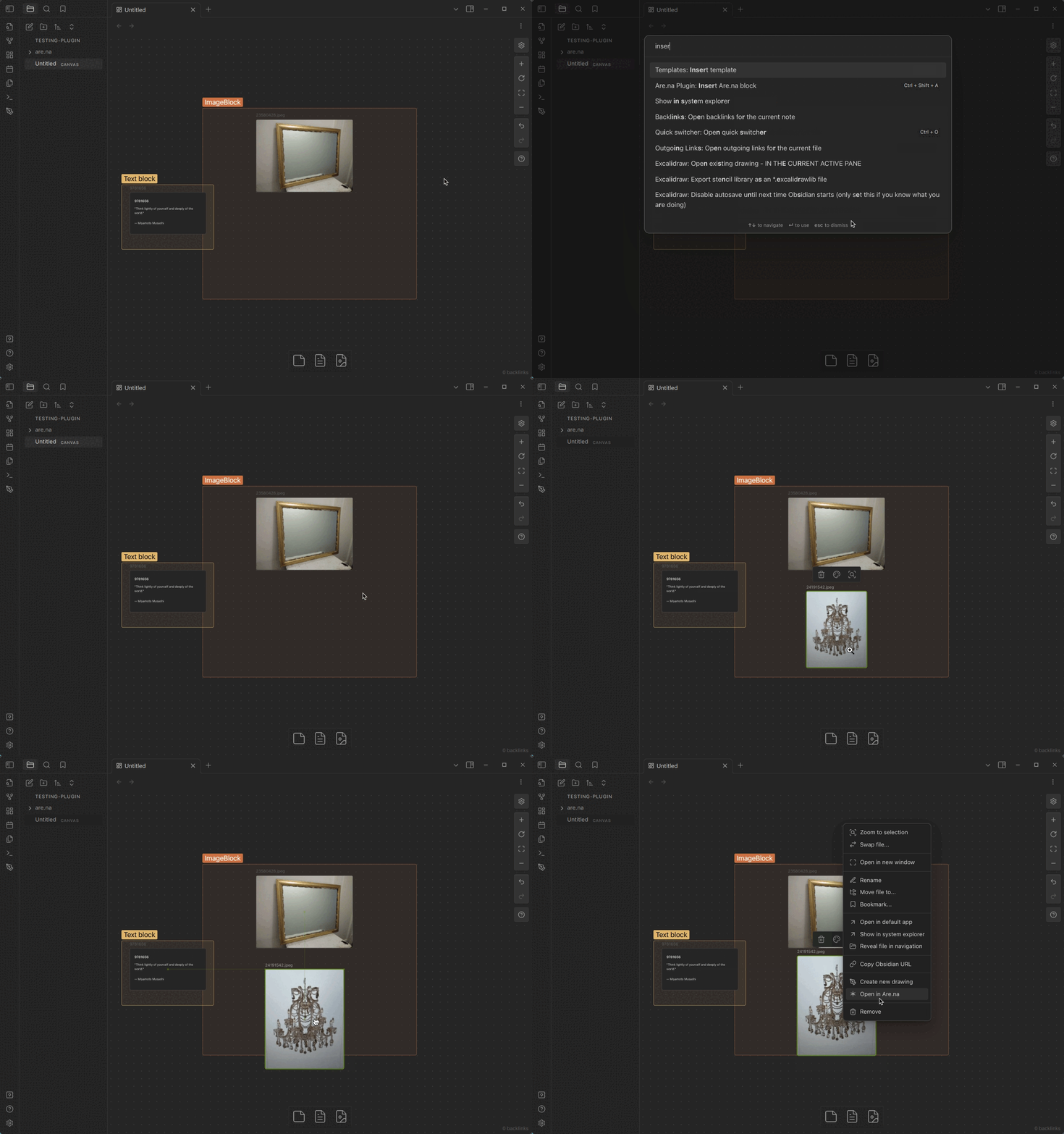
Features
[!IMPORTANT] If you want to save private blocks, you need to create a personal access token
- Local first, save Are.na blocks in your Obsidian notes
- Display Are.na blocks in your Obsidian notes, block <-> note
- Support for all block types
- Easily open Are.na blocks in your browser
- No DB -> file name is the block id
If you want to see a feature implemented, open an issue or a PR.
Usage
Create your Are.na personal access token
-
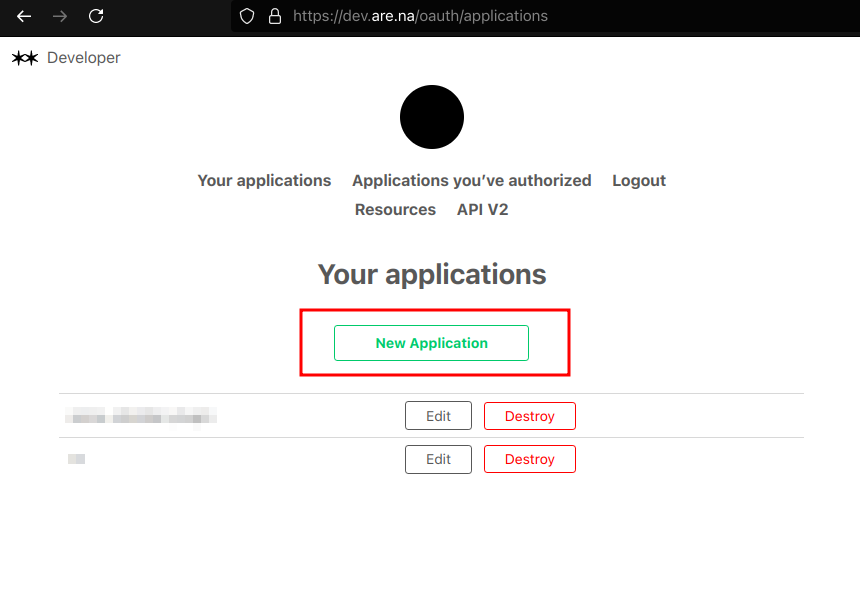
Go to dev.are.na/oauth/applications and login with your Are.na account (this is the official Are.na API)
-
Create a new application
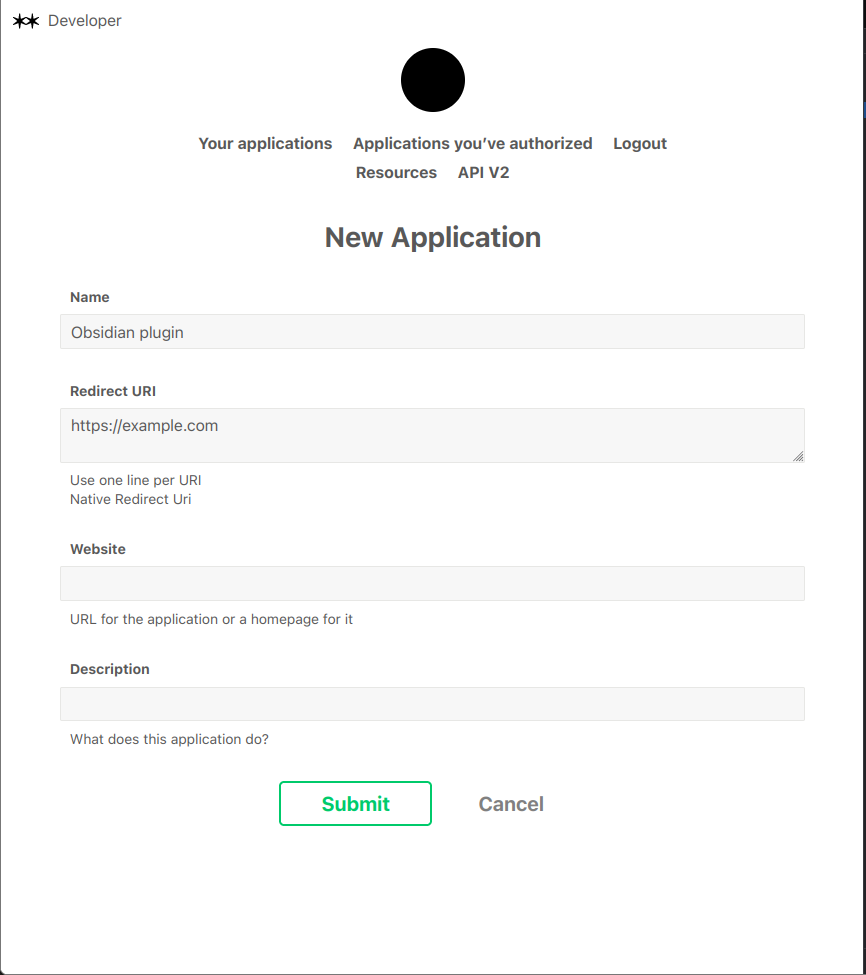
- Name the application whatever you want (e.g. Obsidian plugin)
- Set the redirect URI to
https://example.com(it doesn't matter) - Submit
- Copy the
Personal Access Tokenand enter it in the plugin settings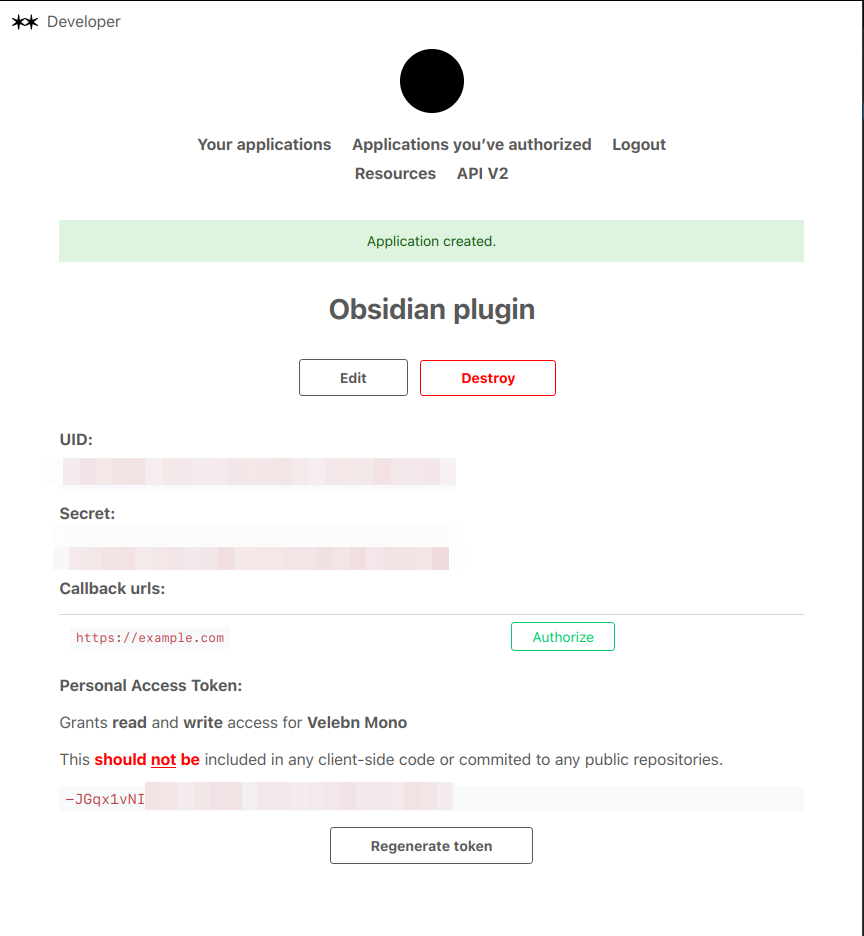
Insert block
- Open the command palette and search for
Insert Are.na block - Done! Block will be inserted in your current note (and saved locally in
are.nafolder)
For plugin developers
Search results and similarity scores are powered by semantic analysis of your plugin's README. If your plugin isn't appearing for searches you'd expect, try updating your README to clearly describe your plugin's purpose, features, and use cases.