Artifact Embed
approvedby LeonYew-Ley
Embed interactive HTML files, URLs, or inline HTML as Claude-style sandboxed artifact cards inside notes. - This plugin has not been manually reviewed by Obsidian staff.



English · 中文
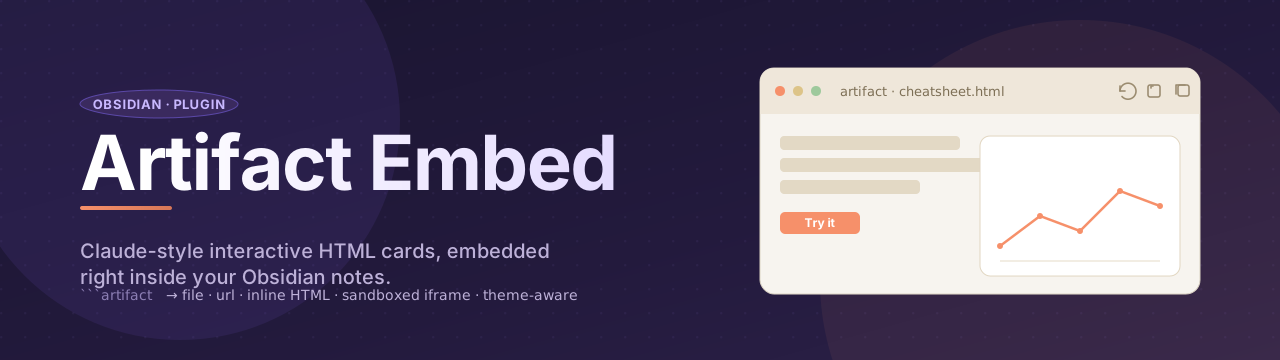
Artifact Embed lets you drop interactive HTML — local files, remote URLs, or inline source — straight into your Obsidian notes as Claude-Desktop-style cards. Each artifact runs in a sandboxed iframe, inherits your Obsidian theme variables, and gives you a tiny toolbar to reload, open externally, or copy the source.
Demo
Why?
Plain Obsidian only renders Markdown. If you want a tabbed cheatsheet, a chart widget, or a self-contained mini-tool inside a note, your choices are: (a) paste raw HTML and pollute the note's global CSS, (b) launch a dedicated HTML viewer in a separate tab, or (c) iframe a URL into a sidebar pane. None of these put a polished, sandboxed, theme-aware artifact card inline next to your prose. That's what this plugin does.
Features
- One unified syntax — a single
```artifactcode block that auto-detects whether its body is a path, a URL, or inline HTML. - Sandboxed by default — every artifact runs in
<iframe sandbox="allow-scripts">with no same-origin access; iframe JS can't reach your vault, cookies, orwindow.parent. - Theme-aware — Obsidian's CSS custom properties (
--background-primary,--text-normal,--font-text, …) are injected into the iframe, sovar(--text-normal)inside your HTML follows light/dark mode. - Card chrome with toolbar — 🔄 reload · 🌐 open externally · 📋 copy source.
- Works in both Reading mode and Live Preview — piggybacks on Obsidian's native post-processor pipeline, no separate CodeMirror plugin needed.
- Per-block overrides — first line of the code block can carry directives like
height=600 title="My Demo".
Usage
Embed a vault file
```artifact
Assets/cheatsheet.html
```
Embed an external URL
```artifact
https://example.com/
```
Many production sites set
X-Frame-Options: DENYor a strict CSP — those will refuse to render inside an iframe. That's the remote site's choice, not the plugin's limitation.
Inline HTML
```artifact
height=320 title="Counter"
<!doctype html>
<html>
<body>
  <button id="b">+1</button>
  <span id="n">0</span>
  <script>
    let count = 0;
    document.getElementById('b').onclick = () => {
      document.getElementById('n').textContent = ++count;
    };
  </script>
</body>
</html>
```
Detection rules
The plugin classifies the code block body by these rules:
| Body looks like | Treated as |
|---|---|
Single line starting with http:// or https:// | external URL → <iframe src=…> |
Single line ending in .html/.htm, no < chars | vault path → load file → <iframe srcdoc=…> |
| Anything else | inline HTML → <iframe srcdoc=…> |
Directives (optional first line)
If the first line of the code block matches key=value syntax (and contains no <), it's parsed as directives:
| Key | Effect | Default |
|---|---|---|
height | iframe height in px | 480 |
title | text shown in the card header | source path / URL / inline HTML |
height=600 title="Big chart"
<svg>…</svg>
Generating compatible HTML with Claude
Claude (and other Anthropic-flavored artifact generators) defaults to its own CSS token system — --color-background-primary, --color-text-primary, --font-sans, --border-radius-lg, etc. None of those variables exist in Obsidian, so the artifact renders with no background, no border, and fallback fonts.
To make Claude reliably emit theme-aware HTML for this plugin, the full rule set is packaged as a reusable Skill at skills/artifact-embed/SKILL.md. The Skill covers Obsidian-native variable mapping, sandbox constraints, output format, and a migration table for existing Anthropic-style artifacts.
How to use the Skill
- Claude Code / Claude Agent SDK — drop the
skills/artifact-embed/directory into your project (or symlink it into~/.claude/skills/artifact-embed/). Claude will auto-invoke it whenever you ask for an Obsidian artifact widget. - claude.ai web / Claude Desktop — open
SKILL.md, copy its body, and paste it as the system prompt (or the first message) of a new project or conversation. - Other LLMs — the file is plain Markdown; paste it as a system prompt to ChatGPT, Gemini, or any tool you use to generate HTML.
Minimal skeleton the Skill produces:
<style>
  .card {
    background: var(--background-primary);
    color: var(--text-normal);
    border: 1px solid var(--background-modifier-border);
    border-radius: var(--radius-m);
    padding: 1rem;
    font-family: var(--font-text);
  }
  .card code {
    font-family: var(--font-monospace);
    background: var(--background-secondary);
    padding: 1px 6px;
    border-radius: var(--radius-s);
  }
</style>
<div class="card">…</div>
Workflow
- Load the Skill into your Claude environment (see the three options above).
- Ask Claude to build whatever widget you want — cheatsheet, calculator, chart, mini-tool.
- Copy the returned HTML into your note inside a
```artifactfence, or save it asAssets/whatever.htmland reference it with```artifact\nAssets/whatever.html\n``. - Reload the note; the artifact now follows your Obsidian theme (light/dark, custom snippets, font overrides).
Already have an existing Claude artifact using
--color-*tokens? Either re-run it through the Skill to regenerate, or apply the find-and-replace mapping in the Skill's migration table.
Install
This plugin isn't in the community plugin browser yet. To install from source:
- Download
manifest.json,main.js, andstyles.cssfrom the latest release (or clone this repo) - Drop them into
<your-vault>/.obsidian/plugins/obsidian-artifact-embed/ - Reload Obsidian (
Ctrl+P→ Reload app without saving) - Open Settings → Community plugins, enable Artifact Embed
Security model
The iframe is sandboxed with allow-scripts allow-forms allow-popups allow-modals. allow-same-origin is deliberately omitted. Consequences:
- ✅ Scripts inside the iframe run normally
- ✅ Forms, popups, modals work for self-contained tools
- ❌ Iframe JS cannot read or write
window.parent,document.cookie,localStorage, or vault state - ❌ Iframe JS cannot make same-origin requests to your filesystem
If you ever need that kind of access, you almost certainly want a different plugin (Templater, Dataview JS, CustomJS). This one's design line is: render untrusted HTML safely.
Limitations / known gaps
- No content-aware auto-resize. Height is fixed (default 480px); override per block via
height=…. Auto-resizing would require sending apostMessagefrom inside every embedded document, which we deliberately don't enforce. - Remote sites with strict frame policies won't load. That's a server-side block — no plugin can defeat it.
- No settings tab in v0.1. Default height / sandbox flags are hard-coded for now.
Examples
See examples/test-note.md — drop it into a vault to verify all three syntaxes render correctly.
Banner credit
The banner is hand-written SVG (docs/banner.svg) — no external tooling needed. If you want to make your own plugin banner, popular free options include:
- Figma — most common, free tier, great export to PNG/SVG
- Penpot — fully open-source Figma alternative
- Canva — template-driven, fastest for non-designers
- Excalidraw — sketchy aesthetic, also exists as an Obsidian plugin
- Satori — generate banners from JSX, programmatically (FOSS, by Vercel)
License
MIT © LeonYew-Ley
For plugin developers
Search results and similarity scores are powered by semantic analysis of your plugin's README. If your plugin isn't appearing for searches you'd expect, try updating your README to clearly describe your plugin's purpose, features, and use cases.