Awesome Reader
approvedby awesomedog
Add support for multiple ebook formats. Remember reading progress and create notes from the table of contents.
Awesome Reader
Make Obsidian a proper Reader.
Features
- 💾 Remember reading progress and sync to all devices. You can now continue reading where you left off across all devices.
- ✒ Create book note from TOC(table of contents). With well organized heading formats.
- ♳ Support multiple ebook formats. Currently, epub and pdf are supported.
How to use
You may want to toggle on Detect all file extensions first in options -> Files & Links.
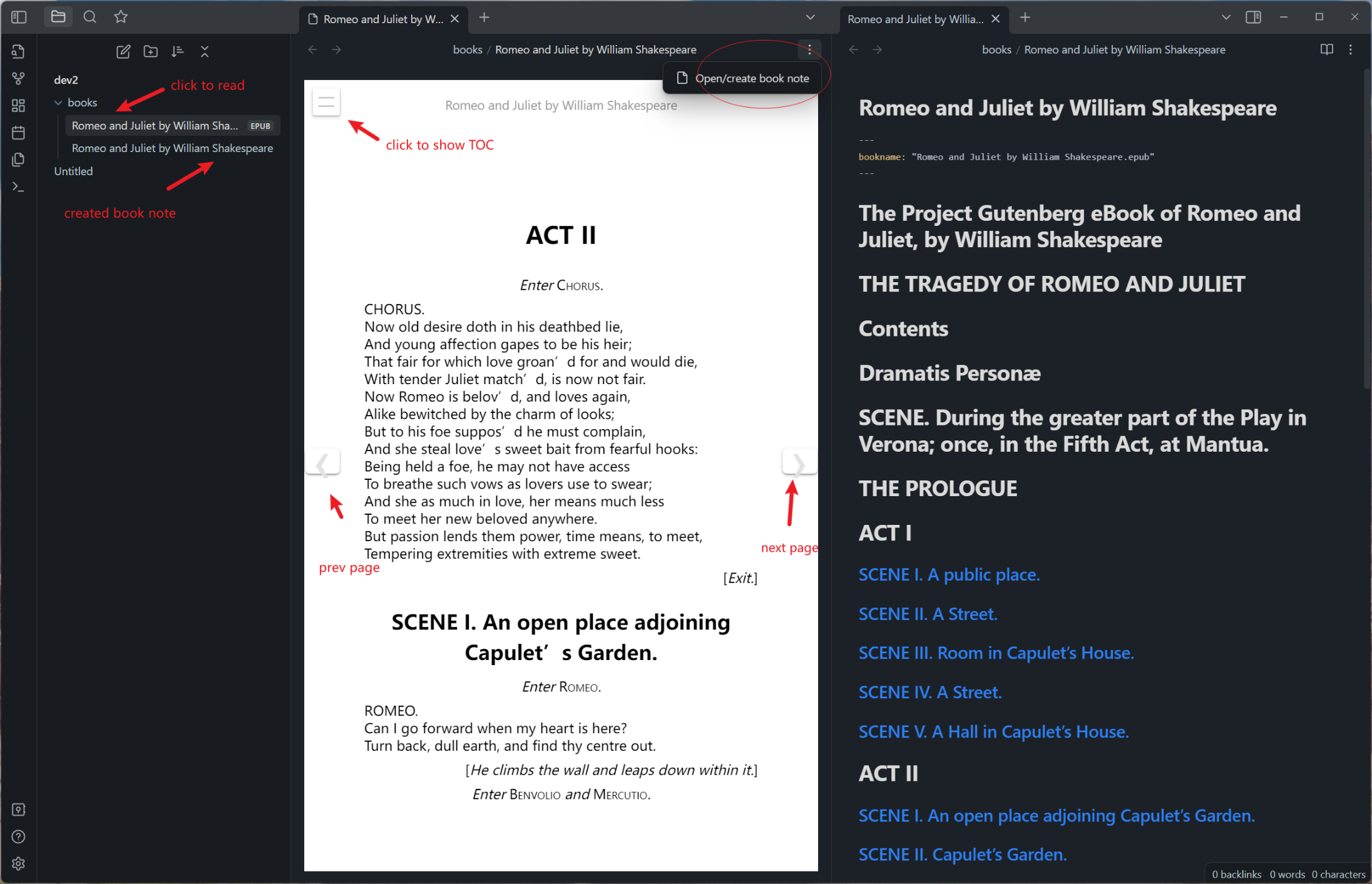
- Drop some ebooks(e.g. epub files) to your vault. Click it and read.
- To create book note, click
Open/create book notefrom file menu. Note will be in the same folder alongside the book. - Reading progress is automatically remembered in plugin's folder. And will be sync to all devices if you got "Obsidian Sync" or similar services.
Known issues
- Reading progress of pdf format is not fully implemented now
Development
Development requires Node.js 24 or newer. Install dependencies, run all checks, build the production bundle, and optionally copy it directly into a local vault:
npm install
npm run check
npm run build
npm run deploy -- "/path/to/vault"
The deploy command copies main.js, manifest.json, and styles.css into .obsidian/plugins/awesome-reader/.
After deployment, enable Awesome Reader in Obsidian. Reload the plugin after source changes; restart Obsidian after
changing manifest.json.
Release
Use npm's version command to update package.json, manifest.json, and versions.json, then push the generated commit
and tag (tags intentionally have no v prefix):
npm version patch
git push origin master --follow-tags
Pushing the tag starts the release workflow. It checks the version, builds the plugin, attaches main.js,
manifest.json, and styles.css, and creates a draft GitHub release for review and publication.
Attribution
Special thanks to caronchen's marvelous Obsidian ePub Reader Plugin, some code is from this great work.
For plugin developers
Search results and similarity scores are powered by semantic analysis of your plugin's README. If your plugin isn't appearing for searches you'd expect, try updating your README to clearly describe your plugin's purpose, features, and use cases.