by Abdullah Alhariri
Reads your note with your own Claude Code and drafts the tasks hidden in it. Tick the ones you want and Axon adds them to your self-hosted Vikunja.




Write the way you think. Axon reads your note with your own Claude Code, finds what you'd otherwise forget,
and sends the tasks you pick to Vikunja, while you keep writing.
No Anthropic API key needed: Axon runs on your own Claude Code instance, using the login and plan you already have.
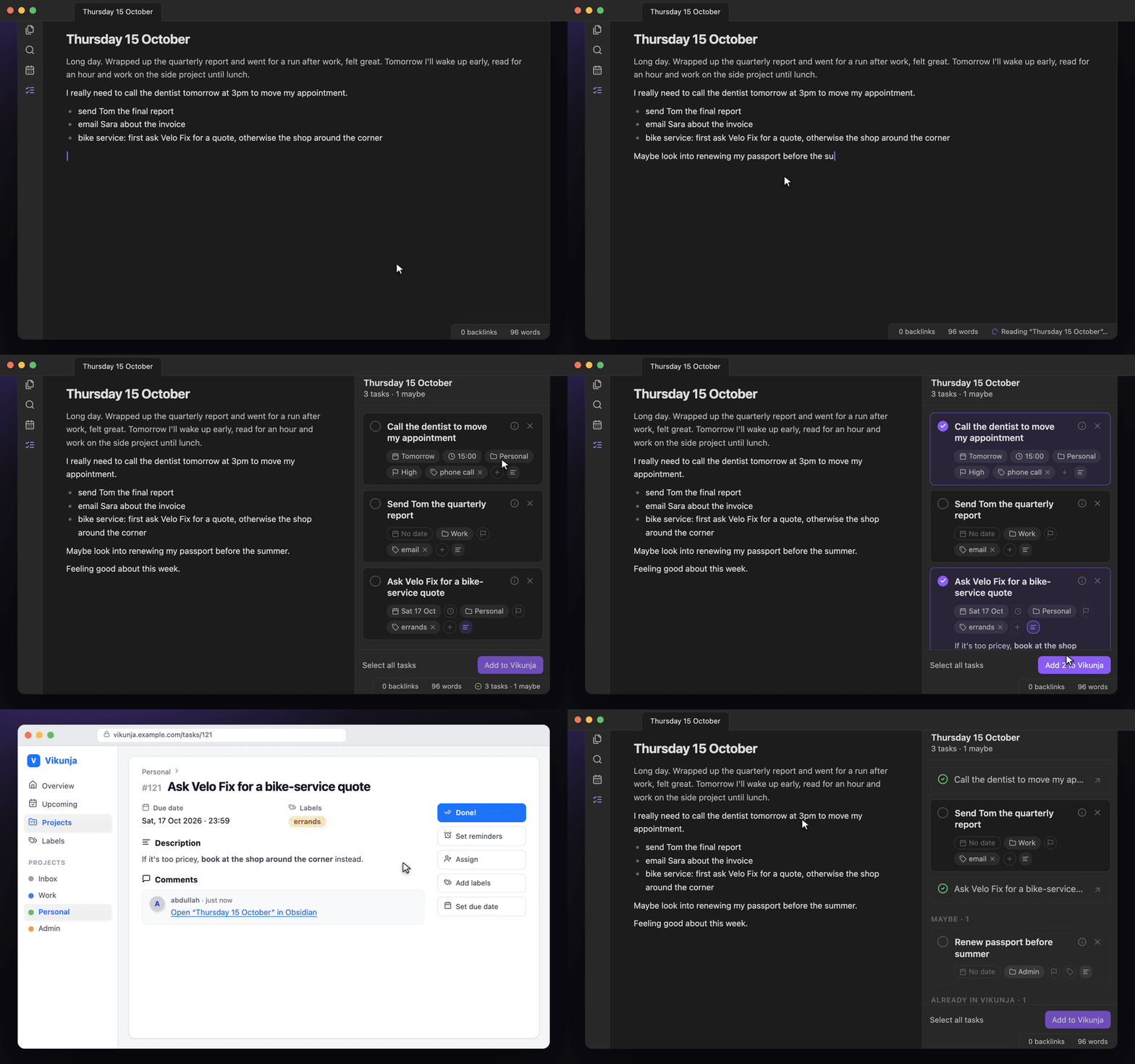
How it works
| 1 · Scan | Click the ribbon icon or run Axon: Extract tasks from current note. A spinner appears in the status bar; keep writing. |
| 2 · Review | The sidebar opens: sure tasks first, then Maybe. Anything already in Vikunja is listed apart, with a link. |
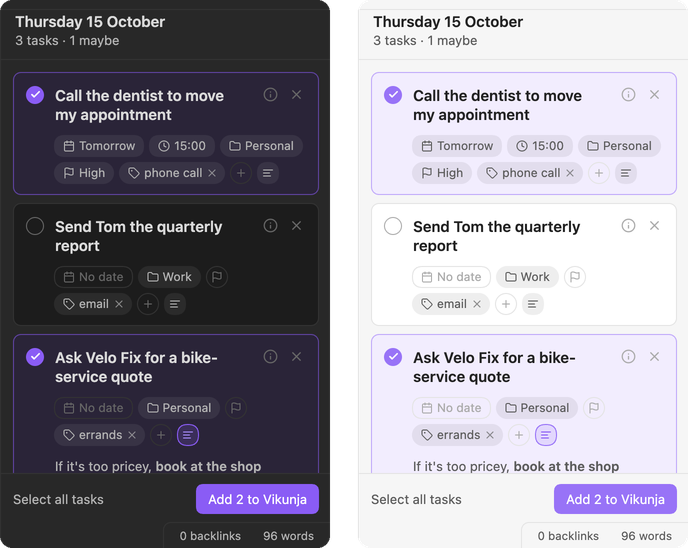
| 3 · Pick | Click a card to select it. Adjust date, time, project, priority, labels or the Markdown description. |
| 4 · Add | Press Add to Vikunja (⌘/Ctrl Enter). Each task links back to your note. |
Why it feels different
- No Anthropic API key. Axon runs your own local Claude Code, so it uses your existing login and plan.
- Reminders, not your agenda. Habits, routines and time blocks stay out. Only the things you could forget.
- One goal, one task. "Ask A for a quote, otherwise B" becomes one task, with the fallback in its description.
- Nothing leaves without you. Every draft starts unselected.
- Knows what's done. Spots tasks already in Vikunja and remembers what you added or dismissed.
- Any note. Journals, meeting notes, brain dumps. "Tomorrow" always means tomorrow.
Install
Axon runs on Obsidian desktop 1.11.4+ (macOS and Linux) and needs:
- Claude Code, installed and logged in (run
claudeonce in a terminal). No Anthropic API key needed. - A Vikunja API token with projects and labels (read all), tasks (read all, create), task labels (bulk) and task comments (create).
BRAT — install BRAT, choose Add beta plugin and enter AbdullahAlhariri/axon.
Manual — copy main.js, manifest.json and styles.css from the latest release into <vault>/.obsidian/plugins/axon/.
Then enable Axon under Settings → Community plugins, enter your Vikunja URL, pick or add your token in Obsidian's keychain, and press Test connection.
Privacy & disclosures
- Network — to draft tasks, the note's text plus your Vikunja project names, label names and open-task titles are sent to Anthropic through your local Claude Code CLI. Tasks you select are created on your Vikunja server.
- Accounts — requires a Claude account (via Claude Code) and a Vikunja account.
- Outside the vault — Axon runs the
claudeexecutable installed on your machine. - Storage — the Vikunja token is kept in Obsidian's keychain, not in your vault files. Other settings and the list of handled tasks live in the plugin's
data.json. - No telemetry.
Development
npm install
npm test                                   # unit tests
npm run test:claude                        # one real Claude call (~$0.02)
npm run dev                                # rebuild main.js on change
npm run install-plugin -- /path/to/vault   # copy the build into a vault
MIT © Abdullah Alhariri
For plugin developers
Search results and similarity scores are powered by semantic analysis of your plugin's README. If your plugin isn't appearing for searches you'd expect, try updating your README to clearly describe your plugin's purpose, features, and use cases.