BaseForm


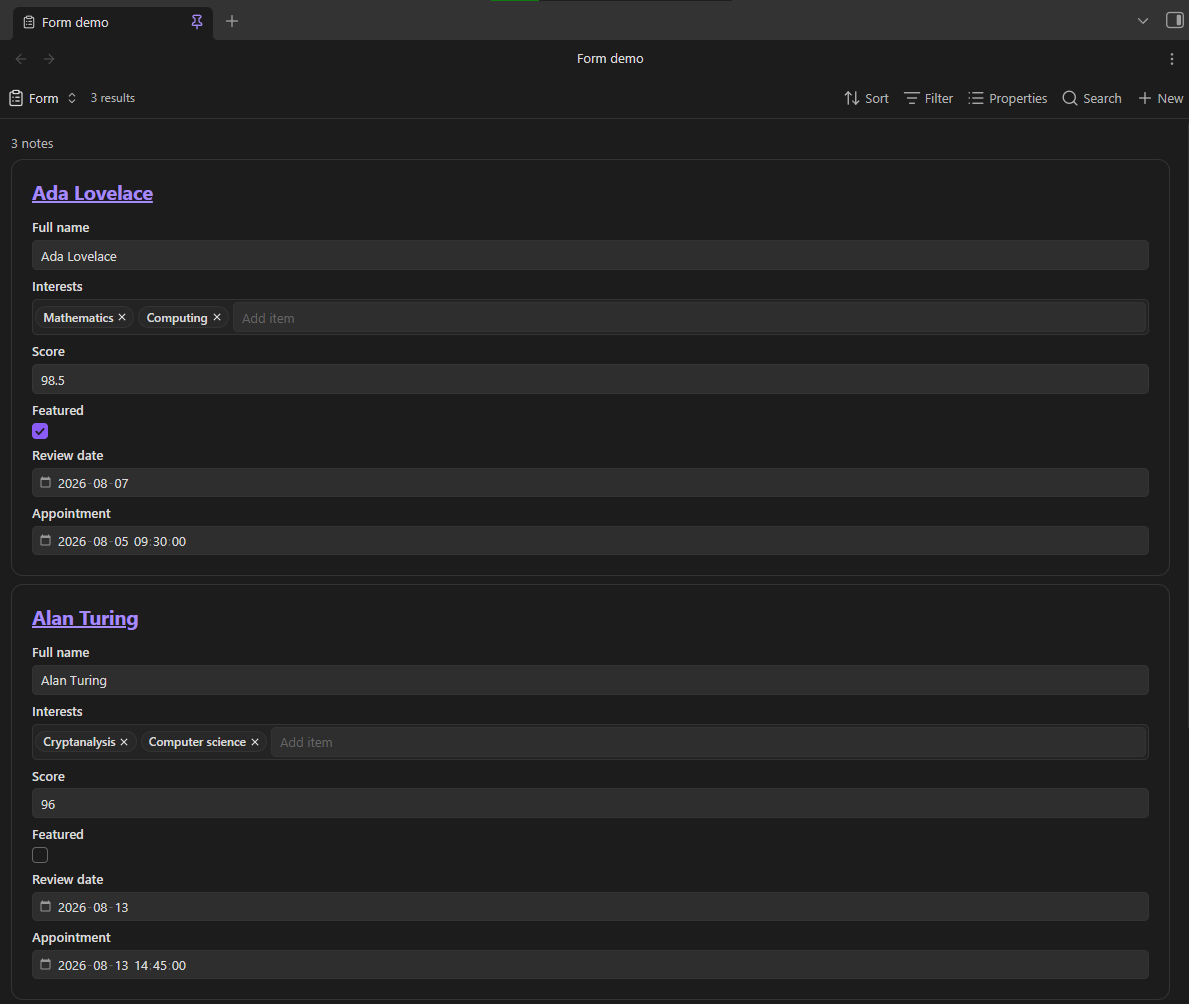
BaseForm adds an editable Form view to Obsidian Bases. Each note is displayed as an interactable form, with the selected properties stacked vertically.
Features
- Edit text, list, number, checkbox, date, and date-and-time properties.
- Autocomplete in text and list fields.
- Save changes directly to note frontmatter with Obsidian's file API.
- Use the property order and display names set in the Bases toolbar.
- Show each matching note as its own form.
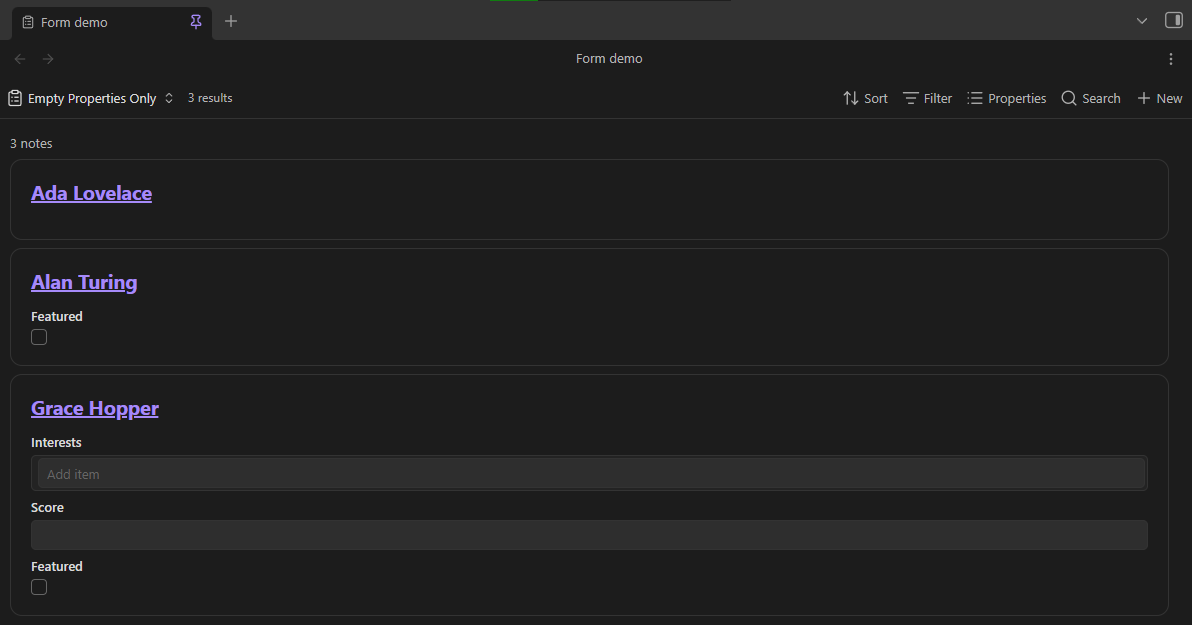
- Control file name visibility, empty-only fields, existing-only fields, and item spacing for each Form view.
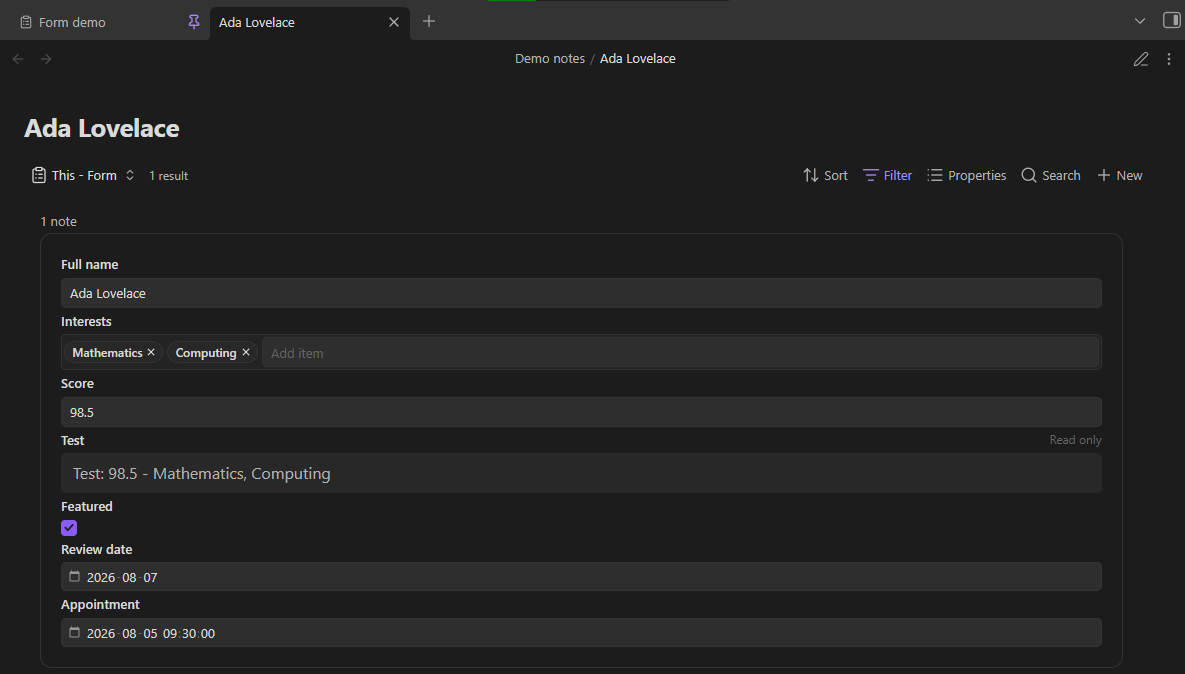
- Show file and formula properties as read-only values.
- Run locally on desktop and mobile, with no external services.
Examples
Requirements
- Obsidian 1.13.0 or later.
- The Bases core plugin must be enabled.
Use
- Install and enable BaseForm.
- Open or create a
.basefile. - Add a view, then select Form.
- Use Properties in the Bases toolbar to choose and reorder the form fields.
- Use the view options to show or hide file names, show only empty property inputs, show only existing property inputs, and adjust item spacing.
- Edit a field, then move focus away from it to save the value.
List fields use one item per line. If you clear a number, date, or date-and-time field, BaseForm keeps the property with an empty value. File and formula properties stay visible, but you cannot edit them.
BaseForm uses Obsidian's assigned property types when they are available. If an untyped property is empty in every matching note, BaseForm first uses a text field.
BaseForm shows some values as read-only to prevent accidental data loss. This includes nested data, non-text lists, and date-and-time values with timezone suffixes.
Large collections
BaseForm shows 50 notes per page by default. This limit reduces the number of form controls in large collections. The Previous and Next buttons keep the note order and groups from Bases.
In the Form view settings, select Notes per page to use 25, 50, or 100 notes. To restore the previous layout, select All notes (slower).
Save changes before you change pages. With Manual submit enabled, select the submit button first. An invalid value or a failed save keeps your changes on the current page.
List suggestions still include values from all Markdown notes in the vault. BaseForm loads these suggestions on first use, then updates only the changed note. Note-link suggestions still include all notes that match the view, not only the current page.
Demo vault
The repository includes base-form-demo-vault. It contains a configured base and sample notes for every supported property type. See base-form-demo-vault/README.md for the walkthrough.
Install for development
- Install dependencies:
npm install - Build the plugin:
npm run build - Copy
main.js,manifest.json, andstyles.cssto:<Vault>/.obsidian/plugins/base-form/ - Enable Settings → Community plugins → BaseForm.
For watch mode, run npm run dev. On Windows, ./scripts/build-to-demo-vault.ps1 builds the plugin and installs it into the included demo vault.
Validate changes
npm run lint
npm test
npm run build
Privacy
BaseForm runs locally. It does not make network requests, collect analytics, or send vault data anywhere.
For plugin developers
Search results and similarity scores are powered by semantic analysis of your plugin's README. If your plugin isn't appearing for searches you'd expect, try updating your README to clearly describe your plugin's purpose, features, and use cases.